
























Watch one short ad and play ad-free for 30 minutes.
Geometry Dash
RobTop Games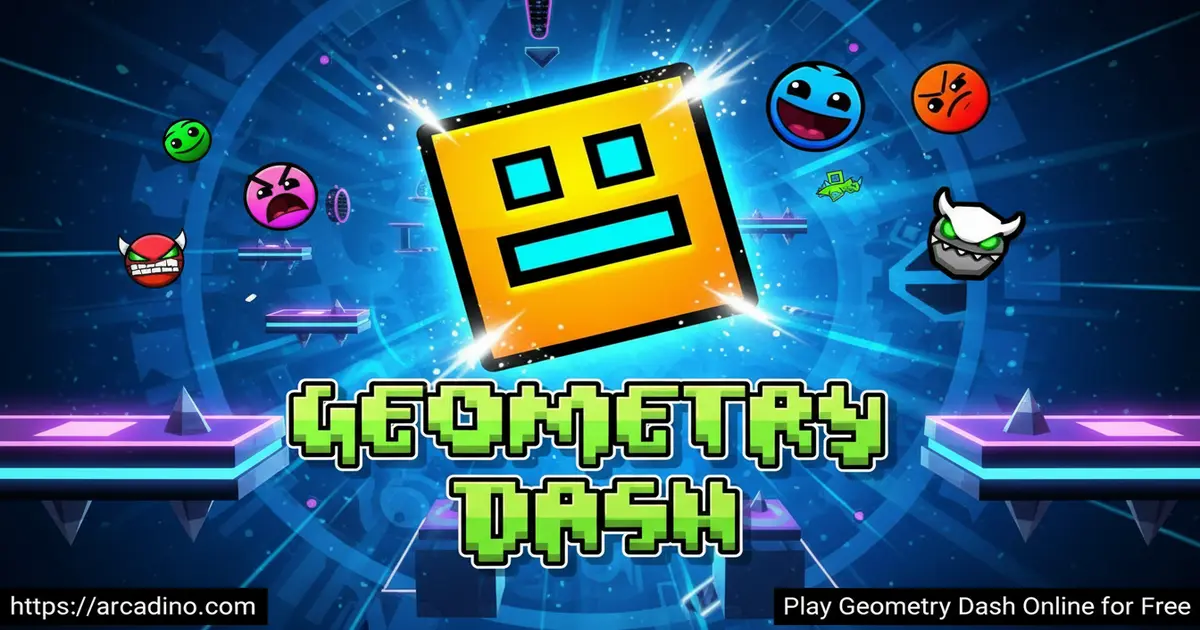
Every jump in Geometry Dash has to land exactly on the beat. This rhythm-based platformer is free to play right in your browser on Arcadino, and it hits harder than almost anything else in the genre. Swedish solo developer Robert Topala built something deceptively simple — tap to jump, survive the spikes. But syncing your moves to a pounding electronic soundtrack takes real focus and fast reflexes. The game has pulled players back for over a decade, and it’s easy to see why.
- Rhythm-based platforming — every obstacle is timed to the music
- 26 official levels — ranging from beginner-friendly to genuinely brutal
- Icon transformations — your cube shapeshifts into ships, balls, and more
- Massive user-created level library — millions of community stages to explore
What Is Geometry Dash?
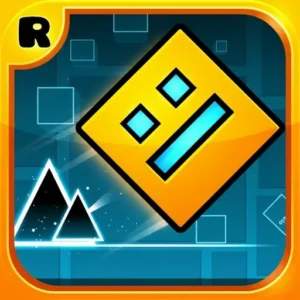
Geometry Dash is a rhythm-based action platformer developed by Robert Topala under the studio name RobTop Games. It launched in August 2013 for iOS and Android, and it quickly became one of the most recognized names in the platformer genre. Topala built the entire game solo, which makes its scale and polish even more impressive. Growing up, Topala was inspired by classic platformers like Super Mario, and he loved the way rhythm games made music feel physical. That mix — platformer instincts fused with a deep love for electronic music — is exactly what became Geometry Dash. The core idea is beautifully simple: guide a cube through obstacle-filled courses while staying in sync with the music.
What separates this game from other platformers is how tightly music and movement are woven together. The electronic soundtrack isn’t just background noise — it tells you when to jump. Playing it in the browser on Arcadino, the controls respond instantly with no perceptible input lag, which matters enormously when a single misplaced tap resets you to the beginning. That snap-tight responsiveness is what makes every successful run feel genuinely earned.
Gameplay in Geometry Dash
The game loop in Geometry Dash is built around one core action: tapping to make your icon jump. Your cube auto-scrolls through each level, and you have to dodge spikes, saws, and gravity shifts with precise timing. One touch of an obstacle sends you straight back to the start. There are no checkpoints — every run is a full attempt from the beginning of the level.
That restart mechanic is exactly what makes the game so addictive. You learn a little more about the layout each time you fail. A spike that caught you off guard on run three becomes a muscle-memory jump by run twenty. The difficulty ladder has seven tiers in total: Auto, Easy, Normal, Hard, Harder, Insane, and Demon — with Demon acting as a separate overlay on top of the hardest stages. The Demon tier itself splits into five sub-levels including Easy Demon, Medium Demon, Hard Demon, Insane Demon, and Extreme Demon. The very bottom rung, Auto, is worth knowing about too — Auto levels play themselves, so your icon clears the stage without any input from you. They’re great for warming up or just watching the game’s obstacle design in action before you try a level yourself.
Icon Transformations and Portals
One of the most exciting mechanics in Geometry Dash is the transformation portal. When your cube hits one of these portals, it shifts into a completely different form — each with its own movement style. The ship glides and can be steered up and down. The ball rolls and flips gravity. The UFO hops in bursts. The wave moves diagonally in a continuous line.
Every transformation changes how you interact with the level. You can’t just memorize one set of controls and coast through the game. Each new form demands a fresh mindset, and learning the quirks of each shape adds real depth to what looks like a simple tapping game. This is one of the biggest reasons players keep pushing through tougher and tougher stages.
Levels and Progression
There are 26 official levels in total — 22 classic auto-scrolling stages and 4 dedicated platformer levels. Each one features a unique electronic track that sets the pace for that level’s obstacle patterns. Earlier levels like Stereo Madness and Back On Track ease you in with forgiving timing windows. As you climb the difficulty ladder, the level names get more intense too — Polargeist and Dry Out step up the pace on Normal, while Base After Base and Can’t Let Go push into Hard territory. Harder levels like Time Machine and Cycles demand tighter rhythm, and Insane-tier stages like Clutterfunk, Theory of Everything, and Electrodynamix will seriously test your reflexes. Later stages demand split-second precision across long, unforgiving stretches. Reaching the end of a tough level for the first time feels genuinely thrilling. 🎮
Beyond the official content, the user-created level library is enormous. The level editor was introduced in the major 2.0 update back in 2015, and the community has been building ever since. There are millions of player-made stages available, covering every difficulty and every style imaginable. The 2.2 update in 2023 was one of the biggest in the game’s history — it added a new Swing mechanic, customizable camera controls, a Platformer game mode, new trigger systems for level creators, and several new official levels. As of early 2026, the community’s attention is turning toward the anticipated 2.21 update, which is expected to round out the 2.2 cycle with bug fixes, quality-of-life improvements, and possibly new content. Keeping an eye on RobTop’s official channels is the best way to stay current on what’s coming next.
Graphics and Audio in Geometry Dash
The visual style is clean and geometric — bold shapes, sharp colors, and crisp lines that make obstacles easy to read even at high speed. That clarity is intentional. When a level is flying past at pace, you need to spot a spike row instantly, not squint at a cluttered background. The art style serves the gameplay perfectly.
The soundtrack is where this game truly shines. Each official level has its own pulsating electronic track, and the music isn’t just mood-setting — it’s a timing guide. Obstacle placements sync to the beat, so players who listen carefully gain a real advantage. The audio design makes every run feel like a performance, not just a survival attempt.
How to Play Geometry Dash
Getting started with Geometry Dash is immediate. Head to Arcadino, open the game, and you’re placed at the start of the first level. There’s no tutorial screen to sit through — the game teaches you by doing. If you tap too late or too early, you restart. That instant feedback loop is the tutorial.
The difficulty curve in the early levels is fair. Stereo Madness and Back On Track give you room to find the rhythm before the obstacles get serious. By the time you reach harder stages, you’ll have built genuine instincts for timing. The best approach for beginners is to focus on the music as much as the visuals — let the beat guide your taps.
Controls for Geometry Dash
On desktop, press Spacebar, the Up Arrow, or click the left mouse button to jump. Hold the input to keep your icon airborne in vehicle forms like the ship. On mobile, tap anywhere on the screen to jump or fly. The controls are intentionally minimal — the entire game runs on a single input, which keeps the focus on rhythm and timing rather than complex button combinations.
Using Practice Mode as a Learning System
Practice Mode is more than just a safety net — it’s a proper learning tool when you use it with a plan. Instead of scattering checkpoints randomly, try splitting a tough level into three or four zones and placing a checkpoint at the start of each. Master zone one until you can clear it without thinking. Then move to zone two, do the same, and so on. Once every zone feels solid in isolation, your clean run becomes a matter of stitching together things you’ve already learned — not tackling one giant unknown. This zone-by-zone approach turns an impossible-looking level into a series of solvable puzzles. It also makes failure feel less frustrating, because a crash in zone three just means you practice zone three, not the whole level again. Players who use Practice Mode this way tend to clear hard stages much faster than those who grind full attempts over and over from the start.
Tips and Tricks for Geometry Dash
- Listen before you look. The beat of the soundtrack tells you when jumps are coming. Tap in rhythm with the music, not just in reaction to visual obstacles.
- Learn the portal shapes early. Each icon transformation has different physics. Practice how the ship and ball behave before facing them in a high-speed section.
- Use the Practice Mode. The game includes a practice mode that places checkpoints throughout a level. Use it to memorize tough sections before tackling a full clean run.
- Don’t ignore early levels. Replaying simpler stages builds the muscle memory and rhythm instincts you’ll need for harder content. Speed and precision both improve through repetition.
- Watch for gravity shifts. Some sections flip your icon to the ceiling. When you see a gravity portal, reverse your mental model of where the floor is — your timing logic flips with it.
Key Features of Geometry Dash
- Rhythm-synced obstacle design — spikes, saws, and portals are placed to the beat of each level’s soundtrack, making music a gameplay tool
- 26 official levels with seven difficulty tiers — from Auto and Easy through Normal, Hard, Harder, and Insane, up to the brutal five-stage Demon tier including Easy, Medium, Hard, Insane, and Extreme Demon
- Multiple icon forms with unique physics — cube, ship, ball, UFO, wave, robot, and spider each move differently through transformation portals
- Community-built level library — the in-game level editor has powered millions of user-created stages since the 2.0 update in 2015
- 2.2 update content — the 2023 update added a Swing mechanic, camera controls, a new Platformer mode, fresh triggers for creators, and new official levels, with the 2.21 update anticipated by the community
Where to Play Geometry Dash
Geometry Dash is available to play free in your browser on Arcadino. There’s nothing to install and no account required to jump in. The browser version loads quickly and runs smoothly on both desktop and laptop screens. Arcadino keeps the game accessible without restrictions, so you can play it at home without worrying about blocked sites.
Browser or Mobile — Which Should You Choose?
The browser version on Arcadino is the easiest way to start. There’s no download, no payment, and it works on any computer — including school or library machines where installing apps isn’t allowed. If you just want to try the game right now, the browser is the obvious pick. The paid mobile app is worth it if you want more from the experience. It gives you haptic feedback on every tap, so the rhythm literally feels different in your hands. You can also play offline, which is handy on long trips without Wi-Fi. The mobile version also syncs your progress, achievements, and custom icons to your account — so nothing gets lost if you switch devices. Think of the browser version as the perfect way to fall in love with the game, and the mobile app as the upgrade you grab once you’re hooked.
If you want the full experience on your phone or tablet, the official mobile versions are available on both major platforms. Download Geometry Dash on Android from the Google Play Store or grab it on iPhone and iPad from the Apple App Store. Stick to those official channels — APK files from unofficial sites can carry security risks, so it’s always safer to download directly from the verified stores.
For Parents
Geometry Dash is appropriate for kids aged 8 and up. The content is entirely non-violent — you control a geometric shape navigating obstacle courses, and there’s nothing graphic or frightening in the game. The main challenge is pure skill and timing, which makes it genuinely good for developing focus and hand-eye coordination.
There is no live chat or multiplayer interaction in the standard game, so there’s no risk of contact with strangers during play. The full mobile version does offer in-app purchases for cosmetic items and unlockable content, so parents may want to review purchase settings on their child’s device. For browser play on Arcadino, no purchases are involved at all. Sessions can run short or long depending on the level being attempted, but most individual attempts last under two minutes.
What Kids Are Actually Learning While Playing
The cognitive benefits of Geometry Dash go well beyond hand-eye coordination. Every level is built from repeating obstacle patterns, and recognizing those motifs is a genuine exercise in pattern recognition — the same skill used in math and reading comprehension. Holding a level’s full layout in mind across dozens of attempts trains working memory, because kids are constantly building and updating a mental map of what comes next. Perhaps most valuably, the game’s restart mechanic builds failure tolerance: children learn through direct experience that failure isn’t the end — it’s data. Each crash tells them exactly what to fix, which develops a growth mindset that transfers well beyond gaming. The deliberate repetition required to clear even a Normal-tier level teaches persistence and incremental progress in a way that’s naturally motivating because the reward (clearing the stage) is immediate and satisfying. For parents or educators looking for a browser game with real skill-development value, Geometry Dash offers a surprisingly rich learning environment wrapped inside a simple-looking tapping game.
Similar Games to Geometry Dash
If you love the rhythm-and-reflex challenge of this platformer, these games are worth trying next.
- Geometry Dash Lite — the free version of the original game with a selection of official levels, perfect for first-timers who want to test the core mechanics
- Geometry Dash SubZero — a standalone spin-off from RobTop Games featuring brand-new levels and a fresh set of high-energy tracks
- Geometry Dash World — another official spin-off that introduced daily challenges alongside a new batch of levels, great for players who want fresh content regularly
- Geometry Dash Meltdown — a free spin-off with unique visual themes and more advanced obstacle patterns, released in 2015
- Geometry Dash Scratch — a community-built recreation of the dash formula on Scratch, packed with user-created stages and a huge variety of challenges
Browse more games in the Platformer category on Arcadino.
FAQs About Geometry Dash
Is Geometry Dash free to play online?
Yes, Geometry Dash is completely free in the browser on Arcadino. The mobile versions on the App Store and Play Store are paid apps, but the browser version lets you jump in at no cost. No account creation is needed to start playing.
Who made Geometry Dash?
Robert Topala, a Swedish developer working under the name RobTop Games, created Geometry Dash. He built the entire game by himself, from the core mechanics to the level design. The game first launched in August 2013 and has received major updates ever since, including the significant 2.2 update in 2023.
How many levels does Geometry Dash have?
Geometry Dash has 26 official levels in total. Twenty-two of these are classic auto-scrolling stages, and four are dedicated platformer-style levels. Beyond the official content, millions of additional stages have been created by the community using the built-in level editor.
What is the hardest level in Geometry Dash?
The hardest official levels fall under the Demon difficulty tier. This tier is divided into five sub-categories: Easy Demon, Medium Demon, Hard Demon, Insane Demon, and Extreme Demon. Extreme Demon levels represent the absolute ceiling of difficulty in the official game and require hundreds of attempts to complete.
What is the Geometry Dash 2.2 update?
The 2.2 update arrived in 2023 and was one of the biggest changes in the game’s history. It added a new Swing mechanic, camera controls that level creators can manipulate, a dedicated Platformer game mode, new trigger systems, and fresh official levels. The community considered it the second major turning point for the game after the 2.0 update in 2015, and attention is now building around the anticipated 2.21 update.
Can I create my own levels in Geometry Dash?
Yes, Geometry Dash includes a built-in level editor for creating custom stages. This feature was introduced in the 2.0 update in 2015 and has grown into one of the game’s defining features. Players can share their creations with the wider community, which is why millions of user-made levels now exist.
Is there a Geometry Dash Lite version?
Yes, Geometry Dash Lite is a free version of the game with a limited selection of official levels. It gives new players a taste of the rhythm-platformer gameplay without requiring a purchase. The full game offers more levels, the level editor, achievements, and additional soundtracks beyond what Lite provides.
Start Jumping to the Beat
Geometry Dash earns its reputation through a combination of razor-sharp rhythm mechanics, satisfying icon transformations, and a difficulty curve that keeps pushing you forward. The 26 official levels carry you from your first fumbling taps all the way to some of the most demanding challenges in browser gaming. Add the massive library of community-built stages and the regularly updated official content, and there’s no shortage of reasons to keep coming back.
Head to Arcadino, tap play, and find out how far your rhythm and reflexes can actually take you. Your first Demon clear might be closer than you think.
Gameplay Video


