
























Watch one short ad and play ad-free for 30 minutes.
Mine Blocks
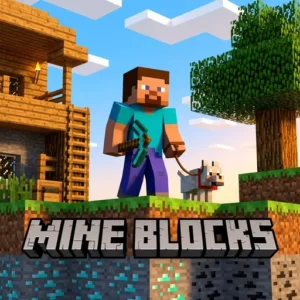
ZanzlanzIf you’ve ever wished Minecraft was flatter, faster, and ready to play in a browser tab, Mine Blocks is the game you’ve been waiting for. This free 2D Minecraft fan-game lets you dig, craft, and battle creepers without downloading anything. It started life as a Flash project and now runs smoothly in HTML5, so you can jump in from almost any computer. There’s survival, creative, hardcore, and even a multiplayer scavenger hunt mode tucked inside.
Mine Blocks packs a surprising amount into its pixel world. Here’s what stands out right away:
- Over 300 blocks and items to dig up and combine
- Three dimensions, dungeons, and a dragon boss fight
- A multiplayer scavenger hunt with friends online
- More than 11,000 player-made skins to choose from
What Is Mine Blocks?
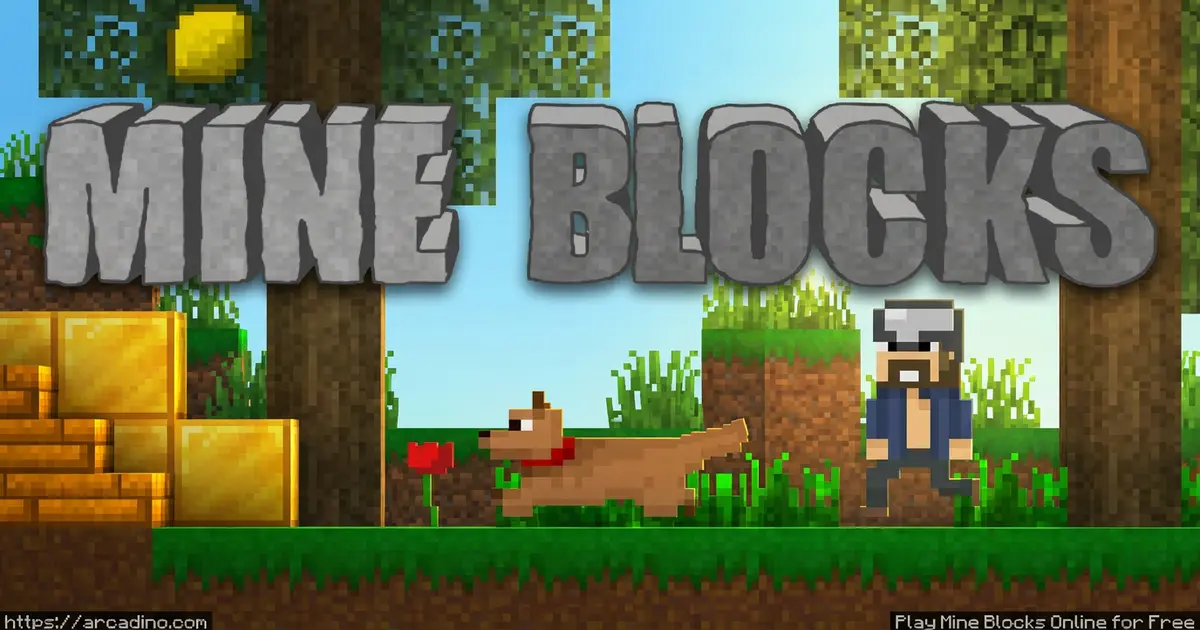
Mine Blocks is a 2D Minecraft-inspired action game made by indie developer Zanzlanz. It takes the core ideas of mining, crafting, and surviving, then flattens them into a side-scrolling sandbox. The pixelated visual style feels instantly familiar, but the game adds its own twists like wiring components, brewing, and tameable dogs. It’s a fan project, not an official Minecraft product, and it has nothing to do with Mojang.
What I noticed first is how quickly worlds load in the browser. There’s no installer, no plug-in, and no waiting on a chunky update. The HTML5 build runs cleanly in Chrome and Firefox, and controls feel responsive the second you start swinging your fist at a tree. For a 2D Minecraft clone, that smoothness really matters.
Gameplay in Mine Blocks
The loop is the same one that made Minecraft famous: punch trees, gather resources, craft tools, build a shelter before night. In Mine Blocks, everything happens on a 2D plane, which makes mining feel almost like a platformer. You dig down through layers of dirt and stone, find iron and diamonds, and stumble into caves full of zombies and spiders. Combine wood and stone at a crafting table to make a wooden axe, then keep upgrading from there.
Once you’ve got the basics, the world opens up fast. There are three dimensions to explore, plus dungeons hiding rare loot. You can enchant gear, brew potions, fish in lakes, and eventually face off against a dragon boss. Over 20 creatures roam the world, and you can tame dogs or ride pigs around your base. 🐷
Exploring the Three Dimensions
Mine Blocks isn’t just one flat world – there are three full dimensions waiting for you. The Overworld is where you spawn, with forests, caves, deserts, and snowy biomes to wander. Build a Nether portal from obsidian and you’ll drop into a fiery dimension packed with lava lakes and tough mobs. The third dimension hides the dragon boss, and you’ll need enchanted diamond gear before stepping inside. Each dimension has unique blocks you can’t find anywhere else, so exploring all three is the only way to fill your collection. Pack torches, food, and a backup pickaxe before you portal anywhere new.
Game Modes in Mine Blocks
Survival is the headline mode, where hunger, health, and hostile mobs all matter. You’ll build shelters, fight off creepers at night, and slowly upgrade from wooden tools to diamond gear. Hardcore mode dials this up by making death permanent, so one bad creeper hug can end your whole world.
Creative mode flips the rules. You get unlimited resources, no health bar, and the ability to fly by double-tapping W or Space. It’s pure sandbox time – perfect for building castles, redstone-style contraptions, or whole pixel cities. The newer minigames tab adds extra modes on top, including the multiplayer scavenger hunt that arrived in update 1.31.
Enchanting and Brewing Guide
Once you’ve got diamond tools, enchanting and brewing become the next big steps. Build an enchanting table from obsidian, diamonds, and a book, then surround it with bookshelves to unlock higher-level enchantments. Useful ones include Sharpness for swords, Efficiency for pickaxes, and Protection for armor pieces. Brewing works at a brewing stand, where you mix water bottles with ingredients like Nether wart and glowstone dust. Healing potions keep you alive in dungeons, while Strength potions make boss fights way easier. Don’t forget Fire Resistance before heading into the Nether – lava burns are brutal without it. Stack a few of each in your Hotbar before any big adventure.
Customization and Skins in Mine Blocks
Skins are a huge part of the experience. The community has uploaded more than 11,000 player-made skins, so you can show up as almost anything imaginable. There are custom texture packs too, letting you change how blocks and items look without modding anything yourself.
On top of that, you can share entire generated worlds with friends using map sharing. If you build something amazing, you can hand it off and let other players explore your creation. That kind of sharing keeps the community feeding new ideas back into the game.
Wiring and Redstone-Style Contraptions
One of Mine Blocks’ coolest hidden features is its wiring system. It works a lot like Minecraft’s redstone, letting you build doors that open automatically, traps for mobs, and even simple calculators. You can connect levers, buttons, and pressure plates to pistons, lamps, and TNT. Start small with a hidden door behind a painting before trying bigger builds. The 2D layout actually makes wiring easier to follow than in 3D Minecraft, since everything stays on one plane. Creative mode is the best place to experiment without wasting resources. Once you get the hang of it, you can design full puzzle maps to share with friends.
Multiplayer Scavenger Hunt
The scavenger hunt minigame is where Mine Blocks gets competitive. You and your friends jump into the same world online and race to collect all 10 listed items within 8 minutes. Whoever finishes the list first wins the round.
It’s fast, chaotic, and a great way to play with people who don’t want a long survival session. You still need to know where resources spawn and which tools mine which blocks, so casual knowledge of the game pays off. It’s a nice break from solo crafting marathons.
Build Ideas to Try in Creative Mode
Creative mode is a blank canvas, and the 2D view makes huge builds way less intimidating than in regular Minecraft. Try a layered underground base with separate rooms for storage, brewing, and enchanting. Pixel art looks amazing here since the side-scrolling view turns your world into a giant drawing. You can recreate scenes from your favorite games, build a tall castle with towers and a drawbridge, or design an obstacle course for friends. Floating sky islands connected by bridges are another fan favorite. Mix different block types like wool, glass, and glowstone for color and lighting. Save your best builds and share the map file so others can explore.
How to Play Mine Blocks
Getting started is easy. Open Mine Blocks in your browser, pick a mode, and a randomly generated 2D world will load up. Your character spawns on the surface, usually surrounded by trees and grass. Punch wood, build a crafting table, and you’re off.
Controls for Mine Blocks
- Move with the WASD keys, and sprint by double-tapping A or D
- Mine blocks or hit creatures by clicking and holding the left mouse button
- Place blocks by selecting one in the Hotbar and right-clicking an empty space
- Press E to open your inventory, craft items, and equip armor
- Right-click and hold to use or eat the item you have selected
You can review and rebind everything in the settings menu if the defaults don’t feel right. If you’re playing on a laptop trackpad, plugging in a mouse really helps with mining accuracy.
Tips and Tricks for Mine Blocks
- Build a basic shelter before your first night – creepers and zombies spawn fast in the dark
- Always carry food in your Hotbar so you can right-click to heal during fights
- Use the right tool for the job: pickaxes for stone and ore, axes for wood, shovels for dirt
- Tame a dog early if you can – it’ll help fend off hostile mobs while you mine
- In the scavenger hunt, memorize where common resources spawn so you can grab the list quickly
- Place torches every few blocks in caves to stop mobs from spawning behind you
- Keep a bed at home so you can skip the night and respawn nearby if you die
Key Features of Mine Blocks
- Over 300 blocks and items spanning tools, weapons, food, and decorations
- Survival, creative, and hardcore modes plus a multiplayer minigames tab
- Three dimensions, hidden dungeons, and a dragon boss to defeat
- Crafting, enchanting, brewing, fishing, and wiring mechanisms
- Over 11,000 community skins and support for custom texture packs
Where to Play Mine Blocks
The easiest place to play is right in your browser – no download, no sign-up, just load the page and start mining. The HTML5 version runs without any plug-ins on Chrome, Firefox, Safari, and Edge. Many players also find this 2D Minecraft fan-game through CrazyGames, where it has a steady community.
If you’d rather play on the go, there are official mobile versions available too. Grab Mine Blocks on Google Play for Android or on the App Store for iPhone and iPad. Stick to those official stores – random APK files from other sites can hide malware.
For Parents
Mine Blocks is a good fit for kids around 8 and up who enjoy Minecraft-style building and exploration. The combat is cartoon-style and pixelated, with no blood or graphic content. The browser version doesn’t require an account, and the scavenger hunt multiplayer is limited to a short 8-minute race rather than open chat with strangers.
It’s a creative, problem-solving game that rewards planning, resource management, and a bit of patience. A 30 to 45 minute session is plenty for one sitting. If your child already loves Minecraft, this is a lighter, browser-friendly alternative they can play between homework breaks.
Similar Games to Mine Blocks
If you’re hooked on 2D crafting and sandbox exploration, these browser games scratch the same itch:
- Bloxd.io – A multiplayer block-building game with modes that mix creative sandbox and survival challenges
- Jacksmith – A crafting-focused action game where you forge weapons for an animal army heading into battle
- Mine Blocks 2 – Zanzlanz’s follow-up with a new lighting system and a fresh crafting interface
- Paper Minecraft – Another 2D Minecraft-style fan game with survival and creative modes
- Adventure Games
FAQs About Mine Blocks
Is Mine Blocks free to play?
Yes, Mine Blocks is completely free to play in your browser. You don’t need to sign up or install anything to start a world. The mobile versions on Google Play and the App Store are also available if you want to play away from a computer.
Does Mine Blocks have multiplayer?
Yes, Mine Blocks has multiplayer through the scavenger hunt minigame. Team up with friends online and race to collect all 10 listed items within 8 minutes. Whoever finds everything first wins the round.
When did Mine Blocks come out?
Mine Blocks was first released as a Flash game by Zanzlanz, and the HTML5 version has been available since 2021. It still gets regular updates – version 1.31 added the scavenger hunt mode. New features keep arriving over time.
Is Mine Blocks the same as Minecraft?
No, Mine Blocks is a 2D fan-game inspired by Minecraft, not an official product. It’s made by indie developer Zanzlanz and is not approved by or associated with Mojang. It shares ideas like mining and crafting but adds its own twists in a side-scrolling format.
Who made Mine Blocks?
Mine Blocks was created by indie game and music developer Zanzlanz. The same developer also made Mine Blocks 2, Snowman Slide, and Deseeder. Updates and new features still come directly from Zanzlanz.
Can I play Mine Blocks without downloading anything?
Yes, the HTML5 version runs in your browser with no plug-ins or installers. Just open the page and the world generates instantly. If you’d rather have an app, mobile versions are also available on iOS and Android.
Does Mine Blocks have a dragon boss?
Yes, Mine Blocks includes a dragon boss tucked away in one of its three dimensions. You’ll need solid armor, weapons, and likely some enchanted gear to take it down. It’s one of the game’s biggest endgame challenges.
Final Thoughts on Mine Blocks
Mine Blocks turns the Minecraft formula into a snappy, side-scrolling adventure that loads in seconds. Between the 300+ blocks, three dimensions, dragon boss, and the chaotic 8-minute scavenger hunt, there’s far more here than the simple 2D look suggests. Add 11,000+ community skins and steady updates from Zanzlanz, and you’ve got a sandbox worth coming back to.
Fire up a world, punch some trees, and see how far you can dig before nightfall – this 2D Minecraft tribute is ready whenever you are.
Gameplay Video