
























Watch one short ad and play ad-free for 30 minutes.
Jewel Quest
iWinIf you love match-3 puzzles with a treasure-hunting twist, Jewel Quest is calling your name. This free online classic drops you onto mysterious jewel boards packed with ancient relics, sparkling gems, and golden tiles. Your mission sounds simple: swap two relics, line up three or more, and watch the sandy tiles flip to gold. But the timer is ticking, the boards get trickier, and earning three stars takes real strategy. 💎
Played in your browser with zero downloads, Jewel Quest mixes cozy puzzle vibes with a light archaeology theme. It’s the kind of jewel quest free online experience that hooks casual players and puzzle nerds alike.
- Classic match-3 gameplay with a gold-tile twist
- 72 jewel boards across six themed worlds
- Midas’ Touch power-up unlocks from level 2
- Three-star scoring system with cascading combos
What Is Jewel Quest?
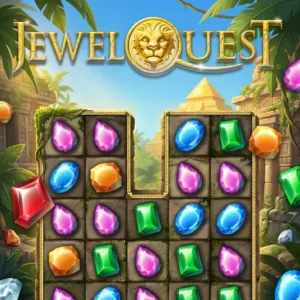
Jewel Quest is a classic match-3 puzzle game where every match turns the tile beneath into gold. Clear the whole board to gold, and you move on to the next level. It’s not just about popping gems for points. You’re slowly excavating a jewel board, one match at a time, like a tiny archaeologist.
The art leans into that adventure theme with relics, artifacts, and dusty backdrops that feel pulled from a jungle dig site. Loading the game in a browser tab is quick, and the swap controls respond cleanly with either a click or a tap. I noticed the sparkle hint that nudges you toward a possible match if you stall too long, which is a nice touch for younger puzzlers.
Jewel Quest was originally created by iWin, the studio behind the long-running puzzle series. The browser classic you’ll play here is based on that same original design. Newer mobile editions are published by partners like Double Coconut, but the core gameplay still belongs to the iWin family.
Jewel Quest Gameplay Loop
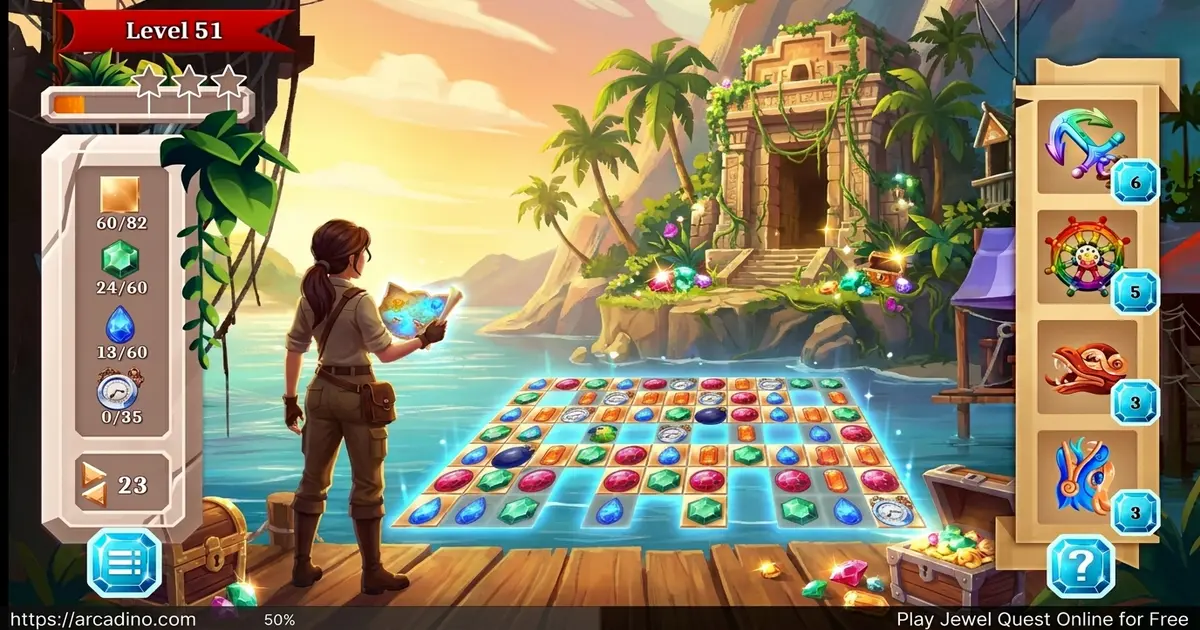
The core loop is easy to learn but tough to master. You click one relic, then click an adjacent one to swap them. If that swap creates a line of three or more identical jewels, they vanish and the tiles below turn gold. Jewels above cascade down to fill the gaps, sometimes triggering automatic chain matches.
Those chain matches are where the magic happens. Cascading combos earn bonus points without any extra moves from you. The trick is setting up boards where one smart swap unleashes a whole avalanche of matches. That’s how top players grab three stars on every level.
Levels and Progression in Jewel Quest
The game stretches across 72 levels spread over six themed worlds, each with its own background music. Early boards are friendly squares, but later stages twist into irregular shapes with hard-to-reach corners. New jewel types appear as you climb, forcing you to rethink your patterns.
Each level has a time limit shown on a bar at the bottom of the board. Run out of time and you restart. The clock adjusts as you advance, but the puzzles get meaner, so it stays a challenge.
Tricky Board Shapes and Manual Moves
Late-level boards throw a sneaky twist at you. Some shapes have gaps that cascading jewels can’t refill, like floating islands or sideways pockets. When that happens, you’ll need to manually swap an adjacent jewel into the empty spot yourself. It takes a second to spot, but once you see it, you can plan around it. Watching for these dead zones early in a level saves you from panicking when the timer is low.
Scoring and the Three-Star System
Every match earns points based on how many jewels you clear at once. Bigger matches and cascading combos rack up bonus points fast. The total score at the end of a level decides whether you earn one, two, or three stars.
Going for three stars is the real endgame challenge. Casual players can finish levels with one star, but completionists will replay boards trying to chain bigger combos. It’s a clean scoring system that gives Jewel Quest a ton of replay value.
A Concrete Three-Star Combo Strategy
Here’s how cascade math actually works. A plain three-jewel match might earn you around 50 points. But chain that match into a cascade where two more matches drop in automatically, and the second match scores roughly double, with the third doubling again. Suddenly that one swap is worth 350+ points instead of 50.
Try this sample setup: scan the board for a column where swapping the bottom two jewels would clear three reds. Before you swap, check what sits above those reds. If you see two yellows stacked under a third yellow, your red match will cascade into an automatic yellow match. Stack one more potential match above that, and you’ve got a triple cascade from a single move. That’s the fastest path to three stars.
Power-Ups and Special Relics
From level 2 onward, you can earn the Midas’ Touch power-up. Match three or more gold coins in a line and the Midas’ Touch is yours. Use it to instantly turn any single tile to gold, no matter where it sits on the board.
This is a lifesaver for awkward corners or tiles you just can’t reach with normal swaps. Heads up though: Midas’ Touch only works on the level where you earned it. You can’t bank them for later boards.
How to Play Jewel Quest
Getting started takes about five seconds. Open the game in your browser, pick a level, and start swapping. There’s no account creation, no tutorial wall, and no waiting for downloads to finish.
The goal stays the same on every board: turn every tile gold before the timer hits zero. If you accidentally select the wrong jewel, just click it again to deselect. The green border around a selected tile makes it easy to track what you’re about to swap.
Jewel Quest Controls
Use your mouse to click two adjacent relics and swap their positions. On mobile, tap the first jewel, then tap the one next to it. The Pause button stops the timer without penalty if you need a break or want to switch levels.
Auto-Pause When You Switch Tabs
Jewel Quest also pauses itself if you click away from the tab or minimize the window. That means a surprise homework question won’t wreck your timer or cost you a level. When you return, the game picks up right where you left off. It’s a small touch, but it protects your progress and your high score chase.
Browser Performance and Accessibility
Jewel Quest is light on system resources, so it runs smoothly even on older laptops and budget Chromebooks. The game uses simple 2D art, which means no lag and no fan noise during long sessions. Mouse input feels snappy in Chrome, Firefox, Safari, and Edge alike.
For colorblind players, a few jewel pairs can look similar, especially the red and green relics. Turning up your screen brightness or using your browser’s high-contrast mode can help tell them apart. Keyboard-only play isn’t supported, so a working mouse or touchpad is needed. If you’re on a touchscreen Chromebook, tapping works just like it does on a tablet.
Tips and Tricks for Jewel Quest
- Attack the hardest corners first. Isolated tiles get tougher to clear as the board empties.
- Set up cascades on purpose. Look for swaps that drop jewels into new matches automatically.
- Save your Midas’ Touch for the last stubborn tile, not the easy ones.
- Watch the sparkle hints. If a pair shimmers, the game is telling you a match exists there.
- Keep one eye on the timer. Quick decent moves beat slow perfect ones.
Key Features of Jewel Quest
- Gold-tile clearing goal that twists the classic match-3 formula
- Six themed worlds with their own orchestral background music
- Midas’ Touch power-up earned through gold coin matches
- Sparkle hints for stuck moments and a tap-to-deselect safety net
- Three-star scoring that rewards combo planning over speed
Where to Play Jewel Quest
The easiest way to dive in is right here in your browser. Jewel Quest runs instantly on desktop and laptop, with no download, no signup, and no install. It works in Chrome, Firefox, Safari, and Edge.
If you’d rather play on your phone, official mobile versions are available on both stores. Grab it on Google Play for Android or the App Store for iPhone and iPad. Stick with the official store listings rather than random APK sites, since unofficial files can carry malware.
Free Browser Classic vs. Paid Sequels
Wondering if you should stick with the free browser version or grab one of the paid sequels? Here’s a quick breakdown. The browser classic gives you 72 levels, the Midas’ Touch power-up, and the core gold-tile goal with no story cutscenes. It’s the best free entry point.
Jewel Quest: The Sapphire Dragon adds a full story mode, around 180 levels, and new power-ups like the bomb and the wildcard. The Sleepless Star bumps that up with hidden-object scenes between puzzles and dual-board challenges. Jewel Quest 7 Seas wraps in a pirate adventure plot, ship customization, and over 200 levels. If you mainly want puzzle fun, the free classic is plenty. If you crave story, hidden objects, or extra power-ups, the paid sequels are worth a look.
For Parents
Jewel Quest is a great fit for kids ages 8 and up who enjoy puzzles. The match-3 format quietly builds pattern recognition, planning, and quick decision-making skills. There’s no chat feature in the browser version and no scary content, just relics and gold tiles.
The mobile apps may include ads or optional purchases, so it’s worth checking settings before handing over a phone. Short levels make it easy to set a 20 or 30 minute play limit without cutting kids off mid-puzzle.
Similar Games to Jewel Quest
If the swap-and-match loop hooks you, there are plenty of other gem-matching adventures to try next.
- Jewel Shuffle – Another classic gem matcher with a more relaxed, no-timer pace.
- Bubble Shooter – Aim and pop colored bubbles instead of swapping tiles.
- Zoo Boom – A colorful animal-themed match-3 puzzle with cute critters.
- Bubble Spinner – A spinning twist on the bubble-matching formula.
- Mahjongg Dimensions – A 3D tile-matching puzzle where you spin cubes to find pairs against the clock.
- Puzzle Games – Browse more brain-teasers in our full puzzle collection.
FAQs About Jewel Quest
How do you play Jewel Quest?
Swap two adjacent relics to line up three or more matching jewels. Every successful match removes those jewels and turns the tile underneath gold. Clear every tile to gold before the timer runs out to finish the level and move on.
Is Jewel Quest free to play online?
Yes, Jewel Quest is completely free to play in your browser. There’s no signup, no download, and no payment required. Just open the page, pick a level, and start swapping.
How many levels does Jewel Quest have?
The browser version includes 72 levels across six themed worlds. Each world has its own background music and its own visual style. Difficulty ramps up steadily as new jewel types and board shapes appear.
What is the Midas’ Touch in Jewel Quest?
Midas’ Touch is a power-up that turns any single tile to gold instantly. You earn one by matching three or more gold coins in a line. It unlocks from level 2 and is most useful for hard-to-reach corners.
How many Jewel Quest games are there?
The Jewel Quest series has many sequels and spin-offs released over the years. Titles include Jewel Quest III, Jewel Quest Heritage, The Sapphire Dragon, The Sleepless Star, and 7 Seas. The version you play in your browser is the classic match-3 original.
Can I play Jewel Quest on mobile?
Yes, Jewel Quest works on phones and tablets through the browser or official apps. Touch controls let you tap two adjacent jewels to swap them. Android and iOS versions are also available on their respective app stores.
Does Jewel Quest have a time limit?
Yes, every level has a timer shown at the bottom of the board. Early levels usually give you a couple of minutes, and the exact amount can shift from board to board. Running out of time means restarting the level.
Final Thoughts on Jewel Quest
Jewel Quest stands out because it’s not just about scoring points. The gold-tile goal, the Midas’ Touch power-up, and the three-star chase give every board a clear sense of purpose. Cascading combos make even short sessions feel rewarding.
If you’re ready to swap some relics and dig your way through ancient jewel boards, fire up Jewel Quest in your browser right now. Bring patience, plan your combos, and aim for that perfect golden finish.
Gameplay Video