



















Watch one short ad and play ad-free for 30 minutes.
A Dance of Fire and Ice
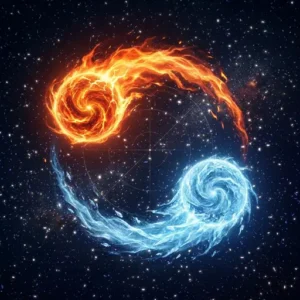
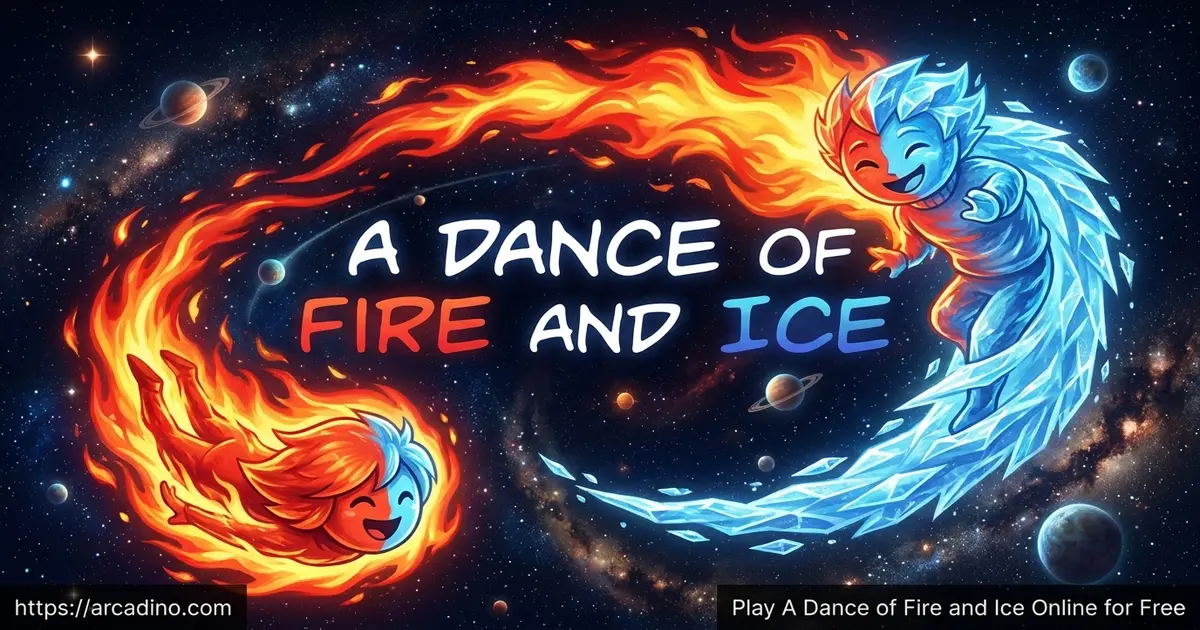
7th Beat GamesTap a single key. Keep two orbiting planets dancing along a twisting path. That’s the whole hook of A Dance of Fire and Ice, and it sounds easy until the beat splits into triangles, octagons, and weirder shapes you’ve never tried to drum out before. You can play A Dance of Fire and Ice online for free in your browser, and it’s the kind of rhythm puzzle that gets stuck in your head for days. 🔥
It’s built by 7th Beat Games, the same team behind Rhythm Doctor. If you’ve ever wondered what a square or an octagon would sound like as a song, this is your answer.
- One-button rhythm game with twin fire and ice planets
- Over 30 worlds, each shaped around a unique rhythm pattern
- Sight-readable tracks: every beat is shown before you hit it
- Manual and auto-calibration so the timing feels exact
What Is A Dance of Fire and Ice?
A Dance of Fire and Ice is a strict one-button rhythm game from 7th Beat Games, a Malaysian studio. You guide two planets, one fire and one ice, as they orbit each other down a winding line. Every tap moves one planet forward to the next tile. Miss the beat and the run ends right there.
What makes this title special is that it isn’t reaction-based at all. The path is laid out in front of you, so you’re really learning to hear shapes. I loaded the browser demo on a mid-range laptop and it ran instantly, with crisp audio sync and no stutter between tiles. That tight timing is the whole reason the game works.
If the path-following idea feels familiar, that’s because ADOFAI belongs to a small rhythm subgenre started by the PS1 cult classic Vib-Ribbon. In those games, you don’t hit notes on a static screen. Instead, you follow a line that bends and twists with the music. ADOFAI is the modern, polished take on that idea, with much sharper visuals and a way bigger song list.
Gameplay in A Dance of Fire and Ice
The core loop is small and addictive. Press your chosen key on every beat to flip the lead planet. Triangles ask for fast triplets. Long straight lines lull you into a steady pulse before a sharp turn snaps you out of it.
Each world introduces a new shape, which means a new rhythm puzzle. You start with simple tutorials and finish with a tougher final stage. Mess up and you restart from the beginning of the track, which sounds harsh but pushes you to memorize the song.
Worlds and Progression
There’s a generous map of worlds to roll through, each tied to a different music genre and color palette. Expect everything from soft ambient pieces to fast electronic tracks. New worlds keep showing up through free updates, so the song list grows over time.
After the main worlds, Speed Trials unlock for players who want a harder twist on songs they’ve already cleared. A brutal bonus level waits at the end for anyone brave enough to try it. The paid full version also adds the Neo Cosmos expansion, directed by TaroNuke, with new characters and fresh mechanics.
The current full release actually packs over 30 worlds, split into a few different types. Main Worlds carry the core story and unlock in order. Xtra Worlds remix earlier songs with tougher patterns. Collab Worlds are built with guest artists, and Challenge Worlds push expert players to their limits. So when you see different numbers floating around online, that’s why.
Graphics and Soundtrack
The visuals are clean and minimal, with neon-lit tiles glowing against deep cosmic backdrops. Nothing on screen distracts from the rhythm, which is exactly the point. The two planets leave bright fire and ice trails as they spin, and that small detail makes every clean run feel satisfying.
The soundtrack carries the whole experience. Tracks range from chill lo-fi to aggressive breakbeats, and they’re all written to match the path shapes. Headphones make a huge difference here.
Multiplayer and Custom Levels
The Switch edition adds 4-player local co-op, where friends share the keyboard or controllers and revive each other after a miss. It turns a tense solo game into a chaotic party run. On PC, Steam Workshop support lets players create and share custom levels using a built-in editor.
That community side is huge. People have built thousands of fan-made tracks, including charts based on famous songs and absurdly hard challenge maps.
Browser Performance and Audio Sync Test
Because timing is everything in this game, I tested the browser demo across a few setups to see what actually works. On a mid-range laptop with 8GB of RAM, the demo loaded in under five seconds in Chrome with zero frame drops. Firefox felt almost identical, though I noticed audio kicked in a half-second later on first load. Edge ran clean too, while Safari on an older MacBook had a tiny hitch at the start of each track that smoothed out after the first restart.
The bigger surprise was headphones. Wired headphones plugged into the laptop jack gave perfect sync right out of the auto-calibration. Bluetooth headphones, even decent ones, added enough delay to throw off harder worlds, and the [ and ] offset keys couldn’t fully fix it. If you’re serious about clearing the tougher tracks, stick with wired audio or your laptop speakers.
Shape-to-Rhythm Decoder Cheat Sheet
Every shape in ADOFAI maps to a specific rhythm pattern, and once you spot them you can almost sight-read songs. Here’s a quick decoder for the shapes you’ll see most:
- Straight line: Steady quarter notes, like a metronome ticking 1-2-3-4.
- Triangle (3 sides): Triplets, three quick taps in the space of two normal beats.
- Square (4 sides): Standard 4/4 quarter notes, the most common pop rhythm.
- Pentagon (5 sides): Quintuplets, a tricky odd grouping that feels off until you trust it.
- Hexagon (6 sides): Sextuplets, six fast taps that sound like a drum roll.
- Octagon (8 sides): Eighth notes, twice as fast as a square.
Curved tiles bend the timing slightly, so a curved triangle is still a triplet but with a softer feel. Print this list, tape it next to your screen, and the early worlds will click way faster.
A Music Theory Tool in Disguise
Music teachers have quietly noticed something cool about ADOFAI: it teaches subdivision and time signatures without using a single textbook term. The square world is just 4/4. The triangle world is 3/4 or a triplet feel. The hexagon world introduces compound meter, where the beat splits into groups of six. Kids playing through these worlds are training their ears on the exact concepts they’d later study in band class.
If you or a parent is learning an instrument, ADOFAI doubles as ear training. Try counting out loud while you play, “1-2-3, 1-2-3” on triangles, “1-and-2-and” on squares. After a few sessions, switching between time signatures starts to feel natural. That’s a skill drummers and pianists spend years building.
How to Play A Dance of Fire and Ice
Getting started takes about ten seconds. Open the browser demo, wait for the title to load, and pick the first world. The tutorial stages walk you through how the orbiting planets work before the rhythm gets tricky.
Use headphones if you can. The game tells you to trust your ears more than your eyes, and it’s right. Calibrate your audio offset once at the start so taps line up perfectly with the beat.
Controls for A Dance of Fire and Ice
You only need one button. Any key on the keyboard works, so pick whatever feels comfortable, like space, X, or the arrow keys. The [ and ] keys nudge the timing offset if things feel slightly off. On mobile, you just tap anywhere on the screen to hit a beat.
Tips and Tricks for A Dance of Fire and Ice
- Run auto-calibration before your first real attempt, then fine-tune with the [ and ] keys if taps feel late.
- Close your eyes on tricky sections and tap to the music; the path is designed to match what you hear.
- Learn the shape of each world. Triangles, squares, and octagons each have their own consistent beat pattern.
- Don’t rush the straight lines. They lull you into speeding up right before a tight turn.
- When a song frustrates you, take a short break. Rhythm games punish tense fingers more than slow ones.
Key Features of A Dance of Fire and Ice
- Twin orbiting fire and ice planets controlled with a single button
- Over 30 worlds across Main, Xtra, Collab, and Challenge categories
- Sight-readable paths, so nothing is hidden or reaction-based
- Auto and manual calibration to lock taps to the soundtrack
- Free browser demo plus expanded paid versions with custom level support
Where to Play A Dance of Fire and Ice
The easiest way in is the free browser demo, which runs straight from the page without a download or sign-up. It works on Chrome, Firefox, Edge, and Safari on any decent laptop or desktop. Many players also search for an A Dance of Fire and Ice unblocked version at school, and the browser demo fits that need since it loads on most school networks.
For the full experience with all worlds and the Neo Cosmos expansion, the game is available on Steam, itch.io, and Nintendo Switch. Mobile players can grab it on Google Play or the App Store. Stick to official stores rather than random APK sites, which can bundle unsafe files.
A Dance of Fire and Ice for Parents
This is a friendly pick for kids around 8 and up, based on its content rather than a strict rating. There’s no violence, no chat, and no story content that would worry a parent. The full versions are paid, but the browser demo is free and has no ads or in-app purchases pushing at younger players.
It’s also genuinely educational in a quiet way. Kids build listening skills, timing, and pattern recognition, which carries over to learning real instruments. Short sessions of 15 to 30 minutes work well because the focus required is intense.
Games Similar to A Dance of Fire and Ice
If the one-button rhythm puzzle hooks you, these picks scratch a similar itch:
- Geometry Dash – A rhythm platformer where you tap to jump in sync with the music, much like ADOFAI’s single-button focus.
- Friday Night Funkin – A note-matching rhythm battle with bold music and a strong indie feel.
- Fireboy and Watergirl – A co-op puzzle game also built around fire and ice characters working together.
- Rhythm Doctor – The other one-button rhythm game from 7th Beat Games, with the same razor-sharp timing.
- Osu! – The classic click-and-drag rhythm game with millions of community-made beatmaps, often cited as the top alternative.
- Vib-Ribbon – The PS1 cult classic that started the path-following rhythm subgenre ADOFAI now leads.
- Friday Night Sprunki – A playful music mashup game with catchy beats and a Geometry Dash flavor.
- More Music Games
FAQs About A Dance of Fire and Ice
What is A Dance of Fire and Ice about?
It’s a one-button rhythm game where you guide two orbiting planets along a winding path. You press a single key on every beat to keep the fire and ice planets moving forward. Each world introduces new shapes that map to different rhythm patterns.
Is A Dance of Fire and Ice free?
Yes, the browser demo is completely free to play online. The full game with all worlds, the Neo Cosmos expansion, and Steam Workshop support is a paid release on Steam, itch.io, mobile, and Switch.
Can I play A Dance of Fire and Ice unblocked at school?
Yes, the browser demo loads on most school networks without extra setup. It runs straight from the page in any modern browser, so there’s nothing to install. Headphones are a smart idea so you don’t disturb classmates.
Who made A Dance of Fire and Ice?
It was created by 7th Beat Games, a Malaysian studio led by Hafiz Azman. The same team also made Rhythm Doctor. The game first launched on itch.io in 2014 and later came to Steam in 2019.
Is A Dance of Fire and Ice hard?
Yes, it’s known as one of the strictest one-button rhythm games around. Missing a single beat sends you back to the start of the track. Practice and good calibration make a huge difference, and most players clear early worlds within a few tries.
For a quick comparison, the timing window is about as strict as Rhythm Heaven on Nintendo DS. If you’ve played that and survived, you’ll feel right at home here. If not, expect the first few worlds to teach you patience fast.
Can I play A Dance of Fire and Ice on mobile?
Yes, official apps are available on both Android and iOS. The mobile version uses simple screen taps instead of a keyboard key. It carries the same worlds and tight timing as the desktop release.
Does A Dance of Fire and Ice support custom songs?
Yes, the Steam version includes Steam Workshop for sharing custom levels. The itch.io version supports custom levels too, but you load them manually from a URL. The community has made thousands of fan-made charts.
Final Thoughts on A Dance of Fire and Ice
What makes this rhythm gem stick is how much it demands from one little button. The twin-planet mechanic, the shape-based worlds, and that ultra-tight calibration turn a simple tap into something almost musical. It’s tough, sure, but every cleared track feels earned.
Grab a pair of headphones, pick a key, and see how far you can carry the fire and ice through their first few worlds. The path is already drawn out for you, all that’s left is the beat.
Gameplay Video