



























Watch one short ad and play ad-free for 30 minutes.
Little Farm Clicker
AgameEver wanted to run a whole farm without getting dirt under your fingernails? Little Farm Clicker lets you do exactly that, and it’s free to play right in your browser. You start with one tiny wheat plot, tap to harvest, and slowly turn pocket change into a barnyard empire. It’s part idle game, part time-management puzzle, and 100% snackable fun. 🌾
What hooked me is how fast the loop gets satisfying. Within minutes you’re juggling crops, chickens, cows, and shiny automation upgrades. Little Farm Clicker is the kind of clicker that rewards short visits AND long ones, because your farm keeps earning while you’re away.
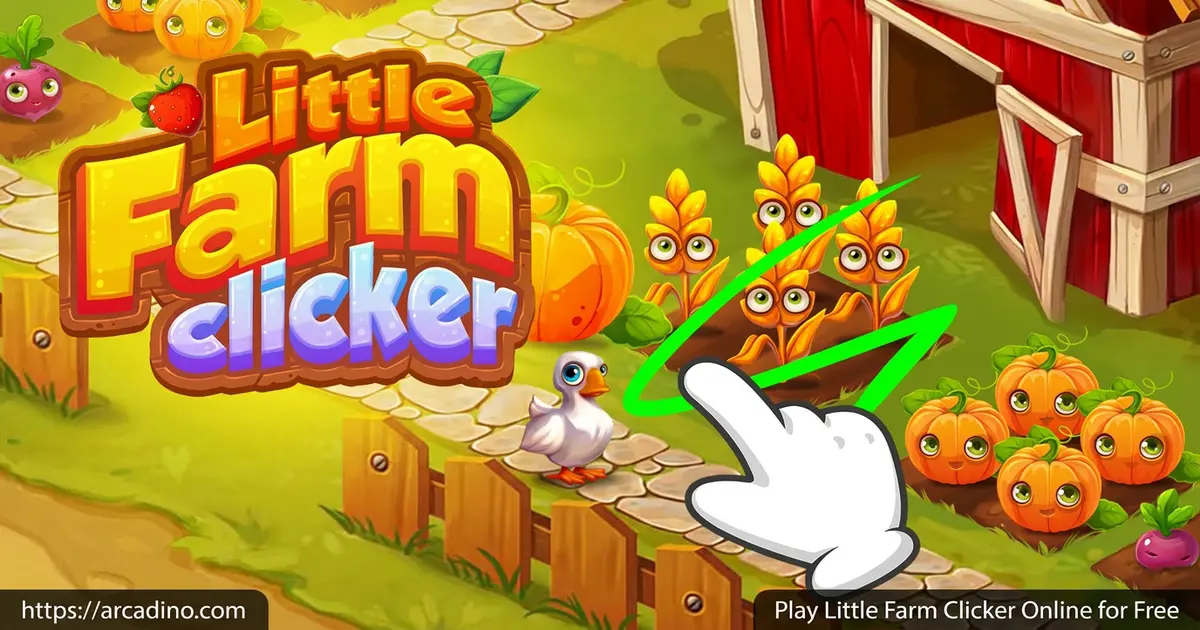
- Idle clicker with real farm management vibes
- Unlock wheat, chickens, corn, cows, and more
- Automate plots so they earn while you’re idle
- Mission-based rewards from farm characters
What Is Little Farm Clicker?
Little Farm Clicker is a browser-based idle clicker built around running a cute little farm. You plant crops, raise animals, and reinvest every coin into faster harvests and shinier upgrades. The goal is simple: turn a single wheat patch into a thriving agricultural empire. According to source material, it was created by Agame and released in 2023.
If you like sorting games by tags, this one ticks a bunch of boxes at once. Little Farm Clicker fits into Time Management, Simulation, Tapping, and Management genres. That mash-up is why it feels familiar to fans of farm sims and pure clickers alike. Search for any of those tags and you’ll find players talking about this game.
One thing I noticed right away is how light the game feels in a browser tab. It loads quickly, the click response is snappy, and there’s no lag between tapping a plot and seeing coins pop out. That instant feedback is what makes idle games actually fun instead of frustrating.
Gameplay in Little Farm Clicker
You start with a humble wheat plot that earns a trickle of coins. Click or swipe to harvest, then dump your earnings into upgrades and brand-new plots. Chickens come next, then cows, corn, and other surprises further down the line. Each new plot earns more but grows slower, so balancing your farm is the real puzzle.
The clever twist is automation. Buy the right shop upgrades and your plots start harvesting themselves, even when you close the tab. Come back later and your coin pile has ballooned. It’s a smart loop that respects your time.
Levels and Progression on the Farm
Progression is all about expansion. Every upgrade either speeds up growing time, boosts payout, or unlocks a new animal or crop. Reinvesting fast is key, because each tier opens better-paying plots on top of the old ones.
Characters around the farm also hand out missions with specific goals. Finish them and you get bonus coins, gems, and other goodies you can spend on permanent boosts. It gives every play session a clear short-term target.
Boosters and Upgrades
Beyond the basics, this clicker hides a few extra layers. Activate the sprinkler for a burst of faster growth, or stack other temporary boosts on sunny days to maximize your gold haul. Gems earned from missions feed into longer-term upgrades you’ll want to save for.
Knowing when to spend coins on a new plot versus upgrading an existing one is where strategy sneaks in. The deeper you go, the more your choices actually matter.
How to Play Little Farm Clicker
Getting started takes about ten seconds. Open the game, click the wheat plot to plant your first crop, and click again to harvest when it’s ready. From there, just keep clicking, keep reinvesting, and let the farm grow.
Don’t ignore the shop early on. Even a small automation upgrade pays for itself fast and frees your fingers for tapping somewhere more profitable.
Controls for Little Farm Clicker
- Plant or harvest: Mouse click on a plot, or tap on touch devices
- Navigate menus: Move your mouse or swipe on a phone or tablet
- Buy upgrades: Click the shop icons
- Activate boosters: Click the sprinkler or booster buttons
Your First 30 Minutes: An Upgrade Roadmap
Most guides just say “automate early,” but here’s the actual order I’d follow. It turns those first 30 minutes into a snowball that carries you for hours.
- Tap wheat manually until you can afford the first wheat speed upgrade. Faster harvests mean faster coins.
- Buy wheat auto-harvest next. This is the single best purchase in the game, since it earns while you do other things.
- Stack two or three more wheat speed upgrades so your auto-harvester is chugging at top speed.
- Unlock the chicken plot as soon as you can afford it. Don’t wait, even if it feels expensive.
- Buy chicken auto-harvest before maxing chicken speed, because layered automation pays off fast.
- Save for the cow plot and grab one character mission along the way for a gem bonus.
After that, repeat the pattern with every new crop or animal: unlock, automate, then speed up. It’s boring to say and powerful to do.
Tips and Tricks for Little Farm Clicker
- Automate early. Buying auto-harvest on your wheat plot is the single best first purchase, because it lets your money snowball even while you mess with chickens.
- Upgrade speed, not just income. Faster growth times mean more harvests per minute, which adds up way more than a one-time payout bump.
- Catch the sunny days. When weather boosts kick in, swipe like a maniac to squeeze out maximum gold.
- Chase character missions. They drop gems and permanent boosts that crops alone can’t give you.
- Diversify. Balance crops and livestock so you’re not stuck waiting on one slow plot to pay out.
Key Features of Little Farm Clicker
- Real farm-tycoon flavor inside a simple idle clicker
- Multiple unlockable crops and animals, from wheat to cows
- Automation upgrades that earn coins while you’re offline
- Sprinkler and other boosters for short bursts of mega-profit
- Mission system with character-driven goals and gem rewards
Where to Play Little Farm Clicker
The easiest way is right here in your browser, no download or sign-up needed. Because it’s built as an HTML5 game, Little Farm Clicker runs on Chrome, Firefox, Safari, and Edge on pretty much any laptop or desktop. Chromebooks handle it just fine too, which makes it a solid pick during free periods at school.
If you want a similar farm-clicker experience on your phone, there are mobile idle farm apps available on official stores. One popular pick is The Little Farm – Idle Clicker on Google Play for Android, with an iOS version on the App Store too. Note that the mobile app is a separate title by Taiyo Project, not the same browser game by Agame. Stick to those official stores and skip random APK downloads, since unofficial files can carry sketchy stuff you don’t want on your device.
Browser vs Mobile: Which Should You Pick?
Both options have their moments, so here’s how to choose. The browser version shines on a Chromebook or laptop at school, since it loads instantly and there’s nothing to install. Teachers can drop it into a free-time rotation without IT headaches. Bigger screens also make tapping multiple plots easier on the wrists. The downside: closing the tab can pause some idle earnings, depending on the browser.
The mobile app wins on battery life and on-the-go play. Phones can keep tracking idle progress in the background better than a closed browser tab. But small screens mean fewer plots visible at once, and you’ll burn more battery during long sessions. My rule: browser for homework breaks, mobile for car rides.
For Parents
Little Farm Clicker is a great fit for kids aged 8 and up. The gameplay is non-violent, the visuals are cheerful and cartoony, and the math behind upgrading plots quietly teaches reinvestment and basic resource planning. There’s no open chat with strangers, so social risk is minimal.
The browser version is free with no required purchases to progress. Short 10-15 minute sessions work well, since the idle mechanics mean kids don’t need to play for hours to see progress. It’s a calm, low-pressure pick after homework. 🥕
What Kids Actually Learn While Playing
This game sneaks in real math and economics without ever calling it a lesson. Compounding returns show up every time an automated plot pays for the next upgrade faster than the last one. Kids start to feel exponential growth instead of just reading about it. Opportunity cost appears in every shop decision: should I upgrade my wheat speed, or save for a brand-new chicken plot? Both choices have a price, and picking wrong slows the farm down.
There’s also resource allocation, where coins, gems, and time all compete for attention. Kids practice budgeting limited resources toward the goal that pays off most. Even reading mission text builds quick comprehension skills. It’s a sneaky-smart pick for ages 8-13, especially as a chill reward after math homework.
Similar Games to Little Farm Clicker
If this farm-flavored clicker scratches your idle itch, these picks scratch it in slightly different ways:
- Cookie Clicker – The classic that launched the whole genre, with cookies instead of crops and a wild late game.
- Minecraft Clicker – Same tap-and-upgrade loop, but with blocky Minecraft visuals and items to mine.
- My Farm Life – A more time-management heavy farm game if you want extra strategy on top of the clicking.
- The Little Farm – Idle Clicker – A separate mobile-first idle farm clicker by Taiyo Project, with the same relaxed tap-to-progress vibe.
Want more? Browse the full Clicker category for dozens of idle adventures.
FAQs About Little Farm Clicker
Is Little Farm Clicker free to play?
Yes, Little Farm Clicker is completely free in your browser. There’s no sign-up, no paywall, and no required purchase to unlock crops or animals. Mobile idle farm apps in this style are also free to download.
Who created Little Farm Clicker?
Little Farm Clicker was created by Agame, and source material lists a release date of July 18, 2023. The studio specializes in casual web games, and this one launched as part of their idle catalog. Note that similarly named mobile apps, like The Little Farm – Idle Clicker by Taiyo Project, are separate games.
Can I play Little Farm Clicker offline?
The browser version needs an internet connection to load. Once it’s open, the idle mechanics keep earning coins even if you walk away, but you’ll need a connection to start a session. Mobile idle farm apps may handle short offline periods differently.
Does Little Farm Clicker have cheats?
There are no official cheats inside Little Farm Clicker. The smartest “cheat” is investing in automation early so the farm earns while you’re idle. Third-party cheat tools aren’t safe and can break the game.
How do I unlock new animals in Little Farm Clicker?
You unlock new animals by saving coins and buying new plots in the shop. Start with wheat, then chickens, then work toward cows, corn, and beyond. Each new plot costs more but pays out bigger over time.
Is Little Farm Clicker safe for kids?
Yes, Little Farm Clicker is kid-friendly and suitable for ages 8 and up. There’s no violence, no chat with strangers, and the cartoon farm visuals are gentle. Parents should still supervise any in-app store activity on mobile.
Can I play Little Farm Clicker on mobile?
The browser version works on phone and tablet screens thanks to tap controls, so touch input feels just as smooth as mouse clicks. For a dedicated mobile app, similar idle farm clickers like The Little Farm – Idle Clicker are available on iOS and Android, though those are separate titles.
Ready to Grow Your Farm?
Little Farm Clicker nails the cozy clicker fantasy: a tiny patch of land, a few seeds, and the dream of an empire built one tap at a time. Between the automation upgrades, the character missions, and the constant drip of new crops and animals, there’s always one more thing to unlock. Pull up a chair, click that first wheat plot, and see how big your barn can get before bedtime.
Gameplay Video


