



























Watch one short ad and play ad-free for 30 minutes.
Geometry Dash Scratch
Robert Topala (RobTop)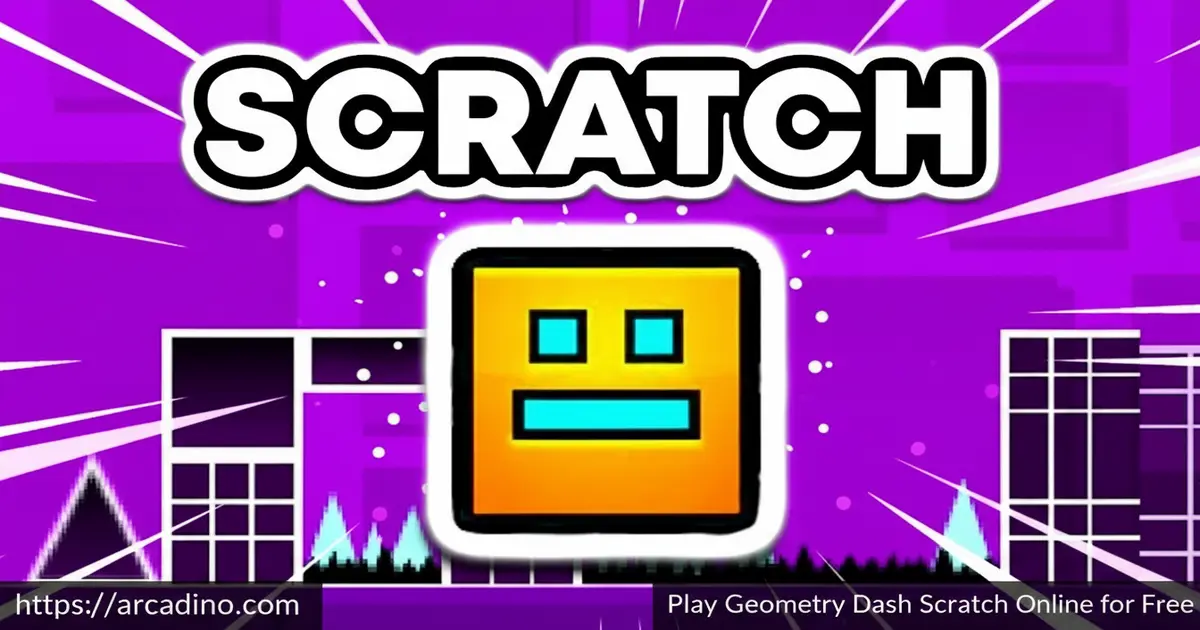
What if a whole community of young coders rebuilt one of gaming’s most intense platformers from scratch? That’s exactly what Geometry Dash Scratch is — and it’s free to play in your browser right now. 🎮 The Scratch community has created thousands of rhythm-based versions, each with its own levels, obstacles, and flair. Players looking for fan-made Geometry Dash games will find a massive variety here.
- Community-built levels — thousands of fan-made stages created by Scratch users worldwide
- Rhythm-based jumping — every obstacle is timed to the beat, demanding precision and focus
- Multiple versions available — including SubZero, Lite, Wave, and Griffpatch editions
- Play or create — you can enjoy existing games or build your very own Geometry Dash level on Scratch
What Is Geometry Dash Scratch?
Geometry Dash Scratch is a collection of fan-made rhythm platformer games built by the Scratch community on MIT’s Scratch platform. These games are inspired by the original Geometry Dash, where you guide a square cube through spike-filled levels. Each community version has its own unique design, obstacle patterns, and difficulty. Think of it as Geometry Dash reimagined by thousands of passionate young developers.
It’s really important to understand that Geometry Dash Scratch is not one single game. When you search for it on Scratch.mit.edu, you’ll get thousands of totally separate projects — each made by a different creator. It’s more like a search result than one specific title. Every project you click on is its own independent game with its own levels and style, so don’t be surprised if two versions look completely different from each other.
Unlike the official game, every version here was coded by real players who wanted to put their own spin on the formula. Some versions are straightforward and beginner-friendly, while others will seriously test your timing skills. The controls load cleanly in-browser with near-instant response — jumps register on the very first press with no noticeable delay. That snappiness makes the rhythm-based challenges feel genuinely fair.
Geometry Dash Scratch Gameplay — What You Actually Do
The core loop of Geometry Dash Scratch is delightfully simple to describe but tough to master. You control a square that moves forward automatically, and your only job is to jump at the right moment. Spikes, walls, and other obstacles fill each level, and hitting any of them sends you straight back to the start. That one-more-try energy keeps pulling you back in.
Timing is everything here. Each jump needs to be precise — too early or too late, and you’re restarting. The rhythm of the obstacles often matches the background music, so listening carefully gives you a real advantage. Practice is the only way to improve, and each failed run teaches you exactly where the next spike is hiding.
Levels and Versions in Geometry Dash Scratch
One of the best things about Geometry Dash Scratch is how much variety exists across different community versions. You’ll find editions themed around SubZero, Lite, Wave mechanics, and even fan recreations by talented creators like Griffpatch. Each version carries its own visual style and level layout, so no two feel the same. Some creators design short, punishing levels while others build longer stage experiences.
Difficulty varies widely across the collection. Some fan-made versions are designed with beginners in mind, easing you into the spike patterns gradually. Others throw you into brutal gauntlets right from the first second. That range means there’s always something new to try, no matter how good you’ve gotten at the last version you played.
How the Wave Version Plays Differently
The Wave version of Geometry Dash Scratch works very differently from the standard cube mode — and it’s worth knowing before you jump in. Instead of tapping to make discrete jumps, your character moves in a continuous wave-shaped path. Hold the button down and the wave flies upward; release it and the wave dips downward. It’s all about smooth, flowing control rather than quick single taps. That shift from jump timing to sustained hold timing makes Wave feel like a completely different game, even though the spike-filled levels look similar. Players who master the cube mode often find Wave surprisingly tricky at first — give yourself time to adjust.
Meet Griffpatch — Scratch’s Star Creator
Griffpatch is one of the most-followed creators on the entire Scratch platform, with millions of views across his projects. His Geometry Dash build stands out technically from most other fan versions — it features a smoother physics engine that makes the cube’s movement feel closer to the real game. The hitbox detection is more precise, so collisions feel fair rather than frustrating. Music sync is tighter too, meaning the obstacles line up with the beat more accurately than in the average community project. If you only try one fan-made version, the Griffpatch edition is the one most worth your time. It shows just how far Scratch can be pushed by a truly skilled coder.
Graphics and Audio in the Scratch Versions
Visually, the fan-made versions use clean 2D pixel art that keeps the action readable at all times. The square character and spike obstacles are always easy to see against the backgrounds, which matters a lot when your reaction time is being tested. Different creators use different color palettes and backdrops, so each version has its own personality. Some editions even recreate the neon glow aesthetic of the original game quite impressively.
Audio plays a huge role in how these games feel. The rhythm of the music isn’t just decoration — it’s a guide for when to jump. Creators on Scratch often pair their levels with fast-paced electronic tracks that match the obstacle timing. Paying attention to the beat is one of the most useful skills you can build in this game.
A Note on Performance — Especially on School Chromebooks
Scratch games run inside your browser using an HTML5 interpreter, and that comes with some real performance limits worth knowing about. Bigger, more complex Geometry Dash Scratch projects — especially ones with lots of sprites and synced music — can slow down or stutter on low-spec school Chromebooks. If your version feels laggy, try closing other browser tabs first. For projects you open directly in the Scratch editor, you can also turn on Turbo Mode (under the Edit menu) to push the frame rate closer to 60fps and get much smoother gameplay. This is a handy trick that most players — especially students — never discover on their own.
How to Play Geometry Dash Scratch
Getting started with Geometry Dash Scratch couldn’t be more straightforward. Head to the Scratch platform or play directly through Arcadino, choose a version you want to try, and the game loads right in your browser. There’s no account needed and nothing to install. Pick a version that matches your skill level — start with a Lite or beginner-friendly fan version if you’re new.
Once a level begins, your cube moves forward on its own. Your entire focus goes into timing your jumps perfectly around each obstacle. Missing once usually resets the level, so patience matters as much as reflexes. The more you play a specific version, the better you’ll memorize its patterns.
How to Find and Launch a Game on Scratch.mit.edu
If you want to browse Geometry Dash projects directly on the Scratch platform, it only takes a few steps. First, go to scratch.mit.edu in your browser — no account is needed just to play. Type Geometry Dash into the search bar at the top of the page and hit Enter. You’ll see thousands of community projects appear in the results. Click on any project thumbnail that looks interesting to open its project page. Once the page loads, hit the green flag button above the game window to start playing. If a project asks you to click the stage itself before the controls work, just give the game screen one click and you’re in. Some projects also include instructions below the game window — it’s worth a quick read before your first run.
Geometry Dash Scratch Controls
The controls for this game are intentionally minimal so you can keep your focus on the action. Most fan-made versions use the same basic input across the board.
- Spacebar — jump over obstacles
- Mouse click — tap to jump (works on desktop and laptop)
- Screen tap — jump on mobile or tablet devices
- Up arrow key — jump in some specific Scratch versions
Tips and Tricks for Geometry Dash Scratch
- Listen to the music, not just the screen. Obstacle patterns in this rhythm platformer are tied to the beat — let the audio cue your jumps as much as the visuals do.
- Watch a run before jumping in. Some Scratch versions let you observe the level briefly. Use that time to spot the spike clusters that trip up new players most often.
- Don’t mash the jump button. A premature jump mid-air sends your cube straight into the next obstacle. One clean jump beats two panicked ones every time.
- Start with easier fan versions first. Geometry Dash Scratch Lite and beginner community levels build the muscle memory you need before tackling harder editions like Wave or SubZero.
- Memorize the layout, not just the timing. Each level has a fixed obstacle pattern. Once you know exactly what’s coming next, your reaction time stops being the limiting factor.
Key Features of Geometry Dash Scratch
- Thousands of fan-made versions — community creators have built everything from faithful remakes to completely original level designs
- Rhythm-based obstacle courses — the timing of spikes and walls syncs to music, making audio awareness a real gameplay skill
- Playable on any device — works on computer, tablet, and mobile without any extra setup
- Build your own level — Scratch’s toolset lets you program your own Geometry Dash-style game using movement and interaction blocks
- Wide difficulty range — from gentle beginner stages to brutal expert-level gauntlets, there’s a version for every skill level
Where to Play Geometry Dash Scratch
Geometry Dash Scratch is free to play directly in your browser on Arcadino — the game loads quickly with no download or account required. It’s also accessible without restrictions, so school or home networks shouldn’t get in the way of your gaming session. The browser version runs smoothly on both computers and laptops.
Want to play the official Geometry Dash on your phone? The real Geometry Dash mobile apps are a separate, paid product — very different from the free fan-made Scratch versions covered in this article. If you’d like to try the official game, you can find the Android version on the Play Store and the iOS version on the App Store. Stick to those official sources for any mobile download — unofficial APK files from random websites can carry security risks.
For Parents
Geometry Dash Scratch is a fan-made platformer built on MIT’s Scratch platform, making it appropriate for kids aged 8 and up. The content is entirely obstacle-course based — there’s no violence, mature themes, or inappropriate imagery involved. The rhythm and timing challenges actually support hand-eye coordination and pattern recognition skills, which are genuinely useful for developing brains.
There’s no in-game chat in the Scratch versions played through Arcadino, and no purchases are required to access any level. The open-ended nature of Scratch also means kids can move from playing to creating, which adds a real coding and problem-solving dimension to the activity. A session of 20–30 minutes is a reasonable limit, since the retry-heavy nature of the game can get frustrating in long stretches.
What Coding Skills Kids Actually Build on Scratch
When a child builds their own Geometry Dash level on Scratch, they’re not just playing — they’re genuinely learning to code using real programming concepts. Motion blocks handle the automatic forward movement of the cube, teaching kids how variables control speed. Control blocks power collision detection — the logic that decides whether touching a spike ends the run — which introduces if/then thinking and loops. Sound blocks let creators sync background music to obstacle timing, giving kids a practical reason to understand event triggers and timing sequences. Looks blocks manage backdrops and visual effects, while Events blocks wire up the green flag start and the jump input. Together, these categories map directly onto concepts like conditionals, loops, and event-driven programming that appear in middle and high school computer science curricula. For teachers or parents looking for a curriculum-relevant coding activity, a Geometry Dash Scratch build covers a surprising amount of ground.
Similar Games to Geometry Dash Scratch
If the rhythm-platformer challenge of this game has you hooked, these other fan-made and community-built editions are worth jumping into next.
- Geometry Dash — the full version of the iconic rhythm platformer with longer levels and more music tracks, the definitive next step for Scratch fans.
- Geometry Jump — a tight rhythm-based jumping game with the same beat-matched obstacle dodging that defines the Geometry Dash experience.
- Geometry Escape — a precision platformer where timing is everything, capturing the “one mistake restarts everything” core of Geometry Dash Scratch.
- Space Waves — a wave-dodging rhythm game inspired by Geometry Dash’s wave mode, sharing the same flow-state timing challenge.
- Vex 5 — a stickman precision platformer packed with deadly traps and instant death, delivering the same reflex-based challenge as Geometry Dash Scratch.
- OvO — a sleek 2D platformer focused on momentum and movement mastery, perfect for players who love Geometry Dash’s clean controls and relentless pace.
- Run 3 — a space-tunnel runner with gravity-shifting platforming and hundreds of levels, great for Geometry Dash fans who want variety in their rhythm-timing gameplay.
- Slope — a high-speed 3D ball runner where one wrong move ends your run, sharing Geometry Dash Scratch’s escalating difficulty and instant-restart loop.
Love platformers? Explore more in the Platformer category.
FAQs About Geometry Dash Scratch
What is Geometry Dash Scratch?
Geometry Dash Scratch is a collection of fan-made rhythm platformer games on MIT’s Scratch platform. Players guide a square cube through spike-filled levels by jumping at the right moment. Each version is built by a different Scratch community creator, so designs and difficulty vary widely. It’s inspired by the original Geometry Dash but is simpler and made entirely by fans.
How is Geometry Dash Scratch different from the original game?
Geometry Dash Scratch is a fan-made version with fewer features than the official release. It’s built using Scratch’s visual coding tools, so it’s simpler and less polished overall. That said, many community versions are surprisingly well-made and offer a genuine challenge. The biggest difference is that anyone can create and share their own version on Scratch.
Is Geometry Dash Scratch free to play?
Yes, Geometry Dash Scratch is completely free to play in your browser. You can access it on Arcadino without creating an account or downloading anything. No payment is ever required to jump into any of the fan-made versions. The official mobile apps do have a cost, but browser play is always free.
What are the controls for Geometry Dash Scratch?
Press the spacebar or click your mouse to make the cube jump. On mobile or tablet, tap the screen to jump instead. Some specific Scratch versions also support the up arrow key. The controls stay minimal across almost all fan-made editions so the focus stays on timing.
Can I make my own Geometry Dash game on Scratch?
Yes, you can build your own Geometry Dash-style game directly on the Scratch platform. You use Scratch’s movement and interaction blocks to program jumps and obstacles. You can design custom levels, add backdrops, create spike sprites, and set up a score system. It’s a great introduction to game programming for beginners.
Step-by-Step: How to Build Your Own Geometry Dash Game on Scratch
Ready to make your own version? Here’s how to get started on Scratch.mit.edu — no experience needed.
- Step 1 — Set your backdrop. Open a new Scratch project and pick or paint a background. A dark color with bright obstacles makes your level easy to read.
- Step 2 — Create your cube sprite. Draw a simple square sprite — this is your player character. Use the Paint editor to keep it small and easy to spot.
- Step 3 — Add automatic movement. Use Motion blocks to make the level scroll. Set a forever loop that moves your backdrop or obstacle sprites to the left at a fixed speed — this creates the illusion of the cube running forward.
- Step 4 — Program the jump. Use an Events block to detect when the spacebar is pressed. Connect it to a Motion block that moves the cube upward, then use gravity — a loop that slowly pulls the cube back down — to make it fall naturally.
- Step 5 — Build your spike obstacles. Create spike sprites and place them along the ground. Use a Control block with an if/then condition: if the cube is touching the spike color or sprite, broadcast a “game over” message and restart the level.
- Step 6 — Add music. Drop an electronic track into the Sounds tab and use a Sound block to play it when the green flag is clicked. Try to place your spike sprites where they line up with the beats in the music.
- Step 7 — Add a score or progress tracker. Use a Variable block to count how far the player has traveled. Display it on screen so players can see how close they got to the finish line.
Once your level works, hit Share on Scratch to let the whole community play it. You’ve just joined the thousands of creators who keep Geometry Dash Scratch alive!
What are the different versions of Geometry Dash Scratch?
Popular versions include Geometry Dash Scratch SubZero, Lite, Wave, Griffpatch, and Scratch 2. Each version was made by a different creator with its own visual style and level design. SubZero follows an icy theme, Wave uses a wave-shaped character, and the Griffpatch version is known for its high production quality. New community versions appear regularly on the Scratch platform.
Is Geometry Dash Scratch hard to play?
Difficulty depends entirely on which version you choose to play. Lite and beginner-friendly fan editions ease new players in gently. Harder versions like SubZero or Wave demand fast reflexes and precise rhythm timing. Starting with an easier community version and working up is the smartest approach.
Conclusion
Geometry Dash Scratch stands out because it combines the pulse-racing rhythm of the original game with the creativity of a global coding community. The sheer range of fan-made versions — from gentle beginner stages to punishing expert runs — means it never gets old. Add in the option to build your own levels on Scratch, and this becomes something genuinely richer than a typical fan project.
Whether you’re chasing a perfect run on the Wave version or tackling the challenge of SubZero for the first time, there’s always a new obstacle course waiting. Head to Arcadino and see which version breaks your streak first — then try to beat it anyway.
Gameplay Video


