


























Watch one short ad and play ad-free for 30 minutes.
Unblock Puzzle
Inlogic SoftwareStuck in a tiny wooden grid with a stubborn red block that refuses to budge? That’s the cozy little headache Unblock Puzzle hands you, and it’s strangely impossible to put down. This sliding block brain teaser is free to play online, right in your browser, with no installs and no waiting around. You drag wooden pieces left, right, up, and down to clear a path so the red block can finally escape. It’s the kind of logic puzzle that students search for under “unblocked games” at school, and it works perfectly here on Arcadino. 🧩
- Classic sliding block gameplay with a red “escape” piece
- Multiple difficulty tiers from Beginner to Expert
- Hint system for when your brain hits a wall
- Plays instantly in any modern browser, no download needed
What Is Unblock Puzzle?
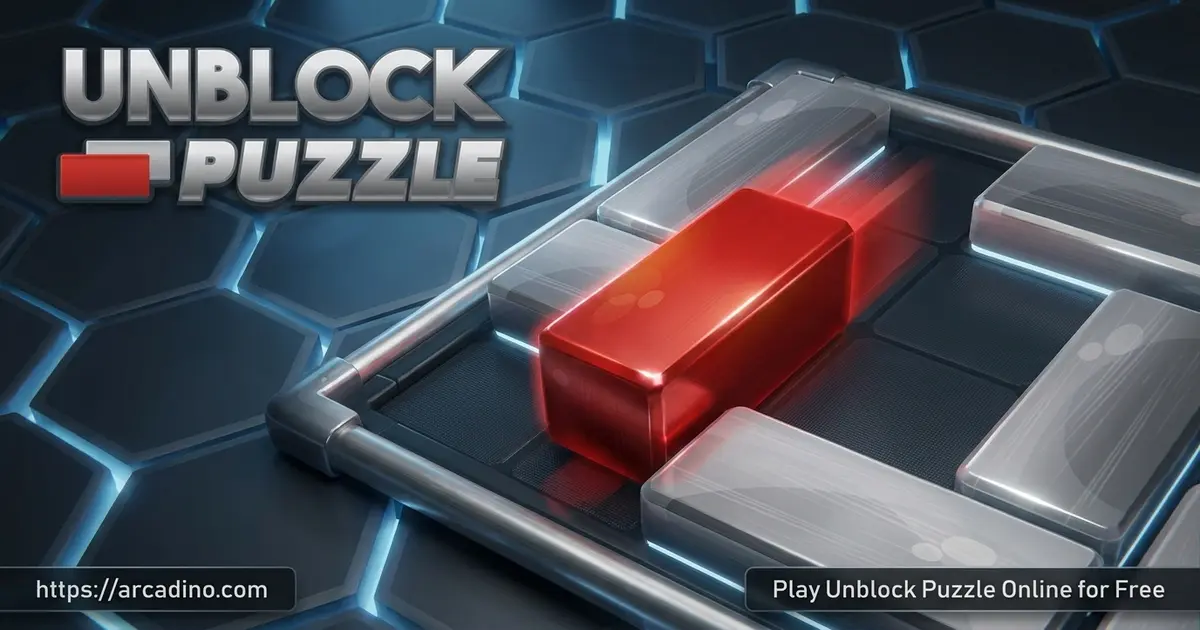
Unblock Puzzle is a logic-based sliding game where every level is a small wooden board crammed with rectangular blocks. One of those blocks is red, and your only job is to slide it out through the exit on the side of the board. The catch is that all the other pieces are in the way, so you have to shuffle them around like furniture in a tiny apartment. It sounds simple, but the puzzles get sneaky fast.
When I loaded the game in Chrome, it popped open in a second and the wooden board looked crisp even on a small laptop screen. Dragging blocks feels snappy, with no awkward delay between your click and the piece moving. That smooth feel matters a lot in a puzzle like this, because you’ll be testing dozens of tiny moves per level. Unblock Puzzle is often confused with “Unblock Me,” another famous title in the same genre — they share the same core idea but live as separate apps.
Unblock Puzzle Gameplay
The rules are short and sweet. Horizontal blocks only slide left and right. Vertical blocks only slide up and down. The red block follows the same rule and exits through a gap cut into one edge of the board.
Each puzzle is basically a mini traffic jam. You scan the board, figure out which piece is blocking the red one, then ask, “What’s blocking that blocker?” Solving Unblock Puzzle is all about thinking two or three moves ahead. The early levels teach you the patterns, then the later boards toss in extra pieces that turn every move into a tradeoff.
Relax Mode vs Challenge Mode
Most versions of Unblock Puzzle ship with two main game modes. Relax Mode lets you solve boards at your own pace with no timer or move limit. It’s perfect for a calm afternoon or a quick brain break between classes. Challenge Mode flips the switch by adding a ticking clock or a strict move cap. You’ll feel the pressure rise as the seconds drain, which makes finally clearing the red block extra satisfying.
Levels and Difficulty in Unblock Puzzle
The puzzles are sorted into difficulty tiers, usually from Beginner up to Expert. Beginner boards have a handful of pieces and one obvious path. Expert boards pack the grid so tightly that you’ll redo the same level three or four times before something clicks.
Many versions of the game also track your move count. Finishing a level in the lowest possible number of moves earns a top rating, which gives you a reason to replay puzzles you already beat. That “can I do it cleaner?” itch is a big part of why this title sticks.
How Many Puzzles Are Packed In?
Different editions of Unblock Puzzle ship with very different level counts. Smaller versions start around 240 boards, while the standard release usually offers about 1,000 puzzles. The biggest editions stretch all the way to 4,200 or even 18,000 puzzles across every difficulty tier. That means you could play a fresh board every day for years without repeating one. The Arcadino browser version gives you plenty of variety without any download, so you can sample dozens of boards in a single sitting.
The Star Rating System Explained
The star system is where Unblock Puzzle gets its long-term hook. Each board has a hidden “best possible” move count set by the developers. Solve it in that exact number of moves and you earn the full 3 stars (some versions show a gold crown instead). Take a few extra moves and you’ll snag 2 stars; finish sloppy and you’ll only walk away with 1. Chasing all 3 stars on every level turns a one-and-done puzzle into a replay challenge. It’s the same reason kids replay levels in Angry Birds or Cut the Rope — that perfect score itch is real.
A Worked Example: Gatekeeper-First in Action
Let’s walk through a small board so the strategy clicks. Picture a 6×6 grid with the red block sitting in row 3, blocked by one vertical green piece directly to its right. Above the green piece sits a horizontal yellow block; below it sits another horizontal blue block. Your first instinct might be to shove the red block right away — don’t. Start with the gatekeeper, which is the green piece blocking the exit row. To move green up, you first slide yellow left out of the way. Now green can slide up one square, clearing row 3. Finally, drag the red block right and watch it slide through the exit. Three thoughtful moves beat ten random ones every time.
Graphics and Feel
The visuals stick to a warm wooden-board look, like a real tabletop puzzle a grandparent might pull off a shelf. The red escape block stands out clearly against the brown grain, which is helpful when the board gets crowded. Sound effects are gentle clicks and slides — nothing loud, nothing flashy. It’s a calm game, and that’s the point.
How to Play Unblock Puzzle
Getting started takes about ten seconds. Open the game on Arcadino, pick a difficulty, and the first board loads automatically. There’s no signup, no tutorial wall, and no ads jumping in your face before the puzzle appears. If a level stumps you, most versions let you tap a hint button or undo your last move.
Unblock Puzzle Controls
On desktop, click and drag a block in the direction it can move. Horizontal pieces respond to left-right drags, vertical pieces to up-down drags. On mobile, swipe a block the same way using your finger. The red block exits the moment its path is clear, so you don’t need to push it through the gap manually.
Tips and Tricks for Unblock Puzzle
- Find the gatekeeper first. Identify the single block directly blocking the red one’s exit row, then plan backward from there.
- Don’t move pieces randomly. Random shuffling usually traps you. Pause, look at the whole board, then commit.
- Use the undo button without shame. Backing up one step is way faster than restarting the whole level.
- Keep the corners open when you can. Corner squares are great parking spots for pieces you need out of the way.
- Save hints for Expert boards. Easy levels are great for training your eye — burn hints on the puzzles that actually need them.
Key Features of Unblock Puzzle
- Drag-and-slide controls that work the same on touchscreens and mouse
- Wooden tabletop visuals that stay easy on the eyes during long sessions
- Difficulty tiers that grow with you instead of dumping you into hard mode
- Built-in hint and undo tools so you’re never fully stuck
- Quick-loading browser play with no account required
Where to Play Unblock Puzzle
The fastest way to jump in is right here on Arcadino, free in your browser. No download, no install, no waiting on a store page. It also runs nicely on school or library Chromebooks, which is one reason it shows up so often in “unblocked games” searches.
Chromebook and School Network Notes
If you’re playing on a school Chromebook, here’s what to expect. The browser version is lightweight — usually under 5 MB on first load — so it won’t choke a slow Wi-Fi network. After that first load, the game caches most of its assets, meaning short reconnect blips won’t kick you out mid-puzzle. It runs on locked-down student accounts because it doesn’t need plugins, installs, or pop-up permissions. Data usage per session stays tiny since the board art is simple and there’s no video or audio streaming. That makes it one of the safer picks for free-period play without burning through a school’s bandwidth cap.
If you’d rather have it on your phone, Unblock Puzzle is also available on official app stores. Grab it on Google Play for Android or on the App Store for iPhone and iPad. Stick to those official links — random APK files floating around the web aren’t worth the risk.
For Parents
Unblock Puzzle is a great fit for kids around age 7 and up. There’s no chat, no violence, and no scary content — just wooden blocks and quiet logic. It encourages planning ahead, spatial reasoning, and patience, which are skills that carry over to math homework and beyond.
What Skills Does Unblock Puzzle Actually Train?
Cognitive scientists have a few names for what’s happening when a kid solves a sliding-block puzzle. First is working memory — holding several block positions in mind while planning the next move. Second is mental rotation, which means picturing how pieces will fit after they slide, a skill linked to geometry success. Third is means-end analysis, a problem-solving method where you work backward from the goal (the red block exiting) to figure out each smaller step. Kids ages 8 to 10 usually nail Beginner boards quickly and start stretching their planning skills on Intermediate. Ages 11 to 13 often enjoy Expert boards because their working memory can hold 4 to 6 future moves at once. These are the same mental muscles used in long-division word problems and early coding lessons.
The browser version on Arcadino is free with no purchases needed to enjoy the core game. Short sessions of 10 to 20 minutes work well for younger players, especially as a brain warm-up before homework or a cool-down before bed.
Similar Games to Unblock Puzzle
If sliding-block logic is your thing, these brain teasers feel right at home next to Unblock Puzzle:
- Unblock Me – The classic title that defined the genre, with thousands of wooden-board puzzles to chew through.
- Unblock Puzzle Classic – A stripped-down version focused purely on hundreds of escalating boards.
- Wood Block Puzzle – A non-sliding cousin where you drop wooden shapes onto a grid to clear lines.
- More Puzzle Games – Browse the full Arcadino puzzle category for logic, matching, and brain teaser titles.
FAQs About Unblock Puzzle
Is Unblock Puzzle free to play?
Yes, Unblock Puzzle is completely free to play in your browser on Arcadino. You don’t need an account, a credit card, or a download. The mobile app versions are also free, though some may include optional in-app purchases for extra hints.
How many puzzles are in Unblock Puzzle?
The exact level count varies by version of the game. Smaller releases ship with around 240 boards, the standard version offers about 1,000, and the biggest editions reach 4,200 or even 18,000 puzzles. Either way, there’s enough content to keep you busy for many sessions.
Is Unblock Puzzle the same as Unblock Me?
No, they’re separate games that share the same sliding-block idea. Unblock Me is a well-known title from another developer, while Unblock Puzzle is its own version with similar mechanics. If you like one, you’ll almost certainly enjoy the other.
Can I play Unblock Puzzle on a Chromebook at school?
Yes, Unblock Puzzle runs in any modern browser, including school-issued Chromebooks. Because it loads instantly with no install, it’s a popular pick for students searching for unblocked logic games during free periods.
How do I unblock the red block?
Slide the surrounding pieces out of the red block’s row or column until the exit path is clear. Horizontal blocks only move sideways and vertical blocks only move up and down. Plan two or three moves ahead instead of pushing pieces randomly.
Does Unblock Puzzle work on mobile?
Yes, the browser version works on phone and tablet browsers using swipe controls. You can also install the dedicated app from Google Play or the App Store for offline play.
Is Unblock Puzzle good for kids?
Yes, it’s a kid-friendly logic game with no violence, chat, or scary content. It trains spatial reasoning, sequential planning, and working memory — the same skills used in geometry, word problems, and early coding lessons. The calm wooden-board style also makes it a great wind-down activity before bed.
Ready to Slide?
Unblock Puzzle is one of those games that looks tiny but eats up an afternoon before you notice. The mix of wooden-board simplicity, escalating difficulty, and that satisfying click when the red block finally slides free is hard to top. Whether you’re warming up your brain on Beginner boards or grinding Expert puzzles for the cleanest solution, there’s always one more level calling your name. Load it up on Arcadino and see how far your logic can carry you. 🧠
Gameplay Video


