



















Watch one short ad and play ad-free for 30 minutes.
Tag 2
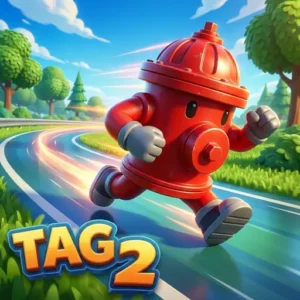
JetGamesRemember playing tag at recess and never wanting it to end? Tag 2 takes that schoolyard rush and stuffs it with portals, bouncy pads, and a ticking time bomb you really don’t want to be holding. It’s a free browser platformer from WeLoPlay, and you can jump into a round right now without downloading a thing. Up to four friends can squeeze onto one keyboard for chaotic local matches, or you can practice solo against the clock. Often confused with the original Tag, this sequel adds new maps, a Zombie mode, and unlockable Runners. 🏃♂️
- Fast chase rounds with a ticking bomb that decides the loser
- Portals and bouncy pads built into every arena
- Local multiplayer for up to four players on one keyboard
- Zombie mode plus daily quests and unlockable Runners
What Is Tag 2?
Tag 2 is a 2D platform chase game made by WeLoPlay, the same studio behind the original Tag, Stickman Bike, and wall-jumper. The twist on classic playground tag is simple: whoever’s holding the bomb when the timer ends loses the round. That tiny rule turns every match into a panicky scramble to pass the bomb on.
From my first round, the controls felt sharp and responsive in Chrome with zero stutter. The arenas load almost instantly, and the cartoon art style keeps things readable even when four players are bouncing off pads at once. It’s the kind of pick-up-and-play vibe that makes a five-minute break stretch into half an hour.
Gameplay in Tag 2
Each round starts with one player marked as “it” and carrying the bomb above their head. Your job, if you’re stuck with it, is to tag someone else before the timer runs out. The map is full of platforms, jump pads, and glowing portals that teleport you across the arena. Roles flip the second contact is made, so the chase direction can reverse mid-jump.
The genius part is how quickly panic spreads. You’ll see opponents dive into portals to throw you off, then double back through a bouncy pad to ambush someone else. Rounds are short, but the tension is constant because nobody wants to be the unlucky one holding the bomb at zero.
Game Modes in Tag 2
Beyond the standard match, there’s a Zombie mode that cranks up the difficulty with faster speeds and extra pressure from chasing threats. It’s the toughest test in the game and a clear step up from the regular chase. You can also play multiplayer with up to four friends sharing one keyboard for couch-style chaos.
Daily quests give you a reason to come back every day. Tasks rotate things like running a set distance, dodging the bomb a certain number of times, or using portals during a match. Finishing them rewards you with points toward unlocking new Runners.
Runners and Unlocks in Tag 2
The game ships with a roster of Runners you can unlock as you play. Each one has its own look, so picking a favorite becomes part of the fun. You earn them by stacking up points from matches or completing those daily quests mentioned above.
If you’re someone who likes setting little goals, the Runner system gives you a clear reason to keep grinding rounds. Nothing’s locked behind real-money purchases here, just playtime.
Arena Layouts and Map Awareness
Every Tag 2 arena is built like a tiny puzzle box stuffed with shortcuts. You’ll spot portal pairs glowing the same color, so jumping into a blue portal always spits you out at its blue twin. Bouncy pads usually sit near the floor, giving you a fast way back up if you fall. Some maps stack platforms tall, while others stretch wide with long ground sprints. Spend your first match just learning where every portal leads, because muscle memory beats raw speed in this game. Once you’ve memorized two or three arenas, you’ll start chaining portals and pads into smooth escape routes. That map knowledge is the real difference between a panicked Runner and a smug winner.
How to Play Tag 2
Getting started is as easy as opening the page and picking a mode. Choose your character, decide whether you want solo, multiplayer, or Zombie mode, and jump into the arena. Watch for the arrow above the player who’s “it” so you always know who to dodge.
Controls for Tag 2
- A and D: Move left and right across platforms
- W: Jump over gaps, onto pads, or up to higher ground
- Mobile and tablet: Tap and swipe to move and jump
- Multiplayer: Each player gets their own movement keys for same-keyboard play
Your First Match: A Beginner Walkthrough
If this is your very first round, start in solo mode against the clock. That way you can learn the jumps without anyone chasing you down. Try every portal once, then test the bouncy pads from different angles to feel the launch. Next, hop into a regular match and focus only on staying away from whoever holds the bomb. Don’t worry about winning yet, just practice running, jumping, and reading the arrow above the “it” player. Once dodging feels natural, switch to playing offense and chase tags on purpose. By your fifth or sixth match, the controls will click and the chaos will start to feel fun instead of frantic.
Tips and Tricks for Tag 2
- Don’t sit on the bomb: If you’re “it,” start hunting immediately. Waiting until the last few seconds lets rivals corner you near walls.
- Fake out portal direction: Run toward one portal, then cut to another at the last moment. Chasers commit early and lose seconds correcting.
- Angle your bounces: Hit bouncy pads diagonally to gain both height and sideways speed, breaking the chaser’s line of sight.
- Hold the high ground: Climbing to upper platforms gives you the option to drop down behind opponents, which is way harder to mirror than a flat sprint.
- Never stop moving: Standing still in Tag 2 is basically asking for the bomb. Keep small, jittery movements going even when nobody’s near you.
Advanced Bomb-Passing Strategy
Once you’ve played a few rounds, you’ll notice the bomb has a clear pass pattern. The smartest Runners don’t just tag the nearest player, they aim for whoever is boxed into a corner or mid-jump. A target stuck in the air can’t change direction, so they’re an easy mark. Try faking a chase toward one player, then pivoting to a closer one who thought they were safe. In the last three seconds, ignore long-distance targets and only commit to a tag you know you can land. Passing the bomb with one second left is the dream play, since the new “it” has almost no time to pass it back. Practice these reads in solo and you’ll dominate four-player matches fast.
Key Features of Tag 2
- Ticking-bomb mechanic that flips roles the instant someone gets tagged
- Arenas packed with teleport portals and bouncy launch pads
- Zombie mode for players wanting a harder, faster challenge
- Daily quests with rotating objectives and unlock rewards
- Local multiplayer that supports up to four people on the same device
Where to Play Tag 2
Tag 2 runs straight in your browser on Arcadino with no download, no sign-up, and no install. It works in Chrome, Edge, Firefox, and Safari on Windows PCs, Macs, Chromebooks, and Linux machines. Loading is quick and you can hop into a round seconds after the page opens.
On phones and tablets, touch controls let you swipe and tap to run and jump, so the game travels well. Players also discover this title through Poki, which is one of the bigger hosts for WeLoPlay’s chase games. There’s no separate app to install, which means no risky APK files to worry about.
Performance and Accessibility
Tag 2 is built light, so it runs smoothly even on older laptops and budget Chromebooks. The cartoon art uses bold outlines and bright colors, which helps players who struggle with busy graphics. Sound effects are simple and you can mute the tab anytime if you’re playing in class or late at night. Keyboard-only controls mean no mouse skills are needed, making it friendly for younger kids still learning to game.
For Parents
Tag 2 is a clean, friendly platformer that suits kids around 7 and up. The action is cartoon-style with no violence beyond a comedic bomb timer, and there’s no open chat with strangers since multiplayer is local on one device. The game is free to play and doesn’t push real-money purchases for Runners or quests.
Rounds are short, so it’s easy to set a reasonable play window like 20 or 30 minutes. The same-keyboard multiplayer also makes it a nice option for siblings or friends to play together rather than alone.
Similar Games to Tag 2
If chasing, dodging, and last-second escapes are your thing, these browser titles scratch the same itch:
- Tag – The original WeLoPlay game that started it all, with the same role-switching chase but fewer mechanics than the sequel.
- Stickman Bike – Another WeLoPlay creation focused on balance and quick reactions across tricky courses.
- Stickman Battle – A two-player fighter built for same-screen showdowns and quick reaction battles.
- Hide Online – A hide-and-seek shooter where props sneak around maps while hunters try to find them.
- Stick Merge – A quick reaction game from the same kind of casual stickman family.
- Getaway Shootout – A wacky two-button race where friends hop and shove each other to the finish line.
- Platformer Games
FAQs About Tag 2
Is Tag 2 free to play?
Yes, Tag 2 is completely free in your browser with no downloads. You can jump into a match on Arcadino without making an account or paying anything. Daily quests and Runner unlocks are also earned through play, not purchase.
Is Tag 2 the same as Tag?
No, Tag 2 is the sequel to the original Tag by WeLoPlay. It keeps the core chase idea but adds the ticking bomb, teleport portals, bouncy pads, Zombie mode, and unlockable Runners. The first Tag is simpler and has fewer modes.
How many players can play Tag 2?
Tag 2 supports up to four players on the same device. Each player uses their own set of keys on one keyboard for local multiplayer. You can also play solo if no friends are around.
How do you win in Tag 2?
You win by not holding the bomb when the timer hits zero. Tag another player to pass the bomb on, then keep your distance until time runs out. Smart use of portals and bouncy pads is the key.
How do you unlock Runners in Tag 2?
You unlock new Runners by earning points and completing daily quests. Quests rotate each day with small tasks like using portals or surviving rounds. The more you play, the bigger your roster grows.
Can you play Tag 2 on mobile?
Yes, Tag 2 works on phones and tablets through the browser. Touch controls replace the keyboard, so you tap and swipe to move and jump. The same game runs on Chromebooks too without any extra setup.
Is Tag 2 unblocked at school?
Tag 2 is playable on Arcadino without any restrictions on the domain. As long as your school network allows the site, you can load it during a break. No installs are needed, just an open browser tab.
Does Tag 2 have online multiplayer?
Tag 2’s multiplayer is local only, meaning everyone plays on the same keyboard. There’s no online matchmaking with strangers, which keeps it safe and simple. If you want company, grab a friend in the same room.
Final Thoughts on Tag 2
Tag 2 takes a game everyone already knows and adds just enough chaos to make it feel new. The ticking bomb, the portal mind games, and the four-player keyboard scramble turn quick rounds into the kind of matches you replay over and over. Add a Zombie mode and daily quests on top, and there’s always one more reason to come back.
Grab a friend, claim your half of the keyboard, and see who panics first when the timer hits five.
