


















Watch one short ad and play ad-free for 30 minutes.
Learn To Fly
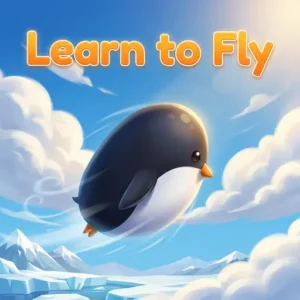
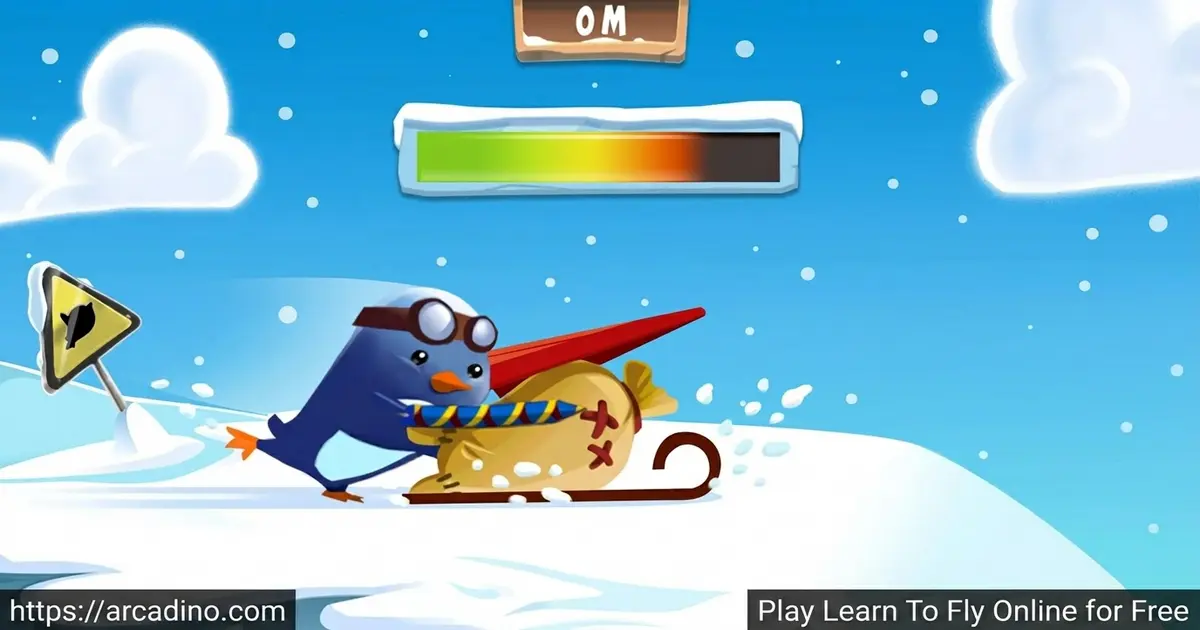
Light Bringer GamesMeet a penguin with a serious grudge. He read online that penguins can’t fly, and now he wants to prove the whole world wrong. In Learn To Fly, you launch him off a snowy ramp and try to soar over the water. It’s free to play right in your browser, with no download needed to get airborne. 🐧
Every jump earns you cash for new gliders, rockets and boosts. Spend it wisely, and you’ll close the gap on that giant iceberg over a mile away. This penguin’s revenge story is short, smart and weirdly addictive.
- Slide off the ramp and fly as far as you possibly can
- Earn money on every run to buy upgrades
- Unlock gliders, rockets and thrusters to fly farther
- Smash through the icy wall blocking your penguin’s path
What Is Learn To Fly?
Learn To Fly is an arcade launch game built around upgrades and physics. You control a penguin who slides down a ramp and glides through the air. The farther he flies, the more cash you collect for better gear. It mixes idle-style progress with a bit of strategy, since you decide which upgrades to buy first.
The original came out back in December 2011 and was made by Light Bringer Games. It became a long-time favorite thanks to one simple, funny idea: a determined penguin who refuses to stay grounded. Playing it in a modern browser, the controls feel light and instant, and runs load fast so you’re back on the ramp in seconds. That quick restart loop is a big part of why it’s so easy to keep playing.
This game started life as a Flash title, back when Flash powered tons of browser games. The iceberg goal then carried across the whole series, from the sequels to the spin-offs. Millions of players have launched that penguin over the years, making it a true classic. Flash is gone now, but you can still play the original anytime, as we’ll explain below.
How Learn To Fly Runs Without Flash Today
Adobe shut down Flash for good at the end of 2020, so old Flash games stopped working. That sounds like bad news for a classic like Learn To Fly. But the modern browser version runs through HTML5 emulation, often using a tool like Ruffle. An emulator basically pretends to be Flash, so the original game still plays just fine.
This matters for you in a few simple ways. You don’t need to install any plugin, add-on or risky download to play. The game loads right in Chrome, Firefox, Safari or Edge with no extra steps. Performance stays smooth because the emulator is light and built for modern browsers. So this old favorite keeps flying, even though Flash itself is long gone.
Learn To Fly Gameplay
The loop is simple but sticky. You launch the penguin, steer his angle mid-flight, and try to travel as far as you can. When you land, you spend the cash you earned on upgrades. Then you launch again, fly farther, and earn even more.
The goal is to break through a huge iceberg that’s blocking your path. Each upgrade nudges you closer, so progress feels steady and rewarding. Leaning forward speeds the penguin up, while leaning back helps him gain height. Finding the right balance between speed and altitude is the real skill here.
Upgrades and Progression in Learn To Fly
Cash is everything in this penguin adventure. You’ll buy gliders to stay in the air longer and rockets to blast forward with extra force. Once you own rockets, you press and hold the spacebar to fire them. Timing that boost well can add huge distance to a single run.
The smart move is to upgrade often instead of saving for one giant purchase. Lots of small improvements push you forward faster than one expensive item. Hitting that iceberg may take a while, but the steady climb makes each launch feel meaningful. There are also a few hidden bonuses tucked around the shop, so it pays to poke around.
Free Hidden Points Trick
Here’s a fun secret most players never find. On the home screen, try clicking the penguin’s nose for free bonus points. It’s a cheeky little reward that gives you a head start before your first launch. There are also other secret points hidden around the catalog and shop screens. Click on odd spots and poke around the menus to dig them up. Grabbing these freebies lets you afford your first upgrades much faster.
Distance Milestones and Upgrade Roadmap
Everyone says “upgrade quickly,” but here’s a real plan to follow. In your first few runs, you’ll only fly a short hop before splashing into the water. Spend that early cash on cheap glider and acceleration upgrades first, since they pay off fast. Once you’ve saved a bit more, grab your first rocket and a fuel boost. Rockets are the biggest jump in distance, so prioritize them after basic gliders.
By mid-game, your runs should stretch much farther across the water. Keep balancing speed and height upgrades instead of dumping it all into one. Late game, with maxed gliders, rockets and thrusters, you’ll cover serious ground each launch. That’s when you finally smash through the iceberg over a mile away. Steady, small upgrades in this order break that wall faster than hoarding cash.
Graphics and Style of Learn To Fly
The art is clean, cartoony and full of charm. The snowy slope, the chilly water and the grumpy penguin all give the game a cozy winter feel. It’s bright and clear without being busy, so you can focus on your flight.
The simple visuals also help it run smoothly across browsers and devices. There’s no clutter slowing things down, just you, the ramp and the open sky. That lightweight look is part of why this title has stayed popular for so long.
How To Play Learn To Fly
Getting started takes about two seconds. Slide the penguin off the ramp, then control his angle as he glides. Land, collect your cash, and head to the shop to upgrade. Repeat until you finally crack that iceberg.
Everything is explained in the game itself, so you won’t get lost. New players should focus on buying upgrades quickly rather than hoarding money.
Learn To Fly Controls
Use the left and right arrow keys to adjust your flight angle. Lean forward to gain speed and lean back to gain height. Once you’ve bought rockets, press and hold the spacebar to activate them. On mobile, tap and tilt controls handle steering and boosting.
Tips And Tricks For Learn To Fly
- Don’t fly too fast early on, or you’ll waste your momentum and lose distance.
- Lean back to climb higher, then lean forward to convert that height into speed.
- Buy lots of cheaper upgrades instead of saving for one pricey item.
- Hold the spacebar to fire rockets at the right moment for maximum push.
- Smash into snowmen during flight to grab a little extra cash.
Key Features Of Learn To Fly
- A funny revenge story starring a penguin out to prove he can fly
- Upgrade gliders, rockets and thrusters to break through the iceberg
- An earn-cash, buy-upgrades, fly-farther loop that’s hard to put down
- Light steering controls that feel responsive in any modern browser
- Hidden bonuses and secret points scattered around the shop
Where To Play Learn To Fly
You can play Learn To Fly free in your browser on PC, laptop or Chromebook. It loads quickly and runs in Chrome, Firefox, Safari and Edge with no install. Just open the page and the penguin’s ready on the ramp.
There’s also a mobile version for phones and tablets. You can grab it on Google Play or the App Store. Stick to those official stores rather than random APK files, which can be unsafe. The browser version stays accessible without any sign-up.
For Parents
Learn To Fly is a gentle arcade game that many parents feel suits younger players well. The cartoon penguin crashing into snowmen is silly rather than scary, with no real violence. It quietly teaches planning and trade-offs, since players must decide which upgrades give the best value. The mobile version includes in-app purchases, so check those settings if your child plays on a phone. Its quick launch-and-restart style fits short play sessions, so it’s easy to pause anytime.
Games Similar To Learn To Fly
If you love upgrading your way to a big goal, these flying and idle games are a great next stop.
- Learn To Fly 2 – the sequel adds omega items, more obstacles and tougher iceberg challenges.
- Learn To Fly 3 – build and customize a spaceship across story, payload and sandbox modes.
- Learn To Fly Idle – fire cannons to smash snowmen for high scores in this idle spin-off.
- Tiny Fishing – upgrade your rod to catch rarer fish in a satisfying cash loop.
- Diggy – drill deep underground, dig up ores and trade them for better gear.
Browse more launchers and idle hits in our Arcade category.
FAQs About Learn To Fly
Is Learn To Fly free to play?
Yes, Learn To Fly is completely free in your browser. There’s no sign-up needed to launch the penguin off the ramp. The mobile version adds optional in-app purchases.
How many Learn to Fly games are there?
There are four games in the series. They are Learn to Fly 1, 2 and 3, plus Learn to Fly Idle. Each one builds on the same penguin-launching idea with new twists.
When did Learn to Fly come out?
Learn to Fly came out in December 2011. It was released by Light Bringer Games. It has stayed a fan favorite ever since.
What genre is Learn to Fly?
It’s mainly a mix of idle and strategy gameplay. You earn cash, plan upgrades, then test your flying skill. That blend rewards players who think before they buy.
Is it hard to beat Learn to Fly?
No, almost anyone can beat it with enough time. Beginners may take a while to reach the iceberg. Upgrading quickly instead of saving makes it much faster.
What is the difference between Learn to Fly and Learn to Fly Idle?
In the original you launch yourself off a ramp for distance. In Learn to Fly Idle you fire cannons to smash snowmen for high scores. The goals and controls are different in each.
What are the controls for Learn to Fly?
Use the left and right arrow keys to adjust your angle. Press and hold the spacebar to fire rockets once you own them. Mobile players steer with taps and tilts.
Conclusion
Learn To Fly turns one stubborn penguin’s dream into a clever upgrade loop you’ll want to repeat. Steer your angle, time your rockets and chip away at that giant iceberg run after run. The mix of quick launches and smart spending keeps every flight feeling fresh.
Ready to help a flightless bird make history? Hop on the ramp and start your first launch right now.
Gameplay Video