























Watch one short ad and play ad-free for 30 minutes.
Watermelon Game
Aladdin XDrop a cherry. Watch it bounce. Then watch two cherries snap together into a strawberry, and suddenly you’re hooked. That’s the magic of Watermelon Game, a free online puzzle hit you can play right in your browser. It started in Japan as Suika Game, and the whole world caught the fruit-merging bug shortly after.
This is a chill, no-pressure puzzle where physics, planning, and a bit of luck collide. You’re not racing a clock. You’re stacking fruit, dodging gaps, and chasing one juicy goal: the watermelon. 🍉
- Merge matching fruits to build bigger ones, all the way up to a watermelon
- Eleven different fruit types, each worth more points than the last
- Relaxed, no-timer gameplay that rewards careful thinking
- Plays in any modern browser on desktop, tablet, or phone
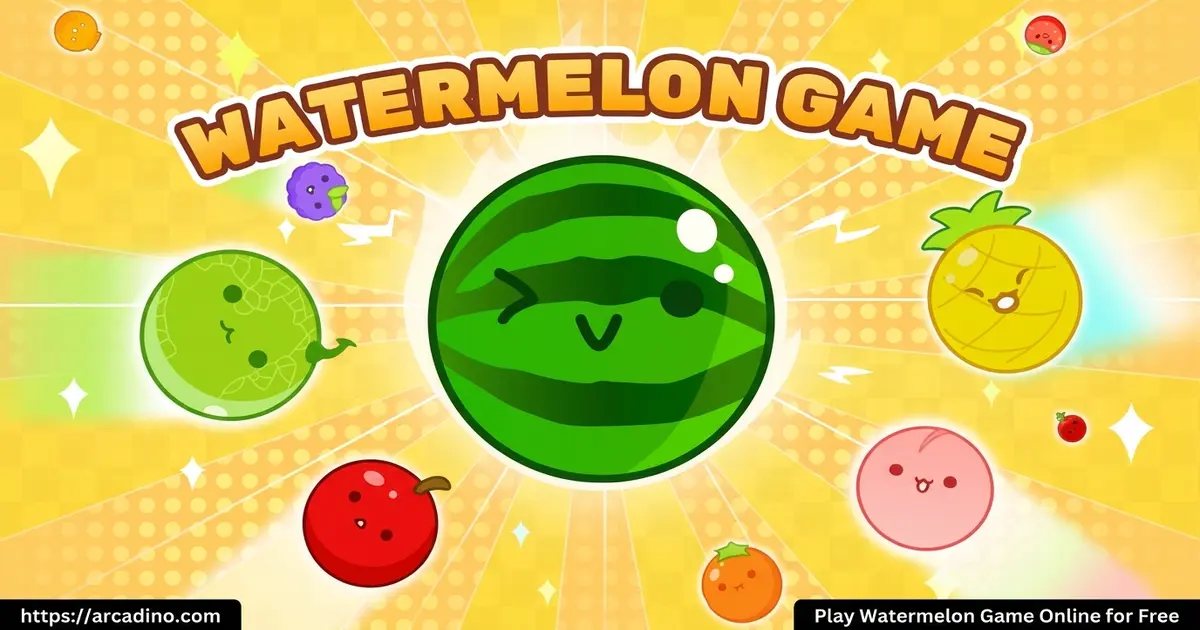
What Is Watermelon Game?
Watermelon Game is a physics-based merge puzzle that mixes ideas from 2048 and Tetris. You drop round fruits into a tall container. When two of the same fruit touch, they pop together into the next fruit up the chain. It originally launched in Japan as Suika Game, and “suika” literally means watermelon.
The browser version loads almost instantly, which is a huge plus. I tried it on a school-style laptop and a cheap Android phone, and both ran the fruit physics smoothly without stutters. There’s no install, no account, and no waiting room. You just click and play.
Some kids also search for this title on unblocked game portals during study breaks. The free HTML5 build runs on most school networks because it doesn’t need any plugins or downloads, which is why it shows up on those friendly lists too.
Gameplay in Watermelon Game
You start with one fruit hovering at the top of the box. Move it left or right, then drop it. When two identical fruits collide, they merge into the next size up. Two cherries become a strawberry, two strawberries become a grape, and the chain keeps climbing.
The board only generates the first few small fruits automatically. Bigger ones must be earned through merging. If your stack rises past the dashed warning line, it’s game over. That tension between piling up and clearing space is what keeps you playing “just one more round.”
Scoring and the Fruit Chain
There are 11 different fruits in the chain, each bigger and worth more points than the last. Tiny merges give a single point. Big merges, like two pears smashing into a peach, give chunky score boosts. Your best score saves in your browser, so you can chase your personal high.
If you ever pull off the rare feat of merging two full watermelons, they both vanish, clearing a huge chunk of the box. It almost never happens, but it’s the dream play every Suika fan talks about.
The Full Fruit Chain Order
Here’s the exact progression from smallest to biggest, so you always know what comes next:
- Cherry — the tiny red starter fruit
- Strawberry — pink and a little bigger
- Grape — round and purple
- Dekopon — a bumpy orange citrus from Japan
- Orange — classic round orange
- Apple — bright red and noticeably larger
- Pear — yellow-green and round in this game
- Peach — soft pink and big
- Pineapple — spiky yellow giant
- Melon — green honeydew-style fruit
- Watermelon — the huge striped goal fruit
Memorizing this order really helps. Once you know a pear becomes a peach, you can plan your stack instead of just reacting to whatever rolls in.
Stage a Chain Reaction for Mega Combos
The single best trick in Watermelon Game is setting up cascades. Instead of dropping fruits one at a time and hoping, you can arrange the pile so one drop triggers three or more merges in a row. Here’s a worked example you can try right now.
Say you have two cherries sitting next to a lone strawberry, with a lone grape resting nearby. Drop a third cherry on top of the pair. The cherries merge into a strawberry, which rolls into the other strawberry to make a grape, which then merges with the lone grape to make a dekopon. One drop, three merges, big points.
To set this up, leave matching “lonely” fruits clustered on one side of the box. Then drop the smallest fruit that will start the chain. The physics does the rest, and the satisfying pop-pop-pop sound is honestly worth the effort by itself.
Why Players Love Watermelon Game
The appeal is simple. Runs are short, the rules click in seconds, and every game feels different because of the physics. Fruits roll, wobble, and settle in ways you can’t fully predict. That tiny bit of chaos turns a calm puzzle into a low-key thrill.
It’s also satisfying in a way few puzzles are. The “pop” of a merge, the chain reactions, the bigger fruit replacing two smaller ones — it scratches the same itch as bubble wrap. Pair that with leaderboards where you can compare scores, and replay value goes way up.
How to Play Watermelon Game
Getting started takes about ten seconds. Open the page, the box appears, and a fruit is already waiting at the top. Move it where you want, drop it, and try to land it next to a matching fruit. That’s the whole loop.
Keep an eye on the next-fruit preview where available. Some browser versions show what’s coming next, which lets you plan two moves ahead. Once your pile gets tall, slow down and place each fruit with care.
Controls
On desktop, move the mouse left or right to aim, then click to drop the fruit. On mobile, tap and drag across the screen, then release to drop. Some versions of the watermelon puzzle include side-push buttons that nudge all the fruit left or right — use them sparingly, since they’re limited.
Most browser builds give you exactly 5 left pushes and 5 right pushes, for a total of 10 nudges per run. That’s it for the whole game, so don’t burn them early. Save them for the moment two stubborn fruits sit just one pixel apart and refuse to touch.
Tips and Tricks for Watermelon Game
- Sort by size: Keep big fruits on one side and small ones on the other. This stops large fruit from blocking tiny merges underneath.
- Avoid deep gaps: Holes between fruits trap smaller pieces and rocket your pile upward. Try to keep the top surface roughly flat.
- Let physics settle: Wait a half-second before dropping the next fruit. Rolling fruit can knock other pairs into perfect merges on its own.
- Save your pushes: If your version has left/right nudge buttons, treat them like emergency tools for when two stubborn fruits won’t combine.
- Don’t panic-drop: When the board looks messy, slow down. The game has no timer, so think two steps ahead before clicking.
Key Features of Watermelon Game
- Eleven-fruit merge chain, from cherry all the way to the giant watermelon
- Realistic round-fruit physics that make every drop feel a little different
- Best-score saving inside your browser, so progress sticks between sessions
- No time limit — a relaxing puzzle you can pause just by stepping away
- Available in both Japanese and English, making it friendly for a global audience
Where to Play Watermelon Game
The easiest way is right here in your browser. The fruit merge runs on standard HTML5, so Chrome, Firefox, Safari, and Edge all handle it without a hitch. There’s no download, no sign-up, and no plugin needed.
Prefer mobile? There are official apps too. Grab the Android version on the Google Play Store or the iOS version on the App Store. Stick to those official links — random APK downloads from unknown sites can carry malware.
The browser build also pops up on school-friendly portals and unblocked-game lists, which is why so many players first find it during a study break. On a desktop or Chromebook, it runs full-screen and looks great.
Browser Version vs. Nintendo Switch Version
The original Suika Game on Nintendo Switch costs a few dollars and has a few small differences worth knowing. The Switch version uses slightly heavier physics, so fruits feel a bit more “weighty” when they roll and settle. The browser version is a touch bouncier and faster.
The Switch release also shows a clear next-fruit preview in the corner, while some browser clones skip that helpful hint. Fruit shapes on Switch are perfectly round and a bit more detailed too. Still, the browser version captures 95% of the fun for exactly zero dollars, which is hard to beat.
Browser Performance on Different Devices
Because the game uses HTML5 physics, performance can shift a lot depending on your hardware. On a modern gaming laptop or newer iPad, it locks at a smooth 60 frames per second the entire run. Drops feel instant, and chain reactions look buttery.
On a basic school Chromebook (think 4 GB of RAM), the game still runs fine until you have 30+ fruits jiggling at once. At that point, you might see brief frame dips during big cascades. Older Android phones from before 2019 sometimes stutter when the pile is full, especially during a chain reaction.
The fix is simple: close other browser tabs before you start. The game uses more CPU than it looks, since every fruit is a tiny physics object. On any device from the last three years, you shouldn’t notice any slowdown at all.
For Parents
Watermelon Game is a great fit for kids aged 8 and up. There’s no violence, no chat feature, and no scary content — just colorful fruit and gentle physics. The browser version is free and doesn’t require an account.
It also quietly builds useful skills. Players practice spatial reasoning, planning ahead, and patience, since rushing leads to messy stacks. Short 5–10 minute sessions work well as a screen-time break between homework or chores.
For Teachers: Using Watermelon Game as a Brain Break
Watermelon Game works really well as a 5-minute classroom brain break or a warm-up before math class. The merging mechanic quietly trains spatial reasoning, prediction, and patience — exactly the muscles you want active before geometry or problem-solving lessons. No setup, no logins, no fuss.
Try suggesting score goals by age group to keep it focused. For ages 8–9, aim for a first orange (fruit #5). For ages 10–11, target a first apple or pear. For ages 12–13, challenge them to make a melon in under 5 minutes. Display the goals on the board and let kids self-report their best score.
One short round takes about three minutes, which fits neatly into a transition between subjects. Because there’s no timer or violence, it stays calm — kids come back to schoolwork settled instead of hyped up.
Similar Games to Watermelon Game
If this fruit-merging puzzle clicked with you, there are a few related browser games worth trying next.
- Watermelon Drop — Our top pick if you loved Suika: a close cousin with cute cartoon fruits, smooth physics, and a letter-grade ranking at the end of every run.
- Suika Game — The original Japanese version that started the whole watermelon trend.
- 2048 — A tile-merging classic that shares the “combine matching pairs” DNA but on a grid.
- Cats Drop — Same drop-and-merge formula, but you stack adorable cats instead of fruit.
- More Puzzle Games — Browse our full collection of brain-teasing browser puzzles.
FAQs About Watermelon Game
How do you play Watermelon Game?
You drop fruits into a box and merge identical pairs into bigger fruits. Each match moves you up the 11-fruit chain. The goal is to create a watermelon without letting the pile reach the top of the box.
How many fruits are there in Watermelon Game?
There are 11 different fruits in the chain. The cherry is the smallest and lowest-value, and the watermelon sits at the top as the biggest and most valuable.
Can you get two watermelons in Suika Game?
Yes, but it’s extremely rare. When two watermelons merge, they both disappear and clear a huge area of the box. Most players never see it happen in a single run.
Is Watermelon Game the same as Suika Game?
Yes, they’re the same game with different names. “Suika” means watermelon in Japanese, so English-speaking players call it Watermelon Game. The mechanics are identical.
How can I get good at Watermelon Game?
Plan ahead and keep similar fruits grouped together. Avoid leaving deep gaps in your stack, since they make later merges nearly impossible. Practice helps you spot patterns faster.
Is Watermelon Game free to play?
Yes, the browser version is completely free. You can play on desktop, laptop, tablet, or phone with no download or account required.
Does Watermelon Game work on unblocked game sites?
Yes, the HTML5 build runs on most school-friendly portals. That’s why it often appears alongside searches for unblocked puzzle games.
Ready to Grow a Watermelon?
Watermelon Game nails what a great browser puzzle should be: easy to start, hard to master, and impossible to put down. The 11-fruit chain, the bouncy physics, and the saved high score keep pulling you back for another try. Whether you’ve got two minutes or twenty, it fits perfectly into a short break.
Pick a side, line up your first cherry, and see how close you can get to the big juicy melon today.
Gameplay Video