
























Watch one short ad and play ad-free for 30 minutes.
Bloxorz
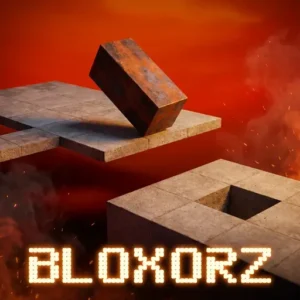
Damien ClarkeTumbling a rectangular block toward a tiny square hole sounds easy until you actually try it. Bloxorz is a free online puzzle game where one wrong roll sends your block plunging off a floating platform. You can play it instantly in your browser, no installs needed, and it has been a logic-puzzle staple since the late 2000s. The trick is learning to think in 3D, planning each tumble so the block lands flat, upright, or right on top of a switch when it matters most. 🧠
- 33 hand-crafted stages that ramp up in difficulty
- Soft circle switches and heavy X switches change the rules
- Block splits into two smaller pieces in later levels
- Six-digit passcodes let you jump back to any stage
What Is Bloxorz?
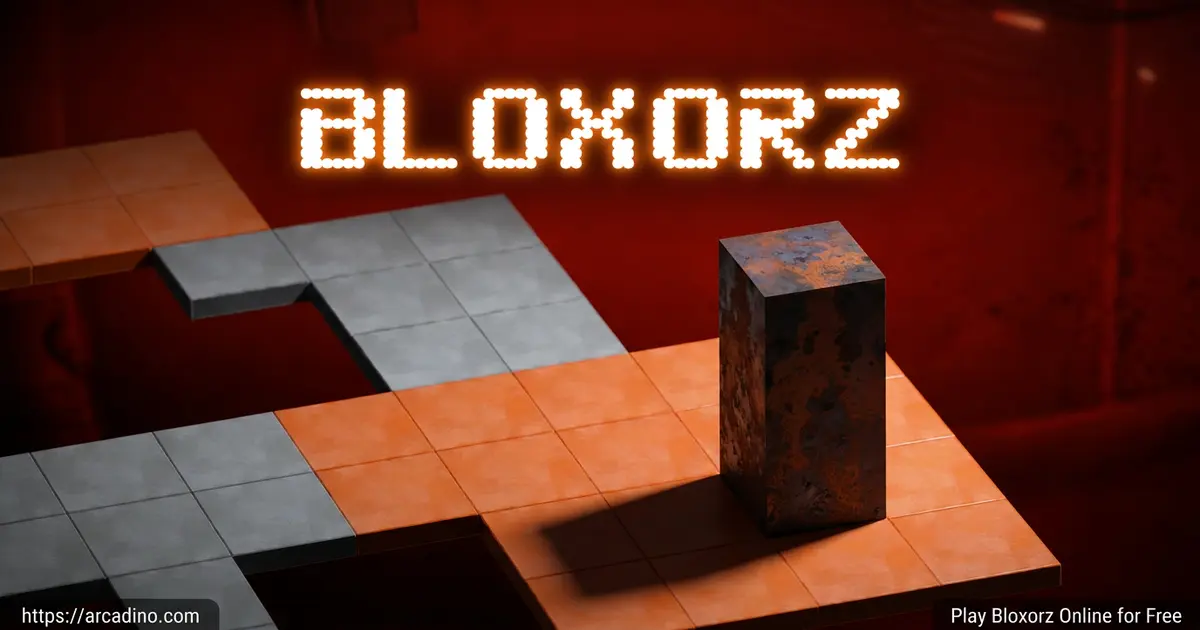
Bloxorz is a 3D rolling block puzzle created by Damien Clarke of DX Interactive. Your job is simple to describe and tough to pull off: tip a 1x1x2 block across a floating grid and drop it lengthwise into the exit hole. Miss the hole, roll off an edge, or crack a fragile tile and the stage restarts from the top.
The game first appeared in the Flash era and has stuck around because the puzzles are genuinely clever. Loading is quick in any modern browser, the arrow-key controls feel snappy, and the camera angle stays fixed so you can focus on planning routes. There’s no flashy soundtrack or particle effects to distract you, which honestly suits a brain teaser this stubborn.
Gameplay in Bloxorz
The core loop is roll, plan, roll again. Each tumble moves the block end-over-end, so a tall standing block flops flat after one press, then stands back up after another. Reading the board before you move is everything.
Later stages throw in bridges, switches, fragile orange tiles, and teleport pads that split your block in two. You toggle between the two smaller pieces with the spacebar and try to reconnect them on the same tile. It’s the kind of mechanic that flips the puzzle on its head once you think you’ve mastered the basics.
Switches and Special Tiles
Three switch types shape the puzzles. Circle switches (soft) activate when any part of the block touches them. X-shaped switches (heavy) only fire when the block is standing upright on a single square. Open-circle pads teleport and split the block into two smaller cubes.
Then there are orange tiles, which look normal but can’t hold the block’s full weight. Roll across them flat and you’re fine. Stand upright on one and the floor collapses, ending the run instantly.
Split Blocks and Switch Rules
Here’s a key detail many players miss: once your block splits in two, the small cubes can only trigger soft circle switches. They’re too light to press the heavy X switches, no matter how you position them. So if a puzzle needs a heavy switch flipped, you must reconnect the two halves first and stand the full block upright on that square. Plan your route with this rule in mind, especially in later stages that mix split pads and X switches on the same board.
How Bridges and Toggle Switches Work
Not every switch behaves the same way once you press it. Some switches build bridges permanently, while others toggle bridges open and closed each time you trigger them. Watch the screen carefully when you hit a switch: a green flash means a bridge just appeared, while a red flash means a bridge closed or disappeared. The board shows you which tiles light up so you can trace exactly which path opened or shut. Learning to read these color cues saves tons of restarts, since you’ll know instantly whether your last move helped or hurt.
How to Play Bloxorz
Open the game in your browser and the first stage loads with the block already on the platform. There’s no menu to wade through and no tutorial popups. You learn by trying, falling, and trying again, which is exactly how a good logic puzzle should feel.
Controls
Use the arrow keys to tumble the block left, right, up, or down. Press the spacebar to switch between the two smaller blocks once you’ve teleported and split. On touchscreens, swipe in the direction you want the block to roll.
Accessibility and Comfort
Bloxorz is unusually friendly for players who struggle with most 3D games. The keyboard-only controls mean you don’t need a mouse or precise clicking, which helps kids using laptops or assistive keyboards. The camera angle stays fixed throughout every stage, so there’s no spinning view to trigger motion sickness. There are also no timers or twitch challenges, so players who think slowly or need extra processing time can plan as long as they want. That patient pace is part of why teachers love using it in classrooms.
Tips and Tricks for Bloxorz
- Write down each level’s passcode the moment it appears, so you never lose progress.
- Stand the block upright on X-shaped switches; rolling over them flat won’t trigger anything.
- Cross orange tiles only when the block is lying flat, never when it’s standing tall.
- When the block splits, plan both halves’ paths together, not one at a time.
- Count your moves mentally before pressing anything; a single wrong tumble can ruin a long setup.
Sample Walkthrough: Level 13 Move-by-Move
Level 13 trips up tons of players because of its narrow bridges and tricky switch order. Try this exact sequence from the starting position to clear it cleanly:
- Right, Right, Right – rolls the block toward the first circle switch.
- Down, Down – lands the block flat on the soft switch and opens the side bridge.
- Right, Right, Up – moves you onto the new bridge.
- Up, Up – stands the block upright next to the X switch.
- Right – tips it onto the heavy X switch to trigger the exit bridge.
- Down, Right, Right – rolls the block flat across the final bridge.
- Down – drops the block lengthwise into the exit hole. 🎉
If your layout looks slightly different, the platform may have shifted from a passcode load. Restart the stage fresh and the sequence above should match exactly.
Common Mistakes and How to Recover
Even good players blow stages in predictable ways. Knowing the patterns helps you bounce back faster:
- Misreading depth on diagonal rolls. The fixed camera can make a far tile look closer than it is. Count the squares between your block and the target before pressing anything.
- Losing track of orientation after a split. After teleporting, players often forget which small cube is “active.” Tap spacebar once and watch which piece flashes before moving.
- Hoping for an undo. There isn’t one. A bad move means a full restart, so treat every tumble like it’s final.
- Forgetting the last switch state. If you’ve toggled a bridge open and closed twice, the next press flips it again. Track presses in your head or on paper.
- Rushing after a near-miss. Frustration leads to fast, sloppy presses. Stand up, stretch, then come back with a clear head.
Key Features of Bloxorz
- 33 progressively trickier stages built around one elegant rolling mechanic
- Two switch families plus teleport pads that split your block in half
- Fragile orange tiles that punish careless upright tumbles
- Passcode system that lets you skip back to any cleared level
- Pure keyboard play with no timers or ads interrupting the puzzle flow
Where to Play Bloxorz
The fastest route is right here in your browser on arcadino.com. The game runs in HTML5, loads in seconds, and works on Chrome, Firefox, Safari, and Edge without any downloads or plugins. Because it’s lightweight and ad-light, it also tends to work on school Chromebooks where heavier games get blocked.
If you’d rather keep it on your phone, official mobile versions exist on both stores. Grab the Android build on Google Play or the iOS version on the App Store. Avoid sketchy APK mirrors; the official stores are the only safe downloads. Teachers on classroom puzzle sites often recommend Bloxorz because it builds spatial reasoning without violence, ads, or sign-ups.
Install Bloxorz as a Home-Screen App
You can also save the browser version straight to your phone like a real app, which keeps your passcodes handy. On iOS, open Bloxorz in Safari, tap the Share button, then choose “Add to Home Screen.” On Android, open it in Chrome, tap the three-dot menu, and pick “Install App” or “Add to Home Screen.” The icon shows up next to your other apps and launches the game full-screen with no browser bar. Installing this way also helps preserve your save data, since the page stays cached and your codes stick around between sessions.
For Parents
Bloxorz is a clean, ad-light puzzle game suitable for kids around age 8 and up. There’s no chat, no multiplayer, and no in-game currency to worry about in the browser version. The puzzles strengthen spatial reasoning, planning, and persistence, which line up nicely with math practice standards like “make sense of problems and persevere in solving them.”
Sessions are easy to break up because each stage is self-contained, so 15- to 30-minute play windows work well. Kids who get stuck on a level usually come back sharper the next day.
Similar Games to Bloxorz
If you enjoy rolling, tipping, and thinking three moves ahead, these puzzlers scratch the same itch:
- Cups – Water Sort Puzzle – Sort colored liquids between glasses using the same kind of forward planning Bloxorz demands.
- Block the Pig – A trap-the-target puzzle built on clean grid logic.
- Rolling Ball – Guide a sphere across tilting platforms with precise inputs.
- More Puzzle Games
FAQs About Bloxorz
How do you beat level 7 on Bloxorz?
From the starting position, press Right, Right, Down, Down, Right to reach the heavy X switch area. Then press Up to stand the block upright on that single square, which triggers the bridge. Finally, roll Right, Right, Down to cross the new bridge and drop into the exit hole. The key is making sure your final move before the switch lands you standing, not flat.
How do you beat Bloxorz level 11?
Roll Down, Down, Right onto the teleport pad to split the block into two smaller cubes. Move the first cube Right, Right, Down onto its circle switch, then press spacebar to swap. Guide the second cube Left, Down, Down onto its matching switch. With both switches held, the bridge opens; reconnect the halves by rolling them onto the same tile, then tumble into the exit.
How long does it take to finish all 33 levels?
Most players need several hours spread across multiple sessions. Speedrunners have cleared the whole game in just over 10 minutes, but anything under 30 minutes is impressive. Beginners should expect to replay tricky stages many times.
Is Bloxorz free to play?
Yes, Bloxorz is completely free in your browser. There are no subscriptions, no paywalls, and no required downloads. Mobile store versions exist separately if you want an offline copy.
Can I play Bloxorz unblocked at school?
Yes, Bloxorz runs in browser and usually works on school Chromebooks. It uses standard HTML5, so most classroom filters allow it. Teachers often use it for logic and spatial-reasoning practice.
What are Bloxorz codes?
Codes are six-digit passcodes shown in the top-right corner of every level. Write each one down and enter it later to jump straight back to that stage. They’re the game’s built-in save system.
Is Bloxorz the same as Bloxors or Bloxgame?
Bloxorz is the original rolling-block puzzle by DX Interactive. Names like “bloxors” or “bloxr” are common misspellings searchers use. They usually lead to the same game.
Final Thoughts on Bloxorz
Bloxorz has lasted nearly two decades for good reason: one rolling block, 33 stages, and a switch system that keeps surprising you. The fragile orange tiles, heavy X switches, and split-block teleports turn a simple goal into a real brain workout. Grab a notepad for the passcodes, open the game, and see how far you can tumble before your logic gives out.
Gameplay Video