



























Watch one short ad and play ad-free for 30 minutes.
Supermarket Simulator
Nokta GamesEver wondered what it feels like to run the checkout, restock the cereal aisle, and set your own prices on a gallon of milk? Supermarket Simulator lets you do exactly that, and you can jump in right now for free in your browser. It’s a first-person shop management sim where every shelf, price tag, and customer matters. You start with a tiny store and slowly turn it into a buzzing retail business. 🛒
The loop is simple but weirdly addictive: order stock, unpack boxes, place products, scan items at the till, and reinvest your profits. Think of it like a grocery store simulator mixed with a calm, satisfying organizing game.
Quick note: the full Supermarket Simulator is a paid premium title on Steam, Nintendo Switch, and mobile app stores. The browser version is a free web adaptation that captures the same core loop without the price tag.
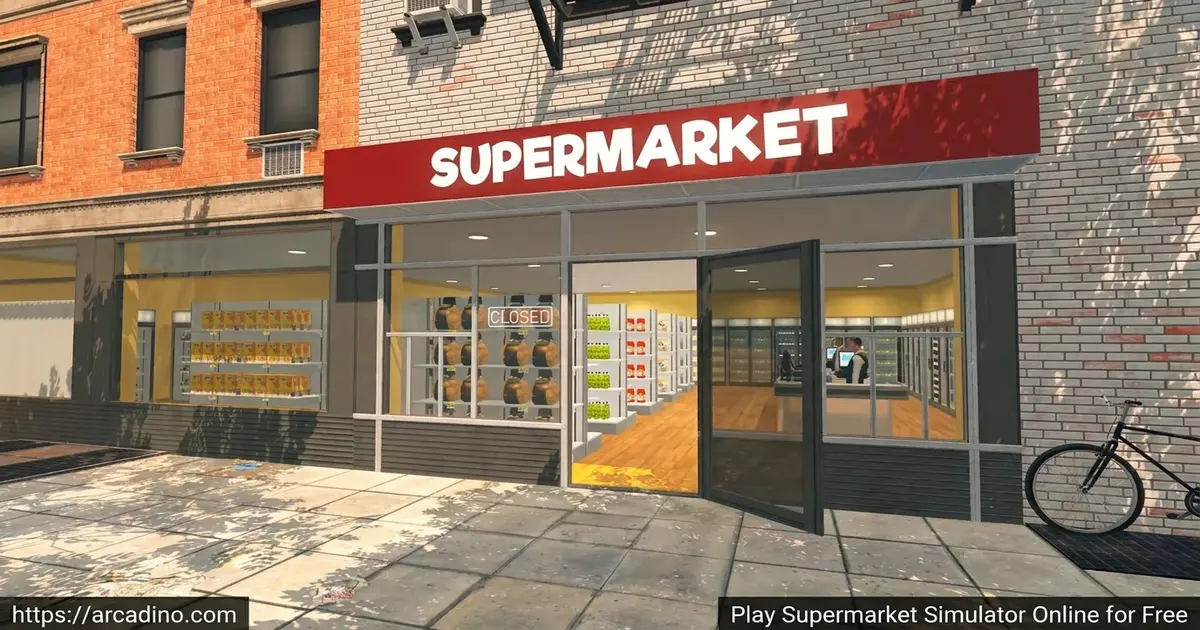
- First-person shop management with realistic 3D aisles
- Set your own prices using live market data
- Stock shelves, scan items, and handle cash or card payments
- Expand your store, upgrade interiors, and hire staff over time
What Is Supermarket Simulator?
Supermarket Simulator is a first-person simulation game where you run your own grocery store from scratch. You design the layout, pick the products, and decide how much to charge for each item. It mixes cashier work, inventory management, and store design into one chilled-out package. Fans of game shopkeeper titles will feel right at home here.
What sets this title apart is the real-time market system. Wholesale prices shift, so you have to watch the in-game computer and grab good deals when they pop up. The browser version loads quickly and runs smoothly on most modern laptops, which is great for quick sessions between homework breaks. The first-person view makes scanning items feel surprisingly hands-on.
Gameplay in Supermarket Simulator
The core loop in this shop sim is loop-y in the best way. You order goods on your store PC, wait for the delivery truck, then unpack crates in your storage room. From there, you stack shelves, fridges, and freezers with the right products. When customers arrive, you run to the till and scan their items one by one.
The fun escalates fast. Soon you’re juggling restocking, pricing decisions, cleaning up trash, and keeping the queue moving. Profits go straight back into bigger aisles, more product lines, and store upgrades. Every shift feels like a tiny puzzle of priorities.
Beyond ordering online, you can also hop in your van and visit local markets around town. These trips let you grab certain goods at lower prices or fill gaps when wholesale stock runs dry. It’s a fun change of pace from running the shop floor. Smart players mix online orders with local market runs to keep costs down.
Store Design and Customization
This isn’t just a checkout game — it’s also a layout sandbox. You can move shelves, paint walls, swap floor tiles, and put up category signs above each aisle. You decide whether the snacks go near the door or all the way at the back. Smart layouts move customers through the store faster.
As your bank balance grows, you can expand the physical space and upgrade interiors. The customization options are wide enough that two players can build very different-looking shops from the same starter store.
Cleaning, Trash, and Store Maintenance
A clean store is a busy store, so maintenance is its own little mini-game. You’ll sweep up dirt, take out the trash, and wipe down dusty windows between rushes. Empty cardboard boxes pile up fast after restocking, and they can block customer paths if you ignore them. Some players find this loop a bit tedious, but it adds a satisfying tidy-up rhythm. Hiring a cleaner later on takes the chore off your hands so you can focus on bigger decisions.
Pricing, Profits, and the Free Market
Setting prices is where Supermarket Simulator gets sneaky-deep. Mark an item too high and customers will grumble or walk away. Price it too low and you’ll burn through stock without making real money. The game suggests a market rate, but the smart play is to balance margin with demand.
Buying low during price dips and selling at peak demand feels like running a mini stock market. It’s a great soft intro to how real shops actually make profit.
Shoplifters and Store Security
Not every customer is honest, and that’s where store security kicks in. Sneaky shoplifters will try to slip items into their pockets and walk straight past your till. You can catch them in the act and stop the theft before they leave. As your shop grows, you can install security cameras to monitor blind spots in your aisles. Hiring a dedicated security guard adds another layer of protection during busy hours. Keeping an eye on suspicious shoppers becomes a fun extra layer on top of running the till.
Optimal Aisle Layout: A Starter Blueprint
Real supermarkets use clever layouts to guide shoppers, and you can copy those tricks. Place impulse buys like candy, gum, and magazines right near the entrance and at the checkout. Put dairy, eggs, and frozen foods along the back wall so customers walk past more shelves to reach them. Snacks, chips, and drinks belong in the middle aisles where browsing turns into bigger baskets. Group similar items together — all cereals on one shelf, all cleaning sprays on another. Keep your aisles wide enough so two customers can pass without getting stuck. This blueprint shortens queues, boosts average sale size, and keeps the rush feeling smooth.
Hiring Staff in Supermarket Simulator
Once profits roll in, you can hire NPC staff to handle specific jobs around the shop. Cashiers take over the till so you don’t have to sprint there every time a customer arrives. Restockers pull boxes from storage and fill empty shelves while you focus on bigger plans. A baker can run the in-store bakery, producing fresh bread and pastries that pull in extra customers. Cleaners sweep up dirt and trash so the maintenance loop doesn’t slow you down. Each worker costs a daily wage, so balance their pay against the time and sales they unlock.
Multiplayer and Co-op in Supermarket Simulator
The supermarket grind gets even better with friends. Co-op lets a small team split jobs — one person on tills, another restocking, someone else handling deliveries. Working together turns a busy rush into a coordinated team effort instead of a panic. Solo play is still rewarding, but multiplayer is where the chaos shines.
How to Play Supermarket Simulator
Getting started is easy. Open the game page in your browser, wait a few seconds for it to load, and you’ll spawn inside your empty starter shop. A short tutorial walks you through ordering your first crate of products and ringing up your first customer. After that, you’re free to run the place however you like.
Controls for Supermarket Simulator
- WASD — move around the store
- Mouse — look around and aim
- Left click — interact with objects, scan items, pick up boxes
- Left shift — sprint between aisles
- Space — jump
- E — open and close boxes
- R — rotate furniture while placing it
- Tab — leave or finish an activity
- P — pause the game
Tips and Tricks for Supermarket Simulator
- Stock the front first. Customers grab whatever they see near the entrance, so keep those shelves full to boost sales fast.
- Watch the market screen daily. Buy bulk when wholesale prices drop and you’ll pocket way more profit per item.
- Don’t overprice early on. Stick close to the suggested rate until your reputation grows, then nudge prices up slowly.
- Group products by category. Putting drinks, snacks, and dairy in clear sections speeds up shopper paths and reduces queue chaos.
- Clean up between rushes. Trash and empty boxes block paths, so use quiet moments to tidy before the next wave of customers.
Key Features of Supermarket Simulator
- Full first-person retail loop — ordering, unpacking, shelving, scanning, and pricing all from your own perspective
- Live market pricing — wholesale costs shift, rewarding smart shoppers and timing
- Deep store customization — floors, walls, signs, and aisle layouts are all yours to tweak
- Online orders and delivery — prep packages and deliver them to customers yourself
- Staff hiring and expansion — grow from a one-person shop into a properly staffed supermarket
Where to Play Supermarket Simulator
The easiest place to jump in is right here in your browser. No installs, no setup — just load the page and you’re behind the counter. It runs on Chrome, Firefox, Safari, and Edge, so basically any modern browser works fine. On a school Chromebook or a home laptop, performance stays smooth as long as you close extra tabs.
If you’d rather play on the go, mobile versions are available too. Grab it on Google Play for Android or on the App Store for iPhone and iPad. Stick to those official stores — random APK downloads can hide unsafe files. A full PC version also exists on Steam for players who want the deepest experience with co-op and mods.
Chromebook and Low-End Laptop Performance Guide
Playing on a school Chromebook or older laptop? The browser version is built to be friendly to weaker hardware. Chrome and Edge usually deliver the smoothest frame rates, often hitting a steady 30–60 FPS on mid-range Chromebooks. Firefox runs well too, while Safari on older Macs can sometimes stutter during busy rush hours. Close every tab you don’t need, since each open tab eats memory the game could be using. Disable heavy browser extensions like ad blockers or screen recorders before you start a session. Plugging in the charger also helps, because many laptops throttle performance on battery. If things still lag, try shrinking the browser window — a smaller view renders faster on low-end GPUs.
For Parents
Supermarket Simulator is a relaxed management game that’s a great fit for kids around 8 and up. There’s no violence, no scary content, and the gameplay quietly teaches math, money handling, and decision-making. Kids practice making change, comparing prices, and budgeting profits without even realizing it’s educational.
The browser version is free and doesn’t require an account to start playing. A 20–40 minute session is plenty for one sitting, since the loop is calm but can feel busy during rush hours.
Real Math and Economics Skills Kids Learn
This game sneaks in surprisingly rich learning, and it lines up well with school curricula. Younger kids (ages 8–10) practice making change at the till, which reinforces 2nd–3rd grade addition and subtraction. They also learn unit pricing by comparing the cost per item across pack sizes, a skill from 4th grade math. Tweens (ages 10–13) start exploring profit margins by subtracting wholesale cost from sale price — a real entry point to middle school percentages. The shifting market introduces supply and demand, a core idea from middle school social studies and economics. Budgeting daily profits into upgrades teaches financial planning, similar to what’s taught in personal finance units. Teachers can even use a quick session as a hands-on follow-up to money or fractions lessons.
Similar Games to Supermarket Simulator
If running a shop scratches a certain itch for you, these management and simulation picks deliver similar vibes:
- Supermarket Simulator: Store Manager — a quicker, browser-focused cashier spin on the same idea with rising customer demand.
- Supermarket Simulator: Dream Store — a sister title that leans harder into store design and decoration.
- Supermarket Master — a casual shopkeeper game with fast upgrades and bright cartoon visuals.
- Supermarket Together — a co-op shop sim built around teaming up with friends to manage the chaos.
- Supermarket Simulator: Desert — a series spin-off that drops your shop into a sun-baked desert town with unique stock challenges.
- More Simulation Games
FAQs About Supermarket Simulator
Is Supermarket Simulator free to play?
The browser version is free to play with no download or account needed. The full premium game on Steam, Nintendo Switch, and the mobile app stores is a paid title. So you can enjoy a free taste in your browser or buy the deeper version on other platforms.
Is Supermarket Simulator multiplayer?
Yes, Supermarket Simulator supports multiplayer co-op with friends. You can split duties like cashier, restocker, and delivery driver. Teaming up makes busy rush hours far easier to handle than solo play.
Is Supermarket Simulator on Xbox?
There’s no confirmed native Xbox release for Supermarket Simulator at this time. Some players have reported cloud-playing it through third-party services, but availability isn’t official. Keep an eye on Xbox storefronts and the developer’s channels for any future updates.
Is Supermarket Simulator on PS5?
An official PS5 version has not been widely confirmed at this time. Most players access it through PC, browser, or mobile right now. Keep an eye on official channels for any future console announcements.
How do you make more money in Supermarket Simulator?
Focus on smart pricing and buying stock when wholesale prices drop. Keep shelves full so customers never leave empty-handed. Expanding your aisles and adding more product lines also pushes daily profits up steadily.
How do deliveries work in Supermarket Simulator?
You order products from the in-game store computer, then wait for crates to arrive. Once delivery is dropped off, you unpack the boxes and place items on shelves. Online customer orders work the other way — you pack and deliver to them.
Can you play Supermarket Simulator on a Chromebook?
Yes, the browser version of Supermarket Simulator runs well on most Chromebooks. Since it loads in a browser tab, you don’t need to install anything. Close other tabs for the smoothest performance.
Final Thoughts on Supermarket Simulator
Supermarket Simulator nails that rare mix of relaxing and rewarding. The live market pricing, deep customization, and co-op multiplayer turn a simple cashier loop into a proper business adventure. Whether you want a calm solo grind or a chaotic team run with friends, this shopkeeper sim has a shift waiting for you.
Grab the apron, fire up the till, and see how big a retail empire you can build before closing time.
Gameplay Video


