

Learn To Fly 3
Light Bringer GamesA grumpy penguin, an insulting email, and a one-way ticket to space — that’s the wild setup behind Learn To Fly 3. This free browser launcher lets you build a spaceship from scratch, fire it skyward, and slowly turn a flightless bird into an astronaut. You can play Learn To Fly 3 online right now without installing anything, and every run earns parts to make your next launch even crazier. 🚀
It’s part physics sandbox, part upgrade-grinder, and it’s been a Kongregate classic for years. If you loved the earlier penguin-launching games, this third entry goes way bigger with vertical space flights and over 100 parts to mix and match.
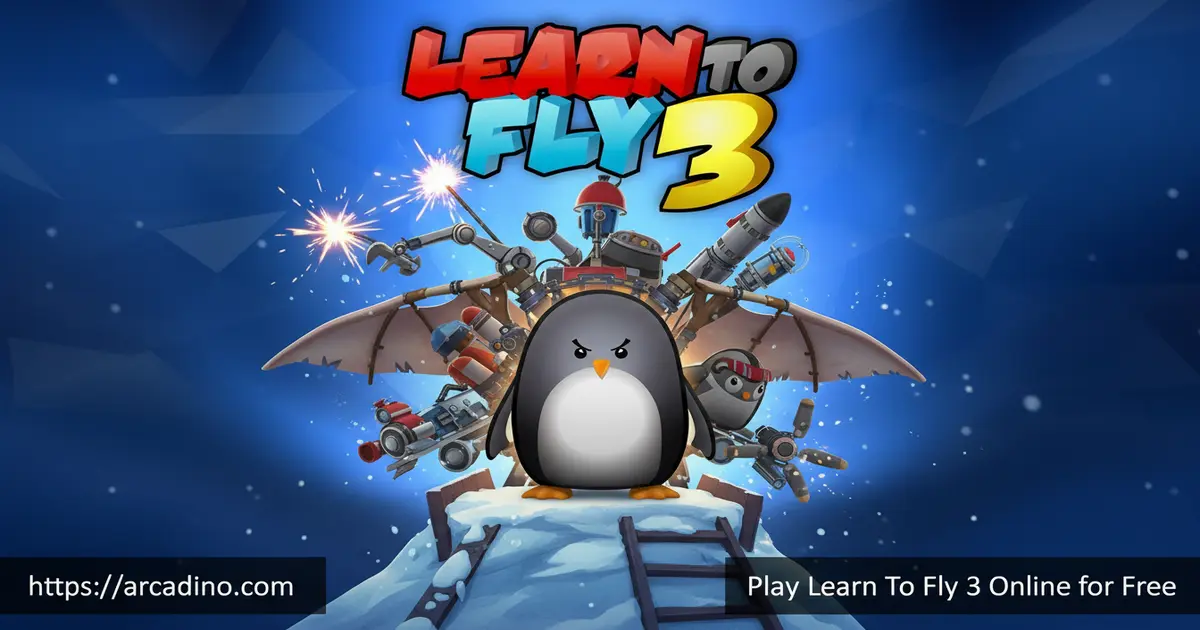
- Build a spaceship from 100+ unique parts
- Four modes: Story, Classic, Payload, and Sandbox
- Over 80 in-game achievements with rewards
- Customize your penguin, ship, HUD, and music
What Is Learn To Fly 3?
Learn To Fly 3 is a launch-style simulation game where you help a determined penguin reach outer space. It’s the fourth title in the Learn to Fly franchise and switched the series from horizontal distance runs to vertical rocket flights. You earn cash on every attempt, then spend it on launchers, boosters, stages, and ship bodies back at the shop.
Playing it in a browser tab feels snappy, and the vector-style art keeps load times short even on school Chromebooks. I noticed the steering feels much tighter than older flash launchers — small taps on A and D actually matter when you’re trying to dodge a cloud at 50,000 feet. That responsiveness is what keeps “just one more run” from turning into a wasted afternoon, even though it usually does anyway.
Story & Setting
The game kicks off with our penguin opening an email that basically says, “you’ll never fly, give up.” Furious, he punches his monitor and storms off. He shows up at Penguin NASA, where a professor hands him a bold new plan: forget gliding, this time we’re aiming for the moon. From there, you grind through Story Mode flights, unlocking shop tiers and short cartoon cutscenes between milestones. It’s a goofy revenge plot, and the little story beats make every altitude record feel earned.
Learn To Fly 3 Gameplay Loop
Every run follows a satisfying rhythm: pick your parts, launch, steer, boost, crash, upgrade, repeat. Your launcher fires the penguin off a ramp, your stages provide thrust, and your boosts give you mid-air speed bursts when you need a final push. The further or higher you go, the more money and bonus points you bank for upgrades.
What makes the loop click is the constant unlock drip. New parts pop up after almost every flight, and booster packs reward you with random exclusive bodies, stages, launchers, and sardines. You’re never stuck doing the same launch twice in a row.
Game Modes in Learn To Fly 3
This title gives you four very different ways to play. Story Mode is the main quest — upgrade your ship and aim for space while chasing time challenges. Classic Mode brings back the old horizontal-distance gameplay from the first two games, forcing you to rethink which parts matter.
Payload Mode straps heavy weights to your ship, so light builds won’t cut it anymore. Sandbox Mode hands you the keys to physics itself: tweak gravity, fuel, thrust, weight, and obstacle count to break the game in funny ways. Crank gravity to 100x and watch what happens — it’s hilarious.
Customization and Upgrades
You can pick from 24 stages, 18 launchers, 24 boosts, and 23 bodies, and each one upgrades multiple times. On top of that, research upgrades carry across play sessions and tweak everything from cash gains to part stats. The variety means two players can hit space using totally different builds.
Cosmetics get the same love. Swap your penguin’s body, hat, face, and suit, then tune the hue, brightness, and saturation. You can even customize the HUD layout and the in-game music — small touches that make long sessions feel personal.
Achievements and the Black Market
Learn To Fly 3 packs over 80 achievements, each with its own reward attached. Some are skill-based (“Moon Breaker” triggers when you smash the moon at ridiculous speed), while others reward patience or weird builds. They’re not just badges — they actually fuel your progression.
Then there’s the Black Market, a shady shop tucked inside the game. It sells extra items, cheat options, fast-forward and slow-motion toggles, and lets you over-level certain parts past their normal cap. There’s also a hidden arcade machine on the right side of the Black Market — fans have been finding secrets in this game for years.
Booster Packs Explained
After every Story Mode run, you get to pick one of four booster packs as a reward. Each pack focuses on something different — bodies, stages, launchers, or sardines — so you can chase what your build needs most. If you don’t want to wait, you can also buy extra packs from the shop for 30 sardines each. The contents are randomized, which means rare parts can drop way earlier than you’d expect. Opening packs is one of the fastest ways to unlock items you can’t buy directly.
Easter Eggs and Pop Culture References
The sky in Learn To Fly 3 is packed with secret jokes if you look closely. Meme-shaped clouds like Doge and Senpai float around, plus a black monolith that nods to 2001: A Space Odyssey. Keep climbing and you might spot the Space Core from Portal 2 drifting by, or a rocket launcher that looks borrowed from Team Fortress 2. The Black Market’s hidden arcade machine is just the start — there are tons of tiny references stuffed into the art. Half the fun is screenshotting weird stuff and asking friends if they’ve seen it too.
How To Play Learn To Fly 3
Getting started is simple: open the game in your browser, pick Story Mode, and you’ll launch your first sad little penguin within seconds. After the run, head to the shop, buy your first cheap upgrade, and launch again. Don’t overthink your first 10 flights — you’re mostly building up cash and unlocking parts.
Once you’ve got a few upgrades, start paying attention to which parts give you altitude versus horizontal speed. That balance changes a lot depending on whether you’re playing Story or Classic Mode.
Learn To Fly 3 Controls
- A/D or Left/Right arrows — steer the penguin mid-flight
- W or Up arrow — fire boosts
- S or Down arrow — stop certain stages early
- 1/2/3/4 — trigger individual boosts
- Controls are remappable in the options menu
Tips And Tricks For Learn To Fly 3
- Save boosts for the apex. Firing your W boost right when upward momentum stalls squeezes out the most extra altitude.
- Upgrade your launcher first. A stronger launch ramp helps every other part work better, so prioritize it before fancy stages.
- Steer gently. Mashing A and D burns angle and speed. Small taps keep your nose pointed where you want it.
- Open every booster pack. Rare bodies and stages from packs often outperform anything you can buy directly.
- Try redeem codes. Codes like IBelieveICanFly and BirdIsTheWord drop free bonus points to speed up early upgrades.
Build Archetypes: Which Ship Style Fits You?
Once you’ve unlocked a handful of parts, your ship starts to feel like a personality test. Here are three builds that actually work, depending on how you like to play:
- Launcher-Heavy Snowball Build. Max out the strongest launcher you can afford (the Slingshot tier is great early), pair it with light stages, and let raw initial speed do the work. This build snowballs cash fast in Story Mode because every run goes higher without spending on fancy stages.
- Boost-Stacked Apex Build. Stack four upgraded boosts on a mid-tier body, then fire them one by one at each apex (when your upward speed nearly hits zero). Pair with a medium launcher and the lightweight Glider body for huge altitude gains in late Story Mode.
- Payload Heavy-Stage Build. For Payload Mode, ditch the light bodies. Grab the heaviest stages with long burn times, a max-level launcher, and a tanky body that won’t fold under the extra weight. Thrust duration beats peak speed when you’re hauling cargo.
Mix and match once you know the basics — half the fun is finding a weird combo nobody on the wiki has tried yet.
Time-to-Space Progression: How Many Days Will It Take?
Story Mode tracks your progress in in-game days, and the pacing depends a lot on how you spend cash. A casual run usually reaches space in around 25–35 in-game days, since most players spread upgrades evenly across launcher, stages, and boosts. An optimized run can hit space in roughly 10–15 days by snowballing.
Here’s the upgrade order most speed-focused players follow:
- Days 1–3: Pour everything into launcher tiers. Skip stages entirely.
- Days 4–6: Buy one mid-tier stage, then research “Cash Multiplier” upgrades to snowball income.
- Days 7–10: Add a strong boost set and the “Fuel Efficiency” research tree.
- Days 11+: Top off with a lightweight body and chase the moon.
Save your sardines for booster packs in the first week — a lucky rare body can shave days off your run.
Key Features Of Learn To Fly 3
- Build wild spaceships from over 100 parts, each with unique mechanics
- Physics that sit between realistic and arcade — easy to learn, deep to master
- Four full game modes plus a chaotic sandbox
- 80+ achievements with real in-game rewards
- Deep customization for your penguin, ship colors, HUD, and soundtrack
Where To Play Learn To Fly 3
The easiest way to play Learn To Fly 3 is right here in your browser — no installs, no plugins, just click and launch. It runs smoothly on Chromebooks, which is why so many students search for “learn to fly 3 unblocked” during free periods. Many players also find it through Hooda Math, where it’s popular as a school-safe browser game.
If you’d rather play on the go, the Learn 2 Fly Mobile app brings the penguin-launching fun to phones and tablets. Search “Learn 2 Fly” on Google Play or the Apple App Store to grab the official version. Stick to official stores — random APK downloads of this game floating around the web can carry malware.
Chromebook and School Performance
Learn To Fly 3 is one of the smoothest browser games on low-spec Chromebooks, and there’s a real reason for that. The vector-based art means the browser draws simple shapes instead of heavy pixel images, which keeps CPU usage low. Even older 4GB Chromebooks usually hit a steady frame rate in Story and Classic Mode. The only spot where things can chug is Sandbox at 100x gravity with max obstacles — that’s a lot of physics math for any laptop. If it lags, close other browser tabs, drop the obstacle count, or switch to a smaller window size. The game has no install footprint, so it works fine through most school filters that block downloads.
For Parents
Learn To Fly 3 is a great fit for kids ages 8 and up. The humor is gentle (a grumpy penguin punches his monitor in a cartoony cutscene), and there’s no chat, no online interaction, and no real-money purchases in the browser version. It quietly teaches resource management, physics intuition, and goal-setting through its upgrade loop.
Sessions can stretch long because of the “one more run” pull, so a 30–45 minute play timer works well. Kids practice patience and persistence, especially in Story Mode’s time challenges.
Similar Games To Learn To Fly 3
If you enjoy the build-launch-upgrade loop, these penguin-launchers and physics games scratch the same itch:
- Learn to Fly 2 – The horizontal-distance predecessor where the penguin first tried to prove the haters wrong.
- Learn to Fly – The original game that started the whole flightless-bird saga.
- Learn to Fly Idle – An idle-style spinoff for fans who want progression without active steering.
- Learn to Fly 4 – The follow-up where the penguin tackles brand-new launch challenges with even more upgrade depth.
- Burrito Bison – Another launcher with upgrades, this time starring a wrestling luchador and angry gummy bears.
- Toss the Turtle – Launch a turtle, shoot weapons mid-air, and buy upgrades between runs.
Browse more in Simulation.
FAQs About Learn To Fly 3
Is Learn To Fly 3 free to play?
Yes, Learn To Fly 3 is completely free in your browser. No downloads, subscriptions, or accounts are required to launch your first penguin. The mobile app version is also available on iOS and Android.
Is Learn To Fly 3 available on mobile?
Yes, the Learn 2 Fly Mobile app works on iOS and Android. You can download it from the Apple App Store or Google Play. The browser version also runs on most mobile browsers if you’d rather not install anything.
How old is Learn To Fly 3?
Learn To Fly 3 was released on Kongregate on February 19, 2016. A Steam release followed on May 12, 2017. It’s the fourth game in the Learn to Fly series, despite the “3” in the name.
How do you find the hidden game in Learn To Fly 3?
Open the Black Market from the main menu and scroll all the way to the right. You’ll spot an arcade machine — click it to access the hidden mini-game. It’s one of the most fun easter eggs the developers tucked in.
What are some working Learn To Fly 3 codes?
Try IBelieveICanFly, BirdIsTheWord, and WhoSaysWeCantFly for 250 bonus points each. GetInline gives 150 sardines, and ThisIsAnAwesomeCode unlocks items from Learn to Fly 2. Enter them through the Extras menu, then Redeem Code.
Is there a debug menu or developer cheat in Learn To Fly 3?
Yes, there’s a hidden debug menu meant for testing. Entering the code enableTestMenuK8DH76G5DGh3GH5g3bB5Gh4 in the Redeem Code box unlocks it. Once active, F2 toggles the debug overlay, F7 adds cash, and F8 grants sardines. It’s wild for messing around in Sandbox, but using it in Story Mode skips the fun of earning upgrades — so save it for after you beat the game normally.
How do you beat Learn To Fly 3 fast?
Focus all early cash on launcher upgrades before stages or boosts. A stronger initial push makes every part above it more effective. With a snowballing launcher-first strategy, optimized runs commonly clear Story Mode in roughly 10–15 in-game days.
Is Learn To Fly 3 safe for school Chromebooks?
Yes, it runs entirely in the browser with no downloads or plugins. It works through most school internet filters and is a popular pick on Hooda Math for that reason. No chat features means it’s classroom-friendly.
How do you get sardines in Learn To Fly 3?
Sardines drop randomly during flights and inside booster packs after Story Mode runs. You can also redeem the code GetInline for 150 free sardines. They’re the premium currency used to buy booster packs and Black Market items.
Ready To Launch?
Learn To Fly 3 nails what makes upgrade games so hard to put down: a grumpy mascot, four wildly different modes, 100+ parts to experiment with, and an achievement list that keeps pulling you back. The Sandbox alone is worth opening just to break physics for laughs. Fire up the game, pick your first launcher, and find out how many days it takes your penguin to reach the stars — bonus points if you crack the moon along the way.
Gameplay Video

