


























Watch one short ad and play ad-free for 30 minutes.
Super Smash Flash
McLeodGamingPicture Mario, Sonic, Kirby, and Pikachu trading punches on the same stage. That’s the wild crossover dream Super Smash Flash made real, and you can play it free in your browser right now. This fan-made fighter borrows the rules of the official Smash Bros. series but throws in extra third-party fighters and original characters too. It’s often confused with the bigger Super Smash Bros. console games, but this one started its life as a Flash project on Newgrounds.
If you’ve ever wanted a quick brawler with familiar faces and no console hookup, you’re in the right place. 🎮
- Classic Smash-style platform fighting in your browser
- 28 playable characters including starters and unlockables
- Damage percentage system instead of regular health bars
- Solo, group, and event modes to explore
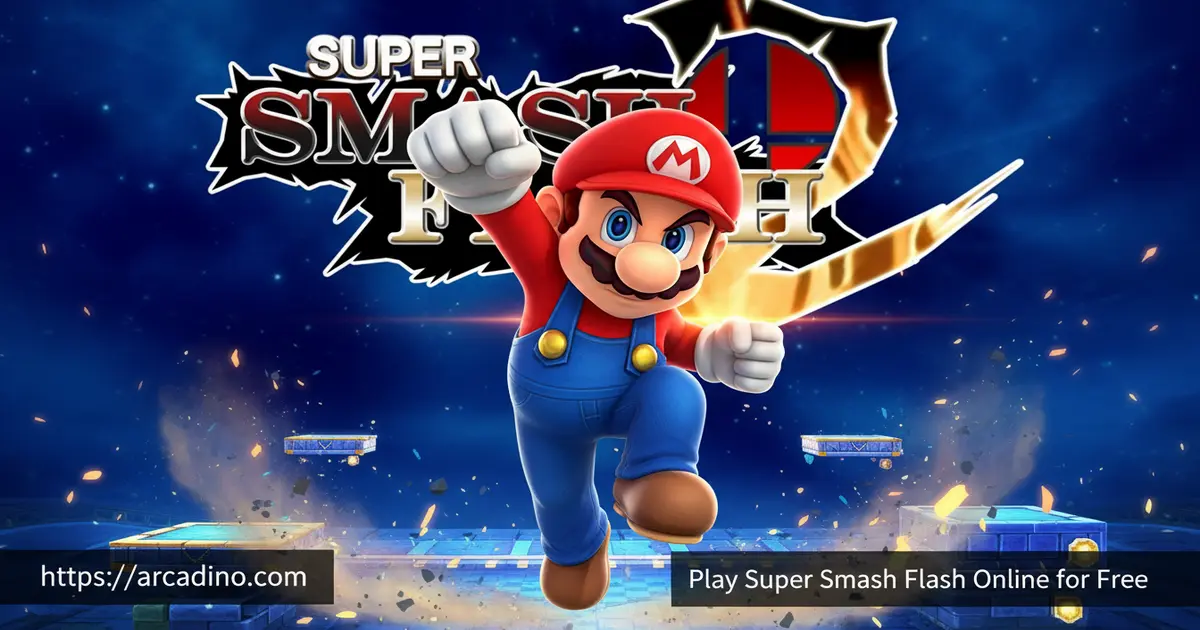
What Is Super Smash Flash?
Super Smash Flash is a non-profit fan game developed by Gregory McLeod and published by McLeodGaming. It’s loosely based on Super Smash Bros. Melee, borrowing the menu style, music feel, and a chunk of the modes. The roster pulls from Smash Bros. heroes like Mario, Samus, Link, Kirby, and Pikachu, then adds outsiders like Sonic the Hedgehog and Mega Man X.
The original browser version launched on Newgrounds on August 21, 2006. A downloadable EXE build followed just a week later on August 28, 2006. Back then, Flash games ruled the web, and Super Smash Flash quickly became one of the most-played fan fighters around. It’s still going almost two decades later, which says a lot about how much love kids and teens poured into it.
What surprised me when I loaded it up is how snappy it still feels in a modern browser thanks to the Ruffle emulator. There’s no install, no waiting, just a quick load and you’re picking a fighter. For a game this old, the combat reads clearly and the inputs land without weird lag.
Gameplay in Super Smash Flash
The core loop should feel familiar if you’ve touched any Smash game. Instead of a health bar, each fighter has a damage percentage that climbs as they get hit. The higher the number, the farther they fly when you smack them, and your job is to knock them off the stage for a KO.
Players can move, jump, and try to recover after getting launched. There are five basic attacks tied to direction inputs: neutral, up, side, down, and a down aerial. Some characters also pack an extra move while airborne, which keeps the fights from feeling repetitive. Matches are short, chaotic, and built for quick rematches.
Characters and Unlocks
The roster in Super Smash Flash totals 28 playable fighters, or 30 if you count Sheik and Meta Knight separately. Thirteen of them are starters you can pick from the moment you boot the game. The other fifteen are unlockables you earn by clearing certain modes and challenges.
Many fighters are simplified versions of their Melee counterparts. Others are completely unique to this game, pulled from third-party franchises or fan creations like Blade and Blue. Mixing Nintendo legends with characters who’d never share an official stage is honestly half the fun.
Starter vs Unlockable Characters
If you’re hopping in fresh, here’s exactly who’s available from the jump and who you’ll need to earn. The 13 starters cover most of the classic Nintendo crew plus a few wild cards, so you’ve got plenty of variety on launch day.
Starter characters (13):
- Mario
- Link
- Kirby
- Pikachu
- Yoshi
- Samus
- Donkey Kong
- Fox
- Ness
- Sonic
- Mega Man
- Blade
- Blue
Unlockable characters (15):
- Zelda / Sheik
- Captain Falcon
- Jigglypuff
- Mewtwo
- Mr. Game & Watch
- Young Link
- Bowser
- Peach
- Lloyd
- InuYasha
- Naruto
- Cloud
- Crono
- Tails
- Meta Knight
Each unlock has its own quirky trigger, so part of the fun is figuring out which mode pops which fighter.
Game Modes in Super Smash Flash
Solo play has training, event matches, and a stadium mode for testing your skills. If you’ve got friends nearby, group battles let you set up 1v1s or free-for-alls on the same keyboard. The mode variety keeps things fresh whether you’ve got five minutes or an hour.
Event matches are a personal favorite because they hand you weird rule sets and specific opponents. You’ll fight under conditions that force you out of your comfort zone with whichever character you picked.
How to Play Super Smash Flash
Getting started is easy. Open the page, wait for the game to load through the Ruffle emulator, then pick your fighter and stage. Choose a mode from the main menu and you’re swinging within seconds.
On your first launch you’ll see a Melee-style main menu with options like Group, Solo, and Options. Pick Group for quick matches against friends or the CPU, or jump into Solo for training and events. Inside each menu, use the arrow keys to highlight your choice and press the attack key to confirm. Going back is usually a tap of the jump key or the Escape button.
Once you pick a mode, you’ll choose your fighter from the character select screen and then a stage. Stages have different sizes and hazards, so smaller ones mean faster KOs. After the match wraps, you can rematch instantly or head back to the menu to try a new mode.
Controls for Super Smash Flash
Player 1 uses the arrow keys to move and crouch, the O key to jump, and the P key to attack. Player 2 uses A, S, D, and W to move, G to jump, and F to attack. Hold a direction while pressing the attack key to pull off different moves like up smashes or side attacks. Some sites also map WASD to movement and UIOP to actions, depending on the build.
Browser Performance and Ruffle Troubleshooting
Super Smash Flash runs through Ruffle, an open-source emulator that replaces the dead Adobe Flash plugin. Because SSF1 was built on ActionScript 2.0, Ruffle handles it almost perfectly, so the browser version feels close to the original. SSF2 uses ActionScript 3.0, which Ruffle only partly supports, so SSF1 is actually the smoother browser pick. Google Chrome usually loads the fastest, with Firefox a close second and Safari sometimes choking on audio.
Expect a load time of about 10 to 30 seconds on a decent connection. If the loading bar stalls, try refreshing the page, clearing your browser cache, or disabling ad blockers that might block the SWF file. Switching to Chrome or updating your browser to the newest version fixes most stuck screens. If the audio crackles, lower your tab volume or mute background tabs for a cleaner fight.
Tips and Tricks for Super Smash Flash
- Watch your damage percentage carefully. Above 100% you’re one solid hit from flying off the stage, so play defensively.
- Practice recoveries in training mode. Every character jumps and floats differently, and missing your return jump is the most common way to lose.
- Use directional inputs with attacks to vary your moveset. A neutral P does something totally different from a down-P.
- Pick lightweight fighters like Kirby for combos. Heavier characters survive longer but get juggled less easily.
- Edge-guard your opponents when they’re recovering. A well-timed hit when they’re off-stage is often a free KO.
Character-Specific Strategy by Weight Class
Each fighter plays differently, and picking the right one for your style makes a huge difference. New players should start with Kirby, who has up to six mid-air jumps, making recovery almost foolproof. Use his floaty jumps to bait opponents off the stage, then drop down to edge-guard them for easy KOs.
Mega Man X is a great zoning pick because his projectiles let you control space from a distance. Spam side attacks to keep rushdown fighters away, then punish their approach with a quick smash. Heavyweights like Bowser and Donkey Kong survive longer because they’re hard to launch, but they get juggled by fast combos, so play patiently.
For aggressive combo play, try Fox or Pikachu. Their speed lets you chain multiple hits before the opponent reacts. Mario and Link are balanced picks that teach you the fundamentals without weird gimmicks, so they’re perfect for your second or third match.
Key Features of Super Smash Flash
- Damage-percentage knockout system lifted straight from the official Smash games
- 28+ fighters spanning Nintendo, Sega, Capcom, and original fan characters
- Solo training, event matches, and a stadium for single-player practice
- Local multiplayer on a single keyboard for couch battles
- Runs in modern browsers through Ruffle, no Flash plugin needed
Couch Co-op: Sharing One Keyboard the Right Way
Local 2-player on a single keyboard sounds simple, but cheap keyboards can ruin the fun. The issue is called key ghosting, where pressing too many keys at once causes some inputs to drop. Membrane keyboards (the flat, squishy kind in most laptops) often only register two or three simultaneous keys, which kills couch matches.
Mechanical keyboards with N-key rollover (NKRO) handle every press at once, so both players can move, jump, and attack without inputs vanishing. If you’re stuck with a basic keyboard, sit on opposite sides so your hand zones don’t overlap, since keys near each other ghost more often. You can also remap Player 2’s controls in some builds to keys that share fewer electrical paths with Player 1’s. A USB hub with two cheap keyboards plugged in is a cheap fix if ghosting drives you up the wall.
Where to Play Super Smash Flash
The easiest way to play Super Smash Flash is right here in your browser, completely free. Because Adobe Flash hit end-of-life, the game now runs through the Ruffle emulator. Ruffle’s ActionScript 2.0 support is rock solid, which is exactly what SSF1 uses, so it plays beautifully in Chrome and most modern browsers. You won’t need to install anything, just load the page and pick a character.
There’s also a downloadable desktop version of the sequel, Super Smash Flash 2, if you want gamepad support and offline play. That version has builds for Windows, Mac, and Linux. Stick to trusted sources when downloading and avoid sketchy APK files claiming to bring this fighter to mobile.
Super Smash Flash vs Super Smash Flash 2
People often lump these two games together, but they play very differently. Super Smash Flash 2 isn’t a direct sequel that builds on the first; it pretty much ignores the original’s foundation and starts fresh. SSF2 was rebuilt from scratch to feel closer to a real Smash Bros. game, with a proper combo engine, true hitstun, and tuned gravity that makes air play more strategic.
The original SSF is faster and looser, with simpler moves and floatier physics. Hits don’t lock opponents into stun, so combos are mostly improvised. SSF2 plays like a competitive fighter with tech skill, wavedashing, and a deeper move set per character. If you want quick, casual chaos, stick with SSF1. If you want something closer to tournament-style Smash, jump to SSF2.
For Parents
Super Smash Flash is generally fine for kids 8 and up. The combat is cartoony, with no blood or realistic violence, just characters knocking each other off colorful stages. There’s no in-game chat, no microtransactions, and no account sign-up required for the browser version.
Short matches make it easy to set play-time limits. Twenty to thirty minutes is plenty for a few rounds without it eating the whole afternoon.
Similar Games to Super Smash Flash
If you love the platform-fighter style and cartoon crossovers, these picks should hit the spot:
- Super Smash Flash 2 – The bigger, deeper sequel with tighter combat, more fighters, and an active modding scene.
- Stick Fight – Chaotic stick-figure brawls with simple controls and silly physics.
- Getaway Shootout – A two-button local multiplayer fighter that’s perfect for keyboard couch matches.
- Fighting Games
FAQs About Super Smash Flash
Is Super Smash Flash free to play?
Yes, Super Smash Flash is completely free in any modern browser. The game has always been a non-profit fan project, and there are no in-app purchases or paywalls. You just open the page and start fighting.
Is Super Smash Flash 2 still in beta?
Yes, Super Smash Flash 2 is still officially in beta. The team has been working on it for years and treats each beta as a major milestone toward the full game. You can play the current beta in your browser or download it.
How do you unlock characters in Super Smash Flash?
You unlock characters by clearing specific modes and challenges. Fifteen of the roster’s fighters are locked at the start, and progressing through solo modes like events and stadium will gradually open them up. Each unlock has its own trigger condition.
Is Super Smash Flash the same as Super Smash Bros?
No, Super Smash Flash is a fan-made tribute, not an official Nintendo game. It’s heavily inspired by Super Smash Bros. Melee and uses similar mechanics, but it was built independently by McLeodGaming. The official Super Smash Bros. titles are console-exclusive.
Can you play Super Smash Flash 2 on mobile?
There’s no official mobile version of Super Smash Flash 2. The game was built for desktop browsers and downloadable PC clients. Touch controls would not fit the fast, combo-driven gameplay anyway.
Does Super Smash Flash 2 have controller support?
Yes, but only the downloadable desktop version supports controllers. The browser version relies on keyboard input because browsers handle gamepads inconsistently. If your OS recognizes the controller and drivers are installed, the desktop build should pick it up.
Who made Super Smash Flash?
Super Smash Flash was created by Gregory McLeod and published by McLeodGaming. The original launched on Newgrounds in 2006 and grew into one of the most popular Smash fan games ever made. The sequel has been built by hundreds of contributors over several years, making it one of the biggest fan-game collaborations on the web.
Final Thoughts on Super Smash Flash
Super Smash Flash earns its cult-classic status by stuffing a Smash-style brawler into a browser tab with no fuss. The 28-fighter roster, damage-percent KO system, and crossover lineup of Mario, Sonic, Mega Man X, and friends still hold up nearly two decades later. Whether you’re here for nostalgia or you just want a quick platform fight before homework, fire it up and pick your main.
