























Watch one short ad and play ad-free for 30 minutes.
Colorbox Mustard
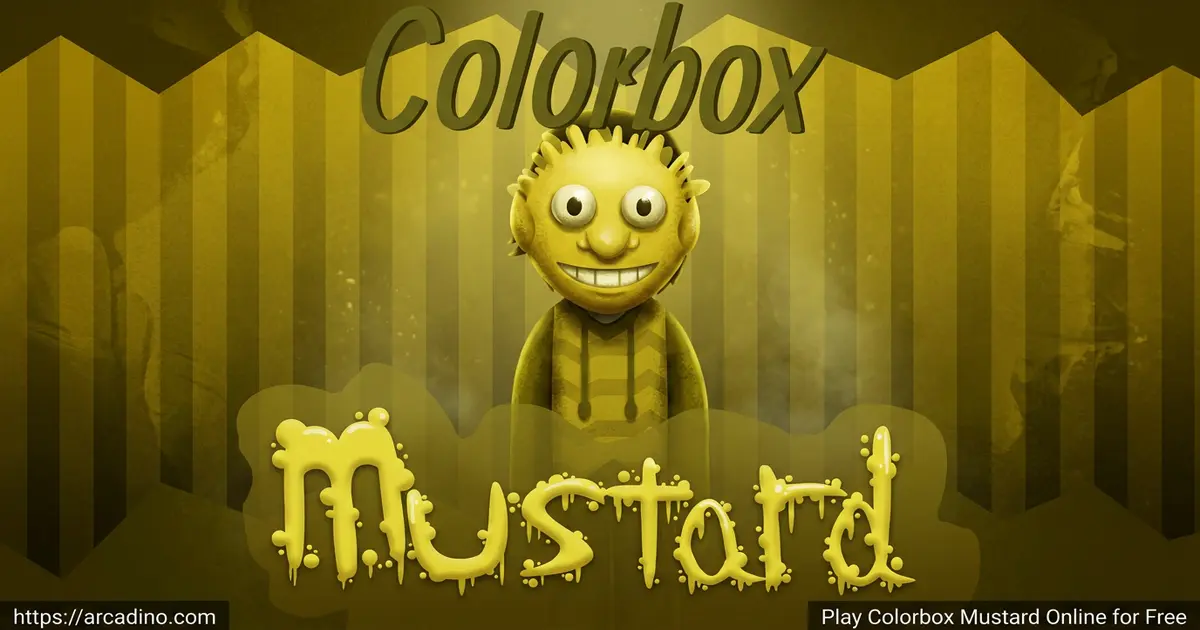
Superbanger Productions (Slapbread)Drag a little mustard-yellow character onto the stage, hit play, and suddenly you’re conducting a beatbox circus. That’s the magic of Colorbox Mustard, a fan-made music mixing game you can play free in your browser right now. Built by Superbanger Productions, it riffs on the Colorbox series (itself a spin on the popular Incredibox-style format) and stuffs 25 weird, wonderful characters into one mustard-flavored playground. You might’ve seen people searching for “Uncle Samsonite” online — that’s one of the All-Star characters from this very mod. 🎶
Here’s why it stands out:
- 25 unique characters split across beats, effects, melodies, and voices
- A bold mustard-yellow art style that feels totally different from other mods
- Hidden achievements and easter eggs to discover
- No download needed — it plays right in your browser
What Is Colorbox Mustard?
Colorbox Mustard is a fan-made music game where you build songs by dragging characters onto a stage. Each character loops a sound — a kick drum, a vocal hook, a weird effect — and stacking them together creates a full track. It was made by Superbanger Productions and released in August 2024, with a PC port following later that year. The whole thing is a parody mod based on the Colorbox series by Baggerhead.
The official PC port dropped on December 27, 2024. It adds extra content and a few bonus achievements that aren’t in the original web build. So if you really love the game, the desktop version gives you a little more to chase.
Playing it in Chrome, I noticed the web version loads fast and the drag-and-drop feels snappy on a regular laptop. The mustard color palette is honestly soothing — it’s not eye-burning yellow, more like a warm desert tone. If you’ve ever tried Incredibox or Sprunki, the controls will click instantly. If not, you’ll still figure it out in about 30 seconds.
Gameplay in Colorbox Mustard
The loop is simple but addictive. You start with a row of characters waiting at the bottom and an empty stage at the top. Drag a beat character up, and they start looping. Add a melody, then a voice, then an effect, and your track grows layer by layer.
The cool part is experimenting. Swap one character for another mid-song and the whole vibe shifts. Some combos unlock hidden bonus animations, which is where the easter egg hunt kicks in. You’re never “losing” — you’re just chasing better mixes and secret moments.
Characters and Sounds
The roster is split into clear groups so you can mix smartly:
- Beats: Basic-Ass Kick Drum Guy, Betty Pear, Ashley Ketchupson, Sludge Buddy, Tinky-Tonks
- Effects: DJ Scratchy, Blendery, Duck Jelly, Dubstard
- Melodies: Londog, Elliot E. Ohno, Bweswees Bizznip, Big Band
- Voices: The Mustardman, Rosita, Monster, Matty “Stampeedy”, The Yeller
- All-Stars: Uncle Samsonite, THE BARTMAN, Webdriver Torso, Flash Monolith, Terrance and Phillip, Zee Zwizzle
There are also cameo fan characters like Claude and Londogia, plus extras like Celine, Fentachu, Joopers, and Howard. Each one has a distinct outfit and color so you can tell them apart at a glance. Note that some fan sites list slightly different names (like “FNF Monster” or “The Yelling Creature”), but the official Scratch build uses the simpler versions above.
Achievements and Easter Eggs
One feature that makes this mod special is its achievements system. Pull off specific character combos or trigger hidden interactions and you’ll unlock them quietly in the background. The developers have hinted that easter eggs are tucked throughout the game, so curious players get rewarded.
Hunting for these hidden moments is half the fun. You’ll find yourself swapping in odd characters just to see what happens. That replay loop is what keeps people coming back after their first song.
Graphics and Audio in Colorbox Mustard
The art leans into a flat, cartoony style with that signature mustard wash over everything. Characters bob and animate in time with their own loops, so the screen feels alive even when you’re just listening. It’s clearly inspired by the Incredibox visual language but with its own scruffy, fan-made charm.
Audio-wise, every loop is designed to layer cleanly with the others. You can stack a heavy beat under a chill melody without it sounding muddy.
Content Warnings to Know Before Playing
The official developer page calls out a few things up front. The game has flashing lights and bright visual effects, so anyone sensitive to flashing should skip it or play with care. There’s also crude humor and some rude language woven into the characters and sound clips. And the loops can get loud fast, so turn your volume down before hitting play. These warnings come straight from the creators, not from us guessing.
How to Play Colorbox Mustard
Getting started is honestly the easiest part. Open the page, wait a couple seconds for it to load, and you’re staring at the stage. There’s no tutorial because you really don’t need one — just start dragging characters and see what happens.
Controls
Colorbox Mustard is mouse-only. Click and hold a character at the bottom, drag them onto one of the stage slots, and release. To remove a character, drag them back off the stage. That’s the entire control scheme, which is why it works so well as a quick creative break.
A Beginner Starter Recipe to Try First
If you’re staring at 25 characters and feeling stuck, try this simple three-step combo. First, drop Basic-Ass Kick Drum Guy on the stage — that gives you a steady, thumping heartbeat. Next, add Londog from the melodies row for a bouncy little tune that sits on top of the kick. Finally, pull in The Mustardman from the voices to add some character and personality. You should hear a chill, head-nodding groove that feels balanced without being busy. When you’re ready for a drop, swap one character out for an All-Star like Uncle Samsonite and listen to how the track changes. It’s a great way to learn how layers stack before you start freestyling your own mixes.
Tips and Tricks for Colorbox Mustard
- Start with one beat character before adding melodies — it gives your track a steady backbone.
- Try pairing an effect like Dubstard with a melody like Big Band — the layering often feels heavier than either sound alone.
- Swap voices mid-song instead of stacking them all at once — it keeps the mix from getting crowded.
- Play around with the All-Star characters like Uncle Samsonite or THE BARTMAN — players online say some combos may trigger fun bonus moments.
- If a combo feels boring, pull every character off and rebuild from a different beat — small changes shift the whole mood.
Key Features of Colorbox Mustard
- 25 distinct characters across beats, effects, melodies, voices, and All-Stars
- A drag-and-drop interface that anyone can learn in under a minute
- Hidden achievements that reward creative character combinations
- A unified mustard-yellow art style that sets it apart from other Colorbox mods
- Cameo characters and extras like Fentachu and Joopers waiting to be discovered
Where to Play Colorbox Mustard
The easiest way is right here in your browser — no downloads, no sign-ups, just click and play. The official web build lives on Scratch and Cocrea, and it runs best in desktop Chrome, Firefox, Edge, or Safari. The developers also released a PC port for offline play, which is the version we recommend if you want the smoothest experience.
Heads up: the official creators have said clearly that the game is not built for phones or tablets and they aren’t making a mobile port. So while the page may technically load on a phone, the controls and audio won’t work well. Stick to a computer for the real deal.
Best Device and Browser Settings
The web version can lag if your computer is doing a lot at once. For the smoothest mix, use desktop Chrome, close other tabs, and pause any background videos or downloads. A laptop or desktop made in the last few years should handle it fine. If you keep hitting stutters, the PC port is the better pick because it runs locally without needing a browser. Skip mobile — the drag controls just don’t feel right on a touchscreen.
Don’t Confuse This With Sprunki or Abgerny
People mix this up a lot, so here’s the straight answer. Colorbox Mustard is not a Sprunki mod and has nothing to do with Abgerny, even though all three games share the Incredibox-style format. The only official version of Colorbox Mustard lives on Scratch (and the Cocrea project page) plus the developer’s PC port. If you see it called “Sprunki Mustard” or bundled into a Sprunki site, that’s a reupload, not the real thing.
How to Spot the Official Game vs. Fake Copies
Because the game blew up online, copycat sites popped up fast. Some pretend to be the “official” version with names like “incrediboxcolorboxmustard” or sketchy APK downloads on shady app stores. Here’s how to stay safe: the real game is on Scratch under Superbanger Productions, on the Cocrea project page, and as a PC port from the dev. Avoid random APK files — they often hide malware. If a site asks you to sign in, pay, or install something extra, close the tab. And ask a parent before downloading anything you’re unsure about.
For Parents
Colorbox Mustard is a creative music game with no violence, but it does include crude humor, some rude language, flashing visuals, and loud sounds — all called out by the developers themselves. The browser version has no chat features, no logins, and no in-game purchases, which makes it pretty low-risk. It’s best for kids around 10 and up who can handle a bit of cheeky humor.
The educational upside is real — layering beats teaches rhythm, timing, and basic music composition without feeling like a lesson. Short sessions of 15 to 20 minutes are perfect, since the open-ended nature can keep kids tinkering for a while. We’d also suggest steering kids toward the official Scratch page or PC port rather than random clone sites or APK downloads.
Similar Games to Colorbox Mustard
If you love the mix-and-match music vibe, these picks scratch the same itch:
- Sprunki Mustard — a similar mustard-themed mod with its own roster of characters and sounds.
- Incredibox — the original beatbox mixing game that inspired the whole Colorbox scene.
- Colorbox — the base series this mod riffs on, with a different color theme and cast.
- Sprunki — another fan-favorite spin on the layered music-mixing formula.
- More Music Games
FAQs About Colorbox Mustard
Is Colorbox Mustard free to play?
Yes, Colorbox Mustard is completely free in your browser. There’s no paywall, no trial limit, and no sign-up needed. You just open the page and start mixing tracks.
How do you play Colorbox Mustard?
You drag characters from the bottom of the screen onto the stage to layer sounds. Each character loops a beat, melody, voice, or effect. Combine them in different orders to build your own track.
Is Colorbox Mustard the same as Uncle Samsonite?
No, Uncle Samsonite is one character inside Colorbox Mustard, not the game itself. He’s part of the All-Star roster and has become a fan-favorite meme. Many people search for him hoping to find this game.
Can I play Colorbox Mustard on mobile?
The developers say no — the game is built for desktop and they’re not making a mobile port. The web page may load on a phone, but controls and audio won’t work properly. Use a computer for the best experience.
How many characters are in Colorbox Mustard?
Colorbox Mustard features 25 distinct characters in total. They’re split across beats, effects, melodies, voices, and All-Stars. Extra cameo characters round out the roster.
Who made Colorbox Mustard?
Colorbox Mustard was made by Superbanger Productions. It’s a fan-made parody mod based on the Colorbox series by Baggerhead. It first released in August 2024, with a PC port arriving December 27, 2024.
Where can I play Colorbox Mustard online?
The official web version lives on Scratch under Superbanger Productions. You can also play it free right here in your browser without downloading anything. Avoid random clone sites and APK files that claim to be the “real” version.
Final Thoughts on Colorbox Mustard
Between its 25 oddball characters, the hidden achievements, and that unmistakable mustard-yellow style, this mod earns its spot in the Colorbox lineup. It’s fast to learn, weirdly satisfying to layer, and packed with little secrets that reward curious players. Whether you’re chasing the perfect Uncle Samsonite combo or just messing around with Dubstard, there’s always one more mix to try. Open the game, drop your first beat, and see what kind of weird, wonderful song you can build.
Gameplay Video