























Watch one short ad and play ad-free for 30 minutes.
Sprunki Phase 1
Sprunki Community (Incredibox mod)If you’ve ever wanted to make a catchy beat without owning a single instrument, Sprunki Phase 1 is the place to start. It’s a free, browser-based music mixer that kicked off the whole Sprunki fan-mod series inspired by Incredibox. You drag colorful characters onto a row of polos, and each one adds a beat, melody, vocal, or effect to the track. Many players just search for “sprunki” and end up here, since Phase 1 is where the numbered series actually begins. 🎵
It’s a fan project built by Sprunki community creators, and it runs right in your browser with no downloads needed.
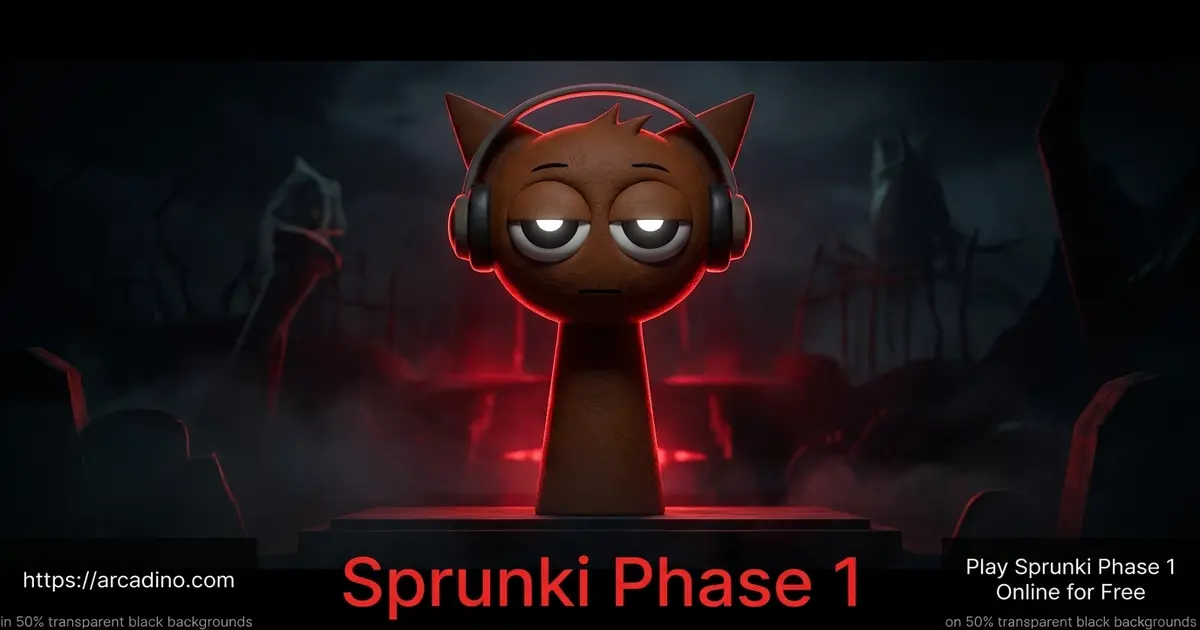
- The first numbered chapter of the Sprunki phase series
- 19 sound icons split across beats, effects, melodies, and vocals
- A hidden horror mode unlocked with a special character
- Drag-and-drop controls that work on mouse or touchscreen
What Is Sprunki Phase 1?
Sprunki Phase 1 is a music-mixing game and the first official phase in the Sprunki fan-mod universe. It was made by Sprunki fans who loved Incredibox and wanted to remix the formula with their own characters. You get seven empty polos (the little stage spots) and a roster of quirky avatars like Oren, Pinki, Simon, and Jevin. Each character loops a unique sound when you drop them on a polo.
A quick note on the word “polo” – that’s just the name fans use for each of the seven character slots on the stage. Drop an avatar on one, and that polo plays the avatar’s loop until you move or mute it.
Sprunki Phase 1 was originally created by NyankoBfLol, the Scratch user widely credited as the founder of the Sprunki series. Phase 1 and Phase 2 are the two original phases that started everything, and every later phase, mod, and spinoff traces back to that pair. So when you’re playing Phase 1, you’re playing the actual starting point of the whole Sprunki universe.
The art style is bright and cartoony, with green hills and a partly cloudy blue sky as the backdrop. When I tested it in Chrome, the sound icons loaded fast and the audio stayed perfectly in sync once a beat was running. That tight timing is what makes layering tracks feel so satisfying.
Gameplay in Sprunki Phase 1
The loop is simple but seriously addictive. You scroll through the icon tray at the bottom, pick a sound, and drag it onto a polo. Add another character, then another, and suddenly you’ve got a four-layer groove that actually sounds like a song.
You can mute any character by clicking them, which is handy when you want to drop the bass for a few seconds. Swapping one vocal for another mid-track gives your mix a real chorus-and-verse feel. There’s no timer, no score, and no failure state – the goal is just to build something that sounds good to you.
Characters and Sounds
The 7 polos in Sprunki Phase 1 host a cast where each avatar represents a specific musical role. Phase 1 features 18 standard sound icons plus the hidden black character, for a total of 19 playable avatars. Beats come from Oren, Raddy, Clukr, Fun Bot, and Vineria. Effects are handled by Brud, Garnold, OWAKCX, and Sky.
Melodies belong to Mr. Sun, Durple, Mr. Tree, Simon, and Tunner. Vocals get layered by Mr. Fun Computer, Wenda, Pinki, and Jevin. Mixing roles across the polos is how you build a balanced track instead of a wall of noise.
Each character also has a signature color, which makes them easy to spot in the icon tray. Here’s a quick color guide to the fan favorites:
- Orange – Oren (beat)
- Red – Raddy (beat)
- Silver – Clukr (beat)
- Purple – Durple (melody)
- Yellow – Simon (melody)
- Pink – Pinki (vocal)
- Blue – Jevin (vocal)
- White – Wenda (vocal)
The Hidden Horror Mode
Here’s the surprise that hooks most new players. There’s a black character (often called Black) that flips the whole game into Horror Mode the moment you place him. The cheerful blue sky turns dark, the polos shift, and the sounds get spooky.
It’s a sudden tonal switch that catches everyone off guard the first time. Some Phase 1 builds also let you toggle a darker variant using the 1.5 and 2 buttons at the top of the screen. Either way, it’s a fun secret that adds replay value to a game that already feels endless.
Bonus and Non-Canon Characters
Phase 1 also has a handful of bonus avatars that pop up in fan lore but aren’t part of the main roster. Gray is a quiet extra character that some community builds let you summon for moody background tones. El Cool P shows up in remix versions as a flashy guest with his own slick loop. There’s also a censored flower character that fans talk about in Phase 1 trivia threads. These non-canon faces aren’t in every version of the game, but spotting them is a fun bonus if you explore different Phase 1 ports.
Graphics and Audio in Sprunki Phase 1
Visually, Sprunki Phase 1 keeps things clean and chunky, with bold outlines and bouncy character animations that move in time with the music. The polos light up subtly when a sound is playing, so you can see the rhythm as well as hear it. It’s a small touch that makes the whole stage feel alive.
The audio is the real star, though. The loops were designed to layer cleanly, so almost any combination you build will sound musical. That’s why so many kids end up recording their mixes to share with friends.
How to Play Sprunki Phase 1
Getting started takes about ten seconds. Open the page, wait for the icons to load, and start dragging characters onto the empty polos. There’s no tutorial because the game doesn’t really need one – the drag-and-drop layout explains itself.
Try building one beat at a time so you can hear how each sound fits. Once you’ve got a groove going, throw in a vocal or an effect to spice it up. Then experiment with the black character for the horror twist.
Your First 60 Seconds: A Starter Recipe
If you want a track that sounds good right away, try this exact build. First, drop Oren onto polo 1 for a steady beat backbone. Next, add Clukr on polo 2 to thicken the rhythm with a snappier layer. Around the 20-second mark, place Simon on polo 3 for a bright melody on top. Then drop Wenda on polo 4 to bring in a clean vocal hook. Finally, finish with Sky on polo 5 for a sparkly effect that ties everything together. Mute Oren for four seconds, then bring him back – boom, instant drop. That’s a full Sprunki Phase 1 song in under a minute, and you can swap any character to make it your own.
Controls for Sprunki Phase 1
On desktop, you play with the mouse: click and drag a sound icon onto a polo, then click a character to mute or unmute their loop. On mobile and tablets, touch controls work the same way – tap, hold, and drag with your finger. There are no keyboard shortcuts required, which makes Sprunki Phase 1 easy to pick up on any device.
Tips and Tricks for Sprunki Phase 1
- Start with one beat character before adding melody – it gives your track a backbone.
- Don’t fill every polo right away; empty space in a mix sounds better than a crowded one.
- Mute characters in turn to create drops, just like a real DJ.
- Save the black character for last so the horror flip feels like a big reveal.
- Pair Simon or Mr. Tree with a strong beat character for melodies that really pop.
Phase 1 vs. Later Phases: What Changed?
Phase 1 set the template, but the series has evolved a lot since then. Phase 1 has cheerful daytime visuals, 19 sound icons, and a single horror twist using the black character. Phase 2 keeps the same friendly art style but adds new avatars and tweaks the loops to feel a bit punchier. Phase 3 is where things get moodier – the color palette shifts, the sounds get darker, and the horror vibe creeps into the whole experience instead of being a hidden secret. Later phases like 4, 6, and 7 layer in fresh characters, sharper audio mixing, and bigger visual themes. So why does Phase 1 still matter? It’s the cleanest, simplest entry point, and the loops are still some of the catchiest in the entire series.
Key Features of Sprunki Phase 1
- The original numbered phase that launched the whole Sprunki series
- 19 unique sound icons covering beats, effects, melodies, and vocals
- A hidden horror mode triggered by the black character
- Drag-and-drop creation with no time limits or fail states
- Browser-based play with no installs, accounts, or paywalls
Where to Play Sprunki Phase 1
You can play Sprunki Phase 1 free in any modern browser on a PC, Chromebook, phone, or tablet. It loads instantly on Chrome, Firefox, Safari, and Edge, so school laptops usually run it fine. Many players also discover the game through Scratch ports and Incredibox-style mod hubs, since the original community shares builds across those platforms.
If you want a mobile version, there’s an Android build available on the Play Store: Sprunki Phase on Google Play. Stick to official store downloads rather than random APK files, since unofficial copies can carry junk you don’t want on your device.
For Teachers and Classrooms
Sprunki Phase 1 is a sneaky-great tool for a quick music composition lesson. It runs smoothly on most school Chromebooks, with very low audio latency once the icons finish loading. The site usually isn’t blocked by common school filters because it’s a simple HTML5 game with no chat or ads, but it’s worth checking with your IT team first. The game does need an internet connection – there’s no full offline mode – so plan around your Wi-Fi. For a 20-minute lesson, give students 5 minutes to explore, 10 minutes to build a track using one beat, one melody, and one vocal, and 5 minutes to share their mix with a partner. It’s a fast, fun way to teach layering, rhythm, and the idea that music is made of stacked parts.
For Parents
Sprunki Phase 1 is a creative music-making game that’s friendly for ages 8 and up. There’s no chat, no online multiplayer, and no in-app purchases on the browser version, so kids just mix and listen. The horror mode is more goofy-spooky than scary – think cartoon shadows, not jump scares – but very sensitive younger kids might want to skip the black character.
Short sessions of 15 to 30 minutes work great, since the game rewards experimenting rather than grinding.
Similar Games to Sprunki Phase 1
If you love mixing beats with Sprunki Phase 1, these music and rhythm games will keep the creativity flowing.
- Sprunki Phase 2 – The direct sequel and natural next step, with new avatars and punchier loops.
- Sprunki Phase 3 – A later chapter in the series with new characters and a moodier sound palette.
- Sprunki Phase 4 – Builds on the Phase 1 formula with refined visuals and fresh loops.
- Sprunki Incredibox – The Incredibox-inspired mod that started the whole Sprunki craze.
- Sprunki Pyramixed – Mixes ancient pyramid vibes with layered modern beats.
- Sprunki Mustard – A bright yellow remix with punchy loops and a cheeky twist.
- Sprunki Retake – A community remake that re-imagines the original cast with reworked sounds.
Browse more rhythm picks in our Music games category.
FAQs About Sprunki Phase 1
Is Sprunki Phase 1 the same as Sprunki?
Sprunki Phase 1 is the first numbered chapter of the larger Sprunki series. People often just search “sprunki” when they mean Phase 1, since this is where the numbered phases begin. The wider Sprunki universe also includes mods like Mustard, Pyramixed, and OC variants.
Is Sprunki Phase 1 free to play?
Yes, Sprunki Phase 1 is completely free in your browser. There’s no signup, no paywall, and no trial limit. You can mix as many tracks as you want for as long as you want.
How do I unlock horror mode in Sprunki Phase 1?
Drag the black character onto any polo to trigger horror mode. The background turns dark and the sounds shift to spooky variants. Some builds also use the 1.5 and 2 buttons at the top of the screen.
Who made Sprunki Phase 1?
Sprunki Phase 1 was created by NyankoBfLol, a Scratch user credited as the original founder of the Sprunki series. Phase 1 and Phase 2 are the two original phases, and they launched the whole fan-mod universe inspired by Incredibox. The wider series has since grown thanks to ongoing community contributions on Scratch and similar platforms.
Can I play Sprunki Phase 1 on mobile?
Yes, Sprunki Phase 1 works on phones and tablets through any modern browser. Touch controls replace the mouse for dragging and tapping. There’s also an Android app available on the Play Store.
What should I play after Sprunki Phase 1?
Move on to Sprunki Phase 2 next, then continue through the numbered series. Each phase introduces new characters, sound packs, and visual themes. Phase 3, 4, 6, and 7 are especially popular with the community.
How many characters are in Sprunki Phase 1?
Sprunki Phase 1 features 18 standard sound icons plus the hidden black character, for 19 total. They include fan favorites like Oren, Simon, Pinki, Jevin, and Wenda. You place them on 7 polos to build your mix.
What is a polo in Sprunki?
A “polo” is the fan name for each of the seven character slots on the Sprunki stage. When you drag an avatar onto a polo, that slot plays the avatar’s sound loop on repeat. Empty polos stay silent until you fill them.
Final Thoughts on Sprunki Phase 1
Sprunki Phase 1 nails the trick of being silly and serious at the same time – silly cartoon avatars, surprisingly polished loops, and a horror twist that nobody expects on their first play. The fact that it all runs free in a browser tab is the cherry on top. Open the game, drag a beat onto a polo, and see what your first Sprunki track sounds like.
Gameplay Video