



Candy Clicker
Coltroc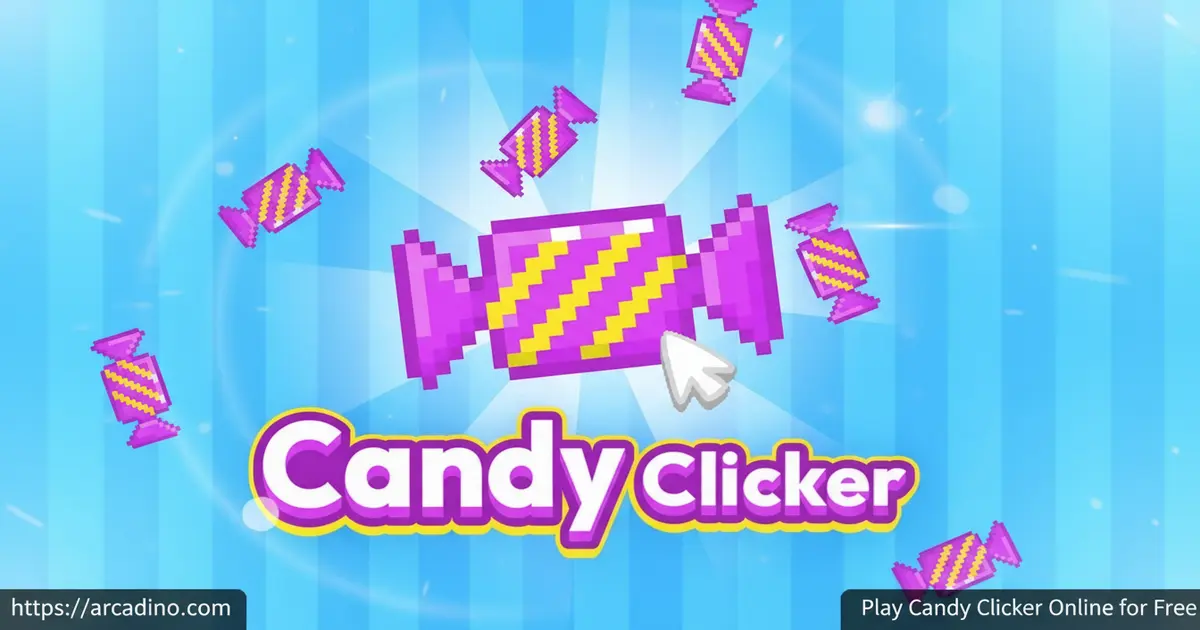
A giant pink candy sits in the center of the screen, and all it takes is one click to start something beautiful. 🍬 Candy Clicker is a free browser game where clicking that candy kicks off a surprisingly deep idle adventure. It’s the kind of clicker that rewards both frantic tapping and smart shopping. If you’ve ever wondered whether a candy idle game could actually keep you hooked, the answer is a very sticky yes.
- Free to play instantly on browser — no download needed
- Dual shop system — separate Candy Shop and Sugar Shop for upgrades
- 18 hidden achievements to unlock through consistent progress
- Golden candies float across the screen for huge bonus hauls
What Is Candy Clicker?
Candy Clicker is an incremental clicker game created in Scratch by a developer called Coltroc. Your entire goal is to generate as many candies as possible by clicking a giant candy on screen, then reinvesting those candies into upgrades that make production faster. It sits firmly in the idle clicker genre, but the dual-shop structure gives it more decision-making than most simple clickers at this level.
The controls respond immediately to every click, and the Scratch-based engine keeps the visuals running smoothly even on older school computers. The colorful candy-themed graphics and playful animations make it feel welcoming, not overwhelming. It’s a genuinely relaxing game that still asks you to think about where you spend your points.
Gameplay — Clicking, Shops, and the Sugar System
The core loop is simple: click the candy, earn candies, visit the shop, buy upgrades, repeat. But Candy Clicker adds real texture to that loop with two separate shops. The Candy Shop holds upgrades you unlock with raw candy, including tools like Auto Click, Cursor, and Auto Candy that keep production ticking even when you’re not clicking.
The Sugar Shop works differently. You earn sugar by leveling up, and you spend it on special upgrades that supercharge your whole operation. Sugar Shop upgrades include boosts like Sugar Rush, which multiplies your candy-per-click rate, Sweet Factory, which speeds up all your automatic producers, and Candy Storm, one of the most powerful late-game boosts that sends your passive candy income soaring. That split means you’re always juggling two currencies and deciding which shop deserves your next investment. It’s a small design choice that makes each session feel like a mini strategy puzzle.
Golden Candies and Bonus Moments
Every minute or two, a golden candy drifts across your screen. Click it fast, and you’ll collect a massive bonus pile of candy in one go. Miss it, and the opportunity is gone for good. These moments break up the steady rhythm of clicking and give you a genuine reason to stay glued to the screen.
The randomness of golden candy appearances makes every session a little different. You might get one right when you need a burst to afford a big upgrade, or it might float by at the worst possible moment. Either way, spotting and clicking that shiny treat never gets old.
Achievements and Rewards
There are 18 achievements hidden inside Candy Clicker, and none of them announce themselves upfront. They stay locked until your progress naturally triggers them. That mystery gives the game a fun extra layer — you’re never quite sure which milestone will pop next.
Unlocking achievements doesn’t require any special tricks. Keep clicking consistently and keep buying upgrades from both shops, and the achievements start rolling in. It’s a rewarding feeling every time a new one appears, especially since you didn’t know it was coming.
Late-Game Upgrades and the Final Push
As you work through the upgrade tree, the costs get much bigger — but so do the rewards. The late-game upgrades in both the Candy Shop and Sugar Shop are the most powerful items in the whole game. They multiply your candy output by huge amounts rather than just adding a flat boost. The final upgrades in the tree are typically the most expensive Sugar Shop items, like the top-tier candy multipliers that push your per-second production into enormous numbers. Reaching those top upgrades is the clearest sign you’re approaching the end of the upgrade path. Most players consider unlocking the last major Sugar Shop upgrade and collecting all 18 achievements the unofficial goal of a complete run.
Graphics and Audio
Candy Clicker wraps everything in a bright, sugary visual style. Colorful candy shapes, cheerful animations, and a candy-factory aesthetic keep the screen feeling lively without ever getting cluttered. The giant pink candy at the center is the star of the show, and watching your upgrades change the feel of production adds a satisfying visual payoff.
The overall presentation is clean and easy to read at a glance. You can always see your candy count at the top of the screen, so you always know exactly how close you are to your next upgrade. For a Scratch-built game, the visual polish is genuinely impressive.
How to Play Candy Clicker
Getting started is as immediate as it gets. Click the big candy in the center of the screen to start collecting candies. Once you’ve built up enough, tap the Shop tab and start browsing upgrades that will grow your production speed dramatically.
The early game rewards fast clicking, but the mid-game is about smart spending. Prioritize upgrades that add automatic candy production early, so your count keeps rising even when you take a short break from clicking. Keep an eye out for golden candies at all times — they can jump your total forward faster than minutes of steady clicking.
Controls for Candy Clicker
Candy Clicker uses your mouse entirely. Click the candy in the center to collect, click upgrade cards in the shop to purchase them, and click golden candies when they appear on screen. On mobile devices, tap the candy and tap shop items to do the same things. There are no keyboard shortcuts needed — your mouse or finger does everything.
Tips and Tricks for Candy Clicker
- Click fast at the start: Early on, manual clicking is your only income source. Build speed before you can afford Auto Click upgrades.
- Watch for golden candies constantly: They appear every minute or two and drift off screen quickly. A missed golden candy is a missed shortcut to your next upgrade.
- Don’t hoard your candy: Sitting on a big stash doesn’t help. Upgrades compound over time, so spending early unlocks bigger returns faster.
- Invest in the Sugar Shop smartly: Sugar is rarer than candy, so think carefully before spending it. Pick the Sugar Shop upgrade that boosts whichever production stage you’re currently bottlenecked on.
- Keep your tab open: Candy Clicker doesn’t save your progress. Closing or refreshing the tab wipes everything, so stay in your session until you’re done.
Key Features of Candy Clicker
- Dual-shop upgrade system: The Candy Shop and Sugar Shop each use different currencies, giving you two parallel upgrade paths to manage.
- Automatic production tools: Upgrades like Auto Click and Auto Candy keep your candy count growing without constant clicking.
- 18 hidden achievements: All achievements are secret until triggered, rewarding consistent play with surprise milestones.
- Golden candy events: Random golden candies float across the screen, offering huge one-click candy bonuses when caught in time.
- Accessible Scratch-built engine: Created by Coltroc in Scratch, the game runs in any browser with no installation and no sign-in required.
Where to Play Candy Clicker
You can play Candy Clicker free on arcadino.com directly in your browser. There’s nothing to install and no account to create. The game loads quickly and works on both desktop and laptop computers, making it easy to jump into a session anytime you have a few minutes.
If you prefer playing on a phone or tablet, Candy Clicker is also available on mobile. Download it from the Google Play Store for Android devices or from the Apple App Store for iPhone and iPad. Please note that these mobile apps are third-party titles that share a similar name — they are not the original Scratch game made by Coltroc, so the experience may differ from the browser version. If you ever come across an APK download from an unofficial site, skip it — only use the official Play Store link to stay safe. On arcadino.com the browser version loads without any access restrictions, so it’s a great option if you’re on a school or library network.
Playing on School or Low-Spec Computers
Candy Clicker runs really well on older or low-powered computers, and there’s a good reason for that. Because it’s built in Scratch, the game runs entirely inside your browser using lightweight client-side code — there are no heavy files to download and no plugins like Flash required. Everything loads fast, even on slow connections. If you ever notice any lag, you can try opening the original Scratch project through TurboWarp, a free browser tool that runs Scratch games with a faster engine and smoother performance. The game also needs no special permissions or sign-ins, which means it works on most school and library networks without any hassle.
For Parents
Candy Clicker is a great fit for kids aged 8 and up. The candy-themed visuals are colorful and cheerful, and there’s no violence, chat, or anything inappropriate in the game. The simple clicking mechanics mean younger players can enjoy it without frustration, while the shop strategy adds just enough depth to keep older kids thinking.
The browser version has no in-app purchases — you spend virtual candy on upgrades, not real money. One thing worth noting: the game doesn’t save progress, so a session typically wraps up naturally in about 20 minutes with efficient play, based on community reports. That actually makes it a good pick for short, well-bounded play sessions rather than endless open-ended grinding.
What Candy Clicker Teaches Without Feeling Like a Lesson
Beyond the fun, Candy Clicker quietly builds some really useful thinking skills. Managing two separate currencies — candy and sugar — mirrors real opportunity-cost decisions: every time a player chooses between the Candy Shop and the Sugar Shop, they’re weighing short-term gain against long-term strategy. Watching a small per-second production rate slowly compound into thousands of candies is also an intuitive, hands-on introduction to how exponential growth works. For teachers, that makes the game a surprisingly handy conversation starter about saving, investing, and why small consistent gains add up faster than they look. Parents can feel good knowing that the strategy layer isn’t just window dressing — kids are genuinely practicing resource management, prioritization, and patience every time they play.
Similar Games to Candy Clicker
If you love the idle clicking loop of Candy Clicker, these browser clickers are worth exploring next.
Candy Clicker vs. Cookie Clicker — Which Should You Play First?
Cookie Clicker is the genre-defining game that inspired Candy Clicker, but the two feel quite different in practice. Cookie Clicker is a much bigger game — it has dozens of building types, hundreds of upgrades, and prestige mechanics that let you reset for permanent bonuses, meaning a full run can take days or weeks. Candy Clicker is deliberately shorter and simpler, wrapping up in a single sitting and focusing on a tight dual-shop system instead of a sprawling upgrade tree. If you’re brand new to clicker games, Candy Clicker is the friendlier starting point because it teaches the core loop without overwhelming you. Once you’ve got the hang of it, Cookie Clicker is the natural next step for a much deeper challenge.
- Candy Clicker 2 — The direct sequel by Coltroc, with more upgrades, a golden candy parade mechanic, and a rebirth system for serious fans of the original.
- Cookie Clicker — The legendary clicker that inspired the genre; swap candies for cookies and explore a massive upgrade tree.
- Clicker Heroes — A deeper idle RPG where clicking defeats monsters and unlocks a huge roster of heroes with unique abilities.
- Capybara Clicker — Click to multiply adorable capybaras in a similarly relaxing idle loop with its own quirky upgrade path.
- Duck Clicker — Click to collect ducks and unlock a charming series of upgrades in this lighthearted idle game that sits right alongside Capybara Clicker in the genre.
Browse more titles in the Clicker category to find your next favorite idle game.
FAQs About Candy Clicker
What is Candy Clicker?
Candy Clicker is a free incremental clicker game where you click candy to earn more candy. You reinvest your candy into shop upgrades that automate and speed up production. It was created in Scratch by a developer called Coltroc and is free to play in any browser.
Is Candy Clicker an idle game?
Yes, Candy Clicker is an idle clicker game. Once you buy automatic production upgrades like Auto Click and Auto Candy, the game keeps generating candy even when you slow down your clicking. That idle layer grows more powerful the longer you stay in a session.
How do you beat Candy Clicker?
Click fast early, spend on upgrades constantly, and never miss a golden candy. With efficient play, a focused run takes approximately 20 minutes, according to community reports — though your actual time may vary depending on clicking speed and upgrade choices. Upgrading automation tools as soon as you can afford them is the fastest route to the end.
Does Candy Clicker save your progress?
No, Candy Clicker does not save your progress. If you close the tab or refresh the page, your entire run resets from the beginning. Keep your browser tab open for the full session to protect everything you’ve built.
Does Candy Clicker have offline progression?
No, Candy Clicker does not feature offline progression. The game only generates candy while your browser tab is active and open. If you switch to another tab or minimize the window, production may slow down or pause depending on your browser’s background tab settings. There’s no mechanic that calculates candy earned while you were away — when you return to a fresh session, you always start from zero. This is different from some larger idle games that do track offline time, so it’s best to stay in your tab for the whole run.
What is the last upgrade in Candy Clicker?
The final upgrades in Candy Clicker sit at the top of the Sugar Shop and are the most expensive items in the game. They’re powerful candy multipliers that push your passive production to its highest possible rate. Reaching and buying those top-tier Sugar Shop upgrades is effectively the end of the upgrade tree, and most players treat it as the finishing line of a run — especially when combined with collecting all 18 achievements.
What are the golden candies in Candy Clicker?
Golden candies are special bonus items that float across the screen every minute or two. Clicking one gives you a large burst of candy all at once. They’re the fastest way to leap ahead in a session, so staying alert for them is one of the best habits you can build.
How many achievements does Candy Clicker have?
Candy Clicker has 18 achievements in total. They’re all hidden at the start and unlock through natural progress — clicking regularly and buying upgrades consistently is all it takes. None of them require special codes or tricks to trigger.
Are there in-app purchases in Candy Clicker?
The browser version of Candy Clicker has no real-money purchases. All upgrades are bought with the virtual candy and sugar you earn through gameplay. The mobile app versions on the Play Store and App Store may differ, so check their store listings for details.
Conclusion
Candy Clicker stands out in the clicker genre thanks to its dual-shop upgrade system, 18 secret achievements, and the thrilling pressure of catching golden candies before they vanish. It’s short enough to finish in a single focused sitting, but rewarding enough that you’ll want to run it again just to try a different upgrade order.
Head over to arcadino.com and start clicking that big pink candy — your sugar empire isn’t going to build itself. And when you’re ready for more, Candy Clicker 2 is waiting with even bigger challenges ahead.
Gameplay Video

