




















Watch one short ad and play ad-free for 30 minutes.
Kiwi Clicker
Tobspr Games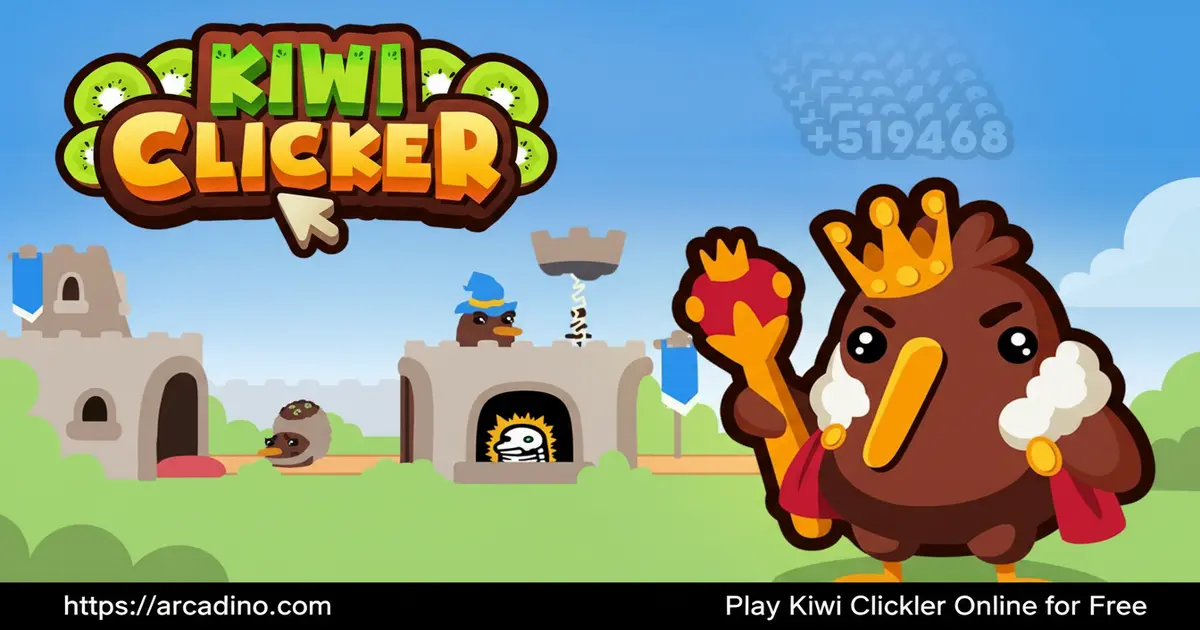
Kiwi Clicker is a free idle clicker game you can play right now in your browser — and it’s way more clever than it sounds. You click kiwi birds to produce kiwi fruit, then bag it, X-ray it, and deliver it to a very hungry king who rewards you with Koins. The loop sounds simple, but it hides a surprisingly deep system of skill trees, prestige cycles, and upgradeable stations that keeps pulling you back for one more run.
- Click kiwi birds to produce kiwi fruit and send it through a full delivery pipeline.
- Defeat the king to earn Krowns and unlock powerful skill tree bonuses.
- Choose from 3 distinct profession paths, each with its own upgrade tree.
- No cash shop, no microtransactions — every unlock is earned through gameplay.
What Is Kiwi Clicker?
Kiwi Clicker is an idle clicker game developed and published by Dimitri Kipper under the tobspr Games label, a game development studio based in Germany. It launched on July 29, 2022, and quickly built a loyal fanbase thanks to its charming art style and genuinely clever factory mechanics. The concept is playfully absurd: kiwi birds produce kiwi fruit, and it’s your job to industrialize that process into a full-blown empire.
What makes this title stand out in a crowded genre is how much structure sits beneath the cute surface. There are upgradeable stations, a prestige system called transcendence, three profession paths, and a boss fight built right into the progression loop. The game loads almost instantly in Chrome with no perceptible delay — the lightweight visuals mean even slower connections won’t hold you back. It’s a clicker that rewards strategic thinking, not just frantic tapping.
How Kiwi Clicker Built Its Fanbase Through Content Creators
Kiwi Clicker didn’t blow up through ads — it spread through gaming content creators on YouTube and Twitch. Reviewers and let’s-play channels discovered the game’s quirky charm and shared it with their audiences, giving the game a big organic boost early on. One well-known YouTuber, Dangerously Funny, is directly credited by fans as the reason they first tried the game. That kind of word-of-mouth from trusted creators says a lot about how genuinely fun the core loop is. If you found this game through a video, you’re not alone — that’s how most players discovered it. The community that grew from those videos is still active today, sharing tips, builds, and prestige strategies online. It’s a great sign when a game earns fans through honest gameplay coverage rather than marketing budgets.
Gameplay — The Kiwi Factory Loop
Every run in Kiwi Clicker starts the same way: click the big kiwi on screen to produce fruit. That fruit goes into storage, then gets packaged by the bagger, scanned at the X-ray security checkpoint, and finally delivered to the castle where the king trades it for Koins. Each station is individually upgradeable, and finding your bottleneck early is the key to growing your income fast. 🥝
The loop doesn’t stay manual for long. As you invest Koins into the right upgrades, production automates and your delivery line hums along without constant clicking. Underground creatures occasionally try to snatch your kiwis, so you’ll need to tap them away to protect your haul. It’s a lively system that mixes relaxed idle play with bursts of active decision-making.
Customization and Upgrades
Kiwi Clicker offers five major upgrade categories, each affecting a different part of your production line. You can boost click power so a single tap produces hundreds of kiwis, speed up transport, improve the bagger’s delivery size, or enhance the security checkpoint to process kiwis faster. Spending Koins wisely — rather than just on whatever is available — is what separates slow players from fast ones.
The skill tree system adds another layer entirely. You unlock skill nodes by spending Krowns earned from defeating the king, and each node grants lasting bonuses that carry weight across multiple runs. Because you choose one of three profession paths per ascension, no two playthroughs have to feel the same. The game actively rewards you for experimenting with different builds.
Levels and Progression — Prestige and Transcendence
Once you’ve built up enough power, Kiwi Clicker lets you prestige — a reset that unlocks new features, bonus multipliers, and deeper mechanics. The prestige system here is called transcendence, and the game cheekily calls the cycle the “demonikiwi cycle” to hint that it never truly ends. Each transcendence pushes your Koin income ceiling higher and opens up parts of the game that feel genuinely new.
This is where the game separates itself from simpler clickers that just reset your numbers. Transcending in Kiwi Clicker feels purposeful because each run gives you more tools to work with than the last. Players who enjoy long-term progression and unlocking every node in a skill tree will find plenty of content to chase here.
How Kiwi Clicker’s Pacing Compares to Other Idle Games
One of the biggest complaints about idle clickers is that progress slows to a crawl before you ever reach the good stuff. Kiwi Clicker handles this differently — automation kicks in much earlier than in games like Cookie Clicker or Clicker Heroes, so you’re not stuck clicking manually for hours before anything interesting happens. In Cookie Clicker, your first few buildings can feel like a long grind before the prestige system opens up. In Clicker Heroes, early hero upgrades come fast but meaningful resets can take many hours to feel worthwhile. Kiwi Clicker compresses that waiting time by tying upgrades directly to a specific production pipeline, so every Koin you spend has a visible effect on throughput right away. The boss fight also breaks up the idle routine at regular intervals, giving you active goals to work toward instead of just watching numbers climb. Players who bounced off slower idle games often find Kiwi Clicker’s pacing refreshing — it respects your time without feeling too easy.
Graphics and Audio
The visual style in Kiwi Clicker is genuinely charming — rounded, colorful characters with expressive animations that make even routine factory tasks feel cheerful. The kiwi birds are drawn with a warmth that makes you weirdly attached to your little workers. Multiple players in the community have specifically pointed to the cute graphics as the reason they started playing in the first place.
The art direction also supports readability, which matters a lot in a numbers-heavy genre. Upgrade buttons are clearly labeled, station animations show exactly what’s happening in the pipeline, and the boss encounter stands out visually from the idle loop. For a clicker game, that clarity makes a real difference in moment-to-moment enjoyment.
How to Play Kiwi Clicker
Getting started is easy — just click the large kiwi bird in the center of the screen to begin producing fruit. Each click generates kiwis that move through your delivery line automatically once you’ve set up the bagging and security stations. Your first goal is to earn enough Koins to purchase your initial upgrades before the flow slows down. Spend early, spend smart, and your income will snowball quickly.
When the king is summoned, shift your focus to the boss encounter. Click or tap fast to defeat the king and his minions, and you’ll earn Krowns as a reward. Those Krowns fund your skill tree, which is the most impactful long-term investment in the game. Don’t ignore the boss fight — Krown income shapes your entire prestige strategy.
Kiwi Clicker Controls
On desktop, click the kiwi bird with your mouse to produce fruit, or press the spacebar as an alternative. Use your mouse to interact with the upgrade panels, bagger button, and skill tree nodes on the sides of the screen. On mobile and tablet, tap the kiwi and use touch controls to navigate menus. The controls are responsive and require no complex inputs — even younger players will feel comfortable immediately.
How to Use the Gun in Kiwi Clicker
As you progress through the game, you’ll unlock a gun — a special tool you can use to shoot underground creatures that try to steal your kiwis. It’s one of the most useful active mechanics in the mid-game. To use the gun, click or tap on the creatures that pop up beneath your delivery line before they swipe your fruit. The gun upgrades over time, letting you deal with threats faster and protect bigger hauls. Keep an eye on the underground area during idle sessions, because sneaky thieves can quietly drain your supply if you’re not watching. Unlocking and upgrading the gun is a great reason to stay active even when your factory is running smoothly on its own.
Tips and Tricks for Kiwi Clicker
- Find your bottleneck first. Check which station in your delivery line is slowest — the security scanner, bagger, or storage — and upgrade that one before anything else to unblock Koin income fast.
- Don’t skip the king fight. Krowns from defeating the king are the only currency for your skill tree, so staying active during boss encounters pays off long after the fight ends.
- Pick a profession and commit. Each of the three profession paths has its own upgrade tree, so spreading Koins across all three early on slows your growth. Focus one path per run before you prestige.
- Transcend when progress stalls. If upgrades feel too expensive and Koin income has flattened, it’s a good sign you’re ready to transcend. Each prestige cycle unlocks multipliers that make the next run dramatically faster.
- Watch for underground creatures. These thieves can drain your kiwi supply quietly if you’re in idle mode. A quick tap session every few minutes protects your haul and keeps the delivery line full.
- Use the gun to stop kiwi thieves. Once you unlock the gun, make sure to upgrade it regularly. Shooting underground creatures before they reach your stash saves a surprising amount of fruit over a long session.
Key Features of Kiwi Clicker
- Full kiwi delivery pipeline: A multi-station factory loop covering storage, bagging, X-ray security, and castle delivery — each station upgradeable independently.
- Three profession skill trees: Choose a different profession path each ascension, giving every run a fresh strategic flavor without repeating the same upgrades.
- Prestige and transcendence system: The demonikiwi cycle rewards resets with powerful multipliers and unlocked features that deepen the game over time.
- King boss encounters: Active combat moments built into the idle loop where fast clicking earns you Krowns to fuel your skill nodes.
- Zero microtransactions: No cash shop, no paid boosts — every upgrade and unlock comes from in-game Koins and Krowns earned through play.
Where to Play Kiwi Clicker
Kiwi Clicker runs directly in your web browser on Chrome, Firefox, Safari, and Edge — no installation needed. You can play it free at arcadino.com, where it’s accessible without restrictions. The browser version loads quickly and handles all the game’s animations smoothly on desktop and laptop screens.
If you prefer playing on your phone, the game is available on both major mobile platforms. Grab it from the Google Play Store for Android or the Apple App Store for iPhone and iPad. If you come across APK files from third-party sites, avoid them — unofficial sources can carry security risks and often run outdated versions of the game. The game is also available on Steam under the title Kiwi Clicker: Juiced Up (Steam App ID 1980530) for PC players who want a dedicated desktop experience.
Kiwi Clicker: Juiced Up on Steam vs. the Free Browser Version
If you’re deciding between the browser version and the Steam release, here’s what you need to know. The free browser version at arcadino.com and similar sites is the classic Kiwi Clicker experience — fully playable with no download and no cost. Kiwi Clicker: Juiced Up on Steam is a separate, standalone release with its own store page (App ID 1980530), which suggests it may include additional content, quality-of-life improvements, or features not found in the original browser build. Think of it like a deluxe edition of the same core game. If you’re a casual player who wants to jump in and try the factory loop without any commitment, the browser version is the perfect starting point. If you fall in love with the game and want a dedicated PC client with potential extras, the Steam version is worth checking out. No competitor article currently breaks down these differences clearly, so the safest advice is to start free in the browser and upgrade to Steam if you want more.
For Parents
Kiwi Clicker is appropriate for kids aged 8 and up. The content is entirely family-friendly — there’s no violence, no inappropriate language, and no social chat features to worry about. The game is confirmed to have no cash shop or paid boosts of any kind, so there’s no risk of accidental in-app purchases during play.
The game does encourage strategic thinking through its upgrade and skill tree systems, which makes it more mentally engaging than a pure tap-fest. Sessions can be as short as five minutes or stretch much longer depending on your child’s interest, so it fits naturally into a scheduled screen-time window. It’s a great choice for kids who enjoy incremental progress and seeing their efforts compound over time.
Similar Games to Kiwi Clicker
If you love the idle factory loop and prestige mechanics in Kiwi Clicker, these other clicker games are worth trying next.
- Clicker Heroes — A popular idle clicker where you battle monsters and hire heroes to automate damage, similar to the upgrade and prestige loop in Kiwi Clicker.
- Cookie Clicker — The landmark idle clicker that popularized the genre, featuring buildings, upgrades, and its own prestige system for fans of deep progression.
Browse more games in the Clicker category to find your next favorite.
FAQs About Kiwi Clicker
Who created Kiwi Clicker?
Kiwi Clicker was developed and published by Dimitri Kipper under the tobspr Games studio label, based in Germany. Some storefronts list Dimitri Kipper directly as both developer and publisher, while others credit tobspr Games as the publishing entity — both refer to the same creator and studio. The game released on July 29, 2022.
How do you play Kiwi Clicker?
Click the kiwi bird on screen to produce kiwi fruit and send it through your delivery line. The fruit passes through storage, a bagger, an X-ray security station, and finally the castle to earn Koins. Spend those Koins on upgrades to automate and speed up every station in the pipeline.
Is Kiwi Clicker free to play?
Yes, Kiwi Clicker is completely free in the browser and has no cash shop. There are no paid boosts or microtransactions — everything unlocks through regular gameplay. The browser version at arcadino.com requires no account or download.
Can I play Kiwi Clicker on mobile?
Yes, Kiwi Clicker is available on Android and iOS mobile devices. Download it from the Google Play Store or Apple App Store using the official links. Avoid third-party APK sites, as unofficial files can be unsafe.
What are Krowns used for in Kiwi Clicker?
Krowns (the game’s kiwi-themed spelling of crowns) are earned by defeating the king and his minions during boss encounters. You spend them to activate skill nodes in your chosen profession’s skill tree. These nodes grant lasting bonuses that improve your factory’s performance across every run.
How does transcendence work in Kiwi Clicker?
Transcending resets your progress in exchange for powerful multipliers and unlocked features. The game calls this cycle the demonikiwi cycle, and it’s designed to keep repeating. Each transcendence makes your next run faster and opens gameplay options that weren’t available before.
Does Kiwi Clicker have an ending?
Kiwi Clicker doesn’t have a traditional ending — the prestige cycle is designed to continue indefinitely. The demonikiwi cycle always offers another layer of progression to chase. Players who enjoy open-ended games with long-term goals will find plenty to keep them busy.
How do you reset saves in Kiwi Clicker?
If you want to start fresh, you can reset your save in Kiwi Clicker through the game’s settings menu. Look for a reset or wipe save option in the options panel — it’s usually labeled clearly so you don’t delete progress by accident. Keep in mind that resetting is permanent, so make sure you really want to start over before confirming. Some players choose to reset after fully exploring one profession tree, so they can experience the game fresh on a different path. If you’re playing in a browser, clearing your browser’s local storage will also wipe your save data, so be careful when clearing cache.
Conclusion
Kiwi Clicker packs a lot of personality and depth into what looks like a simple clicking game. The full delivery pipeline — from bird to bagger to king — gives every upgrade decision real weight, and the three profession trees mean you’re always working toward something specific. Add the prestige cycle and boss encounters on top, and this idle clicker has more replay value than most in its genre.
If you’ve been searching for a clicker that actually rewards strategic thinking alongside the satisfying number-watching, this is the one to try. Head to arcadino.com, tap that kiwi bird, and find out how deep the demonikiwi cycle really goes.
Gameplay Video


