



























Watch one short ad and play ad-free for 30 minutes.
Spacebar Clicker 2
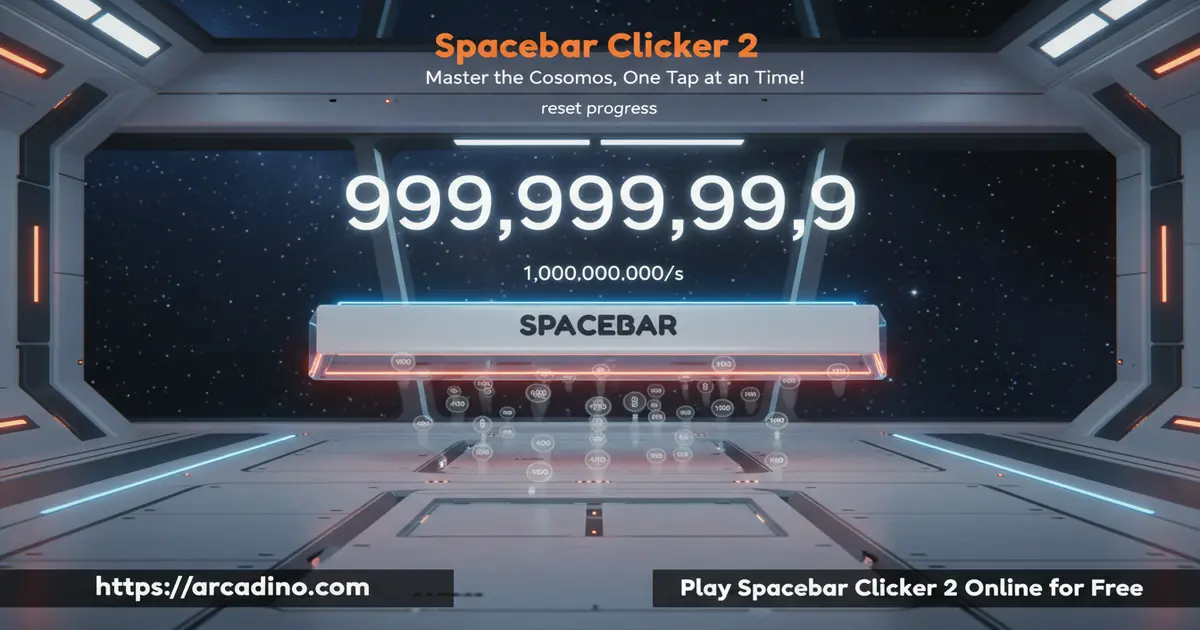
CrociDBEver wondered how far a single key can take you? Spacebar Clicker 2 is a free online idle game that turns one button into an epic climb from ancient tools to reality-bending tech. You start with simple taps and end up with clones, alien computers, and 10-dimension travelers doing the work for you. It’s the sequel to the original Spacebar Clicker, and yes, it’s still often confused with Cookie Clicker by players searching for idle fun. 🚀
Quick highlights before you jump in:
- Hit the spacebar or click on-screen to earn points
- Unlock over 20 upgrades, from Abacus to Absolute Being
- Chase the famous 100M-points-in-one-hour goal
- Runs instantly in any browser, no sign-up required
What Is Spacebar Clicker 2?
Spacebar Clicker 2 is an idle clicker game built around one simple action: pressing the spacebar. Each tap adds a point, and points unlock automated helpers that click for you. It’s the upgraded follow-up to the original Spacebar Clicker, with a longer upgrade ladder and much bigger end-game numbers.
What makes this sequel stand out is the theme of its upgrades. You progress through a funny history of computing, starting with an Abacus and a Typewriter, then moving through ARPANET, gaming PCs, supercomputers, and eventually an Absolute Being that bends reality. When I fired it up in Chrome, the counter ticked up smoothly without any lag, even after dozens of auto-helpers were running at once.
Gameplay in Spacebar Clicker 2
The core loop is easy to learn. Tap the spacebar (or click the big button) to earn points, then spend those points on helpers that generate more points per tick. Each helper you buy makes the next one of its kind cost more, so you have to decide whether to stack cheap helpers or save up for a powerful new one.
Early upgrades like the Abacus fire once every 10 seconds. Later ones, like Your Clones, actually double your total click count. A few upgrades act as multipliers instead of tickers, so mixing both types is where the real strategy kicks in.
Upgrades and Progression
The upgrade list is where this clicker game really shines. Here’s a taste of what you’ll unlock as your score grows:
- Abacus (10 points): Ticks once every 10 seconds
- Typewriter (30): One click every 5 seconds
- Fax Machine (120): 2 clicks per tick
- ARPANET (6,000): Doubles all your clicks
- Gaming Computer (99,999): Triples all your clicks
- Artificial Intelligence (5 billion): 550 clicks per tick automatically
- Your Clones (100 billion): Doubles your click count again
- 10-Dimension Traveler (1 trillion): Quintuples everything
- Absolute Being: Generates 3,000 clicks per tick as an omnipotent reality-bender
Each upgrade has a silly description that matches the theme. Grandpa’s Laptop is “held together by a few pieces of tape,” the Gaming Computer complains about AAA optimization, and the Time-traveling Machine literally kidnaps people from the past. The jokes keep you reading even when your numbers are climbing on autopilot.
The Secret History Behind Every Upgrade
One of the coolest things about Spacebar Clicker 2 is that the upgrade ladder is basically a mini history lesson in disguise. The Abacus is a real counting tool used over 4,000 years ago in Mesopotamia. ARPANET was the actual ancestor of the internet, built in 1969 to connect four U.S. universities. The Fax Machine dominated offices in the 1980s before email took over. Even the Supercomputer references real machines that can do quadrillions of calculations per second. Kids who get curious about these names can end up googling stuff they’d never touch in a textbook. That’s a sneaky win for a game that’s technically just about mashing one key.
Why Players Love Spacebar Clicker 2
Part of the fun is watching tiny numbers explode into massive ones. You start counting in single digits, then hundreds, then suddenly you’re looking at “500.000M” and wondering what comes next. The game never really ends, so there’s always a new milestone to chase.
It’s also weirdly relaxing. You can leave the tab open in the background, check in every few minutes, and buy the next helper. That slow-burn pacing is why so many fans compare it to Cookie Clicker and other idle classics.
How to Play Spacebar Clicker 2
Getting started takes about five seconds. Load the page, tap the spacebar a few times, and watch your counter climb. Once you hit 10 points, grab the Abacus so you’re earning even when your finger rests. From there, keep buying whatever you can afford and let the compounding begin.
The key early trick is balance. Don’t dump everything into the cheapest helper just because you can. Sometimes saving up for the next tier pays off way faster.
Controls
Controls couldn’t be simpler. Press the spacebar on your keyboard, or left-click the on-screen button to earn points. To buy an upgrade, click its box in the upgrade panel. On mobile, tap the spacebar button and tap upgrades the same way.
Saving Your Progress
Spacebar Clicker 2 saves your score in your browser’s local storage, so you can close the tab and come back later. Just make sure you return using the same browser on the same device. If you clear your cookies or switch to private mode, your progress can disappear. There’s no cloud save or account system, so treat each browser like its own separate run. Bookmark the page so you always open the exact same version.
Tips and Tricks for Spacebar Clicker 2
- Grab ARPANET as soon as you can. At 6,000 points, it doubles every click you make, including helper output.
- Prioritize multipliers over tickers. The Gaming Computer triples all clicks, which often beats buying five more small helpers.
- Keep a rhythm on manual clicks. Steady taps are easier on your finger and give you cash for that next big upgrade.
- Watch rising costs carefully. Each copy of a helper makes the next one pricier, so check if a new tier is cheaper before spamming.
- Leave the tab open. Auto-helpers keep ticking while you do homework, so your score grows passively.
- Stack two or three of each tier before jumping up. A small buffer of cheap helpers funds the next big multiplier faster.
Common Mistakes to Avoid
Most players stall out because they buy too many of the same cheap helper. Once the Abacus costs more than a Typewriter, stop stacking it and move up. Another trap is ignoring manual clicks late in the game. Even with auto-helpers running, your own taps still benefit from every multiplier you own. Finally, don’t refresh the page just because numbers slow down. Progress is exponential, and the next big jump is usually just one upgrade away.
Key Features of Spacebar Clicker 2
- One-key gameplay that anyone can pick up in seconds
- Themed upgrade ladder following the history of computing and beyond
- Multiplier upgrades like ARPANET, Gaming Computer, and 10-Dimension Traveler
- The 100M-points-in-one-hour speedrun challenge
- Funny item descriptions that reward curious readers
Where to Play Spacebar Clicker 2
You can play Spacebar Clicker 2 right here in your browser, free, with no download or account needed. It runs on Chrome, Firefox, Edge, and Safari, and it works on most school and home networks. Mobile browsers handle it fine too, though the big spacebar button is easier to tap on a tablet than a tiny phone screen.
Since there’s no official app, skip any APK files you find online. Unofficial downloads often hide ads or worse, and you really don’t need them when the web version loads instantly.
For Parents
Spacebar Clicker 2 is a safe, low-stress pick for kids roughly 8 and up. There’s no chat, no violence beyond cartoony references to alien computers, and no real-money purchases to worry about. The upgrade descriptions poke fun at tech history, which can spark curiosity about things like ARPANET, supercomputers, and even parallel universes.
Since the game never really ends, it’s a good idea to set a play-time limit. Twenty to thirty minutes is plenty to reach satisfying milestones without turning into a screen marathon. The game can also teach patience and basic math, since kids compare costs, returns, and timing for each new upgrade. That’s sneaky learning wrapped inside a silly clicker.
Educational Angles You Can Use
Parents and teachers can turn Spacebar Clicker 2 into a quick talking point. Ask your kid which upgrade gives the best points per second, and they’ll be doing rate math without realizing it. The exponential costs are a gentle intro to big-number concepts like millions, billions, and trillions. And the tech-history theme is a great springboard for talking about how computers actually evolved over time.
Similar Games to Spacebar Clicker 2
If you like idle clickers with goofy upgrades, these browser games are a great next step:
- Cookie Clicker – The classic idle game about baking cookies with grandmas, farms, and portals.
- Candy Clicker – A sweet-themed clicker with a similar upgrade-and-automate loop.
- Planet Clicker 2 – Click your way across planets and unlock cosmic-scale upgrades.
- Clicker Heroes – Tap monsters, hire heroes, and climb through endless zones.
- Spacebar Clicker – The original game that started this whole spacebar-tapping adventure.
- Capybara Clicker – Tap a cute capybara to unlock hats, pets, and silly upgrades.
Browse more in our Clicker category for dozens of idle picks.
FAQs About Spacebar Clicker 2
Is Spacebar Clicker 2 free to play?
Yes, Spacebar Clicker 2 is completely free in any browser. You don’t need to sign up, pay, or install anything. Just load the page and start tapping.
Is Spacebar Clicker 2 the same as Cookie Clicker?
No, they’re different games made by different creators. Cookie Clicker is about baking cookies with grandmas and farms, while this title uses computing-themed upgrades like ARPANET and supercomputers. They share the same idle-clicker feel, which is why fans enjoy both.
How do you reach 100M points in an hour in Spacebar Clicker 2?
Focus on multiplier upgrades like ARPANET and Gaming Computer early. Stack cheap ticking helpers while saving for each big multiplier. Keep manually tapping during the first 10 minutes to speed up your snowball.
Can I play Spacebar Clicker 2 on mobile?
Yes, the game works in any mobile browser. Tap the on-screen spacebar button instead of using a physical key. A tablet screen gives you the most comfortable tapping space.
Does Spacebar Clicker 2 have auto-clickers built in?
Yes, most upgrades act as auto-clickers. Helpers like the Abacus, Fax Machine, and AI click for you on a timer. You don’t need any outside tool or software.
What’s the best first upgrade in Spacebar Clicker 2?
Buy the Abacus first at 10 points. It starts generating clicks automatically every 10 seconds. After that, aim for the Typewriter and Fax Machine before saving up for ARPANET.
Can I play Spacebar Clicker 2 offline?
No, it needs an internet connection since it runs in your browser. Your progress loads from the page each time. Keep the tab open if you want helpers to keep ticking.
Does Spacebar Clicker 2 have an ending?
Not really. Once you unlock the Absolute Being, numbers just keep growing. Most players set their own goals, like hitting a trillion points or filling every upgrade slot.
Ready to Break the Counter?
Spacebar Clicker 2 takes the simplest input on your keyboard and turns it into a wild journey from Babylonian abacuses to reality-warping beings. The layered upgrade ladder, the funny item descriptions, and that 100M-in-one-hour challenge make it easy to lose track of time. Open the game, press space, and see how fast you can climb from a lonely counter to a cosmic clicking empire.
