






















Watch one short ad and play ad-free for 30 minutes.
Tube Clicker
Cangrejo Ideas{“output”: ” 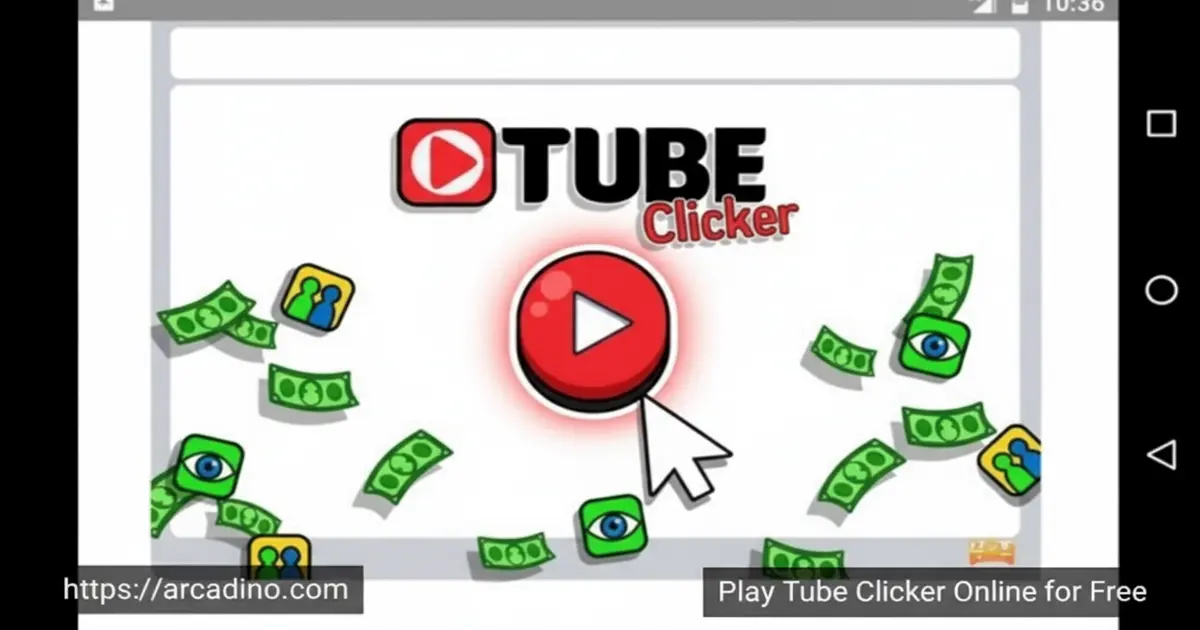
What if every click made you more famous? Tube Clicker puts you in charge of a brand-new video channel, and it’s completely free to play in your browser right now. You start with zero views and zero subscribers — just a play button and a dream. This idle clicker game turns the hustle of building an online audience into something genuinely satisfying. 🎬
It sounds simple, but the upgrade system pulls you in fast. Each decision you make shapes how quickly your channel grows.
- Click-to-view mechanic — every tap generates real in-game views for your channel
- App purchases — buy tools like Auto Views, Facebook Ads, and Photogram to grow automatically
- Subscriber milestones — reach view targets to unlock new followers and better upgrades
- Monetization system — unlock earning features once your channel hits the right size
What Is Tube Clicker?
Tube Clicker is an idle clicker game developed by Cangrejo Ideas, a studio based in Chile. The premise is brilliant in its simplicity: simulate running a video-sharing channel and grow it from nothing into a subscriber powerhouse. It belongs firmly in the incremental clicker genre, alongside games that reward patience and smart resource management.
What makes this title stand out from other clicker games is its theme. Instead of baking cookies or running a factory, you’re navigating the very real-feeling world of views, subscribers, and social media advertising. Playing it in the browser, the click response feels snappy and immediate — there’s no noticeable input lag, which matters a lot when you’re hammering that play button in the early game.
Tube Clicker Gameplay — The Idle Loop That Hooks You
The core loop of Tube Clicker starts with manual clicking. Every tap on the on-screen video player counts as one viewer watching your content. Rack up enough views and you’ll hit your first milestone — 500 views earns your first subscriber. That moment feels genuinely rewarding.
From there, the game opens up into a proper idle experience. You start purchasing apps that generate views automatically every second, so your channel keeps growing even when you stop clicking. The balance between active clicking and passive income is what drives the whole experience forward.
Upgrades and Apps in Tube Clicker
The upgrade system is where this idle hit really gets interesting. You can spend your earnings on tools like Auto Views, Facebook Ads, Photogram, and Fan Pages — each one adds a steady stream of views per second to your total. Unlocking these apps is the key to scaling your channel beyond what manual clicking alone can achieve.
New apps become available as your subscriber count grows, so there’s always a reason to push toward the next milestone. Choosing which upgrade to buy first is a genuine strategic decision. Spending too early on expensive tools can slow your momentum, while waiting too long leaves views on the table.
Ads vs. Passive Apps — The Central Strategy of Tube Clicker
The biggest skill challenge in Tube Clicker is deciding when to spend on advertising apps versus passive view-per-second apps. Advertising tools like Facebook Ads give you a fast burst of views right now, which is great for hitting the next subscriber milestone quickly. But passive apps like Auto Views and Photogram keep adding views every single second — even when you’re not clicking. That steady trickle compounds over time and is what really drives long-term growth.
A smart framework is to think of it this way: use ad-style apps when you’re just a few hundred views short of a subscriber milestone, and prioritize passive VPS apps the rest of the time. Spreading your coins across multiple passive apps is almost always better than dumping everything into one expensive advertising tool early on. The channels that scale fastest in Tube Clicker are the ones that build a strong passive views-per-second base first, then use ad boosts as a finishing move to cross a threshold.
Subscriber Milestones and Progression
Growth in Tube Clicker is tied directly to subscriber count. Hitting specific subscriber thresholds unlocks new apps and capabilities, giving the progression a clear sense of direction. You always know what you’re working toward, which keeps the game from feeling aimless.
Uploading a new video is another key progression tool. A button appears periodically, and clicking it delivers a big burst of views all at once. It’s a smart mechanic that rewards players who stay engaged rather than leaving the game fully on autopilot.
The Subscriber Unlock Ladder — What Opens Up and When
Understanding the subscriber unlock ladder helps you plan ahead instead of just reacting. Your very first subscriber arrives at 500 views, and that immediately opens the shop so you can buy your first app. As you push into the tens and then hundreds of subscribers, new passive apps — each offering higher views-per-second rates — appear in the store one by one. Early tiers unlock cheaper, lower-VPS tools like basic Auto Views; later tiers gate the big-ticket apps like Fan Pages and advanced social media tools that can add thousands of views per second.
Knowing this ladder exists means you can set short-term targets. Instead of clicking aimlessly, you can ask: what subscriber count do I need to reach to unlock the next app? Then build toward that number deliberately — using the Upload Video button and your existing passive apps to get there faster. This turns Tube Clicker from a mindless tapper into a surprisingly strategic planning game.
Monetization and Analytics
Early on, your channel earns nothing directly — you need to build an audience first. Once you hit the required view and subscriber counts, the monetization feature unlocks. After that, every view your channel receives also generates in-game income, which accelerates everything. Crucially, once monetization is active, every single click you make contributes both a view and a coin at the same time — which means your manual clicking suddenly becomes twice as powerful. This changes the calculus completely: staying active and clicking during monetized play is far more valuable than it was in the early game, because every tap now has a double payoff.
The game also gives you basic analytics to track your channel’s performance. Watching those numbers climb is surprisingly motivating. Understanding which apps deliver the best views-per-second helps you make smarter upgrade choices as the numbers get bigger.
How to Play Tube Clicker
Getting started with Tube Clicker is instant — open it in your browser and you’re already a content creator with zero views and everything to prove. Your first job is clicking the video player repeatedly to generate views. Once you hit 500 views, your first subscriber arrives, and the game’s full upgrade system starts to open up.
From that point, focus on saving for your first app purchase as quickly as possible. Automating even a small trickle of views per second makes a huge difference early on. Keep an eye out for the “Upload Video” button too — it appears occasionally and gives your channel a massive views boost when you tap it.
When to Stop Clicking and Buy Your First App
The single most impactful early decision in Tube Clicker is knowing when to stop clicking manually and buy your first Auto Views app. Buy it too soon — before you’ve built up a small coin buffer — and you’ll stall out with barely any passive income and nothing left to spend. Wait too long, and you’re leaving free passive views on the table every second that app isn’t running. A good rule of thumb is to click until you can afford your first app and still have a little left over, so you’re not starting from zero the moment you make a purchase. That small buffer gives you breathing room to click your way to the next purchase without panicking. Getting this timing right in the first two minutes of play can shave a huge amount of time off your run to the first subscriber milestone.
Tube Clicker Controls
Controls in Tube Clicker are built around the mouse. Click the video player on screen to generate views, and use your mouse to navigate the shop and purchase upgrades. On mobile, tap the screen to interact with the video player and the in-game menus.
Tips and Tricks for Tube Clicker
- Buy your first app early: Don’t wait to save for a big upgrade — even a cheap Auto Views app starts building passive income right away.
- Never miss the Upload Video button: That periodic upload prompt delivers a huge view spike; tapping it consistently is one of the fastest ways to reach subscriber milestones.
- Balance ads with long-term growth: Facebook Ads and similar tools give quick view boosts, but spreading your spending across multiple apps builds more stable views-per-second over time.
- Unlock monetization as fast as possible: Once your channel earns income per view, your upgrade speed doubles — prioritize hitting that threshold.
- Check your analytics: The in-game performance data shows which apps are doing the most work; use it to guide your next purchase rather than guessing.
Key Features of Tube Clicker
- Creator simulation theme: You’re not clicking abstract objects — you’re building a real-feeling video channel with views, subscribers, and ad revenue.
- Social media app store: Purchase tools like Photogram, Fan Pages, and Facebook Ads to automate your channel’s growth in distinct ways.
- Video upload mechanic: A periodic upload button delivers massive view boosts and rewards players who stay actively engaged.
- Subscriber-gated progression: New upgrades unlock at specific subscriber milestones, giving the game a clear and satisfying sense of forward momentum.
- In-game monetization unlock: A dedicated channel monetization feature activates once you hit the right size — and it completely changes how fast you grow.
Where to Play Tube Clicker
You can play Tube Clicker for free right in your browser at arcadino.com — no download, no account, no waiting. It runs smoothly on Chrome and other modern browsers, so you can jump in from a school Chromebook, a home PC, or a laptop without any setup. The game is fully accessible without restrictions on the site.
If you prefer playing on your phone, there are mobile versions available too. Grab the Android version on the Google Play Store or the iOS version on the App Store. Always download from official stores only — APK files from random websites can be unsafe.
Does Tube Clicker Work on School Chromebooks?
Yes — and it works really well. Tube Clicker runs entirely in the browser with no WebGL requirements, no Flash, and no plugins to install. That means it loads on low-spec school Chromebooks just as smoothly as on a gaming PC. The game also runs silently by default, with no autoplay audio that could trigger school content filters or draw unwanted attention in a quiet classroom. There are no login prompts, no pop-up ads that require dismissal, and no external redirects — just the game, ready to go. For students looking for a genuinely unblocked experience on a school device, Tube Clicker on arcadino.com is one of the cleanest options available.
For Parents
Tube Clicker is a relaxed, low-stakes game with no violence, no chat, and no social features — just a chill number-watching experience. The game introduces basic concepts like advertising, analytics, and resource management, which have some real-world educational value. While no official age rating from PEGI or ESRB is published for the browser version, the content is simple and appropriate for most primary school-aged children.
There’s no in-app purchasing in the browser version, so there’s no risk of accidental spending. A single session can last anywhere from a few minutes to much longer if your child gets hooked on pushing subscriber numbers higher. Setting a natural stopping point — like reaching the next milestone — works well for managing play time.
Tube Clicker as a Teaching Tool — Creator Economy for Kids
Parents and teachers might be surprised by how closely Tube Clicker mirrors the real mechanics of building a YouTube channel. The game’s monetization unlock mirrors how real creators must reach a subscriber and watch-hour threshold before earning ad revenue — a concept directly parallel to YouTube’s Partner Program. The idea of reinvesting earnings into better tools (higher VPS apps) reflects the real-world creator strategy of reinvesting revenue into better equipment and promotion. Watching your channel’s views-per-second grow through compounding app purchases is a hands-on introduction to the concept of audience growth curves — the same S-curve dynamic that marketing professionals study. Even the tension between spending on ads for a quick spike versus building steady organic growth mirrors real CPM and ROI decisions that businesses face every day. For educators looking for a low-pressure way to introduce entrepreneurship, digital marketing, or even basic economics concepts, Tube Clicker offers a surprisingly rich sandbox to start that conversation.
Similar Games to Tube Clicker
If you love the idle grind of growing a virtual empire one click at a time, these browser clickers are worth trying next.
- Titans Clicker — another idle clicker with a strong upgrade loop, great if you want a different theme after mastering the Tube world.
- Gunspin — a physics-based distance launcher where you spend coins on upgrades to shoot farther each run, offering a different but equally satisfying upgrade-and-retry loop.
Browse more games in the Clicker category to find your next obsession.
FAQs About Tube Clicker
Is Tube Clicker free to play?
Yes, Tube Clicker is completely free in the browser. You don’t need an account or a download to start playing. The browser version has no paywalls blocking your progress.
Who made Tube Clicker?
Tube Clicker was developed by Cangrejo Ideas, a game studio from Chile. They built it as an idle clicker around the theme of growing a video-sharing channel from scratch.
How do you get your first subscriber in Tube Clicker?
Reach 500 views and your first subscriber joins automatically. You earn views by clicking the on-screen video player repeatedly. It’s the game’s first major milestone and unlocks the upgrade system more fully.
What do the apps do in Tube Clicker?
Apps generate views automatically every second without any clicking from you. Tools like Auto Views, Facebook Ads, Photogram, and Fan Pages each add a different number of views per second. Stacking multiple apps is how you scale up to millions of views.
Can you play Tube Clicker unblocked at school?
Yes, Tube Clicker is accessible unblocked on arcadino.com. The site doesn’t require any special software or logins, so it works on school Chromebooks and library computers.
What is the Upload Video button in Tube Clicker?
The Upload Video button appears periodically and gives a large burst of views when you click it. It’s one of the most powerful tools for hitting subscriber milestones quickly. Don’t ignore it when it pops up — the view boost is significant.
Does Tube Clicker have a mobile version?
Yes, mobile versions of Tube Clicker are available for Android and iOS. You can find them through the Google Play Store and the App Store. The browser version on arcadino.com also works on mobile browsers if you’d rather not install anything.
Start Your Channel — One Click at a Time
Tube Clicker nails the fantasy of building a video empire from absolute zero. The combination of manual clicking, smart app purchases, and subscriber milestones creates a loop that’s hard to put down. Watching your channel finally unlock monetization after grinding through the early stages is one of the most satisfying moments in any idle game.
Cangrejo Ideas packed a surprising amount of strategic depth into what looks like a simple clicker. Whether you’re chasing your first million views or trying to optimize the perfect lineup of apps, there’s always a next goal to push toward. Head to arcadino.com, tap that play button, and find out how fast you can go from zero subscribers to a full-blown Tube star.
“}
Gameplay Video


