












Watch one short ad and play ad-free for 30 minutes.
Duck Duck Clicker
Hamdy Elzanqali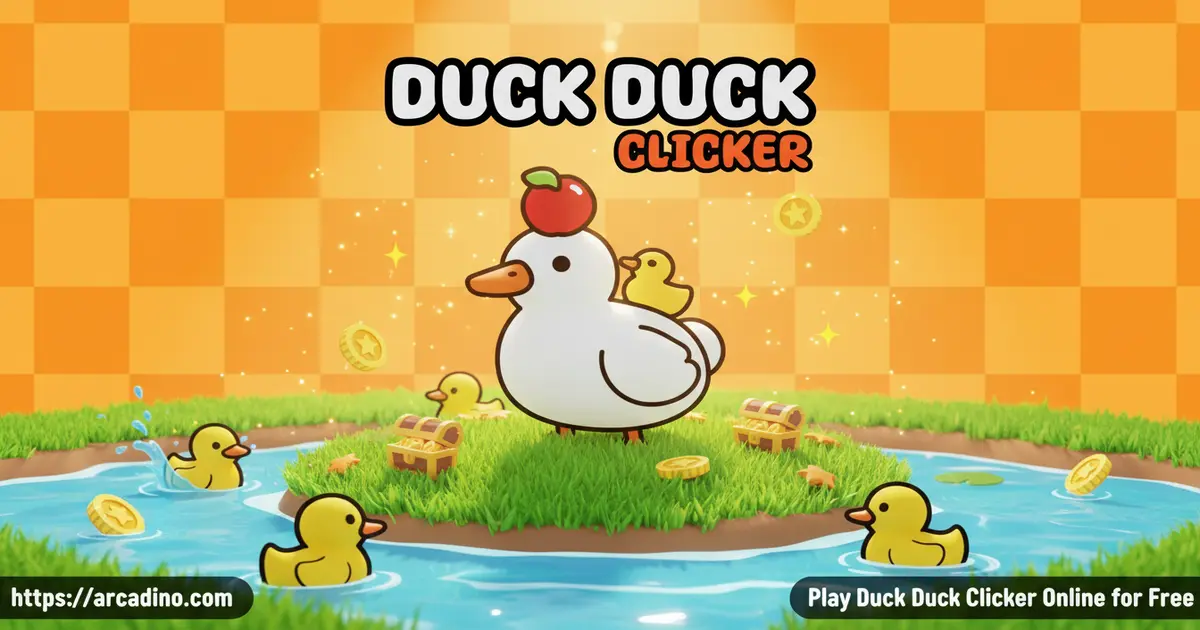
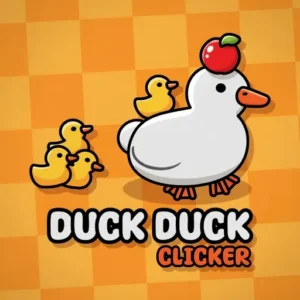
A giant white duck sits in the center of the screen, and every tap makes it more fabulous. Duck Duck Clicker is a free browser clicker game where clicks turn into a whole duck empire. You earn virtual currency, unlock silly outfits, and chase upgrades that keep the numbers climbing. It’s oddly satisfying — and surprisingly hard to stop. 🦆
- Earn Ducket$ with every click on your duck
- Dress your duck in hats, glasses, frames, and necklaces
- Tap golden ducks floating across the screen for instant bonuses
- Unlock achievements and reach the legendary Duck Universe
What Is Duck Duck Clicker?
Duck Duck Clicker is a duck-themed idle clicker game you can play free in your browser. Your simple clicks bring a big white duck to life and hatch countless adorable ducklings along the way. The goal is to grow your duck kingdom by spending Ducket$ on upgrades and collectible accessories. It’s lighthearted, colorful, and genuinely charming.
The game plays smoothly in a standard browser tab with no loading hiccups between clicking and seeing the upgrade menu respond. Controls feel snappy — there’s no delay between your click and the Ducket$ counter ticking up, which matters a lot in a clicker. The visual style is clean and bright, making it easy to read upgrade costs and achievement progress at a glance.
Duck Duck Clicker Gameplay
The core loop is simple but genuinely engaging. You click the duck at the center of the screen to earn Ducket$, then spend those coins on upgrades that make each click — or each second — more valuable. Two upgrade tracks run side by side: Duck Power boosts what you earn per manual click, and the Autoducker generates income even when you’re not touching the screen. Balancing both is where the real strategy hides.
There are 22 total upgrades spread across those two tracks. Auto Click upgrades tend to cost more than Duck Power upgrades, so early on you’ll want to prioritize Duck Power to build your bank. As your Autoducker grows stronger, you can sit back and watch the Ducket$ stack up without lifting a finger. That shift from frantic clicking to relaxed idle watching is the most satisfying part of the whole experience.
Does Duck Duck Clicker Have a Prestige or Rebirth System?
Some players search for ascension, prestige, or rebirth mechanics in Duck Duck Clicker. In the standard browser version of the game, there is no prestige or rebirth system — you don’t reset your progress for a multiplier bonus the way some deeper idle games do. If you’ve seen FAQs about ascending or rebirthing, those likely refer to mechanics in a different or expanded version of the game. The browser edition on arcadino.com is a straightforward click-and-upgrade experience with no reset required. Just keep stacking those Ducket$ and chasing the Duck Universe milestone!
Customization and Upgrades in Duck Duck Clicker
Dressing your duck is just as fun as upgrading it. The bottom-left corner of the screen holds your wardrobe, split into four categories: hats, frames, glasses, and necklaces. Unlike standard upgrades, these items are unlocked through achievements rather than purchased directly with Ducket$. That gives you a second goal to chase beyond just bigger numbers.
Each achievement milestone rewards you with new gear to equip. Mixing and matching accessories makes your duck genuinely unique, and seeing a duck in a full outfit while the Autoducker runs in the background feels like a small victory. The game teases the ultimate challenge too — unlocking the Duck Universe — which gives long-term players something epic to aim for.
Duck Duck Clicker Full Upgrades List
There are 22 upgrades split across the Duck Power and Auto Click (Autoducker) tracks. Duck Power upgrades boost your Ducket$ per click, while Auto Click upgrades grow your passive income per second. Here’s a breakdown of both tracks so you know exactly what’s coming and how to plan your spending:
- Duck Power Track: Rubber Duck, Ducky Splash, Duckling Flock, Duck Parade, Quack Master, Golden Beak, Feather Boost, Super Quacker, Mega Waddle, Ultra Duck, Legendary Quack
- Auto Click Track (Autoducker): Mini Autoducker, Duckling Bot, Quack Machine, Auto Flock, Duck Factory, Turbo Waddle, Quack Engine, Duck Reactor, Hyper Autoducker, Mega Duck Grid, Duck Universe Core
Auto Click upgrades cost significantly more than Duck Power upgrades at every tier. That’s why starting with Duck Power makes sense — you build up Ducket$ faster early on, then reinvest into the pricier Autoducker upgrades once your bank is solid. Knowing the full list helps you plan ahead and avoid getting caught short on coins when a big Auto Click upgrade appears.
Achievements and Rewards
The achievement system in Duck Duck Clicker is tied directly to your cosmetic collection. You can’t just buy your way to a great-looking duck — you have to earn each reward by hitting specific milestones. This design keeps the game from feeling like a pure grind, since unlocking a new accessory feels like a real moment of celebration.
There are many achievements waiting to be discovered, and the game doesn’t hand them all to you at once. Some require patient idle play, while others reward consistent tapping sessions. Checking your achievement progress regularly is a smart habit because you might be just a few clicks away from a new hat or a rare necklace.
Graphics and Audio
Duck Duck Clicker uses a clean, cartoon style that’s bright without being overwhelming. The duck animations are smooth and silly, reacting visibly to your clicks in a way that feels rewarding. The color palette is cheerful and easy on the eyes, which matters when you’re staring at the same screen for an extended clicking session.
The floating yellow duck icons that drift across the screen are a clever visual cue. They pop against the background clearly, so you’ll always spot them before they disappear. That little burst of bonus Ducket$ when you tap one feels like a mini jackpot every single time.
About the Developer
Duck Duck Clicker started as an indie project — the kind of small, passion-driven game built by a solo creator and shared with the world. The original concept was developed independently and later made available across browser platforms, which is how it found its way onto sites like arcadino.com. The 3D follow-up, Duck Duck Clicker 3D, is credited to developer Hamdy Elzanqali, who expanded the idea into a fuller experience with upgraded graphics and more content. That indie-to-platform journey is pretty cool — it means you’re playing a game that grew from a single creator’s idea into something thousands of people enjoy every day. Supporting games like this by playing them is a great way to encourage indie game development.
How to Play Duck Duck Clicker
Getting started takes about five seconds. Open the game in your browser, look for the big white duck in the center, and start clicking. Your Ducket$ total appears at the top of the screen, and upgrade options fill the right-hand column. The upgrade column uses a simple color code: white background means you can afford it, gray means you need more coins.
Keep an eye on the screen while you click — yellow duck icons float across randomly. Tapping them gives you a Ducket$ bonus that can seriously speed up your early progress. Once your Autoducker upgrades are strong enough, the game continues earning for you even when you step away. Duck Duck Clicker is designed to reward both active sessions and passive play.
Controls for Duck Duck Clicker
On desktop, use the left mouse button to click the duck and interact with all menus, upgrades, and accessories. On mobile and tablet, tap the duck at the center of the screen to earn Ducket$. The touchscreen controls are responsive and work well on both phones and tablets. Every button in the UI responds to a single tap or click — nothing requires holding or dragging.
Does Progress Sync Between Browser and Mobile App?
This is one of the most practical questions players ask — and it’s worth a clear answer. Save progress in the browser version of Duck Duck Clicker does not automatically sync with the Android or iOS app versions. Each platform saves your game locally on that device or browser. If you start on a laptop and then download the app, you’ll be starting fresh on mobile. For that reason, it’s best to pick one version and stick with it for your main playthrough. Think of the browser and app editions as separate duck empires running in parallel.
How Long Should You Play Each Session?
Here’s a tip most guides don’t cover: the Autoducker has a sweet spot for idle play. If you check back every two minutes, you’re spending too much time managing small amounts. If you leave for hours, you may be sitting on a huge pile of Ducket$ without having spent them on upgrades that could have been earning more. The ideal idle window is roughly 20 to 30 minutes offline — that’s usually enough time for your Autoducker to build a solid lump sum worth spending on multiple upgrades in one go. Coming back with a big batch to spend feels way better than trickling coins in one upgrade at a time. Set a short timer, step away, then return for a satisfying upgrade spree.
Tips and Tricks for Duck Duck Clicker
- Buy Duck Power upgrades first: They cost less early on, letting you build Ducket$ faster before investing in pricier Autoducker tiers.
- Always tap the floating yellow ducks: These bonus icons appear randomly and give you a free Ducket$ boost — missing them is leaving money on the table.
- Check upgrade colors before clicking: White background upgrades are ready to buy. Don’t spend time scrolling past grayed-out ones you can’t afford yet.
- Chase achievements actively: Accessories only unlock through achievements, not purchases. Knowing which milestone is closest helps you target your clicking sessions.
- Switch to idle play once Autoducker is strong: When your automatic income per second is high, step back and let it run. Then return to spend a big batch of saved Ducket$ on multiple upgrades at once.
- Use the 2x ad bonus at the right moment: Some versions of Duck Duck Clicker let you watch a short ad to double your earnings for two minutes. Don’t activate it during early low-income clicking — save it for when your Autoducker is already strong and you’re about to buy expensive upgrades. Two minutes of doubled passive income right before a big purchase can shave a lot of waiting time off your session.
Key Features of Duck Duck Clicker
- Ducket$ economy: A dedicated virtual currency system with its own name makes the game feel like its own little world.
- 22 upgrades across two tracks: Duck Power and Auto Click give players two distinct ways to grow their earnings.
- Four accessory categories: Hats, frames, glasses, and necklaces let you build a genuinely custom duck look.
- Achievement-gated cosmetics: Every wearable item must be earned through milestones, not bought directly — adding a real sense of progression.
- Floating golden duck bonuses: Random bonus ducks appear mid-session, keeping even idle stretches exciting and interactive.
Where to Play Duck Duck Clicker
You can play Duck Duck Clicker free online right in your browser — no account, no download, and no setup required. It works on desktop, laptop, tablet, and mobile browsers without any extra steps. Head to arcadino.com to launch it instantly, and it’s accessible without restrictions so school or library browsers won’t block you.
If you prefer playing on your phone directly from an app, official versions are available on both major mobile stores. Download the Android version from the Google Play Store or grab it on iPhone and iPad from the Apple App Store. Stick to those official links — avoid downloading APK files from unknown sites, as they can carry security risks.
For Parents
Duck Duck Clicker is a gentle, non-violent clicker game built around a cartoon duck. There’s no chat system, no competitive multiplayer, and no mature content — just clicking, upgrading, and dressing up a duck. The currency is fictional Ducket$, so kids aren’t exposed to real-money pressure during normal play. It’s a solid pick for ages 8 and up.
The game does include an option to watch a short ad in exchange for a 2x earnings bonus that lasts two minutes. This is an optional feature — kids are never forced to watch an ad to keep playing. However, parents of younger children may want to explain what ads are and that they’re separate from the game itself. The good news is that this mechanic is easy to ignore entirely; all core gameplay is fully accessible without ever tapping the ad offer. Play sessions are naturally self-paced — there’s no timer forcing kids to stay glued to the screen. Short, 20–30 minute sessions work especially well with this type of idle clicker, since the Autoducker builds up a satisfying amount of Ducket$ in that window without requiring constant attention.
Similar Games to Duck Duck Clicker
If you love the satisfying click-and-upgrade loop of Duck Duck Clicker, these browser clicker games are worth exploring next:
- Cookie Clicker — The classic idle clicker that started the genre. It’s a bigger challenge with deeper upgrade trees, but the same relaxing rhythm.
- Candy Clicker — A sweet-themed clicker with a similar format to this duck game, swapping Ducket$ for candy-based currency.
- Candy Clicker 2 — The sequel to Candy Clicker, with more upgrades and sugary goals to chase at your own pace.
- Duck Duck Clicker 3D — The 3D follow-up to this title, featuring improved graphics, more outfit options, and new upgrades.
Browse more titles like these in the Clicker category.
FAQs About Duck Duck Clicker
What is Duck Duck Clicker?
Duck Duck Clicker is a free browser clicker game where you earn Ducket$ by clicking a duck. You spend those coins on upgrades and unlock accessories through achievements. The goal is to grow your duck kingdom and eventually reach the Duck Universe. It works on desktop, mobile, and tablet with no download needed.
How do you get clothes and accessories in Duck Duck Clicker?
Accessories are unlocked through achievements, not purchased directly. The four categories — hats, frames, glasses, and necklaces — all open up as you hit specific milestones. You can check your equipped items using the four icons in the bottom-left corner of the screen. Keep playing consistently to unlock new pieces and build your duck’s look.
What is the Duck Universe in Duck Duck Clicker?
The Duck Universe is the ultimate endgame achievement in Duck Duck Clicker. It’s the biggest milestone the game teases, rewarding players who collect all achievements and push their duck empire to the limit. Think of it as the final boss of the clicking journey. Work through every achievement category to get there.
What are the Duck Power and Auto Click upgrades?
Duck Power upgrades increase how many Ducket$ you earn per manual click. Auto Click upgrades — also called Autoducker — generate Ducket$ automatically without any clicking. There are 22 total upgrades split across both tracks. Auto Click upgrades generally cost more, so building Duck Power early is a smart strategy.
Does Duck Duck Clicker have a prestige, ascension, or rebirth system?
No — the standard browser version of Duck Duck Clicker does not have a prestige, ascension, or rebirth mechanic. You don’t reset your progress to earn a multiplier bonus like in some other idle games. If you’ve come across FAQs mentioning these features, they likely refer to a different or expanded version of the game. In the browser edition, progression is linear: keep clicking, keep upgrading, and work toward the Duck Universe.
How do you get the golden duck bonus?
Tap the yellow duck icons that randomly float across the screen. They appear during normal play and disappear quickly if you miss them. Tapping one gives you a free Ducket$ bonus on top of your regular earnings. Keeping one eye on the background while managing upgrades is the best way to catch them consistently.
Can you play Duck Duck Clicker on mobile?
Yes, Duck Duck Clicker runs on mobile browsers and also has dedicated apps. The browser version works on any smartphone or tablet without downloading anything. Official apps are available on the Google Play Store and the Apple App Store. Tap controls are fully supported and feel smooth on touchscreens.
Is Duck Duck Clicker free?
Yes, Duck Duck Clicker is completely free to play. The browser version on arcadino.com costs nothing and requires no account or subscription. All core gameplay — clicking, upgrading, and unlocking achievements — is available without any paywall. The app versions on mobile are also free to download from their official stores.
Conclusion
Duck Duck Clicker nails what a great clicker needs: a satisfying core loop, real strategic depth through its dual upgrade system, and a cosmetic reward structure that feels genuinely earned. The 22 upgrades across Duck Power and Auto Click keep progression interesting long after the first few minutes. And chasing every achievement to unlock all four accessory categories gives the game surprising staying power.
If you’ve ever wanted to turn a cartoon duck into the most stylishly dressed bird in gaming history, this is your chance. Fire it up on arcadino.com, start stacking those Ducket$, and see if you have what it takes to reach the Duck Universe.
Gameplay Video


