

























Watch one short ad and play ad-free for 30 minutes.
Capybara Clicker 2
Euclides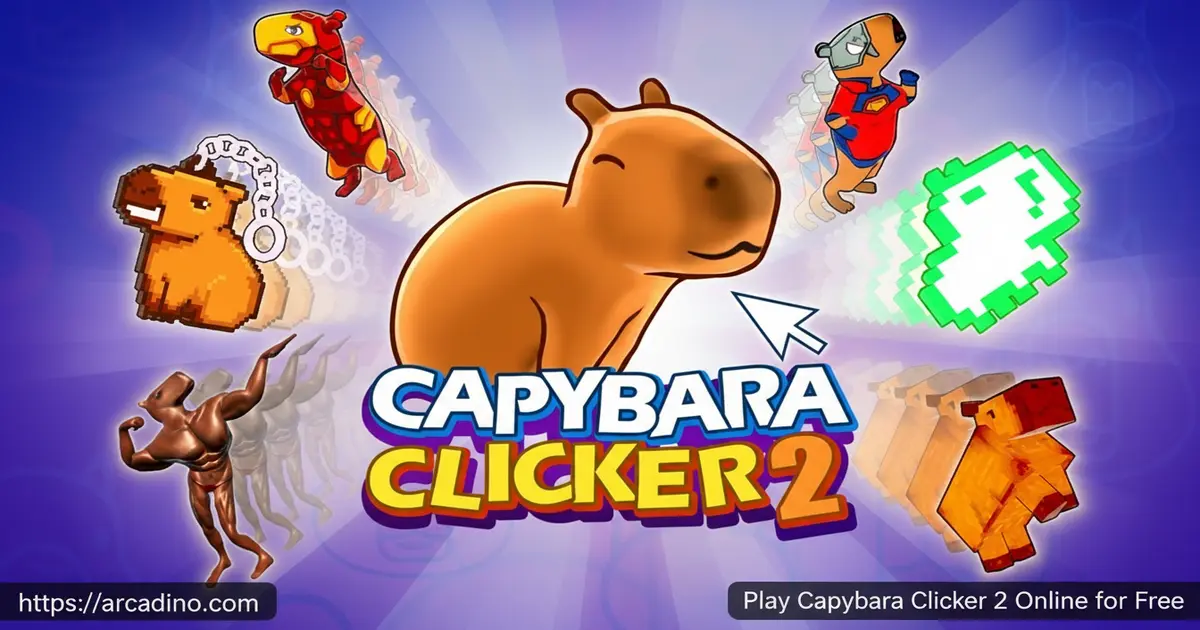
What happens when an adorable capybara meets an unstoppable clicker game? You get Capybara Clicker 2 — a free browser sequel that’s bigger, bouncier, and way more satisfying than the original. Your goal is wild: build an entire capybara galaxy, one click at a time. The game runs instantly online, so there’s zero waiting around before the tapping begins.
This idle clicker rewards fast fingers and smart upgrades equally. A double energy bar, dynamic weather shifts, and loads of new skins give this sequel real staying power. Whether you loved the first game or you’re brand new to capybara chaos, this one hooks you fast.
- Double energy bar that temporarily doubles your capybara output when full
- Dynamic weather system that changes your environment and affects gameplay
- Wide range of unlockable skins to customize your capybara colony
- Idle progression so your colony keeps growing even when you step away
What Is Capybara Clicker 2?
Capybara Clicker 2 is the sequel to the hugely popular capybara-themed incremental clicker game. It was developed by Euclides as part of the CrazyGames Originals lineup. The core mission is simple: click a capybara to multiply your population, spend your coins on upgrades, and grow the biggest capybara colony imaginable. This sequel improves on the original with refined mechanics, a richer upgrade system, and a living world that actually changes around you.
The controls respond instantly with no noticeable delay — even on a basic laptop browser — which makes rapid clicking genuinely satisfying rather than frustrating. The 3D visuals are charming and colorful, and the capybara animations are consistently funny. It’s the kind of sequel that respects what made the first game great while adding enough new content to feel fresh. 😄
Capybara Clicker 1 vs. Capybara Clicker 2: What Actually Changed?
If you played the original, you might be wondering what’s actually different in the sequel. The first game was a straightforward clicker with flat 2D-style visuals and a basic upgrade list. Capybara Clicker 2 upgrades to full 3D graphics with smoother animations and a world that genuinely feels alive. The biggest new mechanic is the double energy bar — the original had nothing like it. The weather system is entirely new too, shifting your environment between sunny days and rainy spells, each affecting how your colony grows. The upgrade tree is also much deeper, with three clear categories — click power, auto-generators, and population multipliers — compared to the simpler list in the first game. If you stalled out on the original, the sequel’s expanded idle mechanics mean your colony keeps growing even when you put the device down, which is a game-changer for long-term play.
Gameplay — Clicking, Coins, and a Growing Colony
The main loop of Capybara Clicker 2 starts with a single yellow capybara in the center of your screen. You click it repeatedly to earn coins and generate more capybaras. As your coin pile grows, you unlock upgrades that boost your clicking power, automate capybara generation, and multiply your overall growth rate.
The loop stays engaging because there’s always a next milestone to chase. Reach enough capybaras and you unlock new stages and fun visual changes. The game balances active clicking and idle progression beautifully — your colony keeps expanding in the background, so logging back in after a break always feels rewarding.
Dynamic Weather System
One of the biggest additions in this sequel is the dynamic weather system. Your capybara world shifts through different weather patterns and seasons — from sunny skies to rainy days — creating a genuinely living environment. These aren’t just pretty backdrops, either. Weather changes can influence how fast your capybara population grows and unlock special in-game events. For example, a sunny spell can trigger a warmth bonus that visibly speeds up your capybara count, while a rainy period may unlock a splash event that showers your colony with bonus coins.
Paying attention to weather patterns is actually part of the strategy. Certain conditions can supercharge your colony’s growth, so smart players learn to take advantage of the shifts. This feature alone gives the game more depth than a typical idle clicker.
Customization and Upgrades
The upgrade system in Capybara Clicker 2 is a serious improvement over the original. Early upgrades focus on click multipliers that pay off quickly, while later ones shift toward automation and massive population boosts. Choosing what to buy first is a real strategic decision that shapes how fast your colony grows.
On top of upgrades, the game offers an impressive selection of skins to personalize your capybaras. Unlocking new looks requires collecting enough capybaras, which ties customization directly into your progression. Your colony can look completely unique, and showing off a rare skin feels genuinely satisfying.
Levels and Progression
Reaching population milestones unlocks new stages and visual environments throughout the game. Each new habitat gives your capybara empire a fresh atmosphere and keeps the experience from ever feeling repetitive. The sense of constant progression — always something new around the corner — is exactly what makes idle clickers so addictive.
A small flying capybara will occasionally zip across the screen during your session. Click it before it disappears to grab bonus coins. These little moments of opportunity break up the rhythm nicely and reward attentive players.
How to Play Capybara Clicker 2
Getting started is instant. Click the capybara in the center of your screen to earn coins and watch your population climb. Spend those coins on upgrades as soon as you can — early click multipliers make a noticeable difference right away. The energy bar on the left side of the screen is your most important thing to watch during active play.
When the energy bar fills up completely, your capybara output doubles for a burst period. This is the moment to click as fast as possible to maximize your gains. Stack that energy boost with strong multiplier upgrades and your colony can grow at a stunning rate. Keep reinvesting in automation upgrades so your colony never stalls even when you’re idle.
Controls for Capybara Clicker 2
The controls are as simple as clicking gets. Use your left mouse button to click the capybara and to select any upgrade or menu option on screen. On mobile or tablet, tap the screen wherever you’d click with a mouse — the touch controls are equally responsive. There are no complex key combinations to memorize, which makes this clicker instantly accessible for players of all ages.
Tips and Tricks for Capybara Clicker 2
- Invest in multipliers first: Early click multiplier upgrades pay back their cost within seconds — prioritize them over everything else in the opening minutes.
- Watch the energy bar closely: The double-output burst only lasts while the bar is full, so time your most intense clicking sessions around it for maximum colony growth.
- Chase flying capybaras: When a small capybara flies across the screen, click it immediately — the bonus coins add up significantly over a full session.
- Buy automation upgrades mid-game: Auto-clickers and idle multipliers keep your population growing even when you stop actively clicking, so grab them before longer breaks.
- Pay attention to weather shifts: Certain weather conditions boost your capybara generation rates, so recognize the patterns and plan your most active clicking around them.
Upgrade Priority: Early, Mid, and Late Game Breakdown
Knowing when to switch upgrade categories is what separates fast growers from players who stall in the middle of the game. In the early game, spend every coin on click power upgrades — these are the cheapest options and they multiply what each tap earns almost instantly. Once your per-click income feels strong and you’re earning coins even between taps, you’ve hit the mid-game transition point: that’s when auto-generators become worth buying. Auto-generators are the upgrades that produce capybaras passively without any clicking, and stacking several of them is what makes idle progression really take off. In the late game, population multipliers become your best friends — these are expensive upgrades that apply a percentage bonus to your entire colony’s output, so the bigger your base numbers already are, the more powerful they become. A good rule of thumb: if you can afford a population multiplier in the first few minutes, you bought it too early. Wait until your auto-generators are pulling real numbers, then layer multipliers on top for explosive growth.
Key Features of Capybara Clicker 2
- Double energy bar system: A unique mechanic that temporarily doubles capybara output when maxed, rewarding bursts of rapid clicking.
- Dynamic weather and seasons: Real weather shifts that change the atmosphere and can directly affect your colony’s growth rate.
- Overhauled upgrade system: A deeper progression tree than the original, with meaningful choices between click power, automation, and population multipliers.
- Unlockable skins and customization: A wide variety of capybara appearances to collect, tied directly to your population milestones.
- Flying bonus capybaras: Random on-screen bonus events that reward sharp-eyed players with extra coins during active sessions.
Where to Play Capybara Clicker 2
Capybara Clicker 2 runs directly in your web browser with no download or account required. It works smoothly on desktop, laptop, tablet, and mobile — the same browser version covers all of them. You can play it free right now on Arcadino, where it’s fully accessible without restrictions.
If you prefer playing on your phone, official mobile apps are available too. Grab the game on Android via the Google Play Store or on iPhone and iPad through the Apple App Store. If you’ve seen APK files for this game on third-party sites, stick to the official stores — unofficial APKs can carry security risks that just aren’t worth it.
Can You Play Capybara Clicker 2 Unblocked at School or Work?
Yes — the browser version of Capybara Clicker 2 on Arcadino doesn’t require any special tools, plugins, or VPNs to run. The game itself has no regional locks or access restrictions built in. If the game won’t load on a school or work device, that’s a network-level filter set by your institution rather than a restriction inside the game. Many schools block gaming sites by category, so whether you can access it depends on your specific network’s rules. The cleanest workaround is to play on your own device using mobile data rather than the school or office Wi-Fi — no mirrors or unofficial versions needed, and you get the same full experience safely through the official site.
How Does Capybara Clicker 2 Save Your Progress?
Capybara Clicker 2 saves your progress automatically using your browser’s local storage — no account, no login, and no manual save button required. Local storage means your colony data is saved directly on your device, tied to the specific browser you’re using. This is great news for convenience, but there are a few things to watch out for. If you clear your browser’s cookies or site data, your progress will be wiped, so avoid doing that mid-session. Playing in incognito or private browsing mode is also a bad idea for long sessions, because most browsers don’t keep local storage data once a private window is closed — you’ll lose everything when you exit. If you switch to a different browser or a different device, your save won’t carry over either, since local storage is not synced across devices. Stick to the same regular browser on the same device for the best experience, and you’ll never lose your capybara empire unexpectedly.
For Parents
Capybara Clicker 2 is a calm, kid-friendly idle clicker with no violence, no chat features, and no competitive pressure. The gameplay involves simple clicking and basic upgrade decisions, which can help younger players practice planning and prioritization in a low-stakes environment. There are no in-app purchases in the free browser version, so there’s nothing to accidentally spend on.
The game’s relaxed pace makes it a good choice for winding down after school rather than before bed. Sessions can be as short or as long as you like — the idle mechanics mean there’s no penalty for stopping at any time. In our view, this is a genuinely relaxing title suitable for ages 8 and up, with enough depth to hold attention beyond a few minutes.
One detail that makes this game unusually screen-time-friendly is the idle mechanic itself. Because the colony keeps growing even when the game isn’t open, children don’t need to sit glued to the screen to make progress. A quick two-minute check-in — collect the coins that built up, buy an upgrade, then put the device down — is just as rewarding as a longer session. This design actively rewards short bursts of play rather than marathon sitting, which is a meaningful distinction from action games that punish you for stepping away. Parents looking for something that fits naturally into time-limited screen windows will find Capybara Clicker 2 much easier to manage than most games in this genre.
Similar Games to Capybara Clicker 2
If growing a capybara colony has you hooked on idle clickers, these browser games scratch the same satisfying itch:
- Capybara Clicker — The original game that started it all; a great way to see how far the sequel has come.
- Capybara Clicker Pro — A polished spin-off version with its own set of upgrades and capybara challenges.
- Cookie Clicker — The legendary idle clicker that defined the genre, with deep upgrade trees and billions of cookies to bake.
Browse more games like this in the Clicker category.
FAQs About Capybara Clicker 2
What is Capybara Clicker 2?
Capybara Clicker 2 is a free browser-based idle clicker where you click to grow a capybara colony. It’s the sequel to the original Capybara Clicker, developed by Euclides as a CrazyGames Original. The game adds a dynamic weather system, a double energy bar, and a much deeper upgrade system compared to its predecessor.
Is Capybara Clicker 2 free to play?
Yes, Capybara Clicker 2 is completely free in your browser. There are no hidden costs or in-game purchases in the browser version, so you get the full experience without spending anything. Official mobile apps are also available on iOS and Android for gaming on the go.
How does the energy bar work?
The energy bar fills up as you click, and when it’s completely full it doubles your capybara output for a limited burst — making it the biggest short-term boost in the game. Every click during that burst generates twice as many capybaras as normal. Timing your fastest clicking sessions around a full energy bar is the single most effective way to grow your colony quickly.
What do weather changes do in the game?
Weather changes shift the visual environment and can boost your capybara generation rate. Different weather patterns — like rain or sunshine — affect how fast your colony grows and can trigger special in-game events. It’s worth paying attention to the current weather rather than just clicking on autopilot.
Can I play Capybara Clicker 2 on my phone?
Yes, the game works on mobile through the browser or via the official apps. The browser version runs on any smartphone or tablet, and touch controls work just as well as mouse clicks. Official apps are available on the Google Play Store and Apple App Store.
How do upgrades work in Capybara Clicker 2?
Upgrades are purchased with the coins you earn from clicking your capybara. Early upgrades boost how many capybaras each click produces, while later ones automate generation and multiply your entire colony’s output. Investing in click multipliers first and automation upgrades mid-game is the most efficient path to a massive population.
Does my progress save automatically?
Yes — Capybara Clicker 2 saves your progress automatically using your browser’s local storage, so you don’t need an account or a manual save button. Your colony data is stored on your device and tied to the specific browser you’re using. Avoid clearing your browser’s site data or cookies, as that will erase your save. Also avoid playing in incognito or private mode for long sessions — most browsers delete local storage when a private window closes, which means your progress disappears when you exit. As long as you play in a regular browser window on the same device, your colony will be right where you left it every time you return.
Does progress carry over from the original Capybara Clicker?
No, Capybara Clicker 2 is a standalone sequel with its own fresh progression. Your saves from the first game don’t transfer, but that’s actually a good thing — the sequel’s expanded systems give you a whole new empire to build from scratch. Starting over feels rewarding rather than frustrating thanks to the improved early-game pacing.
Conclusion
Capybara Clicker 2 takes everything that made the original game so weirdly lovable and cranks it up significantly. The double energy bar adds a pulse-quickening burst mechanic that the first game never had. The dynamic weather system turns your colony’s world into something that genuinely feels alive, not just a static backdrop behind endless clicking.
Add a deeper upgrade tree, flying bonus capybaras, and a wardrobe full of unlockable skins, and you’ve got an idle clicker that’s easy to pick up but genuinely hard to put down. If building the ultimate capybara galaxy sounds like your kind of afternoon, head to Arcadino and start clicking — your colony won’t build itself.
Gameplay Video


