


























Watch one short ad and play ad-free for 30 minutes.
Plants Vs Zombies
PopCap Games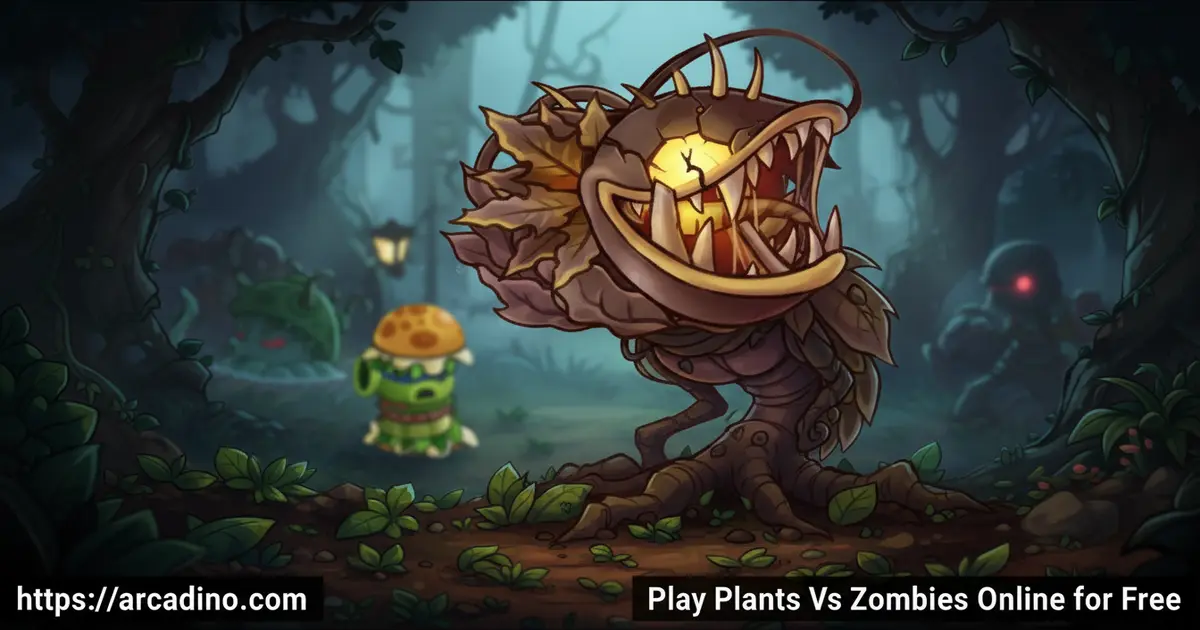
Your lawn is the last line of defense, and the zombies aren’t slowing down. Plants vs Zombies drops you into a frantic battle where your garden is your weapon — and it’s free to play online right now. This PopCap classic has won over 30 Game of the Year awards for a reason. Every level throws something new at you, and the tension never lets up. 🌻
Whether you’re facing fog-covered lawns or rooftop sieges, the challenge stays fresh across all 50 levels. It’s one of those games you pick up for five minutes and suddenly it’s been an hour.
- 49 unique plants to unlock and deploy against zombie waves
- 26 different zombie types, each with their own tricks and weaknesses
- 50 Adventure mode levels across wildly different environments
- 46 achievements to chase down as you get better at the game
What Is Plants vs Zombies?
Plants vs Zombies is a tower defense game developed by PopCap Games and published by Electronic Arts. You place plants strategically across your lawn to stop incoming zombie waves from reaching your house. The mix of quick thinking, plant management, and humor makes it stand out in the tower defense genre. It originally launched on May 5, 2009, and players still call its reviews “Overwhelmingly Positive” on Steam — 98% positive across over 41,000 reviews.
Playing the browser version, the visuals are crisp and the action loads without long waits — the cartoon art style holds up beautifully on modern screens. It’s immediately clear why this title became a genre milestone. The moment your first Peashooter starts pelting zombies, the addictive loop kicks in hard.
Gameplay — How Plants vs Zombies Works
The core idea is simple: place plants in rows to block and destroy zombies marching toward your door. You spend sunlight — the game’s resource — to plant your defenders, and that sunlight is always in short supply. Peashooters attack in a straight line, Wall-nuts block zombies cold, and Cherry Bombs wipe out clusters in one explosive burst. Knowing which plant to drop where, and when, is everything.
Zombies aren’t mindless shufflers here. Pole-vaulters leap over your front row. Snorkelers slip under your aquatic defenses in pool levels. Bucketheads absorb far more damage than regular zombies before going down. Every new zombie type forces you to rethink your layout on the fly, and that’s what keeps the strategy loop so satisfying wave after wave.
Plant Counters — How to Beat Every Zombie Type
Plants vs Zombies is secretly built like a soft rock-paper-scissors game. Most zombies have a specific plant that hard-counters them, and knowing those matchups makes tough levels way easier. Pogo Zombies bounce right over your plants — but drop a Spikeweed in their lane and they can’t jump at all. Bucketheads and Football Zombies carry metal gear that soaks up tons of damage, but a Magnet-shroom rips their helmet or helmet right off in seconds, making them easy to finish off. Gargantuars hit incredibly hard, but Cob Cannons and instant-use plants like Cherry Bombs can burst them down before they reach your back rows. The trick is to scout the wave before it arrives, spot the special zombie types, and swap in the right counters for that level. Once you start thinking in matchups instead of just spamming your favourite plants, you’ll rarely lose a level again.
Levels and Progression in Plants vs Zombies
Adventure mode runs across 50 levels set in completely different environments. You’ll battle through daytime lawns, night stages where visibility drops, foggy yards that hide approaching threats, a rooftop with gutters instead of soil, and even a swimming pool. Each environment changes which plants you can place and where, so no two stretches of the game feel identical.
As you clear levels, you earn more plants to add to your collection. You start with a handful of basics and gradually unlock all 49 plant types. Coins you collect along the way can be spent on a pet snail and power-ups from the in-game shop. The progression curve is generous — you’re always unlocking something new just when the challenge ramps up.
Game Modes and Challenges
Beyond Adventure mode, Survival mode keeps the stakes high with a continuous wave format that never lets you breathe. There’s no finish line — you just survive as long as possible while zombie hordes grow increasingly aggressive. It’s the perfect mode to test the strategies you’ve built up across the main campaign.
Survival strips away the story pacing and gets straight to the pressure. Managing your limited planting slots against relentless waves is where Plants vs Zombies really shows its depth. Players who think they’ve mastered the game often meet their match here fast.
Achievements and Rewards
There are 46 achievements to unlock, each tied to specific in-game actions and milestones. Some reward smart play, like surviving particularly brutal waves, while others celebrate exploration and experimentation with different plant combinations. Chasing them all gives you a real reason to replay levels you’ve already beaten.
Coins are the other big reward loop. You collect them during gameplay and can buy up to 600,000 coins directly from the main menu if you want to speed up your collection. The Almanac feature logs every plant and zombie you’ve encountered, so completionists have plenty to keep them hunting. It’s a small detail, but seeing your Almanac fill up feels genuinely satisfying.
Using the Almanac as Your Secret Strategy Guide
Most players treat the Almanac like a trophy shelf — a place to see which plants and zombies they’ve found so far. But it’s actually one of the most useful tools in the whole game. Before you start a hard level, open the Almanac and look up the zombies that are coming. Each entry lists exactly what that zombie does, what makes it tough, and sometimes hints at what slows it down. If you know a Ladder Zombie is on the next wave, you can make sure you’ve got a Tall-nut ready — because Ladder Zombies can prop their ladder against a Wall-nut and climb straight over it. Reading entries for new zombie types before you face them turns a surprise ambush into a planned defence. It’s like doing your homework before a test, except the homework is way more fun.
How to Play Plants vs Zombies
Getting started takes seconds. Choose a level from Adventure mode, and the game shows you which plants are available before the round begins. You pick your loadout, then place plants by clicking or tapping your preferred row as the zombies approach. Sunlight drops from the sky and from Sunflowers you plant — collect it fast, because every plant costs sun to deploy.
The pacing starts gentle, but the game moves quickly once fog rolls in or pool levels begin. Keep an eye on your right side — that’s where the zombies march from — and always have a Wall-nut ready for the front row when things get hectic.
Controls for Plants vs Zombies
On desktop, use your mouse to select plants from the seed slot bar at the top and click the lane where you want to place them. Collect sunlight by clicking the glowing orbs before they disappear. On mobile, tap a plant card to select it, then tap the tile on your lawn to place it — the touch controls feel smooth and responsive on both phones and tablets.
Tips and Tricks for Plants vs Zombies
- Plant Sunflowers first, always. More Sunflowers mean more sun income, which means you can afford stronger plants faster as the wave builds.
- Don’t ignore Wall-nuts. A well-placed Wall-nut in your front row buys huge amounts of time, especially against fast zombie types like pole-vaulters.
- Save Cherry Bombs for clusters. These one-use explosives are too powerful to waste on single zombies — hold them for when a tight group pushes through your defenses.
- Check the Almanac before hard levels. Knowing a zombie’s special ability before it arrives on your lawn lets you prepare the right plant counter in advance.
- Adapt your layout to each environment. Pool levels need aquatic plants in water lanes, and foggy levels need Planterns or Torchwood to reveal hidden threats before they’re on top of you.
Key Features of Plants vs Zombies
- 49 plants with distinct roles — from ranged attackers like Peashooters to blockers like Wall-nuts and area-clearers like Cherry Bombs
- 26 zombie types with individual behaviors, including snorkelers, pole-vaulters, and heavily armored bucketheads
- Five distinct level environments — day, night, fog, rooftop, and swimming pool — each changing how you build your defense
- Survival mode for endless wave defense that tests your strategy beyond the structured campaign
- The Almanac, an in-game encyclopedia that tracks every plant and zombie you’ve encountered with full descriptions
Where to Play Plants vs Zombies
You can play Plants vs Zombies free online at arcadino.com — no download required and no account needed to jump in. The browser version is accessible without restrictions, so you can get straight into your lawn defense. It runs smoothly in any modern browser on desktop or laptop.
For mobile players, the official app is available for both Android and iOS. Grab it from the Google Play Store or the Apple App Store for the full mobile experience. If you’re ever tempted by unofficial APK files from third-party sites, skip them — they can contain harmful software and aren’t the real game. Stick to official sources for a safe download.
Note: Plants vs. Zombies HD is currently being phased out of some digital storefronts, but the game’s servers remain active. For players looking for the freshest official way to experience the game on PC, keep an eye out for Plants vs. Zombies: Replanted, a remastered version of the original that PopCap has announced. Always check official EA and PopCap channels for the most current availability information.
Browser vs. App — What’s the Difference?
If you’re deciding between the browser version and the official mobile app, here’s what you need to know. Playing on Arcadino in your browser is the fastest way to jump in — there’s nothing to download and no sign-in needed. Keep in mind that browser sessions may not save your progress between visits the same way the installed app does, so it’s best for picking up a few levels at a time rather than a long campaign run. The mobile app saves your progress automatically and gives you the full 50-level Adventure mode with smooth touch controls, making it the better pick if you want to track your collection over time. On a tablet, the app feels especially great because the bigger screen lets you spot zombie waves earlier and place plants more precisely. On desktop, the browser version is hard to beat for quick play — the mouse controls are crisp, and the larger display makes juggling multiple lanes much easier than on a phone.
Desktop and Steam System Requirements
If you want to play Plants vs Zombies through Steam rather than in your browser, make sure your computer is up to date. As of January 1, 2024, the Steam client requires Windows 10 or newer — Windows 7, 8, and 8.1 are no longer supported. Support for 32-bit Windows and macOS 10.14 (Mojave) was also dropped from February 15, 2024. If your PC runs Windows 10 or later, you’re good to go on Steam. If you’re on an older system or a Mac, the browser version on Arcadino is your easiest option with no compatibility worries at all.
For Parents
Plants vs Zombies is rated E10+ by the ESRB, meaning it’s designed for players aged 10 and up. Content descriptors include Fantasy Violence, Mild Blood, and Simulated Gambling — the violence is cartoonish, and the zombies are funny rather than scary. There’s no chat system or online multiplayer, so kids play in a fully self-contained experience without stranger interaction.
The game does include in-app purchases, primarily for coin packs used to buy power-ups and cosmetics. You can disable in-app purchasing through your device settings to prevent accidental or unauthorized spending. Sessions are naturally broken up by level structure, making it manageable to set time limits without mid-game disruptions.
Similar Games
If you love the strategic zombie-stopping action of Plants vs Zombies, these titles in the same family are worth exploring next.
- Plants vs Zombies 2 — The sequel adds time-travel worlds and even more plants, building directly on everything that made the original great.
- Plants vs Zombies 3 — The latest entry in the series brings new mechanics and a fresh visual style to the beloved plant-vs-zombie formula.
- Plants vs Zombies Garden Warfare — This spin-off flips the formula into a third-person shooter where plants and zombies battle across 3D arenas.
- Plants vs Zombies Garden Warfare 2 — The sequel to Garden Warfare expands the roster and adds even more modes to the action-packed plant-versus-zombie shooter.
- Plants vs Zombies: Battle for Neighborville — A full third-person shooter set in the PvZ universe with a story mode and team-based multiplayer across a colourful open world.
- Plants vs Zombies Heroes — A card-based strategy game featuring iconic characters from the series in a new collectible card battle format.
Explore more games like this in the Horror category on Arcadino.
FAQs About Plants vs Zombies
Is PvZ shut down?
Plants vs. Zombies HD is being removed from digital stores, but it’s not fully shut down yet. In-game purchases have been disabled, and the game’s online features are expected to wind down — check EA’s official channels for the confirmed shutdown date, as it may change. Good news: PopCap has announced Plants vs. Zombies: Replanted, a remastered version of the original game. If you’re worried about losing access, Replanted is the upcoming official way to keep playing the classic experience on modern platforms.
Can you still play Plants vs Zombies online for free?
Yes, you can still play Plants vs Zombies free in your browser. Arcadino hosts the game for instant online play without any download or account. The official mobile app is also still available on the App Store and Google Play.
Is Plants vs Zombies appropriate for kids?
Plants vs Zombies is rated E10+ — suitable for ages 10 and up. The content includes cartoon violence and mild blood, but the tone is consistently playful and humorous. There’s no real-world chat or multiplayer, which makes it a lower-risk choice for younger players.
How many plants are in Plants vs Zombies?
There are 49 plants total to unlock and use. They range from basic attackers like the Peashooter to explosive options like the Cherry Bomb and defensive blockers like Wall-nuts. You unlock new plants gradually as you progress through Adventure mode.
How many levels does Plants vs Zombies have?
Adventure mode has 50 levels across five different environments. Those environments include daytime yards, night stages, foggy lawns, a swimming pool, and a rooftop. Each environment changes how you build your plant defenses.
What is Survival mode in Plants vs Zombies?
Survival mode is an endless wave challenge with no finish line. Zombie waves keep coming in increasing difficulty until your defenses are overwhelmed. It’s a great way to test the strategies you developed during Adventure mode.
Who made Plants vs Zombies?
PopCap Games developed Plants vs Zombies, with Electronic Arts as publisher. PopCap originally released the game on May 5, 2009. The studio is also behind other PopCap titles in the broader EA franchise family.
Does Plants vs Zombies have in-app purchases?
Yes, the game includes optional in-app purchases for coin packs. Coins unlock power-ups, a pet snail, and other extras. You can disable in-app purchasing through your device settings if you want to avoid accidental spending.
Conclusion
Plants vs Zombies earns its legendary status with 50 levels of constantly shifting strategy, 49 plants to master, and 26 zombie types that never let you settle into one safe routine. The Almanac, the variety of environments, and the Survival mode depth give this title far more staying power than most tower defense games manage. It’s a PopCap classic that still holds up — and the 98% positive Steam review score from tens of thousands of players backs that up completely.
Fire up your Peashooters and start building your lawn defenses at arcadino.com — your yard isn’t going to protect itself. Those zombies are already on their way.
Gameplay Video


