


























Watch one short ad and play ad-free for 30 minutes.
Papa’s Pizzeria
Flipline Studios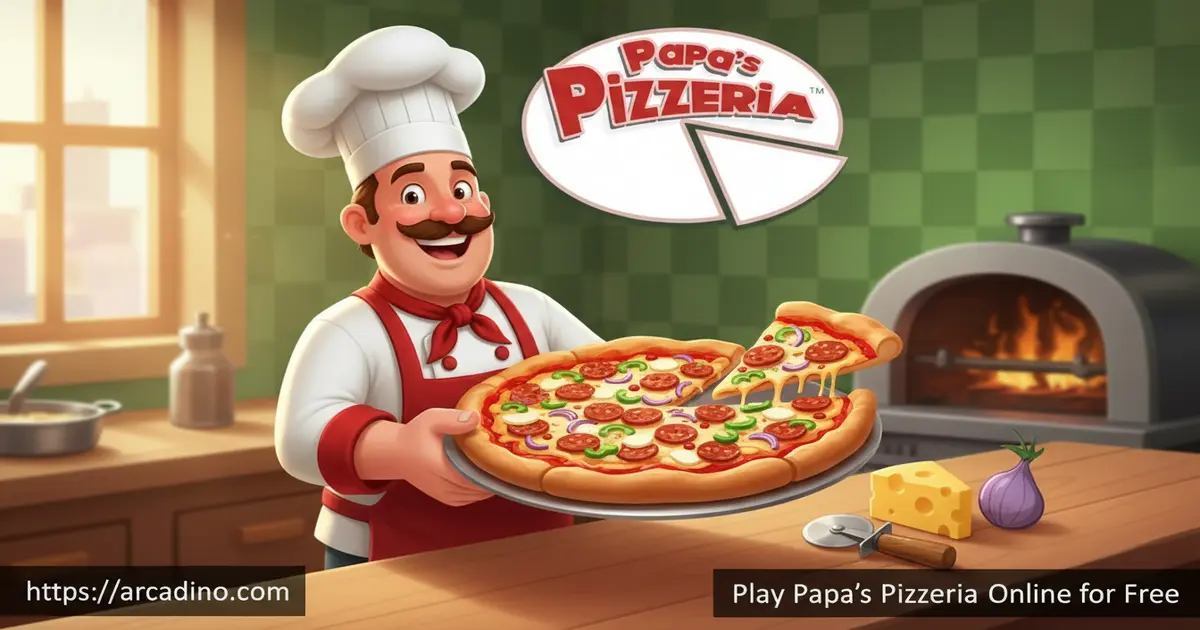
Running a pizza shop sounds fun — until a dozen hungry customers show up at once. Papa’s Pizzeria puts you behind the counter of Tastyville’s most popular pizza joint, completely free to play right in your browser. Flipline Studios launched this classic in 2007, and it’s still one of the most addictive cooking games online. Every order is a race against time, and one wrong topping can cost you a tip.
- Play as Roy, the delivery boy left in charge of Papa Louie’s famous restaurant
- Work across four distinct stations: Order, Topping, Baking, and Cutting
- Earn tips by perfecting each pizza to match every customer’s exact request
- Unlock returning customers with unique preferences as you progress through ranks
What Is Papa’s Pizzeria?
Papa’s Pizzeria is the game that launched the entire Papa Louie restaurant-management series from Flipline Studios. It’s a browser-based time-management cooking game set in the fictional city of Tastyville. The story kicks off when Papa Louie takes off on another one of his adventures, leaving his delivery boy Roy completely alone in charge of the pizzeria. Roy’s job is to keep every customer happy — and that’s a lot harder than it sounds.
What makes this title stand out from other cooking games is how specific the customer demands really get. Each pizza requires the right toppings, the correct bake time, and a precise cut — and customers will grade you on every single detail. The game was originally built in Adobe Flash, but it now runs through Ruffle technology, which means you can play it in modern browsers today. The controls feel snappy and responsive on desktop, and clicking between stations has a satisfying rhythm once you find your flow.
Papa’s Pizzeria Gameplay — The Four-Station Loop
Every shift in Papa’s Pizzeria follows the same satisfying loop across four stations. First, you head to the Order Station when a customer walks in and take down exactly what they want. Then you move to the Topping Station, where you build the pizza by adding each requested ingredient in the right spot. After that, the Baking Station requires you to monitor cook time carefully — each customer wants their pizza done to a specific level of doneness. Finally, the Cutting Station is where you slice the pizza into the exact number of pieces the customer ordered before you serve it up.
Customers don’t just judge whether you remembered the right toppings — they score you on four things: how long they waited, where the toppings landed, how well the pizza was baked, and how accurately you cut it. A bigger tip means you nailed all four. Early shifts feel manageable with just a customer or two, but the real pressure builds as more people pile into the restaurant at the same time.
Toppings and Ingredients Available in Papa’s Pizzeria
Papa’s Pizzeria has a solid lineup of toppings to master. You’ll work with classics like pepperoni, sausage, mushrooms, olives, green peppers, and onions. Some customers want just one topping; others want every ingredient stacked on their slice. Learning which toppings go together — and where each one lives on the Topping Station — is one of the biggest skills in the game. The toppings are all clearly illustrated, so it’s easy to tell them apart even when you’re in a rush. As you rank up, customer orders get more detailed and the combinations get trickier to remember.
Levels and Progression in Papa’s Pizzeria
The game tracks your progress through a rank system, and new customers unlock as you climb higher. Some of those customers become regulars, and the game keeps a book of their preferences for you to reference. That customer book is genuinely useful — regulars have specific favorites, and knowing them in advance is a real advantage. Rising through the ranks also means the pizzeria gets busier, which is where this idle-cooking title really tests your focus. 🍕
What keeps players coming back is the satisfying sense of improvement between shifts. Early on you might struggle to juggle two orders; a few ranks later, you’re smoothly managing four at once. The progression feels earned rather than handed to you, which is exactly why Papa’s Pizzeria has stayed popular for nearly two decades. Each new customer unlocked feels like a small reward for getting better at the job.
How the Scoring and Tip System Works
Every pizza you serve gets graded across four separate categories, and your tip depends on how well you do in all of them. The Wait Score measures how quickly you delivered the order from the moment the customer walked in. The Topping Score checks whether each ingredient landed in the right spot on the pizza. The Bake Score reflects how close you got to the customer’s preferred level of doneness — not too raw, not too crispy. Finally, the Cut Score judges whether your slices match the exact number the customer asked for. A perfect score in all four earns you the maximum tip, while even one weak area drags the total down. Keeping an eye on all four categories at once is what separates good players from great ones.
Graphics and Style of the Game
The game’s art style is bright, colorful, and full of personality — every customer has a distinct look and feel that makes Tastyville feel like a real little community. Roy has his own detailed uniform: a red shirt with the Pizzeria logo, blue pants, and gray shoes with red laces. The pizza-making process is illustrated clearly enough that you always know what stage you’re at without getting confused. Everything on screen serves a gameplay purpose, which keeps things clean and readable even when orders start stacking up.
For a game released in 2007, the visual design holds up surprisingly well in the Ruffle-powered browser version. The station layouts are intuitive, and ingredient icons are distinct enough that you won’t mix up a mushroom with an olive mid-rush. It’s the kind of visual clarity that makes a time-management game feel fair rather than frustrating.
Papa’s Pizzeria’s Place in Gaming History
When Papa’s Pizzeria launched in August 2007, it set a new standard for browser-based cooking games. Flipline Studios built a formula so satisfying that the series expanded to over a dozen games, covering everything from taco stands to ice cream shops. Papa’s Pizzeria was one of the most-played Flash games of its era, regularly appearing on top lists across major game portals. The fact that it’s still played and talked about nearly two decades later shows how strong the original design really was. For many players, it was their first introduction to the time-management genre — and it remains one of the best entry points into that style of game today.
How to Play Papa’s Pizzeria
Getting started is simple: pick one of the save slot cards on the loading screen to begin a new game, or continue a session you already started. A short cutscene introduces the story — you can skip it if you want to jump straight into the action. Type in your username and you’re immediately in the pizzeria, ready to take your first order from your first customer.
The game walks you into the rhythm naturally, starting with just one or two customers so you can learn each station at your own pace. Once you feel comfortable, resist the urge to rush — slow and accurate beats fast and sloppy every time. You can pause at any time if things get overwhelming, which is a lifesaver during busier shifts.
Controls for Papa’s Pizzeria
On desktop, everything is controlled with your mouse. You click to take orders, select and drag toppings onto the pizza dough, monitor the oven timer, and drag to cut the pizza at the Cutting Station. To serve the finished pizza, select Finish Order and match it to the right customer’s ticket. On mobile and touchscreen devices, tapping and dragging replaces every mouse action, and the game adapts cleanly to touch input.
What to Expect on Your First Day
Your very first shift is calm and easy — it’s designed to teach you the ropes. You’ll only see one or two customers, and their orders are simple. Don’t skip this tutorial phase, even if it feels slow. Pay close attention to where ingredients are placed on the Topping Station, because that muscle memory will save you later. Watch the oven timer closely on your first few pizzas to get a feel for what different bake levels actually look like. By the end of day one, you should have a confident handle on the basic loop before the real rush begins.
Tips and Tricks for Papa’s Pizzeria
- Start with the longest bake times first. If you put the pizza that needs more oven time in first, you can prep other orders while it cooks. Customers waiting on short-bake orders won’t be stuck standing around as long.
- Memorize where every ingredient lives. Knowing exactly where each topping sits at the Topping Station saves precious seconds when orders get complex. Hesitation here is what causes the real bottlenecks.
- Check the customer book for regulars. Returning customers have favorite orders logged in the book. A quick glance before they even speak can shave seconds off your prep time.
- Match each pizza to the right ticket before serving. Giving the wrong pizza to the wrong customer wipes out your score for that order entirely. Double-check the ticket every single time.
- Try the cheat code “almostpapa” for a shortcut. Entering this as your save slot name starts you at Rank 30, Day 99 with every customer unlocked — great if you want to experience the full chaos of a packed house right away.
Key Features of Papa’s Pizzeria
- Four-station pizza workflow — Order, Topping, Baking, and Cutting stations each demand different skills and keep every shift feeling active
- Customer grading system — Tips are calculated based on wait time, topping accuracy, bake level, and cut precision, not just whether the order was completed
- Returning customer book — Regular customers build a profile of their preferences that you can consult to stay one step ahead
- Rank progression system — Climbing through ranks unlocks new customers and raises the difficulty, giving the game a genuine sense of forward momentum
- Ruffle-powered browser play — The classic Flash game now runs in modern browsers without any plugins or downloads required
Where to Play Papa’s Pizzeria
You can play Papa’s Pizzeria for free directly in your browser at arcadino.com. There’s no account required and nothing to install — the game loads through Ruffle and runs in any modern browser including Chrome, Firefox, Safari, and Edge. It plays best on a desktop with a mouse, since the drag-and-drop mechanics across the four stations are most precise with a cursor.
If you prefer playing on the go, the mobile version — Papa’s Pizzeria To Go — is available for download on both Android and iOS. Grab it on Google Play or the App Store for the full touch-screen experience. Avoid downloading APK files from unofficial sources, as these are not verified by Flipline Studios and may be unsafe.
For Parents
Papa’s Pizzeria is well-suited for kids aged 8 and up. The game involves reading customer orders carefully, managing multiple tasks at once, and working with fractions when cutting pizzas — all of which are genuinely useful skills wrapped inside a fun game. There’s no chat system, no player-versus-player component, and no real-money purchases in the free browser version. The content is completely kid-friendly, with no violence or inappropriate themes.
Most kids will find 20–30 minutes per session is a natural stopping point, as shifts have a clear beginning and end. The increasing difficulty means older kids will find it just as engaging as younger ones. It’s a solid pick for screen time that involves thinking, not just reflexing.
Teachers and parents looking for games with educational value will find Papa’s Pizzeria especially useful. It reinforces sequential thinking, since players must follow the correct order of steps for every pizza. Reading comprehension plays a role too — kids have to read each order ticket carefully or risk the wrong result. The multitasking demands grow gradually, so the game naturally builds a child’s ability to manage competing priorities without feeling overwhelming.
Similar Games You’ll Love
If you enjoy the fast-paced restaurant management of running Roy’s pizzeria, these other cooking and time-management games are worth trying next.
- Papa’s Burgeria — Another Flipline Studios classic where you flip burgers instead of baking pizzas, following the same satisfying order-and-serve loop
- Papa’s Pizzeria Deluxe — A fuller version of the pizza shop experience featuring new seasonal ingredients, additional customers, and a Pizzeria Food Truck mode
- Papa’s Taco Mia — A Flipline Studios favorite where you build and serve custom tacos to hungry customers under the same time-management pressure
- Good Pizza, Great Pizza — A charming pizza shop game where you manage your own restaurant, serve quirky customers, and grow your business one slice at a time
Browse even more titles in the Cooking category to find your next favorite restaurant game.
FAQs About Papa’s Pizzeria
Who made Papa’s Pizzeria?
Flipline Studios created Papa’s Pizzeria, releasing it on August 7, 2007. It was the first game in the Papa Louie restaurant time-management series, which has since grown into a large franchise of cooking games. Flipline Studios has continued developing Papa’s games ever since.
Can I play Papa’s Pizzeria without Flash?
Yes, Papa’s Pizzeria now runs without Adobe Flash using Ruffle technology. Ruffle lets the game work in modern browsers even though Flash support ended in 2020. You can play it on Chrome, Firefox, Safari, and Edge without installing any plugins.
Can I play Papa’s Pizzeria on mobile?
Yes, a mobile version called Papa’s Pizzeria To Go is available for Android and iOS. You can download it from the Google Play Store or the Apple App Store. The browser version also works on mobile devices, though desktop is recommended for the most precise controls.
Who do you play as in Papa’s Pizzeria?
You play as Roy, Papa Louie’s delivery boy, who is left in charge of the pizzeria. Roy arrives for a shift one day only to find that Papa Louie has taken off on another adventure. It’s then up to Roy — and you — to keep the restaurant running smoothly.
What are the four stations in Papa’s Pizzeria?
The four stations are the Order Station, Topping Station, Baking Station, and Cutting Station. You visit them in sequence for every pizza: take the order, add toppings, bake to the right doneness, then cut and serve. Customers score you on how well you perform at each one.
Is Papa’s Pizzeria on Cool Math Games?
Papa’s Pizzeria has been available on Cool Math Games as part of their classic Flash games collection. You can also play it for free directly on arcadino.com without any restrictions. Both sites use Ruffle to run the game in modern browsers.
Does Papa’s Pizzeria have a cheat code?
Yes — type “almostpapa” as your save slot name to unlock a shortcut. This starts your game at Rank 30, Day 99 with every customer already unlocked. It’s a fun way to jump straight into the most hectic version of the pizza rush.
Conclusion
After nearly two decades, Papa’s Pizzeria still holds up as one of the sharpest time-management cooking games around. The four-station workflow creates a rhythm that’s genuinely satisfying to master, and the customer grading system makes every pizza feel like it matters. Watching your tips grow as you get faster and more accurate is a real rush.
Whether you’re a first-timer picking up a dough board for the first time or a returning player chasing a perfect score, Roy’s pizzeria always has a shift waiting for you. Pull up arcadino.com, grab a save slot, and find out if you’ve got what it takes to keep Tastyville fed.
Gameplay Video


