
























Watch one short ad and play ad-free for 30 minutes.
Doodle Jump
Lima Sky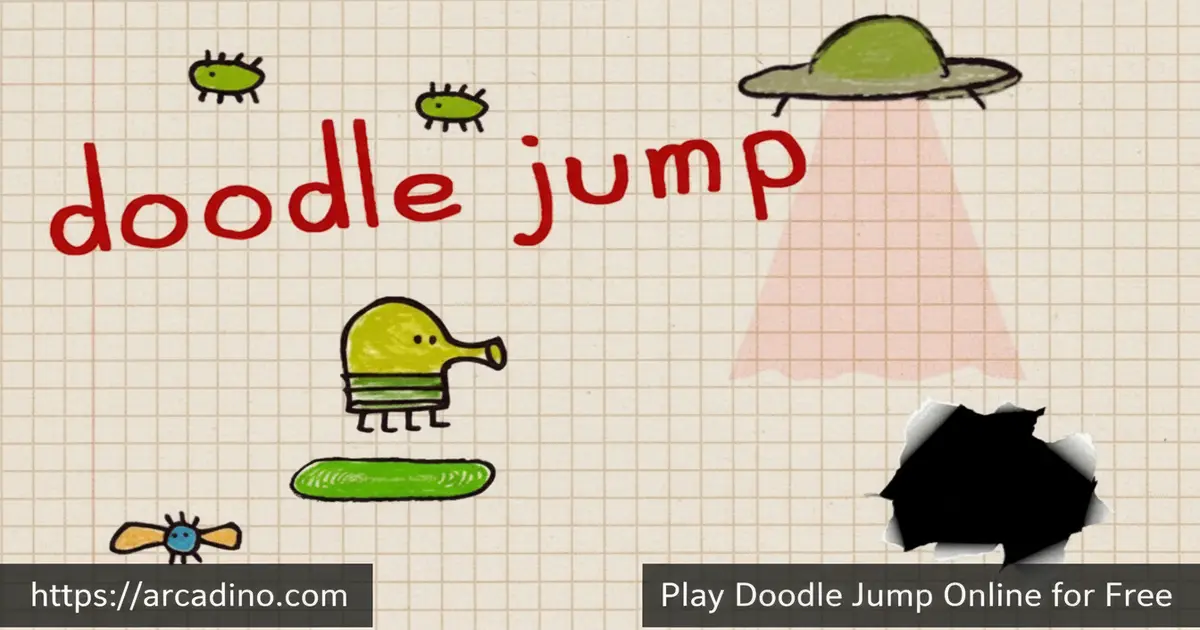
Few browser games have earned the kind of legendary status that Doodle Jump has. This iconic endless platformer is free to play online right now, and it’s just as addictive as it was when millions first discovered it. You guide a quirky four-legged creature upward through an infinite world sketched on graph paper. The goal is simple: climb higher, score bigger, and never fall.
Touch Arcade called it “possibly the best mobile game ever created,” and Google Play editors named it Best of 2015. Macworld praised it as “a perfect micro-game, insanely addictive, and deliciously replayable” — and it’s hard to argue with that. Playing it on a browser today, it’s easy to see why those words still hold up. This title has appeared on The Big Bang Theory, The Tonight Show with Jimmy Fallon, and even alongside Lady Gaga — a true cultural phenomenon you can jump into for free.
- Endless vertical platforming — keep climbing as high as your reflexes allow
- Power-ups like rocket boosters and propeller hats to blast past platforms
- Monsters and black holes that demand quick shooting and sharp dodging
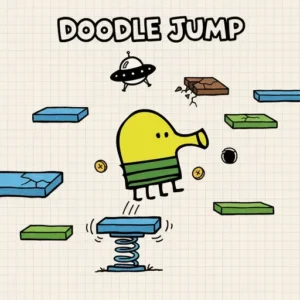
- Charming graph paper art style with a character called The Doodler at its heart
What Is Doodle Jump?
Doodle Jump is an endless vertical platformer developed by Lima Sky. It first launched as a mobile game in March 2009 and became playable as a browser game in January 2017. Players control The Doodler — a small, four-legged cartoon creature — and guide it upward across an infinite sheet of graph paper, hopping from platform to platform without stopping.
You might also see the character called “Doodle” or “Doodle the Doodler” in some official app store listings and reviews. Both names refer to the same lovable creature. Whether you call it Doodle or The Doodler, it’s the same bouncy hero you’re guiding to the top. If you’ve ever searched “who is Doodle in Doodle Jump” — now you know!
What makes this game stand out is how quickly it hooks you. The controls snap into place immediately, and the graph paper world feels alive with personality. The HTML5 browser version loads fast and runs smoothly even on older machines — the arrow key controls feel just as responsive as tapping a touchscreen. There’s always one more platform to reach, one more score to beat, one more monster to blast before it ends your run.
Doodle Jump Gameplay — The Loop That Keeps You Climbing
The Doodler jumps automatically. Your job is to tilt or steer it left and right so it lands safely on the next platform above. 🎮 Miss a platform and fall off the bottom of the screen — and the run is over. The higher you climb, the harder it gets, with platforms spacing out and new threats arriving to test your reflexes.
Scoring in Doodle Jump is tied directly to altitude. Every platform you clear adds to your total, and other players’ best scores appear as markers scribbled in the margins of the graph paper. Seeing a rival’s score just above you on the screen is a powerful motivator to push one platform further on every run. The game is endless, so the only ceiling is your own skill.
The Graph Paper World — Graphics and Audio
The visual style of this platformer is one of its most recognizable features. Everything looks hand-drawn on a sheet of graph paper, giving The Doodler and its world a charming, sketched-out personality. The character itself is cartoonish and expressive, bouncing upward with a springy energy that matches the game’s feel perfectly.
That notebook-paper aesthetic makes Doodle Jump feel unlike any other endless climber out there. The monsters, platforms, and power-ups all look like they were doodled by a bored student — but in the best possible way. The visual clarity also helps during gameplay, since you always know exactly what’s a safe platform and what’s a threat at a glance.
Power-Ups, Platforms, and Obstacles in Doodle Jump
Not every platform is safe. Brown platforms break the moment The Doodler touches them, so landing on one sends you plummeting. Moving platforms drift from side to side, demanding better timing. Black holes pull you in if you get too close, instantly ending your run — they’re one of the most dangerous hazards at higher altitudes.
Not all enemies are the same kind of monster, either. Some are regular creatures that wander across your path, but alien and UFO-type enemies are their own distinct threat. These aliens can catch you off guard if you’re moving too quickly upward — rushing straight into one without shooting first is one of the most common ways a run ends unexpectedly. Spot them early and fire a nose ball before you get close.
Power-ups give you an edge when you find them. Springs let The Doodler bounce extra high from a single jump. Rocket boosters strap onto the character and fire it skyward in a rush. Propeller hats spin The Doodler upward past entire clusters of platforms. Monsters block your path too — you can shoot them with nose balls by tapping the screen or pressing the spacebar, but let one catch you and your climb is finished.
What Ends a Run — and When Difficulty Gets Real
Knowing what’s most likely to stop you is the fastest way to get better at Doodle Jump. In the early game — roughly the first 10,000 points — broken brown platforms are the biggest danger. They look just like regular platforms until you land on them, so new players often fall before they’ve trained their eye to spot them. Above the 20,000-point mark, black holes become the dominant threat. They start appearing more frequently and in tighter spots, leaving less room to steer around them safely. Alien-type enemies also ramp up at higher altitudes, and rushing upward too fast during a rocket boost makes headbutting one especially easy. Understanding these thresholds gives you a real mental model to work with: survive the platforms early, then shift your focus to dodging black holes and shooting aliens as you climb into the upper reaches of the graph paper world.
Browser Version vs. Mobile — What’s the Same and What’s Different
If you already know Doodle Jump from your phone, the browser version will feel familiar — but there are a few real differences worth knowing. The biggest change is the controls: on mobile you tilt your device to steer, but in the browser you use the left and right arrow keys instead. The core climbing gameplay, the platforms, the power-ups, and the enemies are all the same. However, the seasonal theme-switching feature found in the mobile app — including the Halloween, Christmas, and jungle themes that change the whole look of the game — is not available in the HTML5 browser version. The browser port delivers the pure, classic Doodle Jump experience without the themed skins. For most players that’s everything they want, but it’s good to know going in so there are no surprises.
How to Play Doodle Jump
Getting started takes about three seconds. Visit Arcadino.com, open Doodle Jump, and the game begins. The Doodler starts jumping automatically from the bottom of the graph paper world. Your only task is to steer it onto the platforms above and keep it climbing.
On a PC, use your keyboard’s left and right arrow keys to move The Doodler sideways as it bounces upward. Hit the spacebar or left mouse button to fire a nose ball at any monster in your path. On a touchscreen device, tilt your phone left and right to steer, and tap the screen to shoot. The controls are intuitive enough that you’ll be playing confidently within your very first run.
Doodle Jump Controls
- PC — Move: Left and right arrow keys
- PC — Shoot: Spacebar or left mouse button
- Mobile — Move: Tilt the device left or right
- Mobile — Shoot: Tap the screen
Playing Doodle Jump Without Downloads or Installs
The Arcadino version of Doodle Jump runs entirely inside your web browser — no app to install, no file to download, and no account to create. That makes it easy to access on almost any device, including school Chromebooks or work computers where installing apps isn’t allowed. Because it loads through a standard browser window just like any other website, you don’t need special permissions to get it running. Just open the page and start jumping. It’s one of the most hassle-free ways to play a classic game whenever you have a few spare minutes.
Tips and Tricks for Doodle Jump
- Prioritize springs early. Landing on a spring in the first few seconds sends The Doodler way up, giving you a big score boost and an early lead before obstacles get tough.
- Shoot monsters before approaching them. Don’t jump toward a monster hoping to dodge it — fire nose balls as soon as one appears on screen to clear the path safely.
- Never rush through rocket and propeller boosts. When a rocket booster activates, steer carefully — the speed increase also makes it harder to avoid black holes rushing past you.
- Memorize broken platform colors. Brown platforms collapse instantly on contact. Train your eye to skip them automatically so you’re never caught by surprise mid-jump.
- Watch the margins for score markers. Other players’ scores appear written in the margins of the graph paper. Use them as mini-targets to stay motivated and push your personal best higher.
Key Features of Doodle Jump
- Endless vertical climbing — no final level, no finish line, just an infinite graph paper world to conquer
- Three distinct power-ups — springs, rocket boosters, and propeller hats each change how The Doodler moves
- Multiple hazard types — breakable brown platforms, moving platforms, black holes, alien enemies, and monsters all require different responses
- Nose ball shooting mechanic — actively blast monsters and aliens before they interrupt your climb, adding an action layer to the platforming
- Iconic graph paper art style — a hand-drawn aesthetic developed by Lima Sky that made this title a genuine pop culture moment
Where to Play Doodle Jump
Doodle Jump is available free in your browser on Arcadino.com — no download needed and no account required. The HTML5 version runs directly in your browser window on PC or laptop. You can access it without restrictions, making it a great option whenever you have a few minutes to chase a new high score.
Prefer playing on your phone? The official mobile app is available on both major platforms. Grab it on Android via the Google Play Store or download it for iPhone and iPad on the App Store. If you’re searching for a Doodle Jump download anywhere other than the official stores, be cautious — unofficial APK files from unknown sites can carry security risks and aren’t from Lima Sky.
For Parents
Doodle Jump is a great fit for kids ages 8 and up. The cartoon violence is extremely mild — The Doodler shoots small nose balls at goofy-looking monsters, and there’s no blood or scary imagery. The graph paper world and doodle-style art make it feel more like a playful sketchbook than an intense game.
The game has no chat system and no multiplayer, so kids are never interacting with strangers online. The mobile version is supported by advertising, which is worth knowing before handing a younger child a phone. It’s a strong pick for short play sessions — the endless nature means kids can stop any time without losing progress in a level, since each run starts fresh.
Similar Games to Doodle Jump
If the endless climbing action of this platformer got you hooked, these other browser games scratch a similar itch with their own twist on the formula. Each one has a different feel — some swap out the auto-jump mechanic for manual controls, others add competition or new obstacles — so there’s a good reason to try more than one.
- Doodle Jump 2 — the official sequel that builds on everything that made the original a hit, with new worlds and challenges; it keeps the same auto-jump and tilt-style controls, so fans of the original will feel right at home instantly
- Square Bird — a simple one-tap platformer that shares the same pick-up-and-play charm as Doodle Jump, though it scrolls horizontally instead of vertically, making it a nice change of pace
- Fall Beans — a chaotic multiplayer platformer inspired by Fall Guys where you race other players through obstacle courses; it trades Doodle Jump’s solo, altitude-focused climb for competitive, side-scrolling mayhem, making it perfect if you want to play against friends
Explore more titles in the Arcade category on Arcadino.
FAQs About Doodle Jump
Is Doodle Jump free to play online?
Yes, Doodle Jump is completely free to play in your browser. Head to Arcadino.com and start climbing right away. No account, no payment, and no download is required to jump in.
Who made Doodle Jump?
Lima Sky developed Doodle Jump. The studio released the original mobile version in March 2009. It has since become one of the most recognized mobile games ever made.
What are the controls for Doodle Jump on PC?
Use the left and right arrow keys to steer The Doodler. Press the spacebar or click the left mouse button to shoot nose balls at monsters. The controls are simple to pick up from your very first run.
Is there a Doodle Jump app for mobile?
Yes, the official Doodle Jump app is available on both Android and iOS. Download it from the Google Play Store or the App Store for the full mobile experience. The mobile version uses tilt controls to move and screen taps to shoot.
What is Doodle Jump 2?
Doodle Jump 2 is the official sequel to the original game. It continues the endless vertical climbing formula with new content and updated features. You can find it listed on the App Store with its own dedicated page.
How do you score higher in Doodle Jump?
Climb as high as possible without falling or hitting an obstacle. Grabbing power-ups like rocket boosters and propeller hats speeds up your ascent and earns more altitude quickly. Shooting monsters and aliens before reaching them is also key to keeping your run alive longer.
What makes Doodle Jump hard at higher levels?
The difficulty increases gradually as you climb higher. Platforms spread further apart, black holes appear more frequently, and alien-type enemies become harder to avoid. Broken brown platforms and moving platforms also appear more often, demanding sharper reflexes and faster decisions. Above the 20,000-point range, black holes and alien enemies are the two biggest threats, so train your eye for both as your score climbs.
Is Doodle Jump called Doodle or The Doodler?
The main character goes by both names depending on where you look. Lima Sky’s official materials often refer to the character as “The Doodler,” while some app store listings and reviews call it “Doodle” or “Doodle the Doodler.” Either way, it’s the same lovable four-legged creature bouncing its way up the graph paper world.
Start Jumping — Your High Score Is Waiting
Doodle Jump earns its legendary reputation every time you play it. The graph paper world, The Doodler’s springy personality, and the perfectly balanced challenge of climbing past black holes, aliens, and monsters create something genuinely special. Lima Sky built a game that still holds up today — whether you’re a first-timer or chasing a personal best you set years ago.
Pull up Arcadino.com, hit that first platform, and see how high you can take The Doodler. Your next personal best is only one good run away — go claim it.
Gameplay Video


