



















Watch one short ad and play ad-free for 30 minutes.
Minecraft Classic
Mojang Studios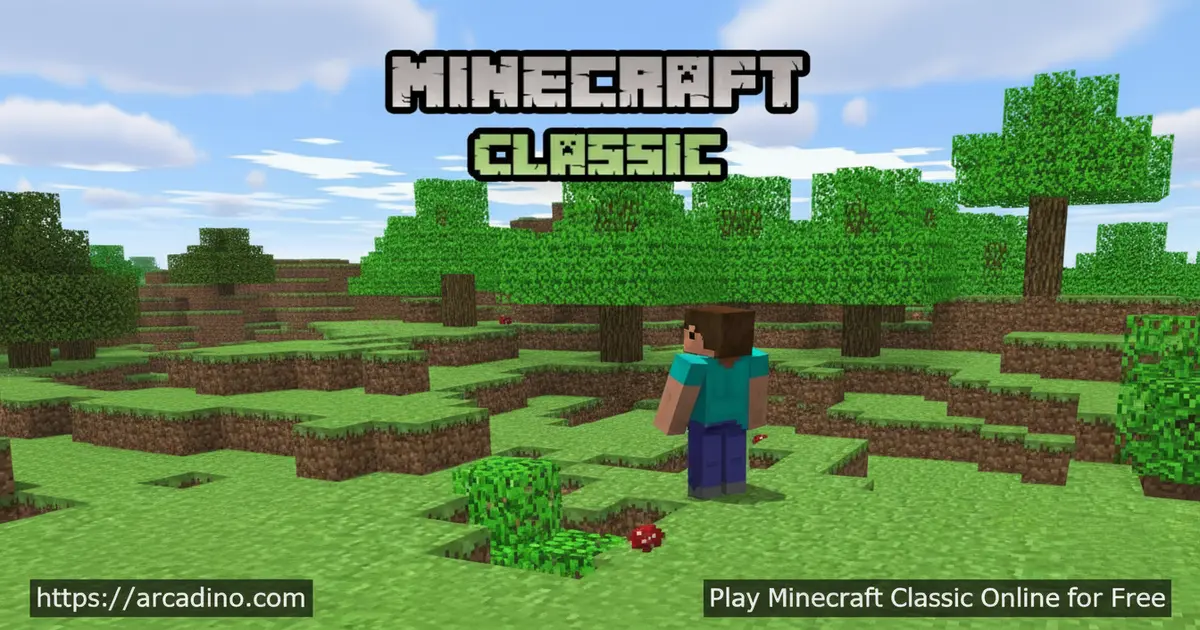
Ten years after the original launched, Mojang brought it back — and you can play Minecraft Classic free in your browser right now. This is the version that started everything: chunky pixels, 32 blocks, and a world you shape however you want. There’s no story to follow, no enemies to fight, and no rules telling you what to build. It’s pure sandbox freedom, straight from 2009, running in a modern browser tab.
- Free browser game — no download or account needed to jump in
- 32 unique block types — the exact set from the original 2009 release
- Creative mode sandbox — infinite blocks, zero objectives, total freedom
- Multiplayer support — build alongside friends in the same world
What Is Minecraft Classic?
Minecraft Classic is the original browser-playable version of Minecraft, recreated and re-released by Mojang on May 9, 2019, to celebrate the game’s tenth anniversary. Mojang is a Swedish game development studio based in Stockholm, and they’re also the team behind Cobalt and Scrolls. This version captures the very first public release of the game, before crafting tables, inventory systems, or mob encounters ever existed. It’s a fascinating time capsule of where one of gaming’s biggest franchises began.
It’s worth knowing that Classic wasn’t actually Minecraft’s very first form. Developers trace the game through distinct phases: Pre-classic came first, covering Notch’s earliest private prototypes in May 2009. Classic followed as the second public development phase, and it was then succeeded by Indev, Infdev, and eventually the full Alpha. So when you play Minecraft Classic today, you’re playing the second chapter of Minecraft’s history — the first one the public could actually get their hands on. That context makes it feel even more special.
It’s also worth knowing that the Classic development phase wasn’t always mob-free in its original form. During its history, Mojang tested an experimental Survival Test mode within Classic builds, which actually introduced mobs and a point-based system for killing them. That early experiment was a glimpse of what survival Minecraft would one day become. However, the 2019 browser re-release that you can play today is the pure creative version — no mobs, no survival pressure, just building. So when this article says “no mobs,” that’s specific to this re-released browser version, not every Classic build that ever existed.
Unlike later editions, Minecraft Classic doesn’t support crafting or a traditional inventory. In the 2019 browser re-release, there are no mobs in the world — the only other characters you’ll encounter are fellow players in multiplayer. Worlds generate randomly and have a fixed size limit, which keeps sessions focused and manageable. From a browser performance standpoint, the game loads quickly and runs smoothly at a steady frame rate, though it does require both a keyboard and WebGL support to work correctly.
Gameplay in Minecraft Classic
The core loop here is beautifully simple: pick a block, place it, and build whatever your imagination produces. 🧱 You get exactly 32 block types — the same ones players had back in 2009 — and an unlimited supply of each. Because there are no objectives, no score counters, and no unlocks gating your progress, every decision is entirely yours. That freedom is genuinely refreshing compared to the systems-heavy versions of Minecraft that came later.
Minecraft Classic runs as a sandbox game through and through. You can tear down what you’ve built and start again at any moment, since the creative mode gives you infinite materials. The limited world size actually works in the game’s favor — it keeps your builds contained and encourages you to fill every corner thoughtfully. Sessions can last five minutes or five hours; the game never pushes you anywhere.
Multiplayer and Building Together
One of the most exciting things about Minecraft Classic is that multiplayer works right in the browser. You and your friends can join the same world and build together in real time. There are no chat moderation systems or complex lobby setups to navigate — it’s a straightforward shared creative space. Collaborating on a giant structure with someone across the country feels surprisingly smooth for a game this old.
Because there are no mobs or combat mechanics in the browser re-release, multiplayer sessions stay entirely constructive. Nobody can grief your build with explosions or mob attacks, which makes it especially relaxed. The original multiplayer experience Mojang designed was always about co-creation, and that spirit comes through clearly. It’s a genuinely social way to spend time building.
Graphics and Visual Style
The visuals in Minecraft Classic are exactly what you’d expect from a 2009 browser game — and that’s the whole point. Big chunky pixels, flat textures, and a color palette that feels almost retro compared to modern Minecraft. The interface is famously basic, which Mojang themselves joked has “a face only a mother could love.” But there’s real charm in that simplicity, and it makes every block placement feel deliberate and bold.
The original block textures haven’t been touched, so everything looks exactly as it did in the earliest days of the franchise. There’s no ambient lighting, no weather, and no day-night cycle — just a static, brightly lit world waiting to be shaped. For players who grew up on later versions, seeing these textures for the first time feels like flipping through an old photo album. It’s rough around the edges, but that’s the point.
How to Play Minecraft Classic
Getting started with Minecraft Classic is straightforward. Visit the official Minecraft website and look for the browser play option — the game launches directly in your tab without any installation. You’ll need a keyboard to play, since the game doesn’t support touch controls. A scroll-wheel mouse is also strongly recommended for the best experience.
Once you’re in, you’ll find yourself in a randomly generated world with all 32 blocks already available. There’s no tutorial, no hand-holding, and no objective screen — just a world and your imagination. You can choose to play solo or jump into a multiplayer session to build with others. The lack of menus and systems means you’re building within seconds of loading in.
Controls for Minecraft Classic
Use WASD to move around your world and the mouse to look and aim. Press the left mouse button to remove a block and the right mouse button to place one. Use the scroll wheel or keys 1–9 to cycle through your available block types. Pressing G spawns a human NPC into your world — these blocky human figures were actually Minecraft’s very first mob prototype, included as a hidden easter egg in the anniversary re-release. It’s a neat piece of history: before creepers and skeletons existed, these simple humans were the earliest attempt at a living character in the game.
Tips and Tricks for Minecraft Classic
- Use keys 1–9 to switch blocks fast — scrolling works, but hotkeys are much quicker when you’re mid-build and need to swap materials on the fly.
- Start with a flat foundation — because worlds are randomly generated and limited in size, leveling your build area first gives you a clean canvas to work with.
- Invite a friend to multiplayer early — two builders working simultaneously can raise a structure far faster, and the shared world makes planning more fun.
- Don’t worry about running out of blocks — every block type is infinite in creative mode, so you can experiment freely without rationing materials.
- Embrace the 32-block limit as a design challenge — the restricted palette forces creative decisions that can actually produce more interesting builds than an unlimited selection would.
Why the 32-Block Limit Is Actually Great for Experienced Players
If you’ve spent hundreds of hours in modern Minecraft, Minecraft Classic offers something surprisingly refreshing: real creative constraints. In modern versions, players can reach for glass panes, stairs, slabs, trapdoors, and dozens of decorative blocks to add detail to any structure. Classic doesn’t give you any of that. Every build has to be made from full cubes only, which forces you to think about shape, proportion, and color in a much more intentional way. You can’t hide weak design behind detail work — the bones of your build have to be good. Many returning adult players find this restriction genuinely invigorating, like sketching with a single pencil instead of a full art kit. It strips Minecraft back to pure architectural thinking, and the results are often bolder and more striking than anything built with a thousand block types available.
Key Features of Minecraft Classic
- The original 2009 block set — exactly 32 block types, unchanged from Minecraft’s first public release, giving the game its unmistakable retro identity.
- Infinite creative-mode blocks — you never run out of any material, so building is never interrupted by resource management.
- Browser-native multiplayer — join or share a world without any extra software, accounts, or downloads required.
- No mobs, no combat — the 2019 browser re-release is 100% about building, making it one of the calmest sandbox games available online.
- Authentic anniversary release — this version was officially re-released by Mojang themselves, preserving original bugs and all, as a genuine piece of gaming history.
Where to Play Minecraft Classic
Minecraft Classic is playable for free directly in your browser on the official Minecraft website. You can also play it here on Arcadino, where it’s accessible without restrictions. No installation, no account registration, and no waiting — the game is ready the moment your browser tab loads. Just make sure you’re using a browser with WebGL support for everything to run correctly.
Which Browser Works Best for Minecraft Classic?
Most modern browsers handle Minecraft Classic just fine, but some are more reliable than others. Chromium-based browsers like Google Chrome, Microsoft Edge, and Brave all handle the WebGL requirement smoothly and are the safest bets for a lag-free experience. Firefox works well too and is a great alternative if you prefer it. Safari on older macOS versions can sometimes cause rendering issues, so if you’re on a Mac and things look odd, try switching to Chrome or Firefox first. The really good news is that Minecraft Classic doesn’t demand a powerful computer — it runs comfortably on integrated graphics, which means it works on low-spec school laptops and library computers without any tweaking. If you’re a parent or teacher helping a child access the game on shared hardware, you’re unlikely to hit any performance problems.
Note that the browser version of Minecraft Classic specifically requires a keyboard and doesn’t support touch input, so it’s best enjoyed on a desktop or laptop computer. There is no official Mojang mobile app for Minecraft Classic specifically — if you’re looking for a Minecraft experience on phones or tablets, the official Minecraft: Bedrock Edition is available on the Google Play Store and the Apple App Store, though that is a separate, paid product. Always download from official store pages and avoid third-party APK files, which can carry security risks.
For Parents
Minecraft Classic is a calm, creative game with no violence, no combat, and no enemies of any kind. Because there’s no chat system built into the classic browser version, you don’t need to worry about strangers messaging your child during multiplayer sessions. The sandbox format genuinely encourages spatial thinking, planning, and creativity — skills that transfer well beyond the screen. It’s a solid pick for kids aged 8 and up, and sessions are easy to wrap up naturally since there are no cliffhangers or progress bars to chase.
There are no in-app purchases in the browser version, and no ads interrupt gameplay. The only thing to be mindful of is that the world’s open-ended nature can make time fly — setting a light timer before play starts is a good habit. For a game without a single score or achievement to chase, it’s surprisingly engaging, and most kids will want to show off what they’ve built.
Is Minecraft Classic Good for Kids with ADHD?
Many parents wonder why kids with ADHD are so drawn to Minecraft — and Minecraft Classic in particular offers some real clues. The game has no failure states, no timers, and no pressure to perform, which removes the anxiety triggers that make many games frustrating for ADHD brains. Every single block placement gives instant, visible feedback — you place a block and it appears immediately — and that tight cause-and-effect loop is genuinely rewarding for kids who struggle to stay engaged with slower-paced activities. Because the game is entirely open-ended, hyperfocus becomes productive rather than disruptive: a child who “disappears” into Minecraft Classic for an hour has typically spent that time planning, making decisions, and building something real. There are no pop-ups, no notifications, and no distracting side systems pulling attention away from the creative task. For many ADHD children, that clean, distraction-free building environment is easier to stay focused in than almost any other digital activity. It’s always worth discussing screen time habits with your child’s doctor, but from a pure game-design perspective, Minecraft Classic’s structure is unusually well-suited to how ADHD minds work.
Similar Games
If you love the block-building creativity of Minecraft Classic, these browser sandbox and arcade games are worth checking out next.
- Bloxd.io — A multiplayer block-building .io game with multiple game modes including creative building, survival, and battle, the closest browser alternative to Minecraft.
- Terraria — A 2D sandbox adventure with mining, crafting, boss fights, and deep underground exploration, often called “2D Minecraft” for good reason.
- Paper Minecraft — A 2D side-scrolling take on Minecraft with crafting, mining, and survival, perfect for fans who want the Minecraft formula in a lighter format.
- Shell Shockers — A multiplayer .io shooter with a fun art style, popular alongside Bloxd.io in the browser gaming community for players who want competitive action between building sessions.
- Grow a Garden — A community-based .io game where you cultivate a plot from scratch, sharing the same build-from-nothing progression that hooks Minecraft players.
Browse more games in the Adventure category to find your next favorite.
FAQs About Minecraft Classic
Is Minecraft Classic still free?
Yes, Minecraft Classic is completely free to play in your browser. Mojang made it available at no cost when they re-released it for the game’s tenth anniversary in 2019. You don’t need a Minecraft account or a paid subscription to access it. It’s also free to play here on Arcadino.
How do you get Minecraft Classic?
Open any WebGL-compatible browser and navigate to the official Minecraft website. Look for the browser play option and click to launch — the game starts in your tab immediately. No download or installation is required. You can also access it directly on Arcadino without any restrictions.
Can you play Minecraft Classic on mobile?
The browser version requires a keyboard and doesn’t support mobile touch controls, so it’s best played on a desktop or laptop computer. There is no official Mojang mobile app specifically for Minecraft Classic. If you want an official Minecraft experience on a phone or tablet, Minecraft: Bedrock Edition is available on the Google Play Store and the Apple App Store, though it is a separate paid product. Always use official store pages and avoid third-party APK downloads.
Does Minecraft Classic have multiplayer?
Yes, Minecraft Classic fully supports multiplayer in the browser. You can share a world with friends and build together in real time. There are no mobs or combat mechanics in the browser re-release, so sessions stay creative and calm. It’s one of the most accessible co-op building experiences available for free online.
Who made Minecraft Classic?
Mojang created Minecraft Classic — a Swedish game studio based in Stockholm. They officially re-released the browser version on May 9, 2019, to celebrate ten years of Minecraft. Mojang is also known for developing Cobalt and Scrolls. The classic version preserves the original 2009 experience, including its original bugs.
What blocks are in Minecraft Classic?
Minecraft Classic includes exactly 32 block types — the same set from the original 2009 release. These are available in unlimited quantities in creative mode, so you never run short. There’s no crafting system, meaning all blocks are selected directly from the hotbar. Use keys 1–9 or your scroll wheel to cycle through them.
Does Minecraft Classic have enemies or mobs?
The 2019 browser re-release of Minecraft Classic has no mobs or enemies in its standard creative mode. The only other characters you’ll encounter are real players in multiplayer sessions. Historically, some original Classic builds did include a Survival Test mode with mobs, but that version isn’t part of the browser re-release you can play today. This makes the browser version entirely focused on building rather than survival or combat.
Conclusion
Minecraft Classic stands apart because it strips the franchise down to its absolute core: 32 blocks, an infinite supply, and a randomly generated world with no agenda. Mojang’s decision to officially re-release it as a free browser game means anyone can experience where it all began. The multiplayer support makes it more than a solo history lesson — it’s a living, collaborative creative space.
If you’ve never seen Minecraft in its original form, loading up this title is genuinely eye-opening. And if you grew up on later versions, building with just 32 blocks is a surprisingly fun creative constraint. Head over to Arcadino, launch the game, and start placing blocks — your 2009 masterpiece isn’t going to build itself.
Gameplay Video


