


























Watch one short ad and play ad-free for 30 minutes.
Papa’s Taco Mia
Flipline Studios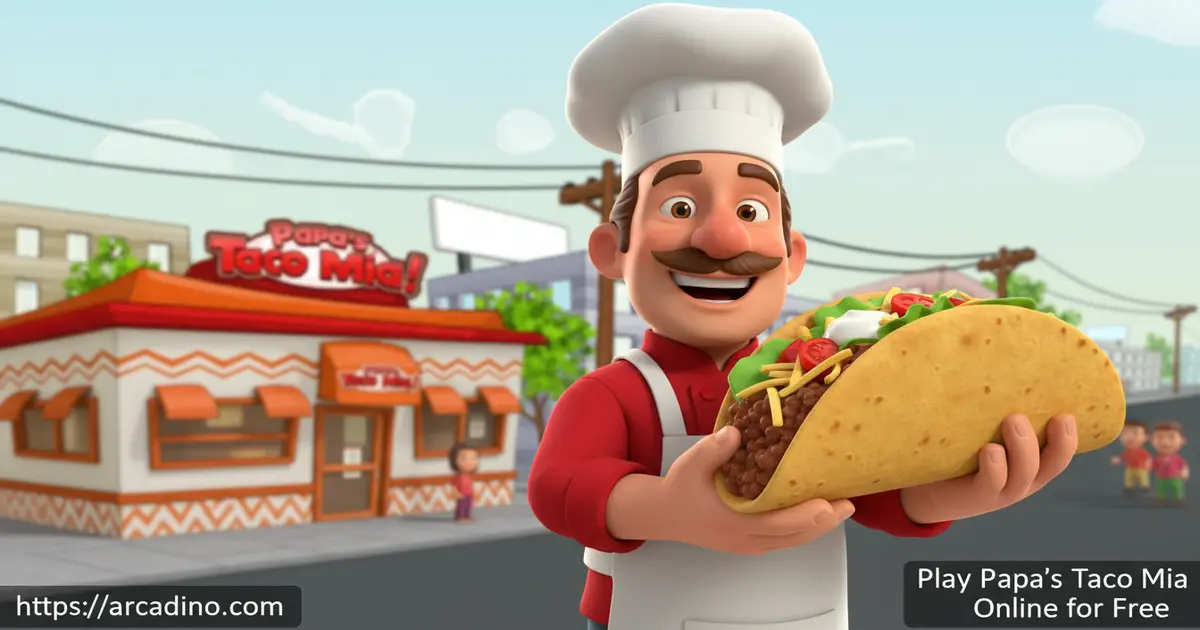
You won a taco-eating contest — and your prize is a job. That absurd twist is exactly how Papa’s Taco Mia pulls you in, and you can play it free right now in your browser on Arcadino. Flipline Studios packed this restaurant sim with grilling, building, and ever-pickier customers who will test your multitasking skills hard. If you’ve ever wanted to run a taqueria called the Taco Mia in a place called Tacodale, this is your moment.
- Run a full taqueria across three hands-on stations: Order, Grill, and Build
- Face the Closers — ultra-demanding customers introduced for the first time in this game
- Earn up to 60 Badges by hitting achievements like using specific toppings or nailing high station scores
- Spend your tips on upgrades, including the legendary golden spatula for the grill station
What Is Papa’s Taco Mia?
Papa’s Taco Mia is a time-management cooking game made by Flipline Studios. It’s the third entry in the beloved Papa Louie restaurant series, following Papa’s Pizzeria and Papa’s Burgeria. The game drops you into Tacodale as either Mitch or Maggie, fresh from winning Papa Louie’s taco-eating contest. Instead of a trophy, you get a spatula and a shift at the Taco Mia.
What makes this title stand out in the series is its three-station kitchen flow. Every order moves from taking the ticket, to grilling the meat precisely, to building the taco with the right toppings — all while new customers pile up at the counter. The controls use simple left-click drag-and-drop actions, and the cursor tracking during the build station is smooth and accurate on most modern hardware. It’s a satisfying loop that gets genuinely hectic as your rank climbs.
Papa’s Taco Mia Gameplay — The Station-by-Station Grind
Every workday in Papa’s Taco Mia starts at the Order Station. You click the word balloon above a waiting customer to take their ticket, then decide how many orders to juggle at once. Here’s where a key mechanic comes in: when you take a ticket, you can place it on the active order line at the top of the screen to start working on it right away, or leave it sitting in the ticket holder to queue it for later. Placing a ticket on the top line signals that you’re actively cooking that order, while tickets left in the holder wait their turn. Managing this queue smartly — knowing which orders to activate and which to hold — is what separates beginners who panic from experienced players who flow between stations without burning anything. The more tickets you take on together, the faster the tips flow — but only if you can keep up without burning the meat. 🌮
At the Grill Station, you cook meat in individual pans using built-in timers curved around each pan’s edge. You can flip and cut each piece to hit the perfect cook. Then it’s over to the Build Station, where you pour cooked meat into the shell and layer on sauces and toppings by dragging your cursor across the top half of the taco. Every step rewards precision — an evenly spread topping scores better than a sloppy pour.
Levels and Progression in Papa’s Taco Mia
The game starts you off at Rank 1 as a Newbie. As you serve customers and collect tips, your rank climbs steadily toward the top level of 44. Each new rank brings fresh customers through the door and unlocks new ingredients — soft shells, chicken, and extra toppings that keep recipes interesting.
Papa also keeps a customer diary full of preferences, and digging into those details helps you score higher on repeat visitors. The weekly pay cheque rewards consistent performance too, giving you money to spend on kitchen upgrades. Better upgrades mean smoother service, which means better scores — the progression loop is tight and genuinely motivating.
Work Days and Work Week Structure
Each in-game work week is made up of five individual work days, or shifts. You serve customers across those five shifts, and at the end of the fifth day the game takes you to the pay screen where you collect your weekly cheque. That weekly pay is separate from the tips you earn during each shift — it’s a bonus based on how well you performed across the full week. Knowing this structure helps you plan: if you’re saving up for a big upgrade like the golden spatula, you don’t have to wait forever. You’ll see that pay screen after every five shifts. New customers and ingredients also tend to unlock at rank-up points that happen within this weekly cycle, so pushing through a full week consistently is always worth it.
The Risk and Reward of Juggling Multiple Orders
Taking on more orders at once sounds like a great way to earn tips faster — and it is, but only at the right rank. At lower ranks between 1 and 15, your grill timing isn’t sharp yet, and cooking two or three pieces of meat simultaneously makes it easy to burn one while watching another. Focusing on one order at a time at this stage actually produces higher individual scores and better tips per taco. Once you hit the mid-game around ranks 20 and above, juggling two or three orders at once becomes necessary because the tip income from single orders won’t keep up with the cost of upgrades you need to stay competitive. Think of multi-order juggling as a skill you grow into — not something to force from day one. Mastering the order line ticket system first makes the jump to multi-tasking much smoother.
Closers, Badges, and What Keeps Papa’s Taco Mia Fresh
Closers are the game’s signature challenge. These are especially demanding customers who were introduced for the first time in this title, and they grade every part of your taco more strictly than regular customers. Impressing a Closer feels like a real win because the margin for error is so thin. Getting their order exactly right — right shell, perfectly grilled meat, precisely placed toppings — is the skill ceiling that separates good players from great ones.
On top of Closers, there are 60 Badges to unlock throughout your playthrough. These are tied to specific achievements like using certain toppings, hitting high scores at individual stations, or serving particular customers. Chasing Badges gives you a reason to keep playing even after the core routine starts to feel familiar. It’s a smart layer of long-term goals on top of the daily restaurant grind.
Customization and Upgrades
Tips and your weekly pay cheque aren’t just numbers on a screen — every dollar feeds back into the Taco Mia itself. You can buy upgrades that improve the cooking and building process directly. The golden spatula, for example, is a prized grill upgrade that makes flipping meat more efficient and precise.
Beyond kitchen tools, you can also decorate the lobby of the restaurant. Lobby items include things like potted plants, paintings, jukeboxes, and themed furniture sets that you purchase from the in-game shop. Each decoration you add improves the patience score of customers while they wait, which means they stay in a better mood and tip more generously even when the kitchen gets backed up. Spending on lobby decor early is a smart move because calmer, happier customers are more forgiving about wait times — and that directly protects your tip income. It adds a light management layer to what is otherwise a pure cooking game, and it makes the Taco Mia feel like your restaurant over time.
How to Play Papa’s Taco Mia
When you first launch the game, pick one of three save slots to start fresh or continue a previous run. Choose your character — Mitch or Maggie — type in a username, and hit Continue. A short cutscene sets up the story before your first shift begins. From there, the game walks you through each station step by step on your very first day.
Important: your save data is stored in your browser’s local storage, not on a server. That means if you clear your browser’s cache or cookies, your progress can be deleted permanently. To keep your save safe, avoid clearing site data for Arcadino, and don’t play in private or incognito mode — those sessions wipe local storage as soon as you close the tab. If you switch to a different browser or device, your save won’t carry over either, so stick to the same browser you started with.
The station-switching buttons are color-coded: red for the Grill, blue for the Build Station, and green to return to the Order Station. Check your order tickets carefully before cooking, because every customer’s preferences are recorded on their slip. Use the money you earn between shifts to buy upgrades that make future days more manageable.
Papa’s Taco Mia Controls
The controls for this game are entirely mouse-based. Use the left mouse button to select, drag, and move ingredients across each station. At the Grill Station, click to flip or cut the meat. At the Build Station, drag your cursor across the taco to pour toppings evenly. On touchscreen devices, tap and drag with your finger in the same way.
Tips and Tricks for Papa’s Taco Mia
- Watch the pan timer closely at the Grill. The cook timer is built into the curve of each pan — let it reach the right point before flipping, or the meat will be underdone and your score will suffer.
- Check Papa’s customer diary. It lists the preferences of recurring customers, so you can anticipate their orders and serve them faster for bigger tips.
- Drizzle toppings as evenly as possible at the Build Station. Moving your cursor slowly and steadily across the full length of the taco gives a much better score than a quick splat in the middle.
- Prioritize Closers when they appear. These picky customers grade harder than anyone else — get their order perfect first, then catch up on the regular queue.
- Reinvest tips into kitchen upgrades early. Tools like the golden spatula pay off quickly by making the Grill Station faster and more accurate, especially when the rush gets heavy.
Key Features of Papa’s Taco Mia
- Three fully interactive kitchen stations — Order, Grill, and Build — each with its own mechanics and scoring system
- Closers: the series’ most demanding customers, first introduced in this game and tougher graders than any standard customer
- 60 unlockable Badges tied to specific achievements like ingredient use and station high scores
- A customer diary system that rewards players who study and remember individual customer preferences
- Upgrades and lobby decoration that let you customize and improve the Taco Mia using money earned from tips and weekly pay
Where to Play Papa’s Taco Mia
Papa’s Taco Mia is available to play free in your browser at Arcadino — no download needed and no account required. The game runs in HTML5 canvas mode, so it works across modern browsers including Chrome, Firefox, Edge, and Safari. It plays best on a desktop or laptop with a mouse, since the Build Station relies on precise cursor movement. You can access it without restrictions directly on Arcadino.
How Arcadino Runs the Original Game Faithfully
Arcadino uses AwayFL to power Papa’s Taco Mia in your browser, and that matters more than it sounds. AwayFL is an ActionScript-to-WebAssembly runtime — it translates the original Flash game’s code into a format modern browsers can run, without rebuilding the game from scratch. Because it executes the original ActionScript logic directly, gameplay timing, hitbox detection, and scoring all behave identically to the 2011 Flash original. You’re not playing a re-coded imitation or a simplified port. Many other sites host rough re-implementations that change how the grill timers feel or how topping scores are calculated, which can make tips and guides written for the original game feel inaccurate. On Arcadino, what you read in this guide is what you’ll experience in the game — because the underlying code is the same code Flipline Studios shipped over a decade ago.
If you prefer playing on a mobile device, the mobile version — Papa’s Taco Mia To Go — is available on both major app stores. It features redesigned thumb-friendly controls and additional holiday content not found in the original browser release. You can download it safely through the official links below — avoid any third-party APK sites, as unofficial downloads can carry security risks.
Browser vs. To Go vs. HD — Which Version Is Right for You?
Papa’s Taco Mia exists in three distinct releases, and they’re different enough that it’s worth knowing what each one offers before you pick. The original browser version (playable free on Arcadino) has three kitchen stations, lets you play as Mitch or Maggie, and features 60 unlockable Badges. There’s no holiday content and no mini-games, but it’s the definitive version of the game as Flipline Studios originally designed it. Papa’s Taco Mia To Go, the Android and iOS app, adds a fourth station — chips and dip — along with holiday-themed ingredients that rotate through seasonal events, and it replaces Badges with 90 collectible Stickers. It also gives you a fully customizable worker character instead of locking you into Mitch or Maggie. The HD version, designed for tablets, shares the To Go content set including the extra station and holiday ingredients, but is optimised for larger screens with higher-resolution assets. If you want the purest, most authentic experience closest to the Flash original, the browser version on Arcadino is your pick. If you want more content and play on a phone, To Go is the way to go. If you own a tablet and want the sharpest visuals, HD delivers that.
For Parents
Papa’s Taco Mia is a great fit for kids aged 8 and up. The gameplay involves reading customer orders, tracking multiple tasks at once, and managing a budget — all of which build useful real-world thinking skills in a fun, low-pressure setting. There’s no chat system, no in-app purchases in the browser version, and no violent or inappropriate content whatsoever.
What Skills Does Papa’s Taco Mia Actually Build?
The learning benefits in Papa’s Taco Mia are more specific than you might expect, and they map to skills educators and child development researchers genuinely care about. At the Order Station, kids practice working memory and reading comprehension — they have to parse written order specifications quickly and hold those details in mind while switching between tasks, which directly exercises the kind of executive function skills targeted in classroom literacy programs. At the Grill Station, the pan timer mechanic builds interval timing and divided attention: players must monitor multiple independent countdowns simultaneously, a cognitive task linked to improved sustained attention in young learners. At the Build Station, dragging toppings precisely across a taco trains fine motor control and spatial reasoning — the same underlying skills used in handwriting and geometry. Across all three stations, the game demands cognitive flexibility, the ability to shift focus and adapt strategy as conditions change, which is one of the core executive function skills prioritised in early education frameworks. It’s not just fun; it’s genuinely structured practice in the kind of thinking kids need at school.
The game’s difficulty scales gradually, so younger players won’t feel overwhelmed right away. A typical play session of 20–30 minutes covers a full in-game work week comfortably, making it easy to set natural stopping points. It’s the kind of title you can feel good about letting a kid explore on their own.
Similar Games You’ll Love
If you enjoy the taqueria management loop of Papa’s Taco Mia, these other Flipline Studios titles and browser cooking games are worth trying next.
- Papa’s Burgeria — The burger-flipping game that directly preceded Taco Mia in the Papa Louie series, with the same precise station-based gameplay.
- Papa’s Pizzeria — The game that started the Flipline restaurant formula, where you stretch dough, add toppings, and bake pizzas to exacting customer specs.
- Papa’s Hot Doggeria — A later entry in the series with a baseball stadium setting and an added drink-mixing station for extra multitasking fun.
- Papa’s Freezeria — Swap the grill for an ice cream blender in this fan-favourite installment, great for players who loved the build-station precision here.
- Geometry Dash — A fast-paced obstacle-jumping game referenced in competitor coverage for Papa’s Taco Mia fans who also enjoy reaction-based challenges.
Browse more titles in the Cooking category for even more browser games like these.
FAQs About Papa’s Taco Mia
When was Papa’s Taco Mia released?
Papa’s Taco Mia came out in 2011. It was the third game in Flipline Studios’ Papa Louie restaurant series, following Papa’s Pizzeria and Papa’s Burgeria. The game quickly became a fan favourite and has remained one of the most-played titles in the series.
Who made Papa’s Taco Mia?
Flipline Studios created Papa’s Taco Mia. They are the same team behind the entire Papa Louie franchise. The game was originally built as an Adobe Flash application and has since been made playable in modern browsers through HTML5 canvas technology.
What is the highest rank in Papa’s Taco Mia?
The highest rank is reached at level 44. Players start the game at Rank 1 as a Newbie. As you serve more customers and earn higher scores, your rank climbs until you hit the top tier at level 44.
How do you get a good score from Closers in Papa’s Taco Mia?
Get every element of the Closer’s order as precise as possible. Grill the meat to the exact right point, and apply toppings as evenly and accurately as you can at the Build Station. The best approach is prevention: go slower at the Build Station than you think you need to, and watch the grill timer carefully before flipping. There’s no way to restart an individual order mid-build, so focus on getting it right the first time rather than rushing and hoping to fix it later.
How do you get 100% on taco building in Papa’s Taco Mia?
Move your cursor slowly and evenly across the entire taco when pouring each topping. Spreading ingredients across the full surface of the shell scores far better than bunching them in one spot. Practice on regular customers first before attempting perfect scores on the more demanding Closers.
Can I play Papa’s Taco Mia free online without Flash?
Yes, Papa’s Taco Mia is playable free online without Flash on Arcadino. The browser version runs in HTML5 canvas mode, so you don’t need any plugin or download. All modern browsers — Chrome, Firefox, Edge, and Safari — support it fully.
Why is Papa’s Taco Mia not working?
If the game won’t load or freezes, try these steps first. Clear your browser’s cache and reload the page — sometimes old cached files conflict with the game’s canvas renderer. Make sure you’re not using a VPN or content filter that blocks certain scripts, as these can prevent the game from initialising. If you have a canvas-blocking extension or an aggressive ad blocker installed, try disabling it for Arcadino and refreshing. Switching to a different browser like Chrome or Firefox usually fixes loading issues caused by browser-specific compatibility problems. If the game loads but runs slowly, try closing other tabs to free up memory — the game performs best when your browser isn’t competing for resources.
Is there a mobile version of Papa’s Taco Mia?
Yes, the mobile version is called Papa’s Taco Mia To Go. It’s available on both Android via Google Play and iOS via the App Store. The mobile version features redesigned controls built for touchscreens and includes holiday-themed ingredients not in the original browser release.
Conclusion
Few browser cooking games nail the three-station kitchen loop as cleanly as this one does. The introduction of Closers, the 60-Badge achievement system, and the customer diary that rewards attentive players all give Papa’s Taco Mia real staying power beyond a quick casual session. Flipline Studios built something genuinely replayable here, and the fact that it runs smoothly in a browser without any setup makes it even easier to recommend.
Head to Arcadino, pick Mitch or Maggie, and find out if you can reach Rank 44 without letting the Closers break you. The Taco Mia is open — and those customers aren’t getting any more patient.
Gameplay Video


