























Watch one short ad and play ad-free for 30 minutes.
Sprunki Incredibox
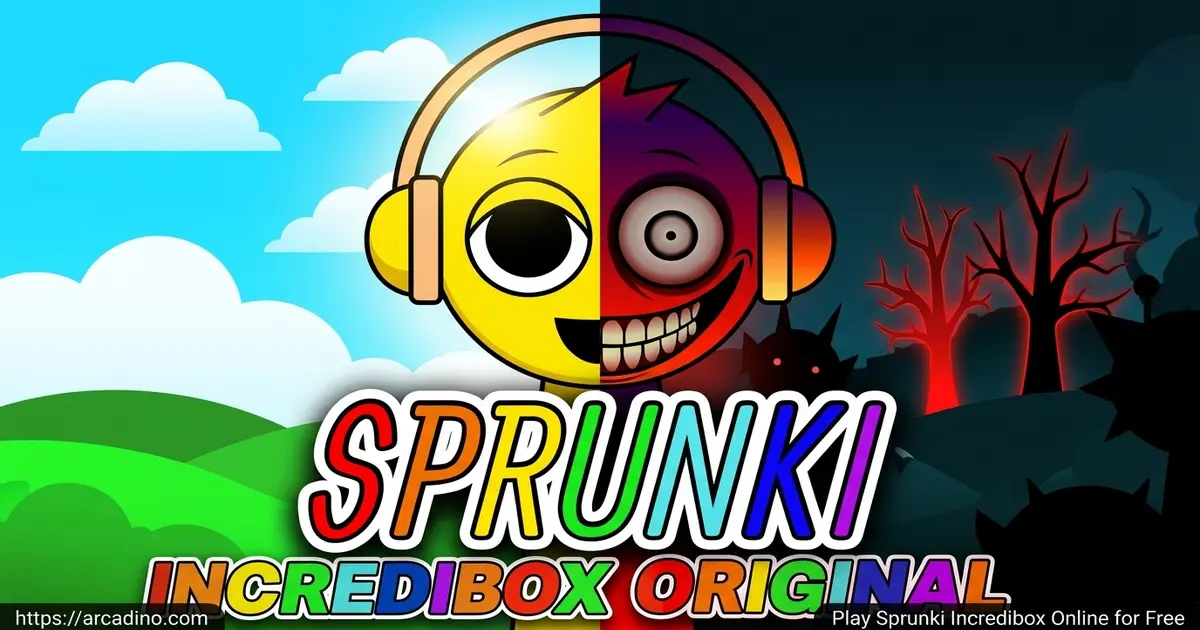
NyankoBfLolEver wanted to drag a singing ghost onto a beat and watch a whole song come alive? That’s exactly what Sprunki Incredibox lets you do, and you can play it free in your browser right now. It’s a fan-made music mod inspired by the original Incredibox, often just called “Sprunki” by fans online. Instead of the chill, urban vibe of the original, this version leans into spooky characters, glitchy sounds, and dark themes that kids and teens love remixing. 🎧
You don’t need any music skills to jump in. Drag sound icons onto characters, watch them dance, and stack beats until your track feels right.
- Drag-and-drop music creation with no rhythm experience needed
- Spooky and cute character roster including Oren, Clukr, and Mr. Tree
- Hidden bonus animations unlocked by mixing certain sounds
- Tons of fan-made mods and phases to explore beyond the base game
What Is Sprunki Incredibox?
Sprunki Incredibox is a fan-made mod built on top of the original Incredibox music game. It was created by a young modder known as NyankoBfLol, who shared the project on platforms like Scratch and Cocrea. According to community wikis, NyankoBfLol is reportedly a teen creator from Thailand who’s been active on Scratch for more than two years. That young-creator energy is part of why the mod feels playful, weird, and personal instead of corporate. The base idea stays the same as Incredibox: pick characters, give them sounds, and build a track. What changes is the vibe – Sprunki swaps in custom characters, eerier melodies, and a darker, more cursed art style.
When I loaded it up in Chrome, the interface popped in almost instantly with no laggy stutters between sound triggers. That snappy response really matters in a beat-mixing game, because even a tiny delay can throw off your loop. The characters animate the moment you drop a sound on them, which makes building a track feel weirdly satisfying.
Gameplay in Sprunki Incredibox
The core loop is simple but addictive. You see a row of empty characters at the bottom and a shelf of sound icons above them. Drag a beat onto one character, a melody onto another, then a voice and an effect. Suddenly you’ve got a layered track playing on loop.
Every character belongs to a sound family – beats, effects, melodies, voices, or bonuses. Mixing across families is what builds a full song. Some combinations also trigger hidden animations or secret horror moments, which is half the fun of experimenting. You can keep swapping pieces out until the mix feels just right.
Horror Mode and the Black Button
Sprunki Incredibox has a hidden trick called the “black button” that flips the whole game into horror mode. When you click it, the cute characters morph into cursed versions with creepy eyes, glitch effects, and eerie audio swaps. Normal mode keeps things bright and goofy, while horror mode leans into spooky whispers and unsettling visuals. You can toggle back and forth whenever you want, so it’s easy to test both styles. Younger players who scare easily can simply skip the button and stick to the regular cast.
Beginner Mix Recipes
If you’re brand new and don’t know where to start, try these tested combos for a clean first track:
- Chill starter: Oren on beats, Mr. Tree on melody, and Wenda on voice. The tempo stays steady and the voice glues it together.
- Spooky vibe: Clukr on beats, Simon on melody, and Gray on effects. It feels mysterious without sounding messy.
- Bouncy pop: Raddy on beats, Mr. Sun on melody, Pinki on voice, and Sky on effects. It’s bright and easy to nod along to.
Once a recipe clicks, swap one character at a time to learn what each sound actually changes.
Characters and Sound Library
The cast is wild and easy to recognize once you’ve played a few rounds. Beats come from Oren, Raddy, Clukr, Fun Bot, and Vineria. Effects belong to Gray, Brud, Garnold, OWAKCX, and Sky. Melodies live with Mr. Sun, Durple, Mr. Tree, Simon, and Tunner, while voices come from Mr. Fun Computer, Wenda, Pinki, Jevin, and Black.
There are also bonus characters that unlock special moments when you find the right combo. Each character has its own animation, so the screen turns into a tiny concert as your mix grows.
Sprunki Phases and Mods
Beyond the base game, Sprunki Incredibox has grown into a huge universe of phases and mods. Phases are like themed chapters – Phase 3, Phase 4, Phase 7, and more – each with new visuals and sound styles. Some lean cute, some lean full horror with whispers and glitchy textures.
Popular spin-offs include Sprunki Pyramixed, Sprunki Retake, Sprunked, and Sprunki Soda Pop. Each one feels different enough to be worth a try, even if you’ve already mastered the original.
Fans usually sort mods into a few big buckets so it’s easier to pick what you’re in the mood for:
- Horror mods: Sprunki Phase 7 and Sprunki Abgerny crank up the creepy visuals and unsettling audio.
- Original-style mods: Sprunki Rejoyed keeps the friendly vibe and polishes the animations and sound design.
- Crossover mods: Sprunki Mustard mashes Sprunki characters with other fandoms and adds Beatbox, Melody, and Freestyle modes.
- Meme mods: Joke mods built around viral sounds or community in-jokes, usually short but very funny.
Why Players Love Sprunki Incredibox
The big appeal is creative freedom without pressure. There’s no timer, no score, no failure state. You just play until your track sounds cool, then move on or hit reset and try a totally new style.
The spooky twist also gives it personality. It’s not just a music toy – it’s a music toy with attitude, lore, and a community making videos about every hidden combo. That’s why this title keeps trending on YouTube and TikTok.
How to Play Sprunki Incredibox
Getting started takes about ten seconds. Open the game in your browser, wait for the characters to load, and you’re in. There’s no tutorial wall and no account to make. Just click a sound icon, drag it to a character, and listen.
Controls for Sprunki Incredibox
On desktop, you use the mouse to click and drag sound icons onto characters. To remove a sound, drag it back off or click the character to mute them. On mobile, tap and hold a sound, then drag it onto the character you want to assign it to. That’s pretty much the whole control scheme.
Recording and Sharing Your Mix
Once your track sounds good, you can save it instead of losing it forever. Look for the record button near the top of the screen – usually a red circle icon. Click it once to start, build your mix live, then click again to stop recording. The game then gives you a playback preview and a share link or download option. You can post the link straight to YouTube, TikTok, or Discord, which is how most viral Sprunki clips get made. Some phase mods also let you save the mix as a short audio file to keep on your device.
Tips and Tricks for Sprunki Incredibox
- Start with one beat character before stacking anything else – it sets the tempo for your whole mix.
- Try pairing two melody characters like Mr. Tree and Simon for thicker, layered harmonies.
- Mute one character at a time to hear what each sound is actually adding to the track.
- Experiment with unusual combos – some specific pairings unlock bonus animations you’d never expect.
- If a mix feels messy, remove an effect rather than adding more sounds. Less often hits harder.
Key Features of Sprunki Incredibox
- A full roster of named characters split into beats, effects, melodies, voices, and bonuses
- Drag-and-drop controls that work the same on desktop and touchscreen
- Hidden animations and secret moments triggered by special sound combos
- A spooky-cute art style with cursed characters and glitch visuals
- An ever-growing universe of phases and fan mods to explore after the base game
Performance and Chromebook Compatibility
Sprunki Incredibox is a lightweight web game, so it runs well on almost anything. On a mid-range laptop it loads in under five seconds and uses only a small slice of RAM and CPU. That makes it a great pick for school Chromebooks, which often struggle with heavier games. You do need an internet connection to start it, but once it’s loaded most browser versions keep playing even if your Wi-Fi hiccups. For the smoothest experience, close extra tabs, plug in headphones, and keep your browser updated to the latest version of Chrome, Firefox, Edge, or Safari.
Where to Play Sprunki Incredibox
The easiest way to play Sprunki Incredibox is right here in your browser – free, instant, and no download required. It runs smoothly in Chrome, Firefox, Edge, and Safari on pretty much any laptop or Chromebook. Because the original Scratch version was taken down – reportedly for graphic content like blood and gore in some horror phases that broke Scratch’s community rules – browser ports like this one are the main way most kids actually access the game today.
If you want it on your phone, there are companion apps on both stores. Grab it on Google Play for Android or the App Store for iPhone and iPad. Avoid random APK download sites – they often bundle ads or sketchy files, and the official stores are safer.
For Parents
Sprunki Incredibox is generally fine for ages 8 and up, though some mods lean into horror themes with eerie sounds and “cursed” character designs. There’s no chat, no multiplayer, and no in-app purchases needed to play the browser version. The core game is actually a nice creative outlet – kids learn about rhythm, layering, and how songs are built out of small parts.
A reasonable session is 20-30 minutes. If your child is sensitive to spooky imagery, stick to the original phase and skip the horror mods.
Accessibility Notes
Sprunki Incredibox is mainly designed around mouse or touch input, so full keyboard-only play isn’t really supported. Screen reader users may struggle since the characters and sounds aren’t labeled with text. On the bright side, the cast uses bold shapes and distinct outfits, so it’s mostly easy to tell characters apart even with limited color vision. For kids with sound sensitivity, use your device’s system volume to start very low, then turn it up slowly – the game can layer loud sounds quickly. Muting individual characters by clicking them is also a handy way to reduce overload without quitting the track.
Similar Games to Sprunki Incredibox
If you love mixing sounds and unlocking hidden combos, these picks scratch the same itch:
- Incredibox – the original music mixer that started the whole genre and inspired Sprunki.
- Sprunki Phase 3 – a darker, babies-themed phase with creepy audio twists.
- Sprunki Pyramixed – a popular spin-off with new characters and a fresh sound palette.
- Sprunki Retake – a remix-style mod that rebuilds the cast with new animations.
- Friday Night Funkin’ – a rhythm game with a similar fanbase and crossover mods.
- Sprunki Mustard – a crossover-style mod with Beatbox, Melody, and Freestyle modes for extra variety.
- Sprunki Rejoyed – a polished fan favorite that keeps the friendly vibe with upgraded animations.
- Sprunki Phase 7 – a heavy horror phase packed with glitchy visuals and eerie sound design.
Want more? Browse the full Music category for more beat-makers and rhythm games.
FAQs About Sprunki Incredibox
What is Sprunki Incredibox?
Sprunki Incredibox is a fan-made music mixing game based on Incredibox. Players drag sound icons onto characters to build layered tracks. It’s known for its spooky art style and growing universe of fan mods and phases.
Who created Sprunki Incredibox?
Sprunki Incredibox was created by a modder known as NyankoBfLol. The mod was originally shared on Scratch before being ported to other platforms. It later inspired a huge wave of community-made phases and spin-offs.
Is Sprunki Incredibox the same as Sprunki?
Yes, most players just call it “Sprunki” for short. The full name is Sprunki Incredibox because the mod was built on the Incredibox engine. Both terms point to the same fan-made music game.
Is Sprunki Incredibox free to play?
Yes, Sprunki Incredibox is completely free in your browser. You don’t need an account, a download, or any payment. Mobile apps on the Play Store and App Store are also available.
How do you unlock Phase 3 in Sprunki Incredibox?
Phase 3 is usually accessed as a separate mod page rather than an in-game unlock. You select it from the mod list on the site where you’re playing. Once loaded, it plays just like the base game with new characters and sounds.
Where can I play Incredibox Sprunki online?
You can play it right here on Arcadino in your browser for free. It also works on phones through the official mobile apps. Avoid unofficial APK downloads since they often include unwanted extras.
Can I share my Sprunki Incredibox mixes?
Yes, many versions let you record your mix and save it. Players often share clips on YouTube, TikTok, and Discord. It’s a big part of why the community keeps growing.
Ready to Make Some Noise?
Between the wild character roster, the hidden animation surprises, and the deep universe of phases and mods, Sprunki Incredibox is one of the most replayable music games on the web. It’s perfect for a quick creative break or a long afternoon of crafting tracks. Pick a character, drop a beat, and see what kind of spooky song you can pull out of thin air.
Gameplay Video