























Watch one short ad and play ad-free for 30 minutes.
Sprunki Phase 2
Sprunki Fan Community (Incredibox mod)Drag a tiny character onto an empty stage and watch a beat come alive – that’s the magic of Sprunki Phase 2. This free, browser-based music mod takes the cheerful Sprunki crew and lets you stack their voices into beats, melodies, and effects. It’s the second entry in the fan-made Phase series inspired by Incredibox, and it adds new characters, fresh sounds, and a sneaky horror twist if you find the right icon. You’ll often see folks just call it “sprunki” online, but Phase 2 is the specific chapter that sits between Phase 1 and Phase 3. 🎵
- Drag-and-drop music mixing with around 18 main sound icons plus bonuses
- Classic cheerful mode plus a hidden horror theme
- Original Sprunki characters with unique loops and animations
- Plays instantly in any modern browser, no install needed
What Is Sprunki Phase 2?
Sprunki Phase 2 is a fan-made music creation game built on the style of Incredibox. It’s the second numbered entry in the Sprunki Phase series, sitting right after Phase 1 and before Phase 3. Instead of running or shooting, you compose songs by layering character voices on a stage. The vibe is bright and bouncy, but a half-moon icon flips the whole scene into a darker, eerier mood.
Loading is quick because the whole thing runs in HTML5. I clicked play in Chrome and the icons popped up in a couple of seconds, with no stutter when I stacked five characters at once. The drag feel is smooth, and sounds sync the moment you drop a tile. That responsive timing is what makes this mod fun to mess around with for an hour straight.
Gameplay in Sprunki Phase 2
The core loop is simple but addictive. You pick a Sprunki character from the row at the bottom and drag them onto an empty slot above. Each one starts looping their own beat, melody, vocal, or effect. Add more characters and the loops sync, building a full track piece by piece.
The fun comes from experimenting. Some combinations unlock hidden animations or bonus sounds, while others clash and beg you to swap things around. You can pull a character off the stage anytime to mute their part. It’s less about “winning” and more about chasing that one perfect mix.
Characters and Sound Layers
This phase keeps the original Sprunki crew but gives them refreshed loops. Characters are grouped into beats, melodies, effects, and vocals, so you can balance your track. Beats lay the foundation, melodies sit on top, and effects add the little flourishes that make a song pop. Vocals are the cherry – they carry the catchy hooks.
Animations are part of the fun too. Watching the characters bob, blink, and react gives visual feedback that matches the audio. When two characters share a synergy, their animations often shift to hint at it.
Here’s the main roster you’ll meet on the tray. Beats are usually carried by Oren, Raddy, and Clukr, who keep the rhythm thumping. Melodies often come from Durple and Jevin, adding the catchy tune you hum later. Effects are handled by characters like Wenda and Garnold, sprinkling whistles, claps, and weird noises. Vocals get their charm from Pinki, Sky, and Gray, who deliver those sing-along hooks that make tracks feel finished.
Starter Recipes: Easy Mixes to Try First
If you’re staring at a blank stage, try one of these beginner combos to hear how layers click together. Combo 1 (chill groove): drop Oren on beats, add Durple for melody, then finish with Pinki on vocals – you get a laid-back lo-fi track perfect for background vibes. Combo 2 (party bounce): stack Clukr and Raddy for double beats, layer Jevin’s melody on top, and toss in Wenda’s effect for a bouncy dance loop. Combo 3 (spooky lullaby): use Gray vocals with a single Oren beat, then flip the half-moon – the sparse mix turns instantly haunting. Once these feel easy, swap one character at a time to discover your own signature sound. Treat these recipes like training wheels, not rules.
Horror Mode in Sprunki Phase 2
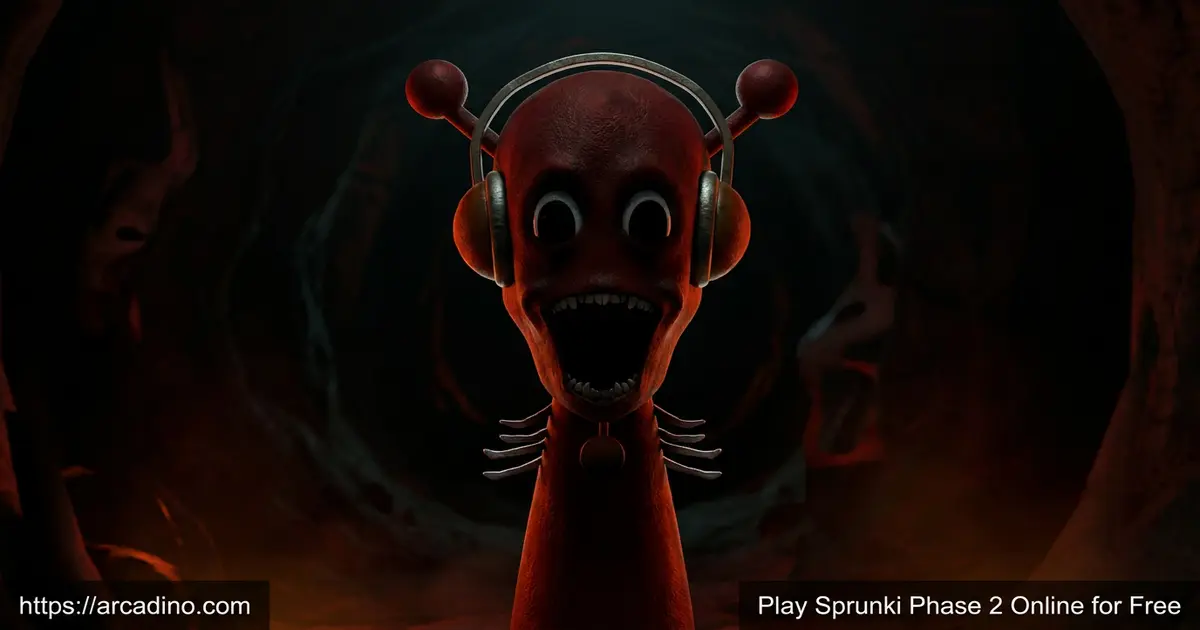
Tap the half-moon icon at the top and the cheerful world flips. The background darkens, the characters get spookier, and the sound design turns moody and unsettling. It’s the same drag-and-drop game underneath, but every loop now sounds like it belongs in a creepy basement.
The switch itself is a mini show. For about two seconds the screen fades to black, then it rebuilds in a bloody red atmosphere with shadowy clouds. Look closely and you’ll spot glowing eyes peeking out of those clouds. The characters keep their poses but get pale skin, hollow stares, and dripping details that match the new mood.
Horror mode is what most fans of this title talk about. The contrast between the playful starting screen and the eerie alternate version is the hook that pulled the Phase series into the spotlight. Kids who like a small scare without anything graphic usually love flipping back and forth.
Secret Characters and the Imsosprunki Code
Phase 2 hides a fun easter egg for curious players. On a PC, type the word “Imsosprunki” while the game is open and a set of bonus characters unlocks. These include weird extras like Dr. Theodore, Lobotomy Man, and Executive, each with their own creepy loop. They don’t show up in the normal tray, so most casual players never meet them. Trying the code feels like finding a cheat in an old console game. It’s a great reward for fans who poke around online communities for tips.
Graphics and Audio
Visuals are flat, colorful, and cartoony – perfect for a music app. Characters look like little blobs with big eyes and bright outfits. The interface stays out of the way so the focus is on your mix.
Audio is the real star. Loops are crisp, the layers don’t muddy each other, and the timing snaps to the beat grid. Even with several characters active at once, the mix stays clean on a regular laptop.
How to Play Sprunki Phase 2
Getting started takes about ten seconds. Open the game, wait for the icons to load, and you’ll see the stage on top and a tray of Sprunki characters along the bottom. Pick any character, drag them up, and your first loop starts playing. Add more to build the track, or drag a character back down to remove their sound.
Controls for Sprunki Phase 2
On desktop, use your mouse to drag and drop characters between the tray and the stage. Click the half-moon icon to toggle the horror theme. On mobile or tablet, tap and hold a character, then drag with your finger to the slot you want. There’s no keyboard input needed for normal play – the Imsosprunki secret code is the one exception.
Tips and Tricks for Sprunki Phase 2
- Start with one or two beat characters before layering melodies – it keeps your track from getting muddy.
- Try every character solo first so you know what each loop sounds like before mixing.
- Watch the animations closely; matching animations often signal that two sounds are designed to combo.
- Toggle horror mode mid-track to hear how your mix transforms with the eerie sound set.
- Pull characters off the stage one at a time to find which loop is carrying your song.
Phase 1 vs Phase 2 vs Phase 3: Quick Comparison
Not sure where to start in the Phase series? Here’s how the three early chapters stack up side by side.
- Sprunki Phase 1: Around 15 sound icons, mostly cheerful, very mild horror hints, original cast. Best as your first try.
- Sprunki Phase 2: Around 18 main icons plus secret bonuses, balanced cheerful and horror, refreshed loops, full horror toggle. Best for fans who want both moods.
- Sprunki Phase 3: Around 20 icons, heavier horror tone, darker character redesigns, new bonus characters. Best once you’ve mastered Phase 2.
Recommended play order is simple: start with Phase 1 to learn the controls, jump to Phase 2 for the real horror reveal, then graduate to Phase 3 for the moodier remix.
Key Features of Sprunki Phase 2
- Around 18 main sound icons split across beats, melodies, effects, and vocals, with extra bonus characters
- Classic cheerful theme plus a hidden horror mode toggle
- Original Sprunki cast with refreshed loops for this phase
- Drag-and-drop interface that works on mouse or touch
- Hidden sound combos that unlock special animations
- Secret “Imsosprunki” code that unlocks bonus characters on PC
Where to Play Sprunki Phase 2
The easiest way to enjoy Sprunki Phase 2 is right in your browser – no download, no sign-up, just open the page and the mixer loads. It runs on Chrome, Firefox, Edge, and Safari on both desktop and mobile. Because it’s an HTML5 game, school Chromebooks usually handle it fine as long as the site isn’t blocked.
There’s also an Android version if you’d rather mix on the go. You can grab it from the Google Play Store. Stick to official store listings – random APK files from unknown sites can carry malware, so it’s safer to skip those.
For Parents
Sprunki Phase 2 is friendly for ages 8 and up, with the small caveat of the horror mode. The scary theme is more spooky-cartoon than graphic – think dim lighting and eerie noises, not gore. There’s no in-game chat, no purchases inside the browser version, and no personal info required to play. It’s actually a nice low-pressure creative activity, helping kids experiment with rhythm and layering in 15-to-30-minute sessions.
For Teachers: A 15-Minute Music Lesson
Sprunki Phase 2 doubles as a sneaky music classroom tool. In just 15 minutes, students can hear how a song is built in real time. Start by adding a single beat character and ask the class what role it plays – that’s your rhythmic foundation. Layer a melody next and explain how it sits “on top” of the beat. Then add harmony through an effect character and finally a vocal hook to complete the four-part song structure. To teach call-and-response, have one student drop a vocal in, then a second student answer with a different vocal a moment later. It’s a hands-on way to demonstrate rhythm, layering, and song form without needing any instruments.
Similar Games to Sprunki Phase 2
If you love stacking loops and finding hidden sound combos, these music mods are worth a try:
- Sprunki Phase 1 – the starting point of the Phase series, with the original cheerful sound set.
- Sprunki Phase 3 – the next chapter, with fresh characters and darker tones.
- Sprunki Phase 4 – more advanced loops and richer horror visuals.
- Sprunki Retake – a fan remix that rebuilds the original Sprunki sounds from scratch.
- Incredibox Sprunki – the popular mod that inspired the entire Phase series.
- Sprunki Mustard – a yellow-tinted mod with a warm, jazzy twist on the classic sound set.
- Sprunki Phase 5 – the later chapter that pushes horror visuals and layered loops even further.
Browse more rhythm picks in the Music games category.
FAQs About Sprunki Phase 2
Is Sprunki Phase 2 free to play?
Yes, Sprunki Phase 2 is completely free in any browser. You don’t need an account or a credit card. Just open the page and the mixer loads with all characters unlocked from the start.
Is Sprunki Phase 2 the same as Sprunki?
No, Sprunki Phase 2 is a specific fan-made mod in the larger Sprunki universe. The word “sprunki” by itself usually refers to the overall fan series inspired by Incredibox. Phase 2 is the second numbered chapter in the Phase sub-series.
How do you beat Sprunki Phase 2?
There’s no traditional way to “beat” Sprunki Phase 2 – it’s a music sandbox, not a level-based game. The goal is to create tracks you enjoy and discover hidden sound combos. Many players treat unlocking every special animation as the unofficial finish line.
How do you unlock horror mode in Sprunki Phase 2?
Tap the half-moon icon at the top of the screen to switch into horror mode. The background, characters, and sounds all change instantly. Tap it again to return to the cheerful theme.
Who made Sprunki Phase 2?
Sprunki Phase 2 is an independent fan project with no official studio credit listed. It was built by fans of the Incredibox Sprunki mod and first spread through Scratch and community Discord servers around 2024. That’s why you’ll see slightly different versions floating around the web.
Can I play Sprunki Phase 2 on my phone?
Yes, Sprunki Phase 2 works on mobile browsers and has a dedicated Android app. Touch controls let you drag characters with your finger. iPhone users can play the browser version through Safari.
What’s the difference between Sprunki Phase 1 and Phase 2?
Phase 2 adds new sound layers, refreshed animations, and a stronger horror toggle compared to Phase 1. Phase 1 is more of a straightforward cheerful mix. Phase 2 is where the moody alternate theme really takes shape.
Final Thoughts on Sprunki Phase 2
Sprunki Phase 2 nails the thing most music games miss – it makes experimenting feel rewarding instead of tedious. The drag-and-drop mixer, the colorful sound icons, and the cheeky horror toggle keep short sessions surprising. Drop in, stack a few beats, flip the half-moon, and see what your song becomes. It only takes one good loop to get hooked.
Gameplay Video