


















Watch one short ad and play ad-free for 30 minutes.
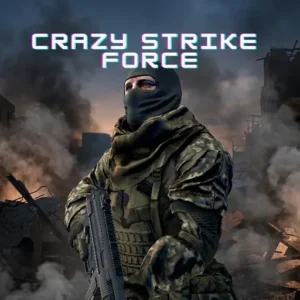
Crazy Strike Force
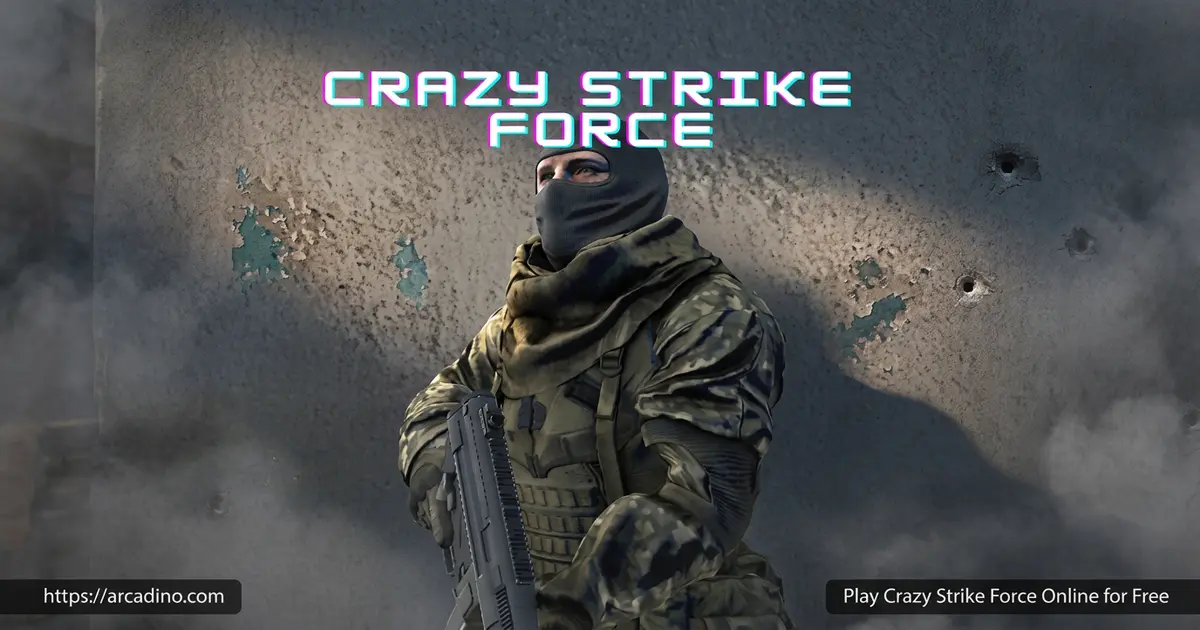
FreezeNovaReady to grab a rifle and storm into a multiplayer firefight? Crazy Strike Force is a free online FPS where you customize a soldier and battle real players. You can play it right in your browser with no download. Many players search for it as “Crazy Strike Force unblocked,” so don’t worry – it’s the same fast-paced shooter. Pick your loadout, choose a perk, and aim for the top of the rankings. With a big weapon list and five game modes, every match feels different. Let’s break down everything this arena shooter packs in. 🔫
- Fast multiplayer FPS playable in your browser
- Five game modes including Capture the Flag and Gun Game
- Huge weapon list with armor tiers and unlockable perks
- Create custom rooms with your own rules and bots
What Is Crazy Strike Force?
Crazy Strike Force is a fast multiplayer shooter made by FreezeNova. You gear up a soldier, jump into the arena, and battle other players online. The goal is simple: hunt enemies, fire at the right moment, and survive every firefight. Then you climb the rankings and try to dominate the leaderboard.
What makes this title stand out is the depth behind the action. You’re not just shooting – you’re picking weapons, armor, and perks to match your playstyle. From my time testing browser shooters, this one loads quickly and the mouse aim feels responsive in Chrome. The controls stay tight even during chaotic team battles.
Crazy Strike Force Gameplay
The core loop is built around quick matches against players and bots. You spawn in, grab your gear, and start hunting enemies across the map. Land your shots, rack up kills, and watch your K/D rate climb. Survive long enough and you’ll top the scoreboard at the end of the round.
What keeps players coming back is the variety. Each mode changes how you play, and your loadout choices matter a lot. Aim for headshots to deal extra damage and finish enemies faster. You can even send a funny kill message after taking someone down.
Modes, Weapons, and Perks
This shooter offers five game modes to mix things up. You can battle in Capture the Flag, Gun Game, Arcade Doom, Team Deathmatch, and Free for All. Each plays across maps like Fortress, Aztek, and Bunker. That gives you plenty of reasons to keep queuing for the next match.
The Armoury is where the customization shines. There’s a big list of weapons to unlock, including the MP5K, AWP, Magnum, M4A1, and Crossbow. You can also gear up with armor tiers and pick perks like Quickdraw Ammo, UAV Ghost, Silence Walker, and Sitrep. These perks boost your skills and help you survive longer.
The Full Weapon and Armor Roster
The Armoury holds way more than the headline guns. You’ll find the M870 shotgun, SC-AR, SC-DMR, AX-50, MGL grenade launcher, Tommy gun, and SC-L. Pistols include the CZ75 and PPK, plus melee options like the knife and axe. You can also toss a frag grenade to clear a room fast. On top of the guns, you unlock armor in two tiers: Helmet 1-8 and Armor 1-8. So when you hear “20+,” that big number mixes weapons and the many armor pieces together. Higher tiers soak up more damage, so save your gold for them.
Perks and Funny Kill Messages
The perk list goes deeper than the basics. Besides Quickdraw Ammo and UAV Ghost, you can grab Bolt Runner, Explosion Master, Bomber Man, Scavenger, and Fast Drawer. Each one tweaks your speed, ammo, or explosives to fit your style. After you beat someone, you can fire off a funny kill message to taunt them. Options include “You noob,” “LOL,” “Good Try,” and “Why so serious?” It’s a silly, friendly touch that makes wins feel extra fun.
Best Loadouts for Each Game Mode
Smart players swap their gear to match the mode they pick. In Free for All, a sniper build with the AWP or AX-50 lets you pick off enemies from across the map. For Gun Game, lean on fast SMGs like the MP5K or Tommy so you cycle through guns quickly. Team Deathmatch rewards balanced rifles like the M4A1 or SC-AR for steady mid-range fights. Try pairing UAV Ghost with Silence Walker to flank quietly and stay off the radar. Add Quickdraw Ammo when you want faster reloads in close brawls. Capture the Flag suits a mix of speed perks like Bolt Runner so you can dash the flag home. The more you experiment, the faster you’ll find a loadout that clicks for you.
Custom Rooms and Profiles
You don’t have to wait around for a match in Crazy Strike Force. You can join a room made by other players or build your own from scratch. When you create a room, you set the name, max players, mode, round time, bot count, and map. That makes it easy to set up exactly the kind of fight you want.
The profile section lets you track your progress over time. You can change your nickname and check stats like K/D rate, games played, wins, headshots, and knife kills. You’re also able to save and load a code to keep your progress. It’s a nice touch for players who want to measure how much they’ve improved.
How to Play Crazy Strike Force
Getting started is quick and beginner-friendly. Open the game in your browser, then head to the Armoury to equip a weapon and armor. Pick a perk, then join a room or create your own. Once you spawn, start hunting enemies and aim for first place.
Crazy Strike Force Controls
- WASD or arrow keys to move
- Left click to fire, right click to aim
- Space to jump, Q to slide while running, Left Shift to run
- 1, 2, 3 to switch weapons; E or F to interact or pick up a weapon
- G to throw dynamite, H to use a medkit, C to crouch
- T to chat, Hold Tab for the scoreboard, Escape to pause
Running the Game Smoothly on Any Device
Crazy Strike Force runs in the browser using WebGL, so it works on most laptops. Chrome and Edge usually handle the rendering best, with Firefox close behind. On a low-end laptop or Chromebook, close extra tabs to keep the frame rate steady. Steady frames matter a lot during fast team battles where every shot counts. To cut input lag, use a wired mouse and a solid internet connection. If matches feel choppy, lower your screen’s other apps and let the game grab the power. These small tweaks help your aim stay sharp when the action heats up.
Tips and Tricks for Crazy Strike Force
- Aim for headshots – they deal more damage and end fights faster.
- Use the medkit (H) when your health drops mid-firefight to stay alive.
- Switch weapons with keys 1-3 based on the range of your target.
- Pick perks like UAV Ghost or Sitrep to gain a tactical edge.
- Use Q to slide and Left Shift to run so you’re harder to hit.
Key Features of Crazy Strike Force
- Five distinct game modes, from Gun Game to Team Deathmatch.
- A large arsenal including the AWP, Magnum, AX-50, MGL, and Crossbow.
- Multiple armor tiers and unlockable perks for deep loadouts.
- Custom room creation with adjustable rules, bots, and maps.
- A profile system that tracks K/D, wins, headshots, and more.
Where to Play Crazy Strike Force
The easiest way to jump in is right here in your browser. The game is free to play with no download required, and it works on Chrome, Firefox, Safari, and Edge. Many students look it up as “Crazy Strike Force unblocked,” and it’s also playable on FreezeNova. You can access it instantly on this site without any setup.
On a desktop or laptop, the keyboard-and-mouse controls give you the most precise aim. The game runs in the browser, so you don’t need to install anything to start a match. If you ever see an APK download elsewhere, stick to trusted sites to stay safe.
For Parents
Crazy Strike Force is a multiplayer shooter with action-style combat. There’s no official age rating, but because of the shooting, on-screen violence, and chat, many parents may prefer it for older kids around ages 10 and up. Treat that as a suggestion, not a strict rule, and judge what fits your child. There’s an in-game chat (press T), so a quick reminder about safe online messaging is helpful. The game offers rewarded ads and loot boxes for earning gold and diamonds, so set clear time limits for play sessions.
Managing Chat, Ads, and Loot Boxes
A few simple steps help keep play safe and balanced. The chat (T) lets players type to each other, so remind kids never to share real names or personal info. Encourage them to ignore or report rude messages instead of replying. The rewarded ads hand out big chunks of gold and diamonds, which can tempt long sessions just to farm currency. Setting a timer helps kids stop after a fair amount of play. For teachers, the “unblocked at school” angle means students may try it during class, so it’s worth knowing the game exists. Loot boxes only give in-game gear, not real-money items, which makes limits easier to set.
Similar Games to Crazy Strike Force
If you love fast browser FPS action and deep loadouts, these titles are worth a shot.
- Strike Force Heroes – An action shooter with RPG elements, squad customization, and campaign modes.
- Masked Special Forces – A multiplayer FPS with arena battles and lots of weapons.
- Crazy Shooters 2 – A team-based browser shooter with quick, competitive matches.
- Shooting Games
FAQs About Crazy Strike Force
Is Crazy Strike Force free?
Yes, Crazy Strike Force is free to play in your browser. There’s no download or sign-up required. You can jump straight into a match and start shooting.
How many game modes are there in Crazy Strike Force?
There are five game modes. They include Capture the Flag, Gun Game, Arcade Doom, Team Deathmatch, and Free for All. Each mode changes how matches play out.
Can I create my own room in Crazy Strike Force?
Yes, you can create your own room. You set the name, max players, mode, round time, bot count, and map. It’s an easy way to build custom matches.
What weapons are in Crazy Strike Force?
There’s a big arsenal to use. Popular picks include the MP5K, AWP, Magnum, M4A1, AX-50, MGL, Tommy gun, and Crossbow. You equip them in the Armoury before battle.
Is Crazy Strike Force the same as the unblocked version?
Yes, the unblocked version is the same game. Many players search “Crazy Strike Force unblocked” to play at school. You’re getting the full multiplayer FPS either way.
How do I earn gold in Crazy Strike Force?
You can earn gold and diamonds by watching rewarded ads. Each ad grants around +5000 gold and +1000 diamonds, which adds up fast. Loot boxes hand out roughly 500-2000 diamonds on top of that. Use them to unlock more gear in the Armoury.
How do I change my nickname in Crazy Strike Force?
Go to the profile section to change your nickname. The same area lets you save and load a code. You can also view your full gaming history there.
Conclusion
Crazy Strike Force packs five modes, a huge weapon list, and customizable rooms into one fast browser FPS. The perk system and profile tracking give you real reasons to keep improving your K/D. Whether you want a quick Free for All or a full Capture the Flag battle, the choice is yours. Gear up in the Armoury, pick your perk, and storm the arena right now.
