










Watch one short ad and play ad-free for 30 minutes.
Party Toons
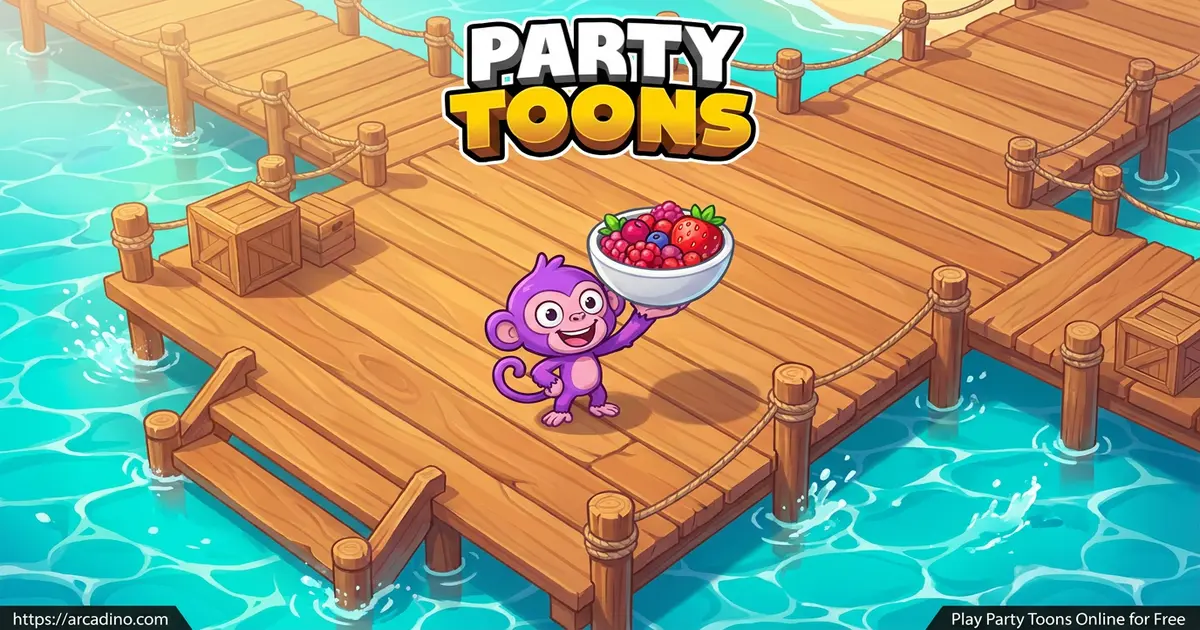
TinyDobbinsGrab three friends and crowd around one keyboard, because Party Toons turns a single screen into a four-player battle. This free online party game stuffs five wild mini-games into quick rounds where everyone races to grab the most coins. One second you’re flapping past chimneys, the next you’re dodging bombs while popping balloons. Quick note for confused searchers: this has nothing to do with a pontoon boat. It’s a cartoony multiplayer arcade game you play right in your browser, no download needed. 🎉
- Five different mini-games packed into one fast party
- Up to four players share a single keyboard at once
- Earn coins to unlock new hats, skins, and characters
- Play solo against AI or with friends and strangers
What Is Party Toons?
Party Toons is a multiplayer arcade game built around short, silly mini-game battles. You and up to three other players compete in colorful arenas, like a fenced lawn or a wooden dock surrounded by water. Each round, you’re racing to outscore everyone and walk away with the most coins. Think of it as a quick-fire party showdown with cute cartoon characters.
What makes this title stand out is how fast each match feels. There’s no waiting around. You pick a mode, pick your mini-game, and dive straight into the chaos. The game was made by a small indie team inspired by classics like Mario Party.
Loading it up in my browser, I noticed how smoothly the cartoon visuals run even with four avatars bouncing around. It’s a tidy HTML5 game that works in Chrome, Firefox, Safari, and Edge. No clunky menus, just bright arenas and instant action.
Party Toons Gameplay
The loop in Party Toons is simple and addictive. You jump into a mini-game, follow the on-screen rules, and try to beat your rivals. Win the round and you bank coins. Those coins then unlock fresh cosmetics in the shop.
There are five mini-games to master, and each one feels totally different. You might be flying through gaps in green pipes one moment, then catching falling strawberries the next. Because the games rotate, you never get bored of doing the same thing. Some versions even let players vote on which mini-game comes next.
You can play solo against the computer or load up to three friends. If you want fewer AI opponents, there’s a trashcan icon to remove them. That flexibility means a quiet afternoon or a loud living room both work great.
The Five Party Toons Mini-Games
This is the heart of the whole game, so here’s what you’re signing up for. Each challenge has its own goal but the same prize: coins.
- Flappy Party: Jump over chimneys and fly the furthest to win.
- Ping Pong: Hit the ball into your rival’s gate and score three points first.
- Geometry TV: Memorize symbols, pick the right direction fast, and outscore everyone.
- Popping: Pop balloons while dodging bombs. The last survivor wins.
- Strawberry Catch: Run around with a bowl and catch falling strawberries, avoiding rocks.
I love that the mini-games test different skills. Flappy Party rewards timing, Geometry TV rewards memory, and Popping rewards nerves of steel. That mix keeps every session feeling fresh.
Which Mini-Game Should You Play First?
New to Party Toons? Start with Flappy Party, since its one-button timing is easy to grab. Next, try Strawberry Catch, because running around with a bowl feels simple and silly. Save Geometry TV for when everyone wants a real brain test. Popping is the most chaotic, so play it once your friends know the controls. Ping Pong is great for a quick one-on-one duel between two players. Mixing them up keeps your party guessing and laughing. Once you’ve tried all five, you’ll quickly find your personal favorite.
Customization and Upgrades in Party Toons
Winning isn’t just about bragging rights. Every coin you earn goes toward new hats, skins, and characters in the shop. You start with a few free cosmetics, then build your collection as you play.
This gives the game a nice sense of progress. The more rounds you win, the more ways you can dress up your avatar. Some players also earn rewards by watching short ads if they want a quick coin boost. It’s a small touch that adds replay value beyond the mini-games themselves.
How to Play Party Toons
Getting started is quick. First, pick how many players you want: 1, 2, 3, or 4. If you choose one player, you’ll face the game’s AI opponents. Then customize your avatar with the free hats and skins before the action begins.
Read the short instructions for each mini-game, since every one has its own rules. After that, just play to win and stack up those coins.
Party Toons Controls
This game is built for couch multiplayer, so each player gets their own keys. The control layout is shared across one keyboard:
- Player 1: Arrow keys
- Player 2: WASD keys
- Player 3: 8, 4, 5, 6 keys
- Player 4: U, H, J, K keys
Use the mouse to click menu buttons between matches. On mobile, tap the screen to navigate the non-game menus.
Tips and Tricks for Party Toons
- In Flappy Party, tap your movement key in a steady rhythm. Panic-tapping sends you crashing into chimneys.
- For Popping, watch the bombs before you grab any balloon. Surviving last beats popping fast.
- In Geometry TV, focus on the symbol pattern early. Quick correct picks build your score lead.
- During Strawberry Catch, stay near the center of the dock so you can reach strawberries on both sides.
- Save your coins for characters you actually like, then grab cheaper hats once your collection grows.
Key Features of Party Toons
- Five unique mini-games that rotate so rounds never feel repetitive
- Local multiplayer for up to four players on a single keyboard
- Solo mode against AI with adjustable opponent counts
- A coin-based shop full of hats, skins, and unlockable characters
- Bright cartoon arenas like a grassy lawn and a watery dock
Where to Play Party Toons
The easiest way to jump in is right here in your browser. It’s free, loads fast, and needs no installation. Just open the page and you and your friends can start battling in seconds.
There’s also an iOS version available on the App Store if you’d rather play on an iPhone or iPad. On a PC, the keyboard setup shines because four players can share keys comfortably. If you ever see a random APK download for the game, skip it and stick to trusted sources to stay safe.
For Parents
Party Toons is a friendly, cartoony game that suits kids around 8 and up. The mini-games are simple to learn and contain no violence beyond cartoon balloon-popping and dodging bombs. There’s no open chat, since the fun is built around playing together on one device.
It does include optional ads that reward coins, so chat with your child about not clicking everything they see. The quick rounds make it easy to set a 20 to 30 minute play limit. It’s a solid pick for siblings or friends sharing screen time.
Similar Games to Party Toons
If you enjoy fast multiplayer mini-game battles, these picks scratch the same itch:
- Stick Merge – A merging game from the same creators, with quick upgrade-style fun.
- Merge Round Racers – Combine cars and race, another snappy title from TinyDobbins.
- Merge Cyber Racers – A futuristic merge-and-race game for short, satisfying sessions.
Want more head-to-head fun? Browse the full Multiplayer category.
FAQs About Party Toons
Is Party Toons free to play?
Yes, Party Toons is completely free in your browser. There’s no purchase needed to play all five mini-games. Optional ads can earn you extra coins if you want them.
How many players can play Party Toons?
Party Toons supports up to four players at once. Everyone shares a single keyboard using different key sets. You can also play solo against AI opponents.
Is Party Toons the same as a pontoon boat?
No, Party Toons has nothing to do with pontoon boats. It’s a cartoon multiplayer mini-game arcade game. The similar-sounding name just causes some search mix-ups.
What mini-games are in Party Toons?
There are five mini-games in Party Toons. They are Flappy Party, Ping Pong, Geometry TV, Popping, and Strawberry Catch. Each has its own goal and style.
Do I need to download Party Toons?
No, you don’t need to download Party Toons to play. It runs instantly in your web browser. An iOS app is also available on the App Store.
How do you earn coins in Party Toons?
You earn coins by winning mini-game rounds. The more matches you win, the more coins stack up. You can also watch optional ads for extra coins.
What can you buy in the Party Toons shop?
You can buy hats, skins, and new characters in the shop. Coins from winning rounds pay for everything. You start with a few free cosmetics too.
Can you play Party Toons on a phone or tablet?
You can navigate the menus on a phone using taps. But the mini-games are built for keyboards, so a PC works best. For mobile play, the iOS app is the smoothest choice.
Conclusion
Party Toons squeezes five wildly different mini-games into one couch-friendly package. Between dodging bombs in Popping and flapping past chimneys, there’s always a fresh challenge waiting. Add the shop full of hats and characters, and you’ve got plenty of reasons to keep winning. Round up some friends, claim a corner of the keyboard, and find out who really rules the party.
Gameplay Video