




















Watch one short ad and play ad-free for 30 minutes.
Bloxd.io
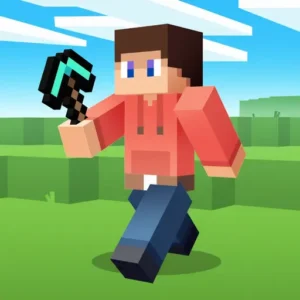
Arthur Benedict Baker, Weiqing & team (Bloxdy)Imagine Minecraft, Roblox, and a wild arcade mashed into one browser tab. That’s the quickest way to describe Bloxd.io, a free multiplayer sandbox you can jump into right now without any download. It’s often discovered through CrazyGames, which is why some players type “crazygames bloxd” when searching for it. With blocky voxel worlds, parkour races, and team battles, Bloxd.io packs a whole arcade into one link. 🎮
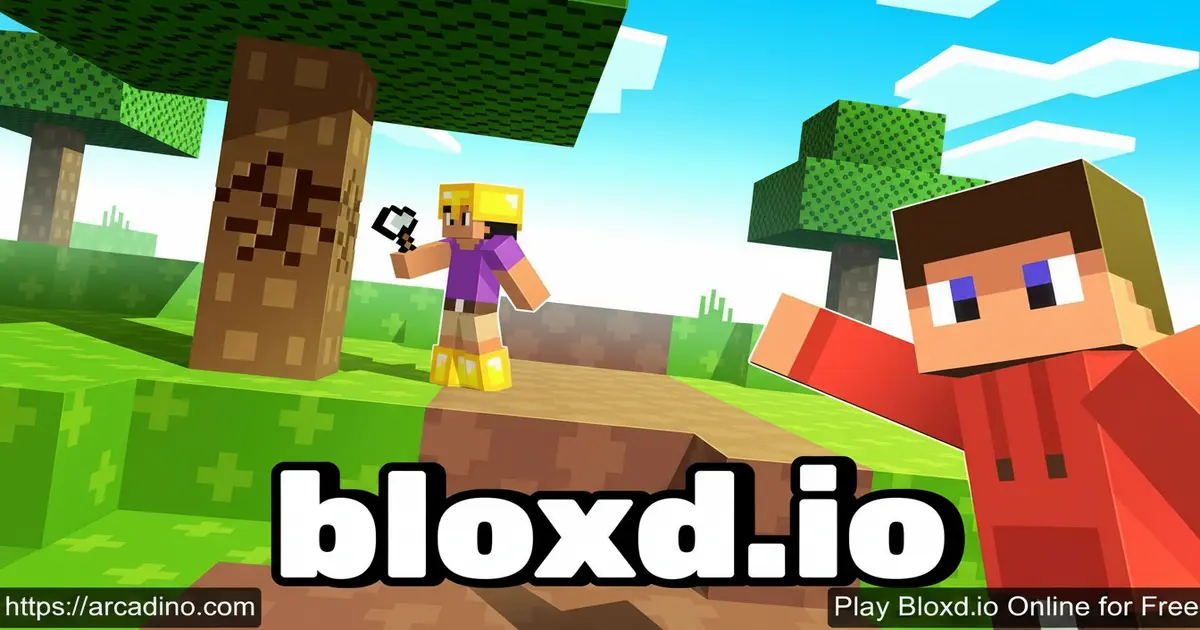
- Free multiplayer voxel sandbox playable in any modern browser
- Multiple modes including Bedwars, SkyWars, EvilTower, and DoodleCube
- Gather wood, craft tools, mine stone, iron, and diamond in Survival
- Cross-platform play on desktop, mobile browsers, and native apps
What Is Bloxd.io?
Bloxd.io is an IO adventure game with Minecraft-style visuals and a bunch of different game modes stacked inside. You can run parkour courses, build creative worlds, fight players in block battles, or just chill and gather resources. It launched in early 2021 and was made by an indie developer named Arthur Baker, with a small team including Weiqing helping out.
I tested it on a mid-range laptop and the voxel world loaded in under ten seconds with no installer at all. The mouse-look felt responsive and blocks placed exactly where the crosshair pointed. That snappy feel is a big reason Bloxd.io keeps pulling players back for more matches.
Gameplay in Bloxd.io
The core loop changes depending on the mode you pick from the lobby. In Survival you chop wood, craft a workbench, mine stone, then work your way up to iron and diamond tools. In Bedwars you defend your bed while trying to smash everyone else’s. Each mode has its own rules, but the blocky physics and build-and-break feel stay the same.
What keeps things interesting is how fast you can swap modes. Finish a parkour run in EvilTower, then jump straight into a drawing round in DoodleCube. New maps and modes roll out regularly, so the lobby almost always has something fresh.
Game Modes and Challenges
Bloxd.io is really a collection of mini-games tied together. Here are the main ones pulled from the official mode list:
- Survival – open-world resource gathering, crafting, and combat
- Bedwars – protect your bed and destroy enemy beds to win
- SkyWars – battle on floating islands until one player stands
- EvilTower – climb a brutal parkour tower inspired by Tower of Hell
- BloxdHop.io – race across jump blocks before time runs out
- DoodleCube – build objects from prompts while others vote, like Gartic
- CubeWarfare – third-person shooter where building is part of the strategy
- Peaceful and Creative – relaxed sandbox modes with no combat pressure
- OneBlock, Hide and Seek, Murder Mystery, Pirates – rotating community favorites
Which Mode Should You Play First?
With 15+ modes in the lobby, it’s easy to freeze up and not know where to click. Here’s a quick guide based on your mood. If you want competitive action, start with Bedwars or SkyWars for fast team fights. If you feel creative, Peaceful or Creative mode lets you build with zero pressure. Craving something social? DoodleCube and Murder Mystery are perfect for joking around with friends. For solo focus, try EvilTower or BloxdHop.io to grind parkour at your own pace. And if you want the classic all-in-one experience, Survival is the best starting point. Once you pick your vibe, the lobby stops feeling overwhelming.
Customization and Upgrades in Bloxd.io
You earn gold from achievements and matches, then spend it in the in-game shop. The shop includes cosmetic items and extras you can show off in multiplayer lobbies. Advanced players can even learn basic coding through the in-game tools to make their own custom worlds.
Custom Games are a huge deal here. Players publish their own modes, which means the selection grows every week without the core team doing anything. If you’re creative, your build could end up in rotation for thousands of strangers.
Why Players Love This Voxel Sandbox
The mix of chill building and competitive PvP is the big draw. You can sink an hour into quiet Peaceful mode, then unwind with a chaotic Bedwars match right after. Friends can party up across modes, which keeps group play fun even when tastes differ.
The community is also a huge part of the appeal. With over 8 million players worldwide and regular updates driven by feedback, it feels alive in a way many browser games don’t.
How Bloxd.io Differs From Minecraft and Roblox
People compare Bloxd.io to Minecraft and Roblox all the time, but the differences really matter. First, there’s no account required – just pick a username and play, while Minecraft and Roblox both need full sign-ups. Second, Bloxd.io loads in your browser in seconds, with no gigabyte-sized installer like Minecraft Java or the Roblox launcher. Third, worlds have smaller persistence – most modes reset per match, so you won’t build a forever base like in Minecraft survival. Fourth, cosmetics are free via in-game gold, unlike Roblox where you spend Robux (real money) on skins. Finally, it’s completely free with no paid DLC, which makes it an easy pick when you only have 15 minutes.
How to Play Bloxd.io
Getting started is easy. Open the game in your browser, pick a username, and choose a mode from the lobby menu. If you’re new, I’d suggest Peaceful or Survival first so you can learn the controls without pressure. Once you’re comfy, jump into Bedwars or EvilTower for the competitive thrill.
In Survival specifically, grab wood first, craft a workbench, then hunt sheep for wool to make a bed. The bed gives a 15-minute speed boost that helps you explore faster and find better resources. After stone, you’ll need to mine iron ore, then smelt it in a furnace to turn the raw ore into iron ingots. Only then can you craft an iron pickaxe, which is the minimum tier required to mine diamonds. Skipping the furnace step is the #1 reason new players get stuck before reaching diamond gear.
Controls
- WASD – move around
- Shift or double-tap W – run
- C, Z, , or Caps Lock – crouch
- T or Enter – open chat
- B – open shop
- / – start a command
- O – open the menu
- Left click to break, right click to place blocks
- On mobile, tap on-screen buttons for movement and actions
DoodleCube Controls (They’re Flipped!)
DoodleCube swaps the normal building controls, which trips up a lot of new players. In this mode, right mouse button places blocks and left mouse button destroys them – the opposite of Survival. Use the number keys (1–9) to switch between block colors and types quickly while you sculpt. The middle mouse button also cycles through blocks if you don’t want to take your hand off the mouse. Once you get used to the flip, drawing shapes from prompts becomes way faster.
Handy chat commands include /rtv to vote-skip a map, /players to see who’s in your lobby, /xp to check your level, and /played to see your total time. There’s also /nobuffs, which puts you on a separate leaderboard for buff-free runs – great if you want a purer challenge without the bed speed boost.
Performance and Hardware Expectations
Bloxd.io is lightweight, but here’s what to expect on different devices based on real testing. On a mid-range laptop with integrated graphics, it runs a smooth 60 FPS and loads in under 10 seconds. On a basic Chromebook, expect 30–50 FPS with a slight dip in crowded Bedwars lobbies – totally playable. RAM usage hovers around 500–800 MB in Chrome, so it won’t choke older machines. On older phones (3+ years old), touch controls work fine, though battery drain is noticeable – about 15–20% per hour. Closing other browser tabs helps a lot on weaker hardware. You don’t need a gaming PC; any device from the last five years should handle it.
Tips and Tricks for Bloxd.io
- In Survival, kill sheep early to craft a bed and grab that 15-minute speed buff before mining.
- Mine stone before hunting anything dangerous. A stone pickaxe unlocks iron, and iron unlocks diamond.
- In Bedwars, wall off your bed with the toughest blocks you can afford before pushing out to attack.
- For EvilTower, don’t rush. Watch where better players step, since one bad jump sends you all the way down.
- In DoodleCube, pick one clear shape and add details later. Voters reward clarity over ambition.
Key Features of Bloxd.io
- Voxel-based worlds where every block can be broken, placed, or crafted
- Over a dozen built-in game modes plus player-made Custom Games
- Real-time multiplayer with live chat and friend parties
- Achievement-based gold rewards spendable in the in-game shop
- Frequent community-driven updates with new modes and events
Where to Play Bloxd.io
The fastest way in is your web browser on desktop or mobile – no download, no login screen, just click and play. It runs well in Chrome, Firefox, Safari, and Edge. Many players also find it through CrazyGames, since the title is featured there alongside other popular IO hits.
If you prefer native apps, there are official mobile versions too. Grab them here:
Avoid random APK sites – they often bundle the game with unsafe files. Stick to the official stores or the browser version to stay safe.
For Parents
Bloxd.io is generally aimed at players around 10 and up, though some modes include PvP combat with blocky weapons. There’s no graphic violence, but the live chat is open, and language in public lobbies isn’t always filtered. Parents can review chats or stick to Peaceful and Creative modes for a calmer experience.
On the upside, the game encourages creativity, spatial thinking, and even basic coding through the custom-world tools. Sessions of 30–45 minutes are a good balance for younger kids.
Chat Safety and Screen-Time Tips
You can mute individual players by clicking their name in chat and choosing Mute, which blocks their messages for the session. To go further, open the settings menu (press O) and toggle “Hide Chat” to remove the chat window entirely – a great option for younger kids. Screen-time wise, 30–45 minute sessions with a 10-minute break work well for ages 8–11, while older kids can handle 60-minute blocks. Setting a kitchen timer or using a parental-control app keeps sessions predictable.
What Kids Actually Learn in Custom Games
The Custom Games editor teaches real beginner coding concepts in a friendly way. Kids learn event triggers (when a player steps here, do this), variables (tracking scores or health), and basic scripting logic like if-then statements. They also practice spatial design by planning maps, and playtesting by iterating on what feels fun. These are the same building blocks used in Scratch, Roblox Studio, and even professional game engines – so time spent here transfers well to other creative tools.
Similar Games to Bloxd.io
If you enjoy this voxel sandbox, here are other browser multiplayer hits worth trying:
- Shell Shockers – egg-themed first-person shooter with fast multiplayer matches
- Survev.io – top-down battle royale with loot and shrinking zones
- Grow A Garden – relaxed multiplayer building and growing game
- More IO Games
FAQs About Bloxd.io
What is Bloxd.io?
Bloxd.io is a free multiplayer voxel sandbox game inspired by Minecraft. It bundles many modes like Bedwars, SkyWars, EvilTower, and DoodleCube into one browser game. You can build, explore, race, and battle other players online.
Is Bloxd.io safe for kids?
Bloxd.io is mostly safe, but parents should know it has open live chat. There’s no graphic violence, though PvP modes involve blocky combat and guns. Reviewing chats or sticking to Peaceful mode keeps younger kids in a calmer space.
Is Bloxd.io like Roblox or Minecraft?
Yes, Bloxd.io blends ideas from both Roblox and Minecraft. The blocky world and crafting feel very Minecraft, while the bundle of mini-games feels closer to Roblox. It runs straight in a browser, with no install needed.
How much does Bloxd.io cost?
Bloxd.io is completely free to play in your browser and on mobile apps. There are no paid levels or subscription walls. Gold earned in-game buys cosmetic items in the shop.
How do I make a bed in Bloxd.io?
Kill sheep to collect 3 wool, then craft a bed at your workbench. You’ll need wood planks too, so chop trees first. Sleeping in the bed gives you a 15-minute speed boost.
How do I make my own game in Bloxd.io?
Use the in-game Custom Games tools to build and publish your own world. The system includes basic coding features so you can add rules and mechanics. Once published, other players can find and join your game from the lobby.
When did Bloxd.io come out?
Bloxd.io launched in early 2021. Since then it has grown to over 8 million players and added dozens of modes. Regular updates keep adding new features, maps, and events.
Who created Bloxd.io?
Bloxd.io was created by an indie developer named Arthur Baker. A small team including Weiqing and other developers has helped expand it. Community feedback shapes a lot of the updates.
Final Thoughts on Bloxd.io
Bloxd.io stands out because it isn’t just one game – it’s a whole arcade of voxel modes stitched into a single free browser link. The mix of Survival crafting, Bedwars chaos, and creative building means there’s always a reason to log back in. Add player-made Custom Games and you get a world that grows every single week.
Pick a mode, grab some wood, and see which corner of this blocky universe becomes your favorite hangout.
Gameplay Video


