

















Watch one short ad and play ad-free for 30 minutes.
Ships 3D
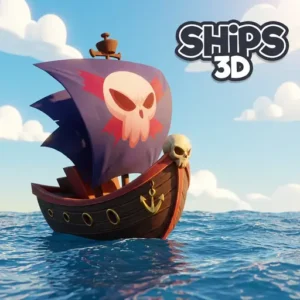
yp3dShips 3D drops you onto a wooden deck where you sprint between the helm, the sails, and the cannons. It’s a free naval battle game you can play online right in your browser, no download needed. You command a real sailing vessel, reading the wind and tearing holes in enemy hulls. Up to 20 players can clash at sea in chaotic multiplayer ship wars. If you’ve searched for Ships 3D online and wondered how the sailing physics work, this guide covers it all. 🌊
- First-person naval combat with realistic sailing physics
- Steer, raise sails, and fire cannons all by yourself or with a crew
- Invite friends using a unique crew code for teamwork
- Two game modes plus upgradeable ships and skins
What Is Ships 3D?
Ships 3D is an online naval warfare game built around frantic battles and chaotic smash-ups at sea. You don’t just point and shoot. You physically run across the deck to grab the wheel, angle the sails, and load the cannons. That hands-on style makes every fight feel busy and tense.
The game was developed by Yp3d, with contributions from Zorm. It focuses on team coordination and ship management, with a sandbox-like community where players form crews, clans, and rival fleets. Playing it in my browser, I noticed how quickly the wind shifts mattered. One bad sail angle and a faster sloop slipped right past my cannons.
Ships 3D Gameplay
You control a sailing ship from a first-person view on the open sea. With your Helper Bot at your side, you set the sails, chase down rivals, and blast their hulls apart with powerful cannons. Your own ship takes damage too, so you’re always watching for trouble.
When enemy cannonballs hit, holes appear in the hull and water floods in. Severe damage sinks your ship, forcing you to reach land or restart the round. Combat escalates through ship classes, from nimble sloops built for solo play to massive warships that demand a full crew. That climb keeps every match fresh.
Ships 3D Melee and Musket Combat
Cannons aren’t your only way to fight in Ships 3D. You can also grab a sword and battle up close when enemies get too near. Prefer to stay back? Pull out your musket and pick off foes from a distance. This mix lets you board rival ships or defend your own deck hand to hand. So fights aren’t only ship-to-ship, they get personal too. Choosing the right tool for each moment makes you a tougher captain.
Ships 3D Controls and Crew Roles
The clever part of this naval game is that you can do everything alone or split jobs with teammates. One player can steer while another fires and a third repairs leaks. When you’re solo, the Helper Bot handles a station so you’re never totally swamped.
You add friends to your ship using a unique crew code. That gives you real coordination and a teamwork advantage against other seafarers. You can also kick the Helper Bot out of a seat whenever you want to take charge yourself.
Solo Play vs Full Crew: Which Should You Pick?
New captains often wonder whether to sail alone or recruit friends first. The honest answer depends on which ship class you want to command. Small, nimble sloops are perfect for solo play because the Helper Bot can cover one station while you handle the rest. You steer, fire, and patch leaks without feeling totally buried. But the big warships are a different story entirely. These heavy beasts have multiple cannons and sails that need constant attention all at once. The Helper Bot just can’t keep up with everything a warship demands. So if you crave those massive vessels, gather real human crewmates and share your crew code. Start solo in a sloop to learn the ropes, then graduate to a crewed warship.
Ships 3D Upgrades and Customization
Fighting at sea earns you levels and gold. You spend those rewards to upgrade your cannons and your vessel for better battle performance. Stronger ships and better guns make a huge difference in close fights.
There’s also a wide collection of skin options and unlockable cannon balls to chase. Leveling up unlocks new weapons and tougher ships, so there’s always a reason to head back out. Clan listings and clan chat let dedicated crews band together long-term.
Ships 3D Leaderboard and Wall of Fame
Ships 3D keeps track of the best captains on a high score wall of fame. Every time you sink rivals and rack up points, you climb closer to the top. Seeing your name on the leaderboard feels awesome after a big winning streak. It also gives you a clear goal beyond just surviving each round. Chasing a top spot pushes you to sharpen your aim and your sailing. So keep battling, and aim to leave your mark on the board.
Ships 3D Game Modes
This naval title ships with two main modes you pick when starting a new game. Team Flags pushes crews to fight and capture objectives. Trader Mode mixes in transport runs, where you haul goods across the water instead of just brawling.
Modes like these force crews to switch between fighting, transporting, and defending. Larger servers exist too, including bigger trading and team battles for huge clashes. There are even mountains and goblins to deal with on longer voyages.
Some of these bigger servers pack in tons of players for epic chaos. The commodity trading mode can hold up to 90 players hauling goods at once. The team battle mode supports up to 60 players clashing across the waves. These huge counts turn the sea into one giant, busy battlefield.
How to Play Ships 3D
Getting started is simple. Open the game, choose a mode, and you’ll spawn on your ship deck. Walk up to a station like the helm or a cannon, then interact to take control of it. From there, you read the wind and start hunting enemy vessels.
Sinking foes is the goal, so aim your cannons low and keep your sails angled into the wind.
How Sail Angles and Wind Really Work
The sailing in Ships 3D rewards captains who actually watch the wind. Your mast flags show which way the wind is blowing right now. Angle your sails to catch that wind, and your ship picks up real speed. Point them wrong, and you’ll crawl while rivals zip past you. Sailing straight into the wind slows you down the most, so swing wide instead. Turning your sails as the wind shifts is the key to winning chases.
Surviving Leaks and Flooding
Cannonballs near the waterline punch holes that let seawater pour into your hull. Once flooding starts, it’s a race between your repairs and the rising water. If you patch leaks faster than they fill, your ship stays afloat. But too many holes at once will overwhelm even a busy repair crew. When you’re critically damaged, stop fighting and steer hard for the nearest land. Reaching shore lets you survive and recover instead of sinking to the bottom. Knowing when to flee instead of fight is what separates smart captains from sunk ones.
Ships 3D Controls
- WASD: Move your sailor across the ship deck
- Mouse: Look around and aim interactions
- F: Interact with helm, sails, cannons, and tools
- A / D (at the helm): Steer the ship left or right
- Hold LMB (at a cannon): Aim and fire cannon shots
- A / D (at the sails): Rotate sails to catch the wind
- Esc: Pause or open the menu
On mobile, use the virtual joystick to steer, the fire button to shoot, the speed button to move faster, and the settings icon to pause.
Tips and Tricks for Ships 3D
- Read the wind: Check your mast flags constantly and angle the sails correctly to gain speed during chases.
- Divide roles: Assign steering, firing, and repairs to different crewmates so jobs never compete in a firefight.
- Sink, don’t scratch: Aim your cannons near the waterline to punch leaks that overwhelm enemy repairs faster.
- Control your turns: Lower the sails slightly before tight maneuvers to out-turn heavier warships up close.
- Upgrade smart: Spend gold on cannons early so you can sink rivals before they reinforce their fleet.
- Grab your sword: Keep a melee weapon or musket ready for when enemies board your deck or sail close.
Key Features of Ships 3D
- First-person naval combat where you operate every station yourself
- Realistic sailing physics with wind angles and waterline leaks
- Sword melee and musket combat for fights up close or from afar
- Two game modes plus larger servers for big team and trading battles
- Upgradeable ships, unlockable cannon balls, and a Helper Bot teammate
- In-game friends list, crew codes, clan listings, and clan chat
Where to Play Ships 3D
You can play Ships 3D free in your browser with no download and no sign-up. It loads straight from the page and works in Chrome, Firefox, Safari, and Edge. Many players also search for it as Ships 3D unblocked when they want to jump in at school or a library.
There’s a mobile version too, with touch controls built for phones and tablets. You can grab it on the Google Play Store. Stick to the official store rather than random APK files to keep your device safe.
For Parents
Ships 3D is a cartoon-style naval battle game with no realistic gore. The combat is about cannons, swords, and sailing strategy rather than anything graphic. Because it’s playful and not bloody, most younger players can enjoy it comfortably. It’s a multiplayer title with clan chat, so kids should know not to share personal details with strangers. As always, you know your own child best, so check the game out together first.
The game is free to play and rewards teamwork, planning, and quick decision-making. It’s easy to pause and step away whenever your child needs a break.
Similar Games to Ships 3D
If you love commanding a ship and battling other players at sea, these multiplayer games scratch the same itch.
- Battleboats.io – A multiplayer boat battle game where you blast rivals on open water.
- Pirate Battle – Sail a pirate ship and fire cannons at enemy vessels.
- Sea Battle – A naval strategy duel about sinking the enemy fleet.
- Ship Simulator – Steer and dock big ships using realistic controls.
Browse more games like these in our Multiplayer category.
FAQs About Ships 3D
Is Ships 3D a multiplayer game?
Yes, Ships 3D is a multiplayer naval game. You can invite friends and battle other players online. If you’d rather sail solo, the Helper Bot fills an empty station so you’re never alone.
How many game modes are in Ships 3D?
Ships 3D has two main game modes. When you start a new game, you pick either Team Flags or Trader Mode. Larger servers also host bigger team and trading battles.
Is Ships 3D free to play?
Yes, Ships 3D is 100% free to play. You don’t pay anything to jump into the naval battles. You earn gold in-game to spend on upgrades.
Do I need to download anything to play Ships 3D?
No, Ships 3D runs straight from your browser. There’s nothing to install on PC. A mobile app version is available separately on the Google Play Store.
Can I play Ships 3D with friends?
Yes, you can play Ships 3D with friends. Just share your crew code so they can join your ship. Playing together gives you a big coordination advantage.
Can you fight with swords in Ships 3D?
Yes, you can fight with a sword in hand when enemies get close. You can also use a musket to hit foes from a distance. This lets battles get personal beyond just cannon fire.
Who developed Ships 3D?
Ships 3D was developed by Yp3d, with contributions from Zorm. It centers on team-based naval combat and sailing physics. Players can form crews, clans, and rival fleets.
Set Sail in Ships 3D
Ships 3D stands out with hands-on sailing, where you scramble between the helm, sails, and cannons in the heat of battle. The waterline leak system, two game modes, and ship upgrades give every match real depth. Grab a crew code, share it with friends, and aim those cannons low. The seas are waiting, captain.
Gameplay Video