






















Watch one short ad and play ad-free for 30 minutes.
Idle Breakout
Kodiqi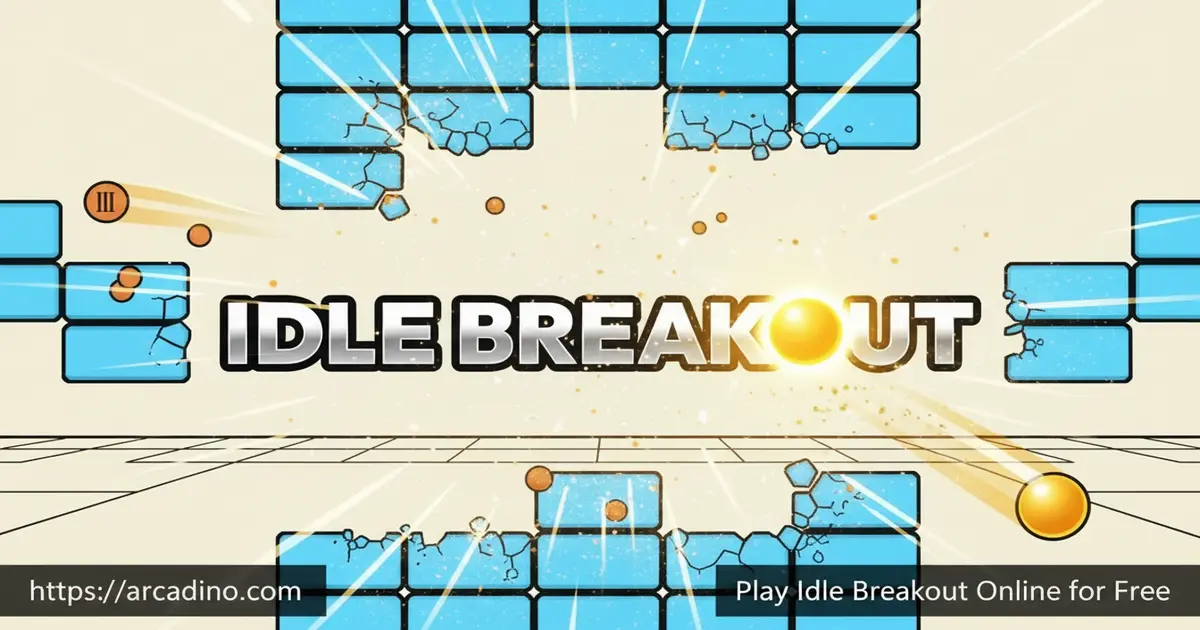
What if a classic arcade game kept playing for you — even when you walked away? That’s exactly what Idle Breakout does, and it’s completely free to play in your browser right now. It mashes the satisfying crunch of brick-breaking with the addictive loop of an idle clicker. The result is a game that’s hard to stop thinking about, even when your screen is off. 😎
- Buy and upgrade multiple ball types, each with unique abilities
- Earn money automatically — bricks break even when you’re not watching
- Use the Prestige system to reset and come back permanently stronger
- Three specialized ball types — Plasma, Sniper, and Scatter — reward smart team-building
What Is Idle Breakout?
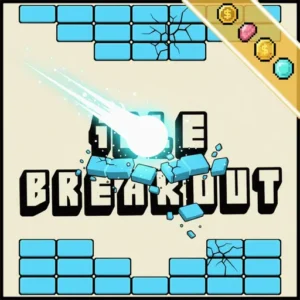
Idle Breakout is a free browser game created by Kodiqi. It blends the classic Breakout brick-smashing formula with idle clicker mechanics. Instead of manually controlling a paddle, you buy balls that bounce and break bricks on their own. The more you upgrade, the faster the destruction gets.
What sets this game apart from other idle titles is how much depth hides behind its simple start. Early on, you’re clicking individual bricks yourself. Within a few minutes, you’re managing a whole squad of balls with totally different strengths. The game loads almost instantly in a browser tab and responds to clicks without any noticeable lag — even on lower-end school Chromebooks. That smooth, lightweight performance makes it easy to pick up between other tasks.
Gameplay — The Idle Breakout Loop
The core loop in Idle Breakout is brilliantly simple to start. You click a brick to destroy it and earn points. Those points become currency to buy your first ball, which then bounces around breaking bricks automatically. From there, the loop just keeps escalating.
As bricks get tougher, you’ll need to invest smarter. Do you buy more balls, or upgrade the ones you already have? Do you prioritize speed, power, or special abilities? Every decision shapes how fast you progress, and that constant optimization is what keeps the game genuinely engaging long after the opening minutes.
Ball Types and Upgrades in Idle Breakout
Not all balls are equal, and that’s where the real fun begins. The Plasma Ball deals area damage and moves quickly across the screen. The Sniper Ball always targets the brick with the highest HP — super efficient when one tough block is slowing you down. The Scatter Ball causes splash damage on impact, hitting multiple bricks at once.
Combining all three types is the key to clearing bricks fast. Each ball can also be upgraded multiple times, growing more powerful as you invest points into it. Figuring out which upgrades give the best return at each stage of the game is where the strategy really opens up.
Prestige Mode — Reset to Get Stronger
When your progress slows to a crawl, Prestige mode gives you a fresh start — but with permanent bonuses. Triggering Prestige resets your balls and money, but grants lasting power boosts like increased damage and speed. It’s a classic idle game mechanic, and it works really well here.
The timing of your Prestige matters a lot. Reset too early and you miss out on upgrades. Wait too long and you’re grinding through bricks painfully slowly. Most experienced players recommend Prestiging once each round starts taking noticeably longer than the one before it.
Offline Progression — Idle Breakout Never Stops
One of the coolest things about this game is that it runs in the background even after you close the tab. Come back the next day and your balls have kept working, earning you money the whole time. That offline progress means you’re never truly starting from scratch.
This mechanic is what earns the “idle” label — and it’s genuinely satisfying to reopen the game after school and see how much progress happened without you. It makes every session feel rewarding, no matter how short.
How to Play Idle Breakout
Getting started takes about ten seconds. The bricks appear on screen with numbers showing their HP. Click a brick to chip away at it and earn your first points. Once you have enough, head to the shop and buy your first ball — then watch it go to work.
The game guides you naturally through its early steps. Your job shifts from active clicking to smart investing pretty quickly. Keep buying and upgrading balls, and the game does more and more of the heavy lifting for you.
Controls for Idle Breakout
Controls are as simple as it gets. Use your mouse to click bricks and navigate the shop menu. On mobile, tap the screen to interact with bricks and purchase upgrades. There are no complicated key combos to memorize — the whole game runs on clicks and taps.
Tips and Tricks for Idle Breakout
- Add a Sniper Ball early. It targets the highest-HP brick automatically, stopping tough blocks from bottlenecking your progress.
- Mix all three ball types. Plasma, Sniper, and Scatter each cover different weaknesses — running only one type will slow you down at higher rounds.
- Prestige at the right moment. Wait until each round takes noticeably longer than the last before resetting — that’s the sweet spot for maximum bonus value.
- Let the game idle overnight. Since Idle Breakout keeps running after you close the tab, a long offline session can give you a huge head start the next morning.
- Prioritize upgrade efficiency. More balls aren’t always better than stronger balls. Check whether upgrading an existing ball gives more DPS than buying a new one at your current price point.
When to Buy a New Ball vs. Upgrade an Existing One
This is the most common question new players have — and no one explains it clearly enough. Here’s a simple rule: look at how much damage-per-second (DPS) you’d gain from one upgrade on your current ball, then compare that to the base DPS a brand-new ball would add for the same gold. If the new ball gives more DPS for the cost, buy it. If the upgrade wins, upgrade instead.
In the early game, it’s almost always smarter to buy your second and third ball types before maxing out your first one. A Sniper Ball and a Scatter Ball together clear bricks much faster than a single fully upgraded Plasma Ball. Once you have all three types in your lineup, then start stacking upgrades — that’s when each gold coin really starts pulling its weight.
Key Features of Idle Breakout
- Three specialized ball types — Plasma (AOE), Sniper (targets toughest brick), and Scatter (splash damage) — each with a distinct tactical role
- Prestige system that resets progress in exchange for permanent power upgrades, adding a satisfying long-term loop
- True offline progression — the game earns money and breaks bricks even when the tab is closed
- Deep upgrade tree that rewards players who think carefully about where to spend their points
- Browser-native HTML5 build that runs smoothly with zero installs, plus a dedicated mobile app for Android and iOS
Where to Play Idle Breakout
You can play Idle Breakout for free directly in your browser at arcadino.com. There’s nothing to install and no account required — the game is ready to go the moment the page loads. It’s also fully accessible without restrictions on the site, making it a great option for quick sessions during free time.
Prefer playing on your phone or tablet? The mobile version is available for download on both major platforms. Grab it on Android via the Google Play Store, or on iPhone and iPad from the Apple App Store. If you ever search for an Idle Breakout APK from a third-party site, be cautious — always download from official stores to keep your device safe.
Playing Idle Breakout at School on a Chromebook
Idle Breakout is one of the best browser games for school because it’s built entirely in HTML5. It doesn’t use Flash, doesn’t need any browser extensions, and doesn’t require you to install anything at all. That means it runs smoothly on most school Chromebooks right out of the box, without needing admin permissions or special settings.
The game also works within typical school network restrictions, so you’re less likely to run into blocked-site problems compared to games that rely on external plugins. If you’re searching for “idle breakout unblocked” or wondering whether it’ll work on your school’s Wi-Fi, the answer is usually yes — just open a browser tab and go. It’s quiet, low-distraction, and easy to pause between classes.
Is Idle Breakout Still Being Updated?
The mobile version of the game — published by Tech Tree Games on the App Store and Google Play — has received regular updates, with version changelogs showing active maintenance through recent releases. If you’re playing the browser version by Kodiqi, it’s worth checking back occasionally, as the game has evolved since its original release. The active update history on the mobile side is a good sign that the core game is still being looked after and improved over time.
For Parents
Idle Breakout is a calm, non-violent idle game that’s well-suited for kids aged 8 and up. It has no chat features and no player-versus-player interaction, so there’s no social risk to worry about. The game’s upgrade and strategy systems gently encourage kids to think about resource management and decision-making — useful thinking skills dressed up as fun.
We observed no in-app purchases in the browser version at the time of writing, though this may vary depending on where the game is hosted. The mobile app version may include optional purchases, so it’s worth checking settings if you want to limit spending. Because the game progresses on its own, kids naturally step away and come back later — it doesn’t demand continuous screen time the way action games often do.
Similar Games to Idle Breakout
If you love the idle upgrade loop in this brick-busting game, these other titles will scratch the same itch.
- Idle Dice — A dice-rolling idle game where smart upgrades are everything, just like choosing which balls to level up in Idle Breakout.
- Cookie Clicker — The genre-defining idle clicker that rewards patient, strategic investing — a must-play for any idle game fan.
Which Idle Game Should You Play? A Quick Comparison
Not sure which idle game to try first? Here’s a quick way to think about it. Idle Breakout is great if you like watching a visual field of bricks get smashed — it’s got the most active-looking idle loop and offline progress that really pays off after a long break. Cookie Clicker is the classic choice if you want the deepest upgrade tree and the longest-running community — sessions can stretch for days, and the complexity grows fast. Idle Dice sits in the middle: it’s simpler to pick up than Cookie Clicker, more number-focused than Idle Breakout, and perfect for shorter play sessions.
All three games are free to play in your browser, but they reward different kinds of players. If you’re new to idle games, start with Idle Breakout — the visual feedback of balls smashing bricks makes the mechanics easier to understand right away. If you’ve already finished a few prestige runs and want something bigger, Cookie Clicker will keep you busy for a long time.
Explore more games like these in the Idle category on Arcadino.
FAQs About Idle Breakout
Who created Idle Breakout?
Idle Breakout was created by a developer called Kodiqi. It was their debut browser game and quickly built a large following thanks to its satisfying mix of brick-breaking and idle mechanics. You can play it free on multiple gaming sites, including arcadino.com.
Is Idle Breakout free to play?
Yes, Idle Breakout is completely free to play in your browser. No sign-up or download is needed to start smashing bricks. The mobile app is also free to install, though it may offer optional in-app purchases.
Can I play Idle Breakout on mobile?
Yes, Idle Breakout is playable on phones and tablets. The browser version works on mobile, and there’s also a dedicated app on the Google Play Store and the Apple App Store. The tap controls feel natural on a touchscreen.
What does the Prestige system do in Idle Breakout?
Prestige resets your balls and money in exchange for permanent power bonuses. Those bonuses — like increased damage and speed — carry over into your next run. It makes each new playthrough faster and more powerful than the last.
Does Idle Breakout save progress when I close the tab?
Yes, the game keeps running and earning money even after you close the tab. Reopen it hours later and your balls will have broken bricks the whole time. This offline progression is one of the biggest reasons players keep coming back.
What is the Idle Breakout import code?
The import code lets you save and restore your game progress using a text string. Copy your code before clearing your browser data so you don’t lose your upgrades. It’s a handy way to move your save between devices or browsers.
Here’s how the full process works. First, open the in-game menu — usually a button in the corner of the screen — and look for the “Export” or “Save Code” option. The game will generate a long string of letters and numbers. Copy that entire string and paste it somewhere safe, like a notes app, a text file, or your email drafts. To restore your progress on a new device or after clearing your browser cache, open the menu again, choose “Import,” paste your code, and confirm. Your balls, upgrades, and gold should all come back exactly as you left them.
This step matters more than most players realize. Idle Breakout saves your progress using your browser’s local storage, which gets wiped if you clear your cookies or site data — or if you play in a private browsing window. The import code is your only real backup, so it’s worth copying it regularly, especially before any big Prestige run.
Is there an Idle Breakout 2?
There is no officially confirmed sequel called Idle Breakout 2 at this time. The original game continues to be widely played across browser platforms, and the mobile version has seen active updates. Keep an eye on Kodiqi’s releases for any future announcements.
Conclusion
Idle Breakout is one of those rare games that gets more interesting the longer you play it. The trio of Plasma, Sniper, and Scatter balls gives every run a real strategic dimension, and the Prestige system means there’s always a meaningful goal just over the horizon. Offline progression ties the whole experience together — your progress never feels wasted.
Ready to build the ultimate brick-demolishing machine? Head over to arcadino.com, open Idle Breakout, and see how far your upgrade strategy can take you. Your bricks are waiting.
Gameplay Video


