












Watch one short ad and play ad-free for 30 minutes.
Planet Clicker
Coltroc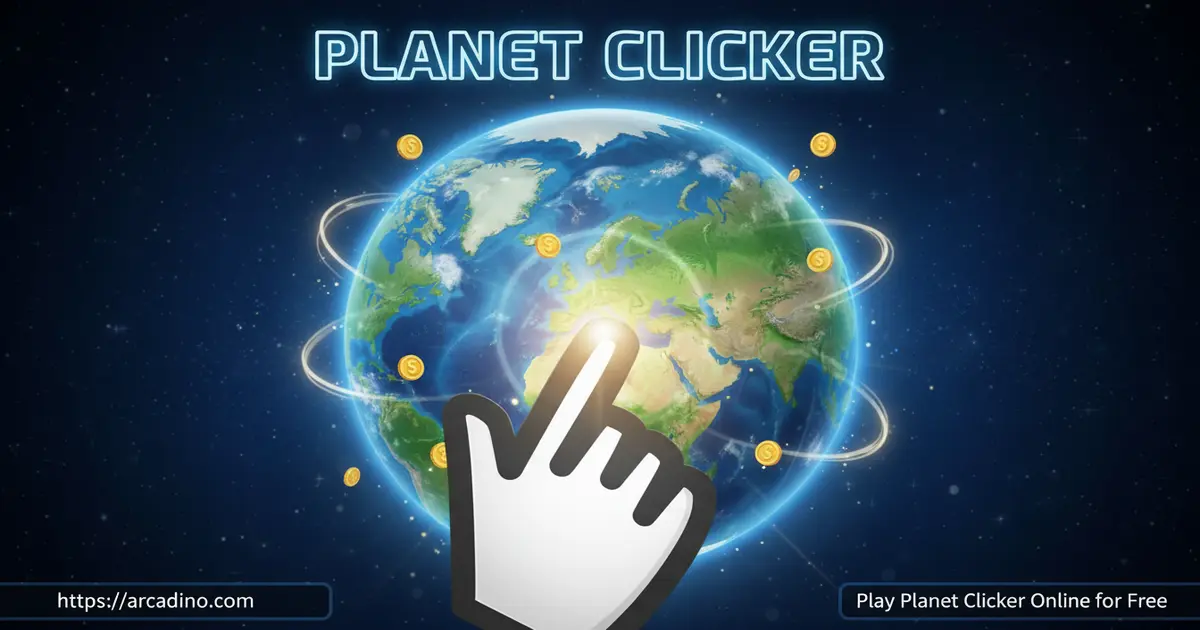
Conquering an entire solar system starts with a single click — and Planet Clicker hands you that power for free, right in your browser. This addictive space clicker challenges you to build energy from scratch on Earth, then push outward to Mars and Venus. It’s the kind of cosmic takeover that Planet Clicker Scratch fans have been obsessing over since it first launched. Think you can reach Venus’s 1 trillion energy milestone? There’s only one way to find out.
Planet Clicker has become a genuine community favourite since Coltroc first shared it on Scratch. Players around the world have posted their run times and upgrade strategies, and the game regularly pops up in browser gaming discussions for its tight, satisfying loop. Whether you’re a first-timer or a returning player chasing a faster Venus clear, you’re joining a big crowd of space-clicking fans.
- Three real solar system planets to colonize: Earth, Mars, and Venus
- Dozens of upgrades, from power plants on Earth to alien technology on Mars
- Venus features the legendary “Future Technology” upgrade — the priciest in the game
- Made in Scratch by developer Coltroc, playable free online with no download
What Is Planet Clicker?
Planet Clicker is a free incremental clicker game built in Scratch by a developer called Coltroc. Your mission is simple: click on planets to generate energy, spend that energy on upgrades, and eventually unlock new worlds. It sits firmly in the idle/clicker genre, but it has a tight planetary progression loop that gives it real direction.
What makes this title stand out from most browser clickers is its three-planet structure. You’re not just clicking endlessly on one screen — you’re working toward a concrete goal on each world. The controls respond instantly in-browser, with zero noticeable input lag even during rapid clicking sessions, which matters a lot when early-game speed is everything.
When you play Planet Clicker on a browser game site like arcadino.com, you’re playing a version that’s been lightly adapted from the original Scratch project. The Scratch platform normally shows green flag start buttons and stop buttons around the game window — browser site versions remove those interface elements and replace them with a custom loading experience so the game feels native and clean. The core gameplay made by Coltroc is completely unchanged; it’s just the surrounding shell that’s been tidied up for a smoother experience.
Planet Clicker Gameplay — How the Energy Loop Works
Every run of Planet Clicker begins on Earth. You click the planet to generate energy units, then spend them in the shop on upgrades that boost how much each click earns. Early upgrades include farms and power plants, which start building a small passive income alongside your active clicking. Getting a couple of clicking multipliers early makes a huge difference to your energy curve.
Once your Earth energy reaches the required threshold, you can purchase Mars and jump to the red planet using the arrow buttons at the bottom of the screen. Mars opens up a fresh upgrade tree — solar oil, coal, nuclear power, and even alien technology. After mastering Mars, you aim for Venus, which costs a staggering 1 trillion energy units to unlock. It’s a long grind, but every upgrade step forward feels earned.
Levels and Progression Through the Solar System
The three-planet structure gives Planet Clicker a clear progression arc that most clicker games lack. Earth is your training ground — it teaches the upgrade loop and rewards fast clickers. Mars cranks up the complexity with more varied upgrade types, including the exciting alien technology branch.
Venus is the ultimate challenge and the game’s final destination. It introduces iron and lava upgrades, but the crown jewel is the Future Technology upgrade — the most expensive and most powerful option in the entire game. Reaching Venus feels like a genuine milestone. It’s the payoff for every energy unit you ground out on the earlier planets.
Why Venus Is the Last Planet — Scratch’s Big-Number Limit
If you’ve ever wondered why Planet Clicker stops at Venus and doesn’t go further into the solar system, the answer comes straight from the developer. Coltroc has noted in the original Scratch project comments that adding more planets isn’t possible because Scratch struggles to handle the increasingly massive number values the game’s progression would require. Each new planet needs energy thresholds many times larger than the last — and Scratch’s number-handling simply breaks down at that scale. That technical ceiling is the real reason Venus is the endpoint, not a creative choice. It’s also why Planet Clicker 2 exists as a completely separate build rather than an update to the original — a new engine was needed to go further. So when you finally reach Venus, know that you’ve genuinely hit the outer limit of what this version of the game can hold.
Customization and Upgrades in Planet Clicker
Each planet in this idle hit comes with its own unique upgrade set, so there’s always something new to buy as you progress. On Earth, you’re enhancing clicking power and building energy infrastructure. On Mars, you’re investing in resources like coal and nuclear that feel distinctly different from Earth’s options.
Smart upgrade choices separate fast players from slow ones. The game rewards players who buy steadily rather than hoard energy for one giant purchase. Spreading your energy across multiple mid-tier upgrades consistently outpaces saving up for a single big ticket item — at least until the late game on Venus, where the Future Technology upgrade becomes the clear priority. 🚀
How to Play Planet Clicker
Starting out in Planet Clicker is immediate — the game drops you straight onto Earth with no tutorial required. Click the planet to generate your first energy units, then tap the shop to see what’s available to buy. Your first few purchases should focus on clicking multipliers to get your early income snowballing fast.
Once you’ve built up a solid energy income on Earth, keep an eye on the planet unlock costs in the shop. When you can afford Mars, grab it right away — waiting around on Earth too long slows your overall progression considerably. Use the arrow buttons at the bottom of the screen to switch between your unlocked planets at any time.
Planet Clicker Controls
The controls couldn’t be simpler. Left-click on the planet to generate energy — that’s your core action for the entire game. Use the arrow buttons at the bottom of the screen to navigate between planets once you’ve unlocked them. On mobile, tap the planet and tap the arrows to do the same thing. A mouse gives you the fastest clicking speed, which is a real advantage in the early stages when active clicking is your main income source.
How to Speedrun Planet Clicker from Earth to Venus
Because the game resets every session, a lot of returning players treat each run as a speedrun challenge — how fast can you reach Venus and unlock Future Technology? A fast run has a clear shape to it. On Earth, skip farms entirely at first and buy clicking multipliers back-to-back; two or three multipliers in a row will spike your energy-per-click far faster than any passive building can. Hit Mars at the very first moment you can afford it — every second spent over-farming Earth is wasted potential. On Mars, focus on the highest-multiplier upgrades available rather than collecting every option, and keep clicking actively instead of going idle. When you land on Venus, resist buying iron and lava upgrades in random order; map out the cheapest path to Future Technology and funnel everything toward it without detours. Players who follow this discipline consistently clear all three planets in a fraction of the time casual runs take, and the replayability of chasing a personal best is one of the most underrated parts of this game.
Tips and Tricks for Planet Clicker
- Click as fast as possible early on. Active clicking is your biggest energy source at the start. Spam that left-click on Earth before you have passive upgrades running.
- Grab clicking multipliers first. Before investing in farms or power plants, pick up at least two or three clicking multipliers. They multiply every future click you make.
- Upgrade steadily, don’t hoard. Saving up for one massive upgrade is slower than buying several affordable ones in sequence. Keep your energy moving through the shop.
- Unlock Mars as soon as you can afford it. Mars is a resource-rich planet with a whole new upgrade tree. Every minute you delay unlocking it is energy left on the table.
- Prioritize Future Technology on Venus. Once you reach the final planet, Future Technology is the most powerful upgrade available. Work toward it deliberately — it’s worth every energy unit.
Key Features of Planet Clicker
- Three-planet solar system progression — Earth, Mars, and Venus each have unique upgrade sets and unlock requirements, giving the game a clear endpoint to work toward.
- Planet-specific upgrade trees — Mars brings solar oil, coal, nuclear, and alien technology, while Venus features iron, lava, and the exclusive Future Technology upgrade.
- Clicking multiplier system — early investment in click multipliers creates a compounding energy advantage that carries through the entire game.
- Arrow-button planet navigation — switch between your unlocked planets instantly using the on-screen arrow buttons, letting you manage multiple worlds at once.
- Built on Scratch by Coltroc — plays entirely in-browser with no installation, available free on desktop and mobile without any account creation.
Where to Play Planet Clicker
Planet Clicker is free to play directly in your browser on arcadino.com — no download, no account, and no waiting. The game loads quickly and runs smoothly on both desktop and laptop computers. It’s also accessible without restrictions on the site, making it easy to jump in whenever you have a free moment.
Prefer playing on a phone or tablet? There are mobile apps listed under Planet Clicker-style names on the Google Play Store and the Apple App Store. It’s worth knowing that these apps are published by different developers than Coltroc, the creator of the original Scratch game, and carry different names in their store listings. They are not officially endorsed by or directly connected to the original Scratch project. If you want to play the exact game Coltroc built, the browser version on arcadino.com is the most faithful option. If you ever come across an APK version of Planet Clicker outside the official Play Store, avoid it — unofficial APKs can contain malware and aren’t safe to install.
For Parents
Planet Clicker is a calm, non-violent clicker game that’s well-suited for kids aged 8 and up. The space theme is engaging without being scary, and the upgrade math involved — managing energy budgets and prioritizing purchases — quietly builds strategic thinking skills. There’s no chat system, no social features, and no in-app purchases in the browser version.
One thing parents should know: the game doesn’t save progress, so each session starts fresh from Earth. That makes it easy to set natural stopping points — when a session ends, progress resets automatically. Reaching Venus requires grinding through a significant energy curve, so expect dedicated sessions to run longer than 30 minutes for newer players; casual play will typically cover Earth and part of Mars in that time, which is still a rewarding chunk of the game’s loop.
Similar Games to Planet Clicker
If the energy-grinding loop of this space clicker has you hooked, these other browser games scratch the same satisfying itch:
- Planet Clicker 2 — the official sequel to this game, featuring more planets and updated graphics for players who’ve conquered the original solar system.
- Cookie Clicker — the classic browser idle game that popularized the clicker genre, built on the same satisfying loop of clicking, upgrading, and watching numbers grow.
- Geometry Dash Online — a fast-paced rhythm-based platformer for players who want an action challenge after an idle session.
Explore more titles in the Clicker category for games with similar progression systems.
FAQs About Planet Clicker
How many planets can you take over in Planet Clicker?
There are three planets to colonize: Earth, Mars, and Venus. Earth is your starting point, Mars unlocks after you build sufficient energy on Earth, and Venus is the final world costing 1 trillion energy units to purchase.
What is the best upgrade in Planet Clicker?
The “Future Technology” upgrade on Venus is the most powerful option. It’s also the most expensive upgrade in the game, sitting at the top of Venus’s upgrade tree. Working toward it should be your main goal once you reach the final planet.
Does Planet Clicker save your progress?
No — Planet Clicker does not save progress between sessions. Every time you close or refresh the game, you start again from Earth. This makes each session a self-contained run, which can actually be fun for speedrunning to Venus.
Who made Planet Clicker?
Planet Clicker was originally made in Scratch by a developer called Coltroc. The version played on most browser game sites includes modifications like a custom loading experience and removal of certain Scratch interface buttons, such as the green flag and stop button that normally appear around Scratch projects.
Is there a Planet Clicker 2?
Yes — Planet Clicker 2 is the official sequel with more planets and updated graphics. It builds on the energy-generation loop from the original and is worth playing once you’ve completed the three-planet journey in the first game. The sequel exists as a separate build rather than an update because Scratch’s number-handling limitations meant the original project couldn’t be expanded further — a new engine was needed to push the progression beyond Venus.
Can I play Planet Clicker on my phone?
Yes, Planet Clicker is playable on mobile devices. It runs in mobile browsers, which is the closest experience to the original Scratch game. There are also mobile apps on the Google Play Store and Apple App Store with similar names, but these are published by third-party developers and are not the original Coltroc project. Tapping works in place of clicking for all the core mechanics in the browser version.
What’s the difference between Planet Clicker and Planet Clicker Scratch?
Planet Clicker Scratch refers to the original version hosted on the Scratch platform by Coltroc. Browser game site versions are based on the same project but typically include small modifications, such as a custom loading screen and a streamlined interface with the Scratch start and stop buttons removed.
Start Your Cosmic Takeover
Planet Clicker delivers something most clicker games skip: a real destination. The three-planet arc from Earth to Mars to Venus gives every energy upgrade a purpose, and the unique upgrade trees on each world keep the grind from going stale. The Future Technology upgrade on Venus alone is worth the entire journey.
Whether you’re a seasoned idle game fan or this is your first clicker, the game’s pacing rewards both fast fingers and smart spending. Head to arcadino.com, fire up Planet Clicker, and see how quickly you can push your energy empire all the way to Venus.
Gameplay Video


