















Watch one short ad and play ad-free for 30 minutes.
Rocket League
Psyonix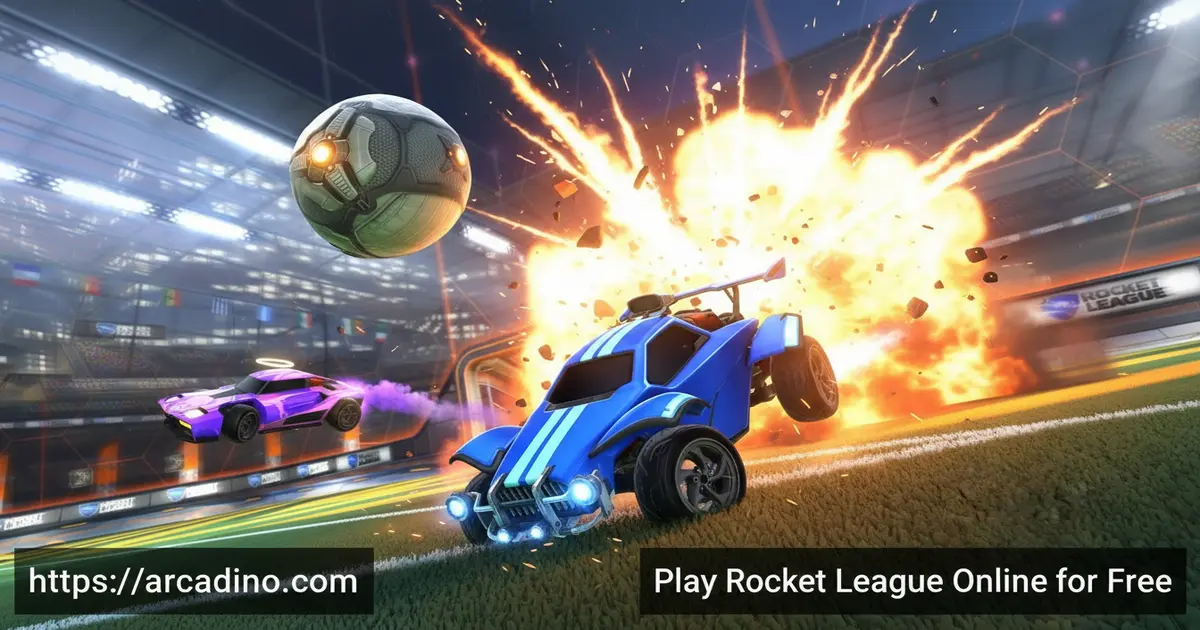
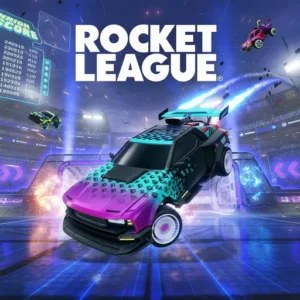
Imagine scoring a bicycle-kick goal — except your body is a rocket-powered car. Rocket League makes that happen every single match, and it’s completely free to play online. This game smashes two worlds together: the thrill of soccer and the chaos of vehicular combat. It’s one of those rare titles where a ten-second clip can make your jaw drop. 🚀
Whether you’re new to competitive sports games or already climbing the ranked ladder, Rocket League pulls you in fast. The action is physics-driven, so no two matches ever play out the same way. Every boost, flip, and aerial shot feels earned.
- Rocket-powered car soccer — hit a giant ball into the opponent’s net using boosted vehicles
- Multiple online modes — compete in 1v1, 2v2, and 3v3 matches
- Deep car customization — modify your vehicle in the in-game Garage with countless options
- Free seasonal content — earn items through Rocket Pass, Weekly Challenges, and limited-time events
What Is Rocket League?
Rocket League is a sports video game developed by Psyonix. It blends arcade-style soccer with rocket-boosted cars to create something totally unlike traditional sports games. Players often describe it simply as “soccer with cars,” but that undersells just how technical and exciting it gets. The game has earned widespread critical acclaim for making a wild concept feel completely natural to play.
What sets this title apart is how its accessible controls sit on top of an incredibly deep skill ceiling. You can jump in and enjoy matches on day one, but professional players spend years mastering aerial shots and boost management. The physics engine drives every interaction — the ball bounces, curves, and rolls based on real momentum. That unpredictability is exactly what makes every match feel alive.
Rocket League Gameplay — The Core Loop
Each Rocket League match puts two teams on opposite sides of a field — one Blue, one Orange. The ball starts in the middle, a countdown ticks down, and then everyone races to make first contact. Your goal is simple: score more goals than the other team within five minutes. Tied games head straight to overtime, where the very next goal wins the match.
The game loop is fast and addictive. You’ll boost across the field, jump to intercept passes, and rotate positions with teammates so your net is never left open. Every mistake is a lesson, and every great save feels like a highlight reel moment. The average game runs about ten minutes, making it perfect for quick sessions or longer competitive nights.
Game Modes and Challenges in Rocket League
Rocket League offers 1v1, 2v2, and 3v3 Online Modes for straightforward competitive play. Beyond those, the Extra Modes bring wild twists — Rumble adds power-ups, Snow Day replaces the ball with a puck, and Hoops transforms the field into a basketball-inspired arena. Each mode demands slightly different skills and keeps the experience feeling fresh.
Weekly Challenges and season-long challenges reward you with free customization items just for playing. Free Tournaments let you compete against players at your own rank all season long, with new rewards up for grabs when you win. During Season 22, quality-of-life updates have sharpened the competitive experience even further. Season 21 stats are still viewable in your Player Profile within the Season 22 client, so you can track how far you’ve come. Cash prize tournaments are also available for players who want to test their skills at a higher level.
Competitive Rank Tiers Explained
Rocket League’s ranked system has eight tiers, each split into three divisions (I, II, and III). Here’s the full ladder from bottom to top:
- Bronze — the starting point for brand-new ranked players
- Silver — you’re learning the basics of rotation and boost management
- Gold — the most populated rank where most casual players settle
- Platinum — players here start attempting wall shots and basic aerials
- Diamond — solid mechanics and consistent rotation become essential
- Champion — advanced aerials, fast rotations, and good reads on the ball
- Grand Champion — elite-level play with well-rounded mechanical and team skills
- Supersonic Legend — the top rank, reserved for the very best players in the world
Most players land somewhere in Gold or Platinum when they first hit ranked. Don’t stress about rank early on — focus on one skill at a time and the numbers will follow naturally.
Seasonal Events and Updates
Rocket League keeps its calendar packed with limited-time events throughout the year. Events like Haunted Hallows and Frosty Fest bring festive in-game items and special arenas that you can only unlock by playing online during those windows. Limited Time Modes also drop alongside these events, adding fresh rules and gameplay twists. Missing an event means missing exclusive items, which gives every season a sense of urgency.
The Rocket Pass is the game’s core progression system. Reach Tier 70 and beyond to unlock painted versions of select items from the Pro Tiers. The seasonal structure means there’s always something new to chase, no matter how long you’ve been playing.
Customization and Upgrades
Your car in Rocket League is a genuine expression of your style. The in-game Garage lets you mix and match car body types, paint finishes, decals, wheels, and boost trails across nearly endless combinations. You can earn items for free by completing challenges, or browse the Item Shop for premium cosmetics. Building Blueprints is another route to specific premium items you want for your vehicle.
Cross-platform progression means your entire inventory, Competitive Rank, and Rocket Pass Tier follow you across every device you play on. Just link your Epic Games account and your collection stays with you always. Your Player Profile also summarizes your full career in online play, so you can track exactly how far you’ve come.
Battle-Car Body Types and Hitboxes
Rocket League has dozens of Battle-Car bodies to choose from, but the most popular ones each belong to a specific hitbox category. The Octane is the classic rounded car — it’s the most widely used body in the game and the one most pros play with. The Dominus is longer and flatter, making it great for powerful front-flip shots. The Breakout is the lowest-profile car, which can be handy for getting underneath the ball. Other fan favorites include the Fennec (same hitbox as the Octane but a blockier look) and the Merc, which is tall and boxy. Your car’s hitbox shape changes how the ball reacts when you touch it, so two cars that look different can actually play identically if they share a hitbox. Most beginners do great starting with the Octane — its hitbox is well-balanced, it’s free to use, and almost every tutorial online is built around it.
Understanding Hitboxes — The Simple Version
A hitbox is basically an invisible shape around your car that the game uses to figure out when you’ve touched the ball. Even though all cars look 3D, the game checks contact using that hidden shape — not the car’s actual model. The Octane hitbox is taller and more rounded, which makes aerial hits feel natural. The Dominus hitbox is wider and lower, which rewards flat, powerful ground shots. Picking a car that matches how you like to play makes a real difference as you improve. That’s why it’s worth trying a few different bodies in Free Play before you commit to one for ranked matches.
Skill Progression Roadmap for New Players
Getting better at Rocket League works best when you learn things in the right order. Start by mastering ground control — drive at the ball confidently, practice power shots, and get comfortable using boost without running empty. Once ground play feels solid, move on to boost management: learn where every boost pad sits on the field so you’re never caught empty at a key moment. After that, try wall play — driving up the side walls and making contact with the ball from there opens up a whole new level of passing and shooting. From wall play, the next step is basic aerials: jumping, boosting upward, and hitting the ball in the air. It sounds scary at first, but spending fifteen minutes in Free Play mode every session speeds it up fast. Skipping these steps and trying advanced aerials too early is the number-one reason new players develop bad habits and plateau in Gold. Trust the process — every rank above you was once exactly where you are now.
How to Play Rocket League
Getting started with Rocket League is straightforward. Create or log in with your Epic Games account, then jump straight into a match. The game’s controls are built to feel immediately responsive, so new players can start hitting the ball and contributing to their team right away. Tutorials help you get comfortable before you face real opponents.
Teams of up to three players compete on each side, so you’ll be working with teammates to manage both offense and defense. Communication and rotation — knowing when to attack and when to fall back — are the habits that separate good players from great ones. Start with 2v2 or 3v3 if you want to ease into the teamwork side of things.
Rocket League Controls
On PC, you steer your car with standard movement controls and use dedicated buttons for jump, boost, and powerslide. Controller support is available and widely recommended by the community for precision aerial maneuvers. On mobile via Rocket League Sideswipe, touch controls handle movement and jumps through an intuitive on-screen layout. Whichever platform you choose, the controls are designed to feel fluid from the first match.
Rocket League vs. Rocket League Sideswipe — Which Should You Start With?
If you’re not sure whether to play the full game or download Sideswipe, here’s the quick answer: they’re actually pretty different experiences. The main Rocket League is a fully 3D game — you drive around a proper arena, go up walls, and fly through the air. Sideswipe is a side-scrolling version designed for phones, where matches are 2v2 and played on a flat, left-to-right field. The ranked pools are completely separate, so your progress in one doesn’t carry over to the other. If you have a PC or console, start with the full game — it’s the deeper experience and has the bigger competitive scene. If you’re mostly a mobile gamer or want something quick to pick up on a phone, Sideswipe is genuinely great and built specifically for touch controls. Families with younger kids often find Sideswipe easier to start with because matches are even shorter and the controls are simpler.
Tips and Tricks for Rocket League
- Manage your boost wisely: Don’t hold boost the entire match — collect small boost pads around the field to stay stocked up without making big detours to full-boost canisters.
- Rotate back to defense: After an attacking play, one teammate should always rotate back toward your own net so it’s never left completely open.
- Watch the ball, not your car: Keeping your camera locked on the ball lets you react to bounces and passes much faster than tracking your own vehicle.
- Use overtime pressure: Tied games go to sudden-death overtime — be aggressive but don’t overcommit, since one mistake gives the other team an instant win.
- Play Extra Modes to build feel: Modes like Rumble and Hoops teach you to handle the ball in unusual situations, which sharpens your touch in standard matches too.
Key Features of Rocket League
- Physics-driven car soccer: Every shot, save, and bounce is governed by a real physics engine — no two plays ever look the same.
- Cross-platform progression: Your inventory, rank, and Rocket Pass progress sync across all platforms through your Epic Games account.
- Extra Modes variety: Rumble, Snow Day, and Hoops deliver completely different rule sets beyond the core soccer format.
- Seasonal live events: Limited-time events like Haunted Hallows and Frosty Fest bring exclusive items and arenas that rotate throughout the year.
- Ranked Competitive play: Climb the Competitive Ranks — from Bronze all the way to Supersonic Legend — to match against players at your skill level and earn rank-specific rewards each season.
Where to Play Rocket League
Rocket League is available to play free on arcadino.com — no installation barriers stop you from getting into a match. The game is also available on PC through multiple platforms, with players accessing it via their linked Epic Games account across every supported device. Any platform that supports Rocket League can be used once your Epic account is properly connected.
If you want to take the action mobile, Rocket League Sideswipe is the official mobile version built specifically for phones and tablets. Download it on Android or iOS using the links below. Avoid downloading APK files from unofficial websites — they can contain harmful software and won’t receive official updates or security patches.
Playing in the Browser vs. the Native Client
Playing on arcadino.com means you can jump straight into a match without downloading anything — that’s the biggest advantage the browser version offers. Performance will depend on your device and internet connection; most modern laptops and desktops handle the game smoothly, while older or lower-powered machines may see some frame-rate dips during fast action. Input lag can be slightly higher in a browser tab than in a native installed client, so if you’re chasing competitive ranked play, downloading the Epic Games client is still the recommended route. Cross-platform progression does apply when you’re signed in through your Epic Games account regardless of where you play, so any items or rank changes you earn on arcadino.com carry over to the downloaded version. For casual games, weekend sessions, or just trying Rocket League for the first time without any commitment, the browser version is a genuinely convenient way to get started.
System Requirements for Rocket League on PC
Rocket League isn’t a demanding game, which is part of why it’s so popular. To run it comfortably, your PC needs at least a dual-core processor (Intel Core i5 or AMD equivalent), 8 GB of RAM, and a dedicated graphics card like an NVIDIA GeForce GTX 760 or AMD Radeon R9 270X. Windows 10 or newer is required, and you’ll need around 20 GB of free storage space for the full install. If your PC meets those specs, you can expect smooth performance at 60 frames per second on standard settings. Lower-end machines can still run the game by dropping the graphics quality in the settings menu — Rocket League scales down well. Integrated graphics (the kind built into most budget laptops) can run the game at reduced settings, though frame rates may be inconsistent during intense moments.
For Parents
Rocket League is generally considered appropriate for players aged 8 and up. The gameplay is competitive but not violent — cars bump each other and hit a ball, with no graphic content of any kind. Parents should know that online text chat exists in the game, and disabling it for younger players is strongly recommended due to the language some online opponents use.
There are no pay-to-win mechanics here — all car customization is purely cosmetic and doesn’t affect performance on the field. The Item Shop and Blueprints do offer premium purchases, so setting spending limits in advance is a smart move for families. A typical game runs about ten minutes, making it easy to set clear time boundaries. The teamwork and spatial awareness skills the game builds are genuine educational side benefits worth noting.
Similar Games to Rocket League
If you love the high-speed, physics-driven sports action that makes Rocket League so addictive, these titles are worth checking out next.
- Football Strike — A fast-paced online soccer game where you take free kicks and make saves against real players, great for fans of competitive sports games who want a different kind of ball-control challenge.
- Soccer Random — A wacky one-button football game with unpredictable physics and randomised rules each round, matching Rocket League’s chaotic goal-scoring energy.
- Head Soccer — An over-the-top 1v1 football game with power shots and exaggerated physics, sharing that same blend of sports and arcade madness.
- Football Legends — A fast-paced arcade football game with special moves and competitive head-to-head matches, perfect for fans of Rocket League’s competitive intensity.
Browse more games in the Sports category to find other competitive titles that match your style.
FAQs About Rocket League
Is Rocket League ok for 8 year olds?
Yes, Rocket League is generally fine for 8-year-olds to play. The gameplay itself is family-friendly — it’s cars hitting a ball, nothing more. However, parents should disable online chat features, since some players use inappropriate language in competitive matches.
Is Rocket League free to play?
Yes, Rocket League is completely free to play. It went free-to-play officially, and you can access it without purchasing anything. Cosmetic items in the Item Shop and Blueprints are optional purchases that never affect gameplay performance.
How long does a Rocket League match last?
Each Rocket League match has a five-minute time limit. If the score is tied at the end, the game goes to overtime where the first team to score wins. A full match including warm-up and loading averages around ten minutes total.
What are the game modes in Rocket League?
Rocket League offers 1v1, 2v2, and 3v3 standard online modes. Extra Modes include Rumble, Snow Day, and Hoops, each with unique rules. Competitive Ranked play and free Tournaments are also available throughout each season.
What is the Rocket Pass in Rocket League?
The Rocket Pass is a seasonal progression system that unlocks cosmetic items as you earn tiers. You can reach Tier 70 and beyond to access Pro Tier rewards, including painted versions of select Rocket Pass items. Playing matches and completing challenges are the main ways to advance your tier.
What Battle-Cars can I choose from in Rocket League?
Rocket League has dozens of Battle-Car bodies, but the most popular ones include the Octane, Fennec, Dominus, Breakout, and Merc. Each belongs to a hitbox category that affects how your car contacts the ball. The Octane is free and the most widely recommended starting car — it has a well-balanced hitbox that suits almost every playstyle.
Can I play Rocket League on mobile?
Yes, Rocket League Sideswipe is the official mobile version available on Android and iOS. It’s a separate game built specifically for touchscreen devices. Download it from the Google Play Store or the Apple App Store using the official links.
What is Rocket League Sideswipe?
Rocket League Sideswipe is the mobile spin-off of the original game, developed for phones and tablets. It features a 2v2 side-scrolling format, its own ranked modes, and touch-optimized controls — making it a distinct experience from the full 3D arena game. It’s free to download from both major app stores.
Do I need an account to play Rocket League?
Yes, you need an Epic Games account to access your full Rocket League profile. Linking your Epic account also enables cross-platform progression, so your rank and inventory sync across every device. It also lets you view your full career stats in your Player Profile.
Conclusion
Rocket League earns its reputation every time the ball takes an unexpected bounce and someone pulls off a save that shouldn’t have been possible. The combination of physics-driven soccer, deep car customization, and varied modes like Rumble and Snow Day gives it a staying power that few sports games can match. Seasonal events and the Rocket Pass mean there’s always a fresh reason to come back for one more game.
If you’ve never felt the rush of boosting into a perfect aerial shot, now’s the time to find out what you’ve been missing. Head to arcadino.com and get your first match started — the ball is already rolling.
Gameplay Video


