



























Watch one short ad and play ad-free for 30 minutes.
Ping Pong Chaos
New Eich GamesIf you’ve ever wanted to play table tennis with a character who can barely stand up, Ping Pong Chaos is your dream match. It’s a free browser game where two ragdoll players hop around a tiny court trying to whack a ball over the net. The twist? You only get two buttons, and your character flops like a noodle. Many players find it while searching for “ping pong unblocked,” but the proper name is Ping Pong Chaos. It’s quick to load, easy to learn, and absolutely impossible to play seriously. 🏓
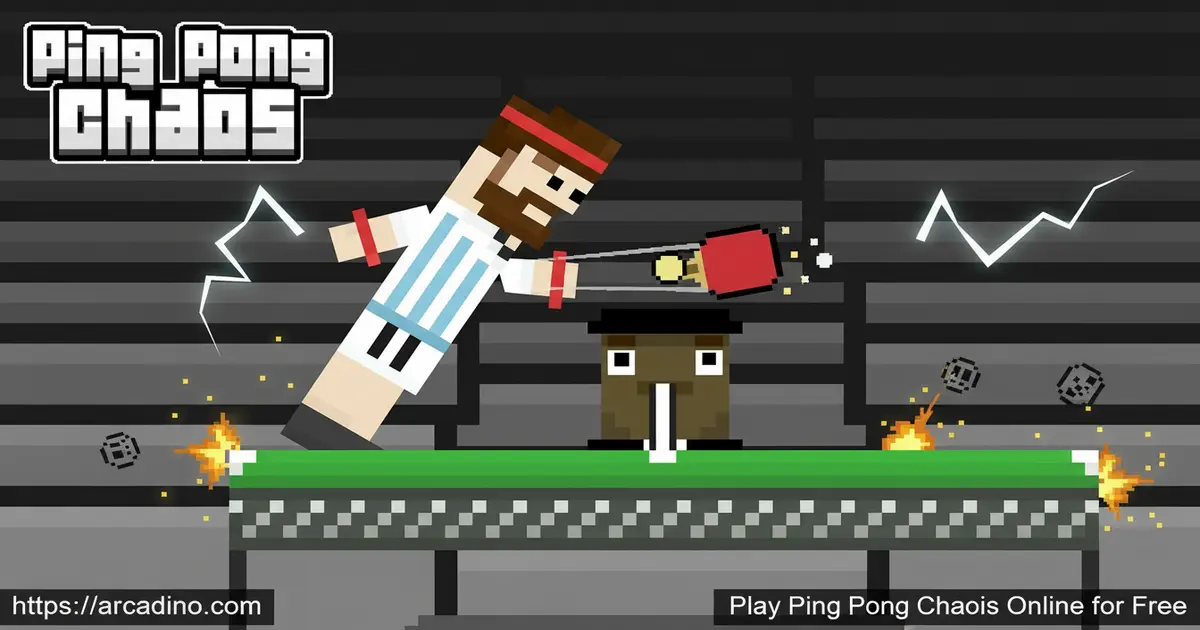
- Two-button ragdoll controls that twist every rally into a comedy
- Solo vs. bot, local 2-player, and tournaments for up to 8 friends
- Multiple maps with different balls and random effects each round
- First player to 5 points wins the match
What Is Ping Pong Chaos?
Ping Pong Chaos is a chaotic 2-player table tennis game built by New Eich Games, the same studio behind Rooftop Snipers. You control a ragdoll athlete who can only jump left or jump right. That’s it. Somehow, that’s enough to send a tiny ball flying across maps full of weird physics and obstacles.
The game runs in your browser using Unity, and since the 2020 update it works on mobile too. Loading is fast, and the cartoon visuals stay crisp on smaller screens. The first time I played, I lost three points before I figured out my character was facing the wrong way. That’s the charm.
Gameplay in Ping Pong Chaos
Each round drops you onto a new map with a new ball and random effects. You hop, you swing, and you pray the ball lands on the other side. If your opponent can’t return it, or hits it into the net, you score. First to 5 points wins.
There’s one rule that trips up everyone: you can’t touch the referee’s table in the middle. Bump it, and your opponent gets a free point. Combine that with floppy controls, and even a simple rally turns into a circus act.
Game Modes in Ping Pong Chaos
The game has two main modes: Arcade and Tournament. Arcade is your sandbox — play as many matches as you want, against the bot or a friend on the same keyboard. It’s the perfect mode for warming up or just messing around.
Tournament mode raises the stakes. You can build a bracket with up to 8 friends, and only winners advance. Every round feels louder than the last, especially when four people crowd around one keyboard. It’s the closest a browser game gets to couch chaos.
Customization and Maps
Before a match, you can dive into the customization menu to tweak how the game looks and plays. Pick different maps, swap the ball, or toggle effects to make rallies even wilder. Each location gives the match its own personality.
One stage might feel like a normal table, the next like a moonwalk match with a wobbly ball. Mixing options is half the fun, and it keeps Ping Pong Chaos fresh after dozens of matches.
Why Players Love Ping Pong Chaos
The appeal is the slapstick. Watching your ragdoll character spin in the air after a missed swing is funnier than any cutscene. Matches end fast, so you’re always one click away from a rematch.
It’s also one of the easiest party games to share. Two people, one keyboard, zero learning curve. That simplicity is why it’s stuck around since 2017.
How to Play Ping Pong Chaos
Open the game in your browser and pick a mode from the main menu. Choose your map, pick your ball, and you’re in. If a friend is next to you, hand them the right side of the keyboard and start a local 2-player match.
The first to 5 points takes the match. In tournaments, you keep going until someone is crowned champion. There’s no tutorial — you just learn by flailing.
Ping Pong Chaos Controls
- Player 1: W to jump left, E to jump right
- Player 2: I to jump left, O to jump right
- Add spin: Hold the jump button after hitting the ball
- Mobile: Tap the on-screen jump buttons
Tips and Tricks for Ping Pong Chaos
- Time your jumps early. Your ragdoll is slow, so start moving before the ball reaches your side.
- Hold the button for spin. After contact, keep pressing to add curve and confuse the bot.
- Stay clear of the referee’s table. Touching the middle gives your opponent a free point.
- Don’t over-jump. Tiny taps are better than huge leaps when the ball drops short.
- Switch maps often. Each location changes ball physics, so practice the ones you struggle with.
Key Features of Ping Pong Chaos
- Two-button ragdoll physics that turn every rally into comedy
- Local multiplayer for up to 8 friends in tournament brackets
- Solo mode with an AI bot that’s surprisingly tricky
- Customizable maps, balls, and match effects
- Runs in desktop and mobile browsers, plus an iOS app
Where to Play Ping Pong Chaos
You can play Ping Pong Chaos free in any modern browser — Chrome, Firefox, Safari, or Edge — on desktop or mobile. There’s no download, no sign-up, just load the page and grab a friend. Many students search for it as “ping pong unblocked” or “table tennis game unblocked,” and it works on most school-friendly portals because it’s HTML5.
If you’d rather play on a phone, there’s an official iOS app available too. Android players can still enjoy the full game in a mobile browser. Stick to the official store link below to avoid sketchy APK files floating around the internet.
For Parents
Ping Pong Chaos is a great fit for kids ages 8 and up. There’s no blood, no scary content, and no in-game chat — just goofy ragdoll athletes bouncing around. The matches end after 5 points, so play sessions are naturally short and easy to stop.
It’s also a fun way to get siblings playing on the same keyboard instead of separate screens. Twenty minutes is plenty for a full mini-tournament. Parents should check the app store listing for any in-app purchases on the mobile version.
Similar Games to Ping Pong Chaos
If the floppy ragdoll humor of this title hooks you, these browser games hit a similar nerve.
- Rooftop Snipers – Made by the same studio, with the same two-button chaos but pistols instead of paddles.
- Ragdoll Archers – Wobbly bow-and-arrow duels with the same physics-based silliness.
- Ragdoll Hit – A ragdoll fighter where every punch sends bodies flying in funny directions.
- Bad Ice Cream – Another classic local 2-player browser game perfect for couch sessions.
Browse more in our Sports games category.
FAQs About Ping Pong Chaos
Is Ping Pong Chaos free to play?
Yes, Ping Pong Chaos is completely free in browsers. You don’t need an account or a download to start a match. The official iOS app is also free to download from the Apple App Store.
Is Ping Pong Chaos the same as ping pong unblocked?
Yes, many players search “ping pong unblocked” and land on Ping Pong Chaos. It’s the same chaotic ragdoll table tennis game. The “unblocked” tag just means it runs on school networks because it’s HTML5.
How many players can join Ping Pong Chaos?
Up to 8 players can join a local tournament bracket. You can also play 1v1 with a friend or solo against the AI bot. Everyone shares the same keyboard for local matches.
How do you put spin on the ball in Ping Pong Chaos?
Hold the jump button right after you hit the ball. That extra hold adds spin and changes the ball’s curve. It’s the easiest way to fool the bot on tougher maps.
Who made Ping Pong Chaos?
Ping Pong Chaos was developed by New Eich Games. They’re the same team behind Rooftop Snipers, which uses similar two-button ragdoll mechanics. The game first released in September 2017.
Can I play Ping Pong Chaos on mobile?
Yes, the game works in mobile browsers on both Android and iOS. There’s also a dedicated iOS app for iPhone and iPad players. Since the 2020 Unity update, touch controls replace the keyboard, and performance stays smooth on most newer phones.
How do you win a match in Ping Pong Chaos?
The first player to score 5 points wins the match. You score when the ball lands on the opponent’s side or they fail to return it. Touching the referee’s table gives your rival a free point.
Ready for the Chaos?
Ping Pong Chaos turns one of the calmest sports into pure slapstick. Two buttons, ragdoll legs, random maps, and a 5-point race — that’s the whole recipe. Grab a friend, claim half the keyboard, and see who can stop laughing long enough to score first.
Gameplay Video


