



























Watch one short ad and play ad-free for 30 minutes.
Head Soccer
D&D Dream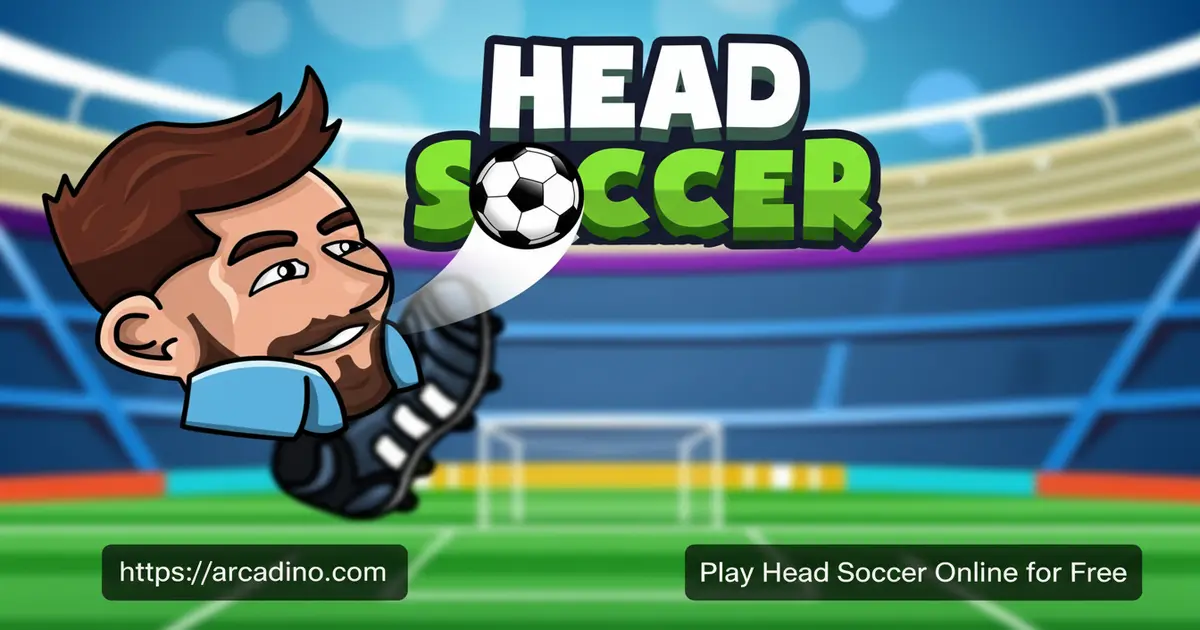
Big heads, blazing special shots, and chaotic 1v1 matches — Head Soccer packs a ridiculous amount of fun into a tiny soccer field. It’s completely free to play online, right here on arcadino.com. This 2D sports game from D&D Dream throws out traditional soccer rules and replaces them with oversized characters and screen-shaking power moves. 😄 If you’ve ever wanted to fire an ice beam at a goalkeeper, this is your game.
- Wild special shots — dragon, ice, and lightning attacks change every match
- Two game modes — solo Arcade tournament or local 2P Versus battles
- Cartoon big-head characters with unique special attacks each
- Fast, approachable controls — arrow keys and two action buttons cover everything
What Is Head Soccer?
Head Soccer is a 2D arcade sports game developed by D&D Dream. It drops the complex team formations of real football and focuses entirely on wild 1v1 duels between exaggerated, big-headed cartoon characters. Each character comes with their own special attack, giving every matchup a completely different flavor. The goal is simple: score more goals than your opponent before time runs out.
What sets this title apart from other browser soccer games is the chaos of its power shots. Forget realistic passing — here you’re launching dragon fire and ice blasts at your opponent’s goal. The controls snap back instantly when you tap the keys, which makes the game feel snappy and responsive even in a browser window. That crisp input response means close matches stay tense right down to the final second.
Head Soccer Gameplay — What Keeps You Coming Back
Every match in Head Soccer is a 1v1 showdown on a compact pitch. You move your character left and right, jump to intercept the ball, and look for openings to shoot. The time limit keeps things intense — there’s no room to waste a single second defending aimlessly.
The special attacks are what make this game genuinely addictive. Land the right shot and you can completely knock back your opponent or stun them long enough to score an easy goal. Blocking those same power shots requires fast reactions — you have to jump or physically stand in the ball’s path. That tug-of-war between attacking and defending is what keeps each round fresh.
Game Modes and Challenges in Head Soccer
The game offers two distinct modes to suit different situations. In 1P (Arcade) mode, you face off against a series of CPU opponents in a tournament bracket. Beat each one to climb the ladder and eventually claim the tournament prize.
2P (Versus) mode lets two players share the same screen and go head-to-head in real time. Both players use the same keyboard, so it works perfectly on a big monitor with a friend sitting beside you. That local multiplayer option turns Head Soccer into an instant party game — the trash talk writes itself.
Death Mode — Survive as Long as You Can
Death Mode is a third game mode that the article’s quick summary doesn’t cover — and it’s totally worth knowing about. Instead of scoring goals against an opponent, you face a series of increasingly tough stages packed with obstacles. One of the nastiest hazards is the Giant Swinging Axe, which crashes across the pitch and can end your run in a split second. Each stage gets harder and faster, so you have to react quickly and stay on your toes. It’s a great option when you want a solo challenge beyond the standard Arcade bracket. If you’ve beaten the tournament a few times and want something fresher, Death Mode will seriously test your skills. See how many stages you can survive before the obstacles get the better of you!
Special Shots and Powers
Three signature power shots define the combat in this game: the dragon shoot, the ice shoot, and the lightning shoot. Each one does more than just send the ball toward goal — they can knock out, freeze, or electrocute your opponent. Knowing when to unleash them is a real skill.
Every character in the game has a unique special attack, which means switching characters changes your strategy entirely. Facing a tough CPU opponent? Try a different character whose power shot might catch the AI off guard. The variety in special moves is a big reason players keep trying new matchups rather than sticking with one character.
Head Soccer Characters — Who Should You Pick?
The roster in Head Soccer is surprisingly deep. The game features a large cast of big-headed characters, each with their own special move that goes way beyond a basic kick. For example, South Korea fires a powerful dragon blast, while characters like Kepler shoot ice beams that freeze opponents in place. Germany unleashes an electric lightning strike that can zap you across the pitch. Some characters have shot types that travel in tricky arcs, making them harder to block than a straight power shot. If you’re just starting out, pick a character with a simple straight-line special — it’s easier to aim under pressure. Once you’re comfortable, experiment with the full roster to find the character whose special attack suits your playstyle best. Players searching for the best Head Soccer character will find the answer changes depending on the opponent — there’s no single winner.
Multiplayer and Competitive Play
Local two-player matches are the heart of the competitive experience in Head Soccer. Both players share a keyboard, which makes it an ideal couch game on a desktop or laptop. The controls are split cleanly between two sides of the keyboard, so neither player is cramped.
The mobile version also supports matchups with friends and global users through Game Center. That global matchmaking option expands the competition well beyond whoever’s sitting next to you. Whether you’re grinding through the Arcade bracket solo or challenging a rival in Versus, the game delivers real competitive stakes.
Setting Up Local Co-op Without the Frustration
Sharing one keyboard sounds simple, but there are a few real-world tricks that make local Versus matches way more comfortable. If you’re on a laptop, try placing it between both players so each person has easy access to their side of the keys — it beats both of you leaning awkwardly to one side. A wireless keyboard set flat on a table between two chairs is an even better setup for longer sessions. Watch out for key ghosting on cheaper membrane keyboards — if the game stops responding when both players press buttons at the same time, that’s the keyboard’s limit, not a game bug. Mechanical keyboards and most gaming keyboards handle simultaneous presses much better. A little setup time before the first match means no mid-game arguments about whose controls stopped working. Get the hardware right first, then focus on the actual trash talk.
How to Play Head Soccer
Getting into a match takes almost no time at all. Pick your game mode — solo Arcade or two-player Versus — then choose your character. The match kicks off right away, and you’ll have the controls figured out within your first few seconds on the pitch.
Your mission is straightforward: score more goals than your opponent before the timer hits zero. Use movement to position yourself, jump to contest the ball in the air, and shoot when you see a clean opening. Don’t forget defense — letting your opponent charge unopposed is a fast way to lose.
Head Soccer Controls
Player 1 controls:
- A / D keys — move left and right
- W key — jump
- Z key — shoot
- X key — alternative shot / special attack
Player 2 controls:
- Arrow keys (Left / Right) — move left and right
- Up Arrow — jump
- K key — shoot
- L key — alternative shot / special attack
Both players can’t use the exact same keys at once in local Versus — the split above keeps Player 1 on the left side of the keyboard and Player 2 on the right, so there’s no overlap. If you find the controls listed differently in a specific browser version, check the in-game control menu first before your match starts.
Tips and Tricks for Head Soccer
- Time your jumps carefully. Jumping at the right moment lets you head the ball into the net from above — a shot that’s much harder for the opponent to block.
- Don’t spam the special shot. The dragon, ice, and lightning attacks are powerful, but telegraphed. A smart opponent will position to block them if you fire too predictably.
- Stay goal-side on defense. When your opponent charges with the ball, get between them and your net rather than rushing forward. Standing in the ball’s path stops a lot of power shots cold.
- Experiment with different characters. Each one has a unique special attack — some power shots are far more effective against certain CPU opponents than others.
- Watch the timer in close games. If you’re leading by one goal, play defensively in the final seconds. Block shots instead of chasing the ball up the pitch.
How the Arcade Difficulty Ramps Up
The Arcade bracket in Head Soccer doesn’t stay easy for long — knowing what to expect helps a lot. The first couple of CPU opponents are pretty chill: they move slowly and rarely use their special shots, so you can practice your timing without much pressure. By the middle of the bracket, things get noticeably trickier — opponents start firing special shots more often and begin positioning to block your go-to moves. If you always open with a dragon shot, mid-bracket opponents will start standing in the way. The final opponents are the real test: they react fast, use their specials aggressively, and punish sloppy defense. That’s exactly when switching to a character with a less predictable special attack pays off. Don’t be afraid to restart with a different character if you keep losing at the same bracket stage — the right character matchup can make a tough CPU opponent much more manageable.
Browser Performance and Input Lag Tips
Head Soccer runs as an HTML5 game in your browser, and it performs best when you keep things clean on your end. Open the game in a dedicated tab on Chrome or Firefox and close any other tabs or videos you don’t need — extra browser load can cause tiny input delays that make blocking special shots noticeably harder. If the game feels sluggish or your character reacts a split-second late, that’s often a hardware or tab-count issue rather than a sign you’re bad at the game. Older or low-powered devices may struggle more with the frame rate during screen-shaking power shot moments. A quick browser restart and a cleared cache usually sorts out most performance hiccups. When your controls feel snappy and responsive, you’ll be surprised how much easier it is to time those critical blocks and counter-shots.
Key Features of Head Soccer
- Signature power shots: Dragon, ice, and lightning attacks that stun or knock back opponents — not just regular kicks.
- Big-headed cartoon characters: Each with their own unique special attack, making every character matchup feel different.
- Two complete game modes: Arcade tournament against the CPU and local Versus for two players on one keyboard.
- Simple two-button control scheme: Arrow keys plus Z/X (or K/L) cover every action — zero learning curve for new players.
- Cross-platform availability: Free on browser plus download options on iOS and Android for gaming on the go.
Where to Play Head Soccer
Head Soccer is free to play in your browser on arcadino.com — no account, no download, and no waiting. The browser version runs on desktop and works on mobile browsers too. It’s accessible without restrictions directly on the site.
If you want the full mobile experience, the official app is available on both major stores. Download it and take your tournament runs offline:
Always download from the official Play Store or App Store links above. Unofficial APK files from unknown sites can contain harmful software, so it’s not worth the risk.
For Parents
Head Soccer features cartoon violence in the form of exaggerated power shots — characters get knocked back comically but nothing graphic is shown. The content is squarely aimed at kids and teens, and the humor is deliberately silly rather than mean-spirited. There’s no real-world chat in the browser version, so parents don’t need to worry about online strangers.
The mobile version connects to Game Center for global matchmaking, which is worth knowing if younger kids are playing on a shared device. In-app purchases may be present in the mobile app, so checking purchase settings beforehand is a good idea. The fast match format — a few minutes per round — makes it easy to set a natural stopping point without a meltdown.
Similar Games to Head Soccer
If you love the big-head style and frantic one-on-one action of this game, these browser sports titles are worth a try:
- Head Basketball — the basketball version of Head Soccer with the same big-headed characters, physics-based gameplay, and addictive quick-match format.
- Soccer Random — a hilarious physics-based soccer game where the rules change randomly every goal, sharing Head Soccer’s chaotic arcade energy.
- Basket Random — the basketball twin to Soccer Random with the same unpredictable physics chaos, perfect for fans of Head Soccer’s quirky gameplay.
- Volley Random — the volleyball entry in the Random series, delivering the same ragdoll physics and fast-paced back-and-forth action.
- Penalty Shooters 2 — a quick-match soccer game focused on penalty shootouts, ideal for Head Soccer fans who love short, intense goal-scoring battles.
- Football Legends — a 2-player soccer game with special abilities and over-the-top moves, capturing the arcade spirit that makes Head Soccer so addictive.
- Basketball Legends — the basketball counterpart with the same special-move gameplay and head-to-head matches Head Soccer fans love.
- Soccer Bros — a chaotic 2-player physics soccer game with simple controls and endless fun, perfect for casual Head Soccer-style matches.
- Soccer Masters: Euro 2020 — A big-headed soccer game with a European tournament structure and a cast of national team characters.
- Soccer Legends — Features legendary footballer-inspired characters in the same 1v1 big-head format.
- Basketball Stars — Swaps the pitch for a basketball court but keeps the same frantic 1v1 energy and exaggerated character style.
Browse more titles in the Sports category for even more free browser games.
FAQs About Head Soccer
Is Head Soccer free to play online?
Yes, Head Soccer is completely free to play in your browser. You can jump straight into a match on arcadino.com without creating an account or downloading anything. The mobile apps are also free to download on iOS and Android.
Who made Head Soccer?
D&D Dream developed Head Soccer. They built both the browser and mobile versions of the game. You can find more about their work at dnddream.com.
What are the special shots in Head Soccer?
The three main special shots are the dragon shoot, ice shoot, and lightning shoot. Each one does more than score — they can stun or knock back your opponent. Different characters have their own versions of these attacks, so the roster variety matters a lot.
Can two players play Head Soccer on the same keyboard?
Yes, two players can share one keyboard in Versus mode. Player 1 uses the left side of the keyboard for movement plus Z and X to shoot. Player 2 uses the arrow keys for movement and shoots with K and L — the split keeps both players on separate sides so there’s no overlap.
How do you block power shots in Head Soccer?
Jump or stand directly in the ball’s path to block incoming shots. Reacting quickly is key — power shots travel fast and can stun you if they land. Positioning yourself goal-side rather than rushing forward gives you the best chance to intercept.
Is Head Soccer available on mobile?
Yes, Head Soccer has official apps on both iOS and Android. Download it from the Google Play Store or the Apple App Store using the links on this page. The mobile version also supports Game Center matchmaking against global players.
What is Arcade mode in Head Soccer?
Arcade mode is the solo tournament where you face a series of CPU opponents. Beat each opponent in sequence to advance through the bracket. Winning the whole tournament earns you the grand prize.
What is Death Mode in Head Soccer?
Death Mode is a survival challenge where you face increasingly difficult stages filled with obstacles like the Giant Swinging Axe. There’s no opponent to score against — your goal is simply to survive as many stages as possible. It gets harder fast, so it’s a great test once you’ve got the basics down.
Start Your Head Soccer Tournament Today
Head Soccer nails what a casual sports game should be: fast rounds, instantly readable controls, and just enough strategy in the special-shot timing to reward practice. The combination of a solo Arcade ladder and local two-player Versus means there’s always a reason to load up one more match. The dragon, ice, and lightning shots keep even repeat matchups from feeling stale.
Fire up a match on arcadino.com right now and see how far you can push through the Arcade tournament. Challenge a friend in Versus, experiment with the full character roster, and find out whose special shot rules the pitch. The leaderboard isn’t going to climb itself — get in there.
Gameplay Video


