



























Watch one short ad and play ad-free for 30 minutes.
Basket Bros
Blue Wizard Digital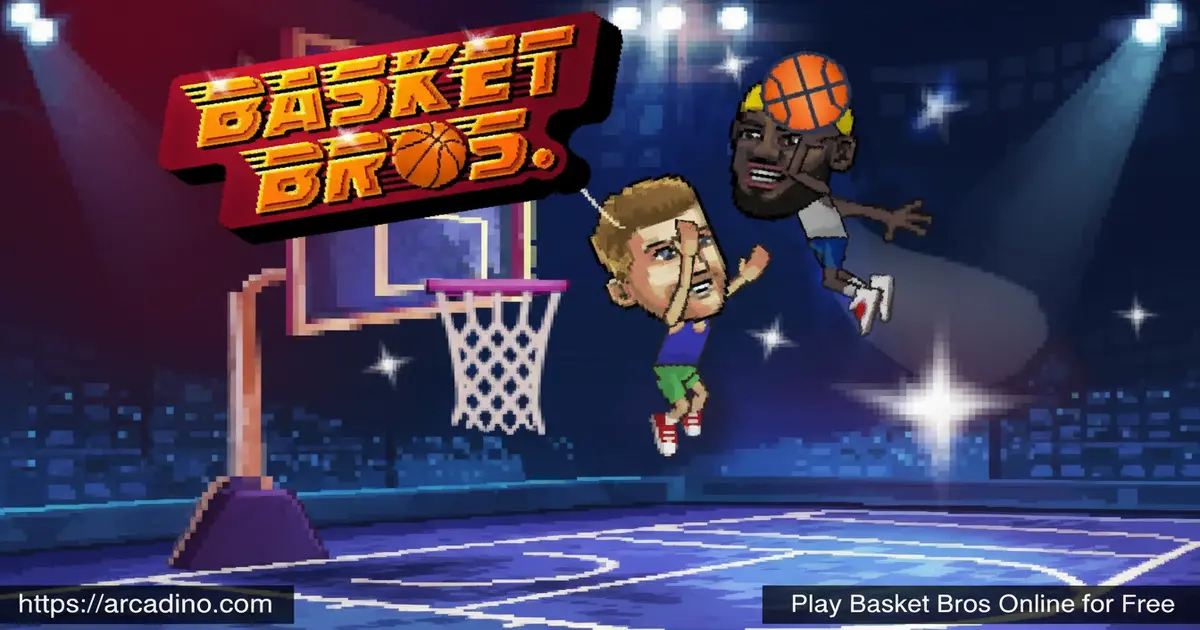
Crazy dunks, sneaky stepback threes, and the option to punch your opponent — that’s the kind of basketball Basket Bros puts in your hands for free, right in your browser. It’s a fast-paced arcade hooper that skips the fluff and drops you straight into chaotic 1v1 action. You pick your baller, choose your gear, and battle it out against AI or a real friend online. This is arcade basketball turned all the way up.
- Free 1v1 and 2v2 basketball in your browser — no download required
- Play against AI, a local friend, or real players online with room codes
- Customize your character’s outfit, colors, socks, and logos
- Win matches to unlock upgrades and new in-game rewards
What Is Basket Bros?
Basket Bros is an arcade-style browser basketball game developed by Blue Wizard Digital, the same studio behind Shell Shockers. It puts two players on a court and lets them go wild — dunking, shooting, and even throwing punches when the moment calls for it. The cartoonish visuals and exaggerated physics give every play a highlight-reel feel. It’s quick to load and snappy enough to feel responsive even on a school Chromebook.
What makes this title stand out from typical sports games is how much personality it packs into short matches. The controls are tight, and the jump-to-shoot mechanic feels satisfying once you get the timing right — the second jump snapping into a shot has a pleasing rhythm that rewards practice. Blue Wizard Digital clearly built this for pick-up-and-play sessions, not long grinding campaigns.
Basket Bros Gameplay — Dunks, Stepbacks, and Chaos
Every match in Basket Bros is a one-on-one or two-on-two battle where the goal is simple: outscore your opponent before time runs out. The gameplay loop is fast — you move, jump, and shoot, while also looking for chances to attack the other player on defense. Pulling off a stepback three or powering through a slam dunk feels genuinely rewarding. The exaggerated physics mean no two plays ever look quite the same.
Winning matches earns you upgrades and unlockables, which gives you a reason to keep coming back. The game doesn’t slow you down with long menus or complicated systems. You jump in, ball out, and level up — that’s the whole loop, and it works really well. 🏀
Customization and Upgrades in Basket Bros
Before tip-off, you get to build your baller from scratch. You can pick your character, choose your outfit colors, pick the logo you want on your jersey, and even select the color of your socks. That level of detail is surprisingly fun for an arcade game this size. Each choice feels personal, and it makes every baller on the court look distinct.
Winning games unlocks more rewards over time. The customization system isn’t just cosmetic fluff — it gives you something to chase between matches. Knowing a new character or outfit piece might be one win away keeps the motivation high.
Game Modes and Challenges
Hitting “Play Now” on the main screen drops you into a quick 1v1 against an AI opponent immediately. If you want more of a challenge, you can host an online game room and share the code with a friend — they join using the same code, and you’re competing in seconds. The game also supports 2v2 matches, where coordination and timing matter a lot more than raw button-mashing.
There are also tournament and training modes available for players who want to sharpen their skills. Training lets you practice the controls without any pressure from an opponent. Tournament mode ramps up difficulty and offers tougher opponents as you progress. Every mode is accessible from the main menu without any loading fuss.
Characters in Basket Bros
The roster is packed with quirky characters, each built around a different playstyle. Geo Freako is a high-flying slasher who thrives in transition and attacking gaps — use a quick jab step to freeze your defender, then burst past them before they recover. Zat Machine is a bruising big man who dominates the paint and powers through contact — seal your defender low, roll hard after any pick, and always go for the finish through contact rather than pulling up. Kay Sniper is your go-to for long-range shooting — keep your distance and punish opponents who charge at you too aggressively. TydaHero is a well-rounded player who handles both scoring and defense well, making them a solid first pick if you’re learning the game. Even Bin No Shoot has a role to play for the right type of player — this one rewards experienced players who rely on defense and disruption rather than putting up big scoring numbers.
Picking a character that matches your style makes a real difference in how matches play out. Speed-focused players will thrive with slashers, while physical players might prefer a brawler in the post. Trying each character is half the fun of this title.
Which Character Should You Pick First?
If you’re just starting out, the character choice matters more than you might think. Geo Freako is probably the best first pick in 1v1 — his speed advantage lets you dictate the pace of the match, and punishing slow defenders with gap attacks is a skill that transfers to every other character. In 2v2, though, that speed edge shrinks fast because there’s always a defender nearby. That’s where Zat Machine takes over — his paint control is much harder to neutralize when there are two players on the court, and opponents can’t double-team the post without leaving someone open. Kay Sniper is the best pick for players who like to play from the outside in, but she requires good spacing discipline. As a general rule: start with Geo Freako to learn the game’s rhythm, switch to Zat Machine once you’re comfortable, and try Kay Sniper when you want a real challenge. No single character is unbeatable — the best player wins by adapting, not just picking the “strongest” bro.
💡 Tip: New characters get added to Basket Bros over time! Allow browser notifications from the game so you’ll get an alert the moment a new baller drops. You don’t want to miss out on a fresh character that might perfectly match your playstyle.
How to Play Basket Bros
Head to the main screen and hit “Play Now” to jump into instant action against an AI opponent. If you want to play with a friend online, choose to host a game — you’ll get a code to share — or join a game using a code your friend sends you. The whole setup takes about ten seconds. Chrome is the recommended browser for the smoothest experience, though Firefox and Safari also work.
The goal is to outscore your opponent. Move, jump, shoot when you’re on offense, and attack when you’re on defense. Matches are fast, so every possession counts. Getting comfortable with the timing of your second jump is the most important skill to master early on.
Basket Bros Controls
- Move: Arrow keys or WASD
- Jump: Up arrow key (or W)
- Shoot: Press jump again while in the air
- Attack on defense: Enter or Spacebar
- Block: Press Spacebar when close to your opponent
- Taunt: Press the taunt key after scoring to show off — check the in-game controls menu for the exact key binding, as it may vary by setup.
Does Basket Bros Work on a School Chromebook?
Yes — and it actually runs better on Chromebooks than most browser games. Basket Bros is built with lightweight WebGL, which means it doesn’t need to download heavy files or run complex software. It loads fast even on older Chromebook models with limited RAM. The game avoids large asset downloads entirely, so it won’t stall out on a slow school Wi-Fi connection the way heavier games do. If your school’s network is throttling game traffic, try asking a teacher to whitelist arcadino.com, or access it during off-peak hours when the network is less congested. On managed Chromebooks, some key bindings may be restricted by your school’s admin settings — if the arrow keys or spacebar aren’t responding, try switching between the WASD and arrow key layouts to find what’s been left unlocked. For more lightweight games that run this smoothly, check out the best browser games for Chromebook category on arcadino.com.
Tips and Tricks for Basket Bros
- Master the double jump: Your shot releases on the second jump — getting the timing right is the difference between a clean bucket and a missed attempt.
- Attack on defense early: Hitting your opponent is often more effective than trying to block the shot while they’re airborne — don’t be shy about pressing Enter or Space.
- Use the stepback three: Creating space with a stepback before shooting can freeze defenders and open up clean looks from range.
- Pick a character for your playstyle: Slashers like Geo Freako thrive on fast breaks; bruisers like Zat Machine are stronger close to the basket. Match the baller to how you play.
- Use room codes to practice with friends: Playing against a human opponent teaches you reads and reactions that no AI match can replicate — host a private game and grind together.
Key Features of Basket Bros
- Punching and attacking on defense: Unlike most basketball games, you can physically attack your opponent to disrupt their plays — a uniquely chaotic mechanic.
- Online multiplayer with room codes: Host or join a private game using shareable codes — perfect for challenging a specific friend to a match.
- Deep character customization: Choose your character, outfit colors, jersey logo, and even sock color before every game.
- Diverse roster with distinct playstyles: Characters like Zat Machine and Geo Freako play completely differently — the roster rewards experimentation.
- Part of the Bros game series: Blue Wizard Digital’s lineup includes Football Bros, Soccer Bros, and Wrestle Bros — giving fans a whole universe of brawler-sports games to explore.
Where to Play Basket Bros
Basket Bros is a browser game, so all you need is a device with internet access. You can play it for free on arcadino.com without any restrictions — no account needed, no installation, no setup. Chrome gives you the most reliable performance, but the game has also been tested on Firefox and Safari. There are no mobile store versions available at this time.
If the game is blocked on your school or library network, arcadino.com offers unblocked access. There’s no need to use APK files or third-party installers — stick to trusted browser-based sources to keep your device safe.
For Parents
Basket Bros is appropriate for kids aged 8 and up. The game features cartoon-style characters and exaggerated, comical violence — players can punch opponents, but it’s clearly played for laughs with no realistic or graphic content. Online room-code matches are invite-only by design — players must share a private code to join each other’s game, which means strangers cannot randomly join a session. There is no open public chat lobby. There are also no in-app purchases to worry about.
The quick match format means sessions naturally stay short — most games wrap up in just a few minutes. The two-player mode is a fun option for siblings or friends sitting together at a shared screen. Overall, it’s a lighthearted arcade game with genuine replay value for young basketball fans.
Similar Games You’ll Love
If you’re hooked on the brawler-sports action of Basket Bros, these other court and field games are well worth a try.
How the Bros Series Games Compare
Blue Wizard Digital’s Bros lineup all share the same punchy pick-up-and-play spirit, but each one actually feels different once you’re in a match. Basket Bros is the most vertical of the bunch — the double-jump shooting mechanic gives it a rhythm no other Bros game copies. Football Bros is more positional and lane-based; possession matters more, and rushing decisions get punished faster than in basketball. Soccer Bros plays at a noticeably different tempo — the ball stays live longer, so there’s more back-and-forth scrambling before a goal opportunity opens up. Wrestle Bros strips the ball out entirely and makes every action a physical confrontation, which gives it the most chaotic feel of the group. Baseball Bros is the most turn-based of the series — offense and defense alternate in a way that rewards patience over reaction speed. If you love the flow of Basket Bros, try Soccer Bros next for a similar tempo, or jump into Football Bros if you want something more strategic.
- Football Bros — The newest game from the same Blue Wizard Digital roster, bringing the same brawling sports chaos to the football field.
- Soccer Bros — Another entry in the Bros series that swaps the basketball court for a soccer pitch with the same wild arcade energy.
- Wrestle Bros — Blue Wizard Digital’s wrestling-themed brawler that channels the same punchy, pick-up-and-play spirit as this game.
- Baseball Bros — A browser-based sports brawler in the same family, taking the Bros formula to the diamond.
Explore more titles in the Sports category for more fast-paced competitive fun.
FAQs About Basket Bros
Who made Basket Bros?
Blue Wizard Digital developed Basket Bros. They’re the same studio behind the popular browser game Shell Shockers. Their Bros game series also includes Football Bros, Soccer Bros, and Wrestle Bros.
What are the Basket Bros controls?
Use arrow keys or WASD to move, and press Up to jump. Press jump again in the air to shoot. Hit Enter or Spacebar to attack on defense or block near your opponent.
Can you play Basket Bros 2 player?
Yes, Basket Bros supports both local and online 2-player modes. For online play, one player hosts a room and shares the game code with a friend. The game also supports 2v2 team matches online.
Which browser works best for Basket Bros?
Chrome is the only browser fully guaranteed to work. Firefox and Safari have also been tested and generally run the game fine, though performance isn’t guaranteed on those browsers.
Why isn’t Basket Bros loading?
The most common reason Basket Bros won’t load is an active ad blocker. Ad blockers can prevent the game’s files from loading in your browser. Try disabling your ad blocker for arcadino.com and then refreshing the page — this fixes the problem for most players. If the game still won’t load, check whether your school or library network is blocking game sites; arcadino.com offers unblocked access designed to work around those restrictions. Also make sure you’re using Chrome for the best chance of a clean load, and clear your browser cache if problems persist.
How do you taunt in Basket Bros?
You can taunt your opponent after scoring to show off your skills. The taunt key can vary depending on your setup, so check the in-game controls or settings menu for the exact binding. It’s a fun extra move, but don’t let showing off distract you from the next possession!
How do you block in Basket Bros?
Press Spacebar when you’re close to your opponent to block. Timing matters — getting in position before the shot attempt is more effective than jumping and swatting while they’re already in the air.
Are there different characters in Basket Bros?
Yes, Basket Bros has a roster of characters with different playstyles. Named characters include Geo Freako, Zat Machine, Kay Sniper, TydaHero, and Bin No Shoot. Each one has unique strengths suited to different strategies.
Is Basket Bros free to play?
Yes, Basket Bros is completely free to play in your browser. There are no subscriptions or paywalls to unlock game modes. You can play it on arcadino.com without creating an account.
Ready to Hit the Court?
Basket Bros nails the sweet spot between accessibility and depth. The jump-to-shoot mechanic is easy to pick up but genuinely rewarding to master, and the option to punch your way through a defensive play makes every match feel totally unpredictable. Add in the character customization, named roster, and online room codes, and you’ve got a sports game that punches well above its browser-game weight class.
Whether you’re chasing a first win against the AI or setting up a rivalry match with a friend using a room code, this arcade baller has something to offer every session. Head to arcadino.com, pick your bro, and let the chaos begin.
