


























Watch one short ad and play ad-free for 30 minutes.
Sprinter Game
Gamedesign.jpIf you’ve ever wanted to feel the pressure of a 100-meter final without leaving your chair, Sprinter Game delivers that rush in seconds. It’s a free browser classic where you hammer the left and right arrow keys to drive your runner down the track. No downloads, no signup – just pure finger-tapping chaos against rivals who get tougher every race. Fans sometimes mix it up with Speed Stars, but this is the original short-sprint time killer with funky music between heats. 🏃
- Pure 100-meter sprint races with rhythm-based arrow controls
- Multiple tournaments, from school meets up to Olympic-style finals
- A different funky theme tune on every single level
- Quick runs you can finish during a short break
What Is Sprinter Game?
Sprinter Game is a minimalist track-and-field title built around one very simple idea: run a straight 100 meters faster than anyone else. You pick left, right, left, right on your keyboard in a steady rhythm, and your athlete pumps their legs to match. The faster and cleaner your taps, the quicker your time. Mistime the rhythm and your runner trips, which usually means goodbye to the gold medal.
What sets this sprinter title apart from other running games is how brutally honest it is. There’s no power-ups, no shortcuts, no lucky breaks – just you, the keys, and a finish line. Loading it up in Chrome, the game pops in almost instantly thanks to its tiny footprint, and the controls feel tight with zero input lag. That responsiveness is the whole reason the game still works years after the Flash era ended.
Who Made Sprinter Game?
Sprinter Game was made by Gamedesign.jp, a Japanese indie studio famous for tiny, addictive browser titles. It first launched during the Flash era of the early 2000s, back when quick-loading web games ruled school computer labs. Gamedesign built a whole lineup of simple sports hits, and Sprinter became one of their most-played exports. When Flash shut down in 2020, fans ported the game to HTML5 so it could keep running in modern browsers. That long history is a big reason the game still feels so polished today.
Sprinter Game Gameplay
Each race drops you onto a lane next to a few AI opponents. A countdown ticks down, the gun fires, and you start alternating arrow keys as fast as your fingers can manage. Your runner’s animation syncs to your tapping – steady rhythm equals smooth strides, while panicked mashing causes stumbles. The whole race lasts maybe 10 to 15 seconds.
After each win, you advance to a tougher bracket with faster opponents. The progression takes you through school-level rallies, physical festivals, high school meets, national championships, and eventually Olympic-style finals. Later races demand near-perfect timing because the AI runners are seriously quick. Lose, and you’re stuck replaying until you crack it.
Levels and Progression in Sprinter Game
The career ladder is the backbone of this title. You start against easy opponents in casual school races where basic tapping will win you the gold. As you move up, the competition stiffens – national-level meets require solid rhythm, and the final stages push your reflexes hard. Some players describe the last race as the toughest short challenge in any browser sports game.
Here are the named stages you’ll climb through, in order:
- School Child Rally – the beginner bracket where gentle tapping wins gold.
- Physical Festival – a small step up with slightly faster AI runners.
- High School Competitions – the mid-tier where rhythm really starts to matter.
- National Sports Festival – national-level meets that punish sloppy taps.
- The Olympics – the Olympic-style final most players call the game’s true boss.
- Galaxy Athletic Meets – a secret bonus bracket for players who crack the Olympics.
Each level also swaps the background and crowd, so you actually feel like you’re climbing toward a bigger stage. The music changes too, which keeps things fresh even though the action is basically the same ten seconds on repeat.
Stage-by-Stage Target Finish Times
Knowing what time to chase makes practice way more fun than just “go faster.” Here’s a rough target split for each bracket so you know when you’re on gold-medal pace:
- School Child Rally – aim for under 13 seconds. Easy AI, plenty of wiggle room.
- Physical Festival – under 12 seconds keeps you ahead of the pack.
- High School Competitions – sub-11 seconds is the new standard.
- National Sports Festival – you’ll need around 10.5 seconds to win cleanly.
- The Olympics – sub-10 seconds is basically mandatory for gold.
- Galaxy Athletic Meets – only flawless 9-second runs will do it.
If your current time is a full second off the target, work on rhythm before raw speed. One clean stumble-free run usually beats three frantic attempts.
Graphics and Audio in Sprinter Game
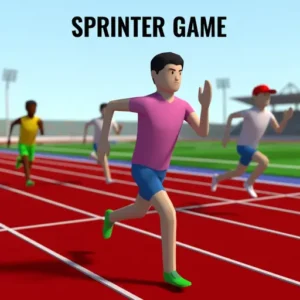
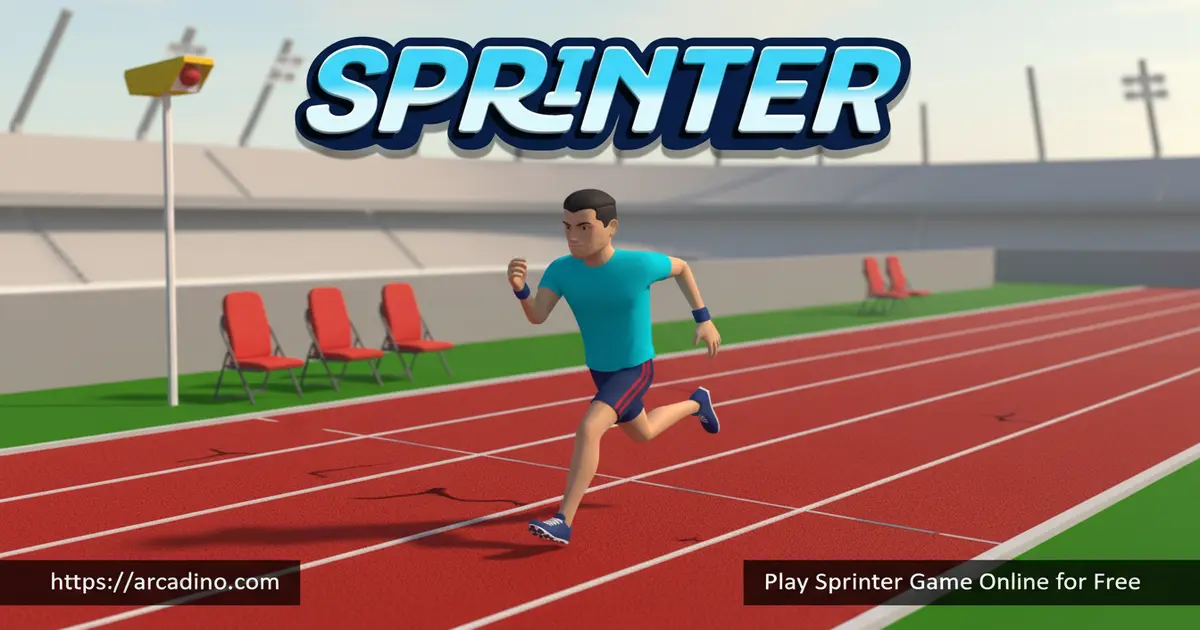
The visuals are clean and simple – chunky runners, a flat track, and bright colors. Nothing fancy, and that’s the point. Keeping the art minimal means zero distraction from your tapping rhythm, which is where all the action lives.
The audio is secretly the best part. Every level has its own funky theme tune, and they’re catchy enough that you’ll hum them after you stop playing. The sound of your runner’s feet hitting the track speeds up with your taps, giving you great audio feedback for your pace.
How to Play Sprinter Game
Getting started takes about five seconds. Open the page, wait for the game to load, and click the screen once to make sure the keyboard is registering. Hit start, wait for the countdown, and begin alternating your arrow keys the moment the race begins. Try to settle into a rhythm rather than mashing randomly – steady beats way faster than frantic.
Sprinter Game Controls
Controls are as simple as it gets. Press the Left arrow, then the Right arrow, then Left again, alternating over and over to make your athlete run. If the game doesn’t respond, click once inside the game window to give it keyboard focus. There’s no jump, no boost, no special move – just the two arrows, which is why the game feels so pure.
Tips and Tricks for Sprinter Game
- Find a rhythm early – tapping at a steady medium-fast pace beats wild mashing because mashing causes stumbles.
- Use two fingers, one on each arrow key, instead of one finger bouncing between both.
- Nail the start – the first three taps set your momentum, so don’t panic-press before the gun.
- Watch the runner animation, not the opponents. If your sprinter’s legs look smooth, you’re tapping correctly.
- If you’re stuck on a late race, rest your hand for a minute. Tired fingers lose rhythm fast in this 100m sprint.
The Ideal Tapping Cadence (Your Secret Weapon)
Most guides just say “tap fast,” but there’s an actual sweet spot. Aim for roughly 6 to 8 alternations per second, which means about 12 to 16 key presses in a single second. That’s quick, but controlled enough that you won’t stumble. Any faster and the game registers your taps as messy, which trips the runner up.
Here’s the trick: use the footstep audio as your metronome. When your runner’s steps sound even and steady, you’re locked in the zone. If the footsteps sound choppy or doubled-up, you’re tapping too hard. Try counting “left-right-left-right” in your head at the pace of a fast drum beat, and match your fingers to it. Once you find that groove, winning races feels almost automatic.
Keyboard and Hand Tips for Faster Sprints
Because this game is 100% about keypresses, the keyboard you use actually matters. Mechanical keyboards with light switches (like reds or browns) register taps the fastest and feel springy under your fingers. Membrane keyboards still work fine but need a firmer press, which can slow you down a little. Chiclet laptop keys are the trickiest because they have shallow travel – perfect for quick taps, but easy to miss if you’re heavy-handed.
For technique, place your left index finger on the Left arrow and your right index finger on the Right arrow. Index fingers are faster and more accurate than thumbs for alternating taps. Keep your wrists relaxed and your fingers curved, not flat. If your hand starts aching, stop and shake it out – forcing through fatigue leads to sloppy rhythm and, over long sessions, sore joints. Short bursts with breaks beat marathon tapping every time.
Key Features of Sprinter Game
- Rhythm-based two-key controls that anyone can learn but few can master
- A tournament ladder from school races all the way up to Olympic-level finals
- Unique funky soundtrack that switches between every level
- Short races that make “one more try” almost impossible to resist
- Tiny file size that loads instantly in any modern browser
Where to Play Sprinter Game
The easiest way to jump in is right here in your browser – the game runs on desktop Chrome, Firefox, Edge, and Safari with no installs required. Because the game is so lightweight, even older laptops and school Chromebooks handle it fine. It’s also popular on unblocked games portals, which is why a lot of students discover it during free periods.
There’s no official mobile app, so stick to the browser version on your phone or tablet if you want to play on the go. Avoid random APK files claiming to be Sprinter – they’re almost always unofficial and not worth the risk to your device.
For Parents
Sprinter Game is a safe pick for most kids around age 8 and up. We suggest that age because the game has simple on-screen text a second-grade reader can handle, and the two-key controls don’t need advanced fine-motor skills. There’s no violence, no chat features, no in-app purchases, and no sign-ups required to play. The races are under 20 seconds each, so it’s easy to set a “five more runs” limit without any drama.
The quick-tap gameplay may also give younger players light practice with finger alternation and timing, similar to how a simple rhythm game asks you to match a beat. It’s not a proven brain trainer, just a fun way to use both hands in sync. Twenty minutes at a stretch is plenty for younger players, and taking breaks helps avoid sore fingers.
Similar Games to Sprinter Game
If you love the short-burst intensity of this 100m sprint, a few other running titles scratch the same itch.
- Speed Stars – a modern physics-based sprinting game often confused with Sprinter thanks to similar rhythm-tap controls.
- Sprinter Heroes – a 3D running game with a two-player mode and races across seven continents.
- Run 3 – a more puzzle-focused runner where you sprint through space tunnels instead of a track.
- More Sports Games
FAQs About Sprinter Game
How do you play Sprinter Game?
Alternate the left and right arrow keys as fast as you can with steady rhythm. Each press swings one of your runner’s legs forward. Time your taps cleanly so your sprinter doesn’t stumble, and keep pressing until you cross the 100-meter finish line.
How do you run faster in Sprinter Game?
Tap in a steady rhythm instead of mashing wildly. Use two fingers – one on each arrow – rather than a single finger. Rhythm always beats raw speed because mistimed presses cause trips that cost you the race.
How do you get a good start in Sprinter Game?
Wait for the countdown to finish before pressing anything. A false start wrecks your momentum and costs precious tenths. The moment the gun fires, begin your alternating pattern at a controlled pace and build up speed gradually.
How do you beat Sprinter Game?
Win every race up to the final Olympic-level showdown. The late races demand near-perfect rhythm, so practice the earlier stages until your tapping feels automatic. Most players only beat the last race after several tries.
Is Sprinter Game the same as Speed Stars?
No, they’re two different games that share similar tap-based sprinting controls. Speed Stars is a newer 3D physics runner, while Sprinter is the original minimalist Flash-era classic. Many players confuse them because both use alternating key presses.
Is Sprinter Game free to play?
Yes, Sprinter Game is completely free in your browser. There are no purchases, no subscriptions, and no accounts to create. Just open the page and start racing.
Can I play Sprinter Game at school?
Yes, the game is widely available on unblocked portals used in classrooms. It’s tiny, loads fast, and runs on Chromebooks without issue. Always follow your school’s rules about when gaming is allowed.
How long does it take to finish Sprinter Game?
A full run through every level takes roughly 10 minutes if you’re skilled. New players often spend longer because the final races require real rhythm practice. Individual sprints last under 20 seconds each.
Ready to Hit the Track?
Sprinter Game proves you don’t need fancy graphics or a huge map to make something addictive. Two arrow keys, a 100-meter straight, and a funky soundtrack are all it takes. Lace up, pick your lane, and see how fast those fingers can really move – the gold medal is waiting at the finish line.
