























Watch one short ad and play ad-free for 30 minutes.
10×10 Classic
GamovationIf you love puzzles that look easy but secretly mess with your brain, 10×10 Classic is about to become your new favorite. It’s a free online block puzzle where you drop colorful shapes onto a 10-by-10 grid and try to keep the board from filling up. Think Tetris, but the pieces don’t fall on their own, so every move is your decision. That tiny twist makes 10×10 Classic both relaxing and surprisingly tense. 🧩
The game runs straight in your browser, with no sign-up or install required. You just open the page, grab a shape, and start clearing lines. It’s the kind of puzzle game you can play for two minutes or two hours.
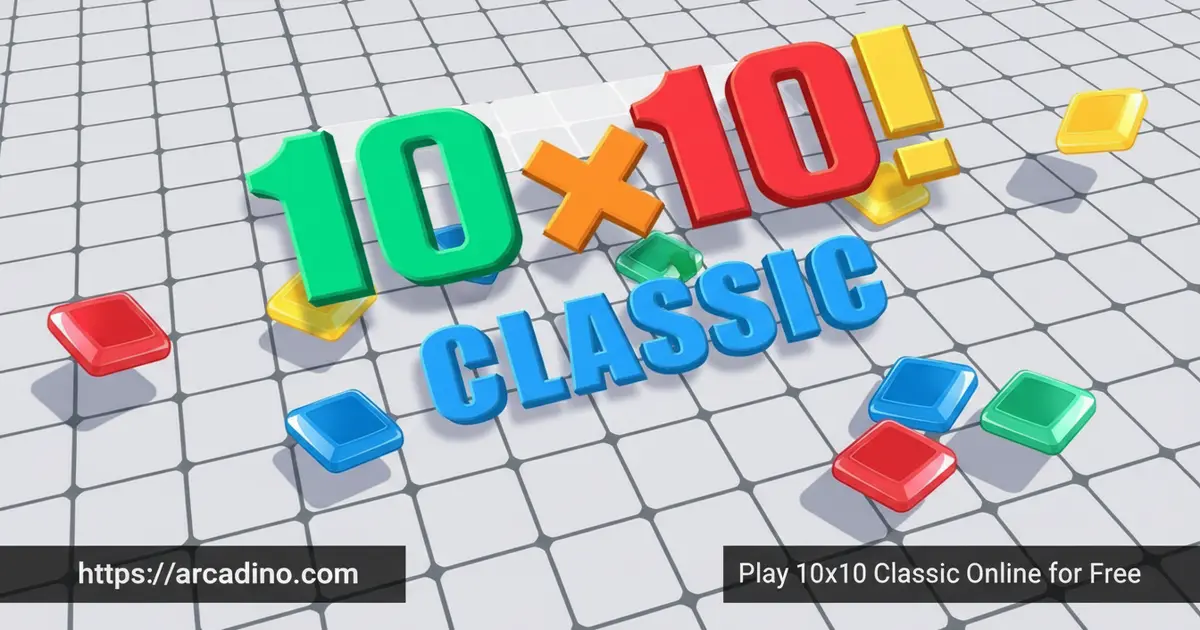
- Drag-and-drop block puzzle on a 100-square grid
- Clear full rows OR columns to free up space
- No timer, so you can plan every move calmly
- Free to play in any modern browser
What Is 10×10 Classic?
10×10 Classic is a logic puzzle game often called “1010” by fans. You get three block shapes at the bottom of the screen, and you place them anywhere on a 10-by-10 board. When you complete a full line of ten tiles across or down, that line clears and you score points. The game ends the moment a shape can’t fit anywhere.
Playing it in the browser, I noticed loads happen almost instantly and the drag feels snappy on both trackpad and touchscreen. There’s nothing fancy installing in the background. The board sits cleanly in the middle of the screen, and the colored blocks pop against the grid. It’s clearly built to be picked up in seconds.
Gameplay in 10×10 Classic
The core loop is simple but sneaky. You drag a shape from the tray, drop it on an empty spot, and repeat. Every time you clear a row or a column, those ten squares vanish and you get more breathing room.
The challenge comes from the shapes you’re given. Sometimes you’ll get three big chunky pieces in a row, and suddenly your board is way too crowded. You have to think a few moves ahead, almost like chess, and figure out where each block belongs. One bad placement can wreck a great run.
How Scoring Works in 10×10 Classic
Your score grows in two ways. First, every single block you place adds points equal to the number of squares in that shape. So dropping a 3×3 piece earns you 9 points just for placing it. Then, every line you clear gives you a bigger bonus of 10 points per line.
The real magic happens with combos. Clearing two lines at once isn’t just 20 points, it usually triggers a multi-line bonus that pushes the total even higher. Stack a row and column clear together and you’ll watch your score rocket up fast.
Graphics and Audio in 10×10 Classic
The visuals are clean and bright, with each block shape getting its own color. Many versions also offer light and dark display modes, so you can pick whichever is easier on your eyes. Nothing on the screen distracts from the grid itself.
The look is minimal on purpose. You’re meant to focus on the puzzle, not flashing animations. That’s a big reason this title works so well as a quick study break or a wind-down game before bed.
Why Players Love 10×10 Classic
People keep coming back because the runs never feel the same twice. The shape order changes constantly, so every game is a fresh planning challenge. And since there’s no timer, you can pause and stare at the board as long as you need.
It’s also super satisfying when you clear two lines at once. Your score jumps, the board opens up, and you feel like a tiny puzzle genius. That little dopamine hit is exactly why 1010 has stuck around for so long.
Brain Benefits of Playing 10×10 Classic
Beyond the fun, 10×10 Classic is secretly a workout for your brain. Every placement asks you to picture how shapes fit together, which sharpens your spatial awareness. Planning two or three moves ahead also builds real problem-solving muscles, the same ones you use in math class.
The calm pace helps too. Because there’s no clock ticking, the game feels more like meditation than panic, and lots of players use it to de-stress after homework. You’ll practice patience, focus, and decision-making without even noticing. It’s screen time that actually leaves your mind feeling better, not fried.
The Opening 5 Moves: A Beginner Playbook
Most players just grab whatever shape looks easiest first, but a smart opening sets up your whole run. Here’s a simple five-move framework that works almost every time.
- Place your biggest piece (usually a 3×3 square) snug into a corner. Corners waste the least space.
- Build outward from that corner in an L-shape, hugging the two edges. Edges are easier to fill cleanly later.
- Reserve the center column as your “release valve” so you always have room to drop awkward pieces.
- Use long line pieces along the same row or column you’re trying to clear. Don’t scatter them.
- Save 1×1 and small L pieces for the end of the turn. They’re your patch kit for any gaps.
Follow this opening and you’ll usually hit your first line clear within the first three turns. From there, just keep the corners tidy and the center flexible.
10×10 Classic vs Tetris vs Block Blast
These three games look similar, but they play very differently. Here’s a quick side-by-side so you know what you’re getting into.
- Gravity: 10×10 Classic has none, Tetris has falling blocks, Block Blast has none.
- Rotation: 10×10 Classic doesn’t let you rotate, Tetris does, Block Blast doesn’t.
- Clear direction: 10×10 Classic clears rows AND columns, Tetris clears only rows, Block Blast clears both.
- Timer: 10×10 Classic has no timer, Tetris speeds up as you level up, Block Blast has no timer.
- Best for: 10×10 Classic suits calm planners, Tetris suits fast-reaction players, Block Blast suits casual mobile-style sessions.
If you want pure strategy with zero pressure, 10×10 Classic wins. If you want adrenaline, go Tetris. Block Blast sits somewhere in the middle with extra power-ups.
How to Play 10×10 Classic
Getting started takes about ten seconds. Open the game in your browser, wait a moment for it to load, and you’ll see the empty grid with three shapes lined up below it. Pick any shape you like first, there’s no required order. Try to keep at least one corner of the board open so larger pieces have a home.
Controls for 10×10 Classic
On a computer, you click and hold the left mouse button on a shape, drag it onto the grid, and release to drop it. On a phone or tablet, just tap, hold, and slide the piece into place with your finger. There’s no rotation in this version, so what you see is what you place. That actually makes planning easier, since you only have to think about position, not orientation.
Accessibility and Performance
10×10 Classic is built around drag-and-drop, so there’s no keyboard-only mode. That’s worth knowing if precise mouse control is tricky for you, since every move needs a click-and-hold or a tap-and-slide. A touchscreen is often the comfiest option because your finger handles the dragging naturally.
The game itself is super lightweight, usually just a few hundred kilobytes, so it loads quickly even on slow Wi-Fi. Once the page is fully open, the puzzle runs entirely in your browser tab. That means you can keep playing for a while even if your internet drops, as long as you don’t refresh the page.
Tips and Tricks for 10×10 Classic
- Always leave room for the big pieces. The 3×3 square and the long 4-in-a-row shapes need open space, so don’t fill in the corners too early.
- Aim for double clears. Setting up a row and column to vanish at the same time gives you the biggest score boost and clears the most space.
- Ignore the colors. They look pretty, but they don’t affect scoring or strategy. Only the shape matters.
- Save the tiny 1×1 squares for emergencies. Those single blocks can plug awkward holes when nothing else fits.
- Take your time. The game isn’t timed, so hover over different spots before committing to a placement.
Key Features of 10×10 Classic
- 10-by-10 grid with 100 squares to manage
- Drag-and-drop placement using mouse or touch
- Clears both rows and columns, unlike traditional Tetris
- Lightweight design that loads fast on any connection
- No timer, so it works for relaxed or strategic sessions
Where to Play 10×10 Classic
The easiest way to jump in is right here in your browser, totally free, with no download or account needed. The game loads fast on Chrome, Firefox, Safari, and Edge, and it works on Chromebooks too, which makes it a solid pick for school laptops when puzzle games are allowed.
If you’d rather play on the go, there are official mobile versions available. Grab the Android app on Google Play or the iOS version on the App Store. Stick to those official store links instead of random APK files, since unofficial downloads can come with hidden risks.
For Parents
10×10 Classic is a great fit for kids ages 8 and up. There’s no violence, no chat feature, and no scary content, just shapes and a grid. The puzzle naturally builds spatial reasoning, planning skills, and patience.
Since the game has no timer, kids can play in short sessions without feeling rushed. A 15 to 20 minute session is plenty for a study break. The browser version is free with some ads typical of casual web games, while the mobile apps may include their own in-app options.
Similar Games to 10×10 Classic
If the satisfying click of clearing a line hooks you, these block puzzles scratch the same itch:
- Block Champ – Another grid-based block puzzle with special tiles that add a twist to row clearing.
- Tetris – The legendary falling-blocks game that inspired 10×10’s whole style.
- 1010 Deluxe – A flashier take on the 10×10 formula with bonus modes.
- Woody Puzzle – A wooden-themed block puzzle with the same drag-and-drop flow.
- Block Blast – A modern block puzzle with power-ups and combos that reward big chain clears.
- Block Puzzle Games – Explore our whole collection of drag-and-drop block puzzles in one place.
- Puzzle Games – Browse more brain-bending picks in our full puzzle collection.
FAQs About 10×10 Classic
How do you play 10×10 Classic?
You drag block shapes onto a 10-by-10 grid and try to fill complete rows or columns. Each completed line disappears and earns you points. The game ends when no shape in your tray can fit on the board anymore, so plan ahead.
Can you rotate tiles in 10×10 Classic?
No, you cannot rotate tiles in 10×10 Classic. Shapes come in fixed orientations, so you have to place them exactly as shown. That actually simplifies the strategy, since you only need to find the right spot, not the right angle.
Is 10×10 Classic free to play?
Yes, 10×10 Classic is completely free to play in your browser. There’s no sign-up, no purchase, and no download required. Mobile versions are also available on the App Store and Google Play.
Is 10×10 Classic like Tetris?
Yes, 10×10 Classic borrows the line-clearing idea from Tetris. The big difference is that blocks don’t fall on their own, and you can clear both rows and columns. That removes the time pressure and turns it into a pure planning puzzle.
Is 10×10 Classic safe for kids?
Yes, 10×10 Classic is safe and friendly for kids 8 and older. There’s no chat, no violence, and no mature content, just shapes and strategy. It’s a good pick for screen time that also exercises the brain.
Does 10×10 Classic have a leaderboard?
Some versions of 10×10 Classic include a leaderboard, depending on the site. The browser version focuses on personal high scores, so your goal is mostly to beat your own record. Each new run is a fresh chance to climb higher.
Final Thoughts on 10×10 Classic
10×10 Classic nails the sweet spot between simple and addictive. The drag-and-drop controls are easy enough for any age, the dual row-and-column clearing keeps strategy interesting, and the no-timer design makes it perfect for chilled-out sessions. It’s the rare puzzle that fits a quick break or a long focused run equally well.
Ready to see how high your score can climb? Open 10×10 Classic in your browser, grab that first shape, and start building your high-score streak today.
Gameplay Video