


























Watch one short ad and play ad-free for 30 minutes.
Sprunki Phase 3
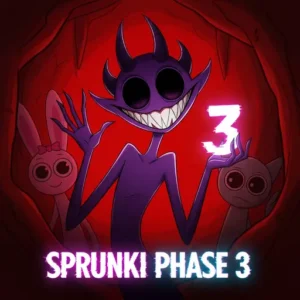
qwe_rty (fan mod)If you love mixing weird sounds and spooky beats, Sprunki Phase 3 is going to grab you fast. This free browser music game drops you into a Halloween-themed stage where every character sings, beats, or whispers something creepy. It’s the fan-made mod that kicked off the famous “phases” in the wider Sprunki series, so it has serious roots. Many players just search for “sprunki” and land here, but Phase 3 is the dark, horror-flavored chapter of that universe. 🎃
Drag, drop, layer, and watch your stage turn into a haunted choir. No download, no sign-up – just open it and start mixing.
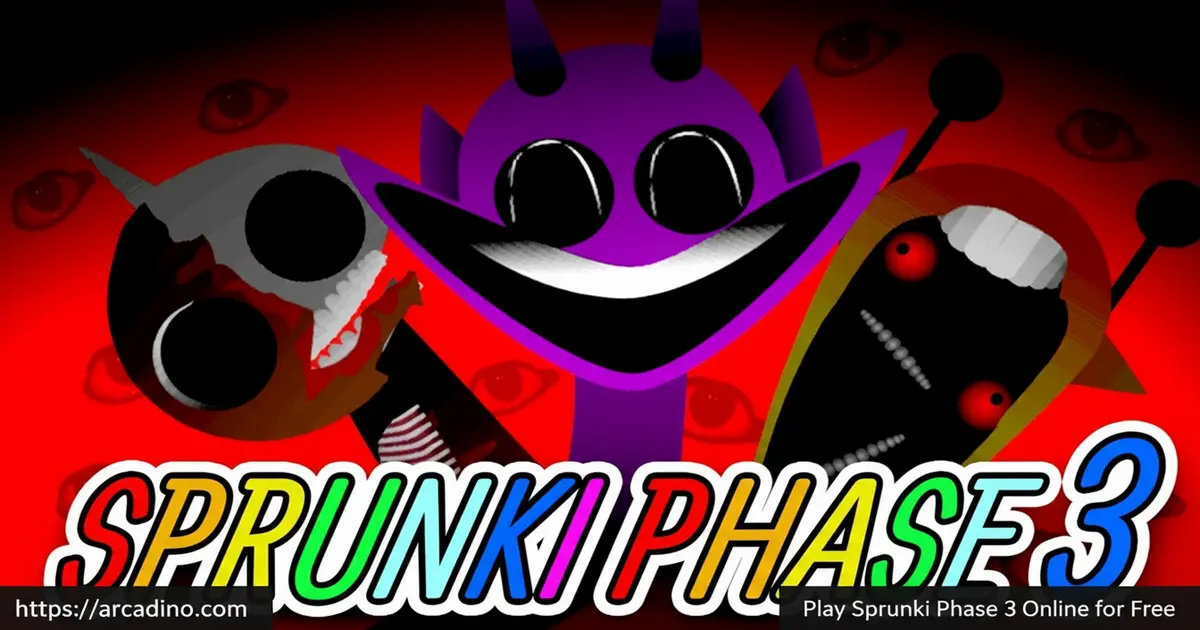
- Halloween-themed horror remix stage with creepy characters
- Drag-and-drop beats, melodies, vocals, and effects
- Free to play instantly in any modern browser
- Mute, solo, and remove icons under each character
What Is Sprunki Phase 3?
Sprunki Phase 3 is a fan-made music mod inspired by Incredibox, set in a dark Halloween world. Instead of cheerful pop loops, you get eerie melodies, ghostly vocals, and beats that feel like a haunted house soundtrack. Characters like Oren, Raddy, Clukr, Vineria, and Pinki each carry their own spooky sound. Stack them together and the stage becomes a creepy little band that sings whatever nightmare you build.
The mod started the whole “phases” trend in the Sprunki community, so it’s kind of a legend. Loading it up in Chrome on my laptop, the stage popped in within a couple of seconds and the audio stayed perfectly in sync as I dragged characters around. That tight timing is what makes layering feel so satisfying here.
Sprunki Phase 3 Gameplay
The core loop is simple but addictive. You pick characters from the side menu and drag them onto seven slots on the stage. Each one starts looping its sound the moment it lands, and everything stays locked to the same tempo. Remove a character and that layer drops out instantly.
Under each character on the stage, three little icons let you mute, solo, or kick them off. That control is huge for shaping a track. You can solo a creepy vocal to hear it alone, then bring beats back in for a big drop. The fun is testing wild combos until something clicks.
Characters and Sounds in Sprunki Phase 3
The roster is split into beats, effects, melodies, and vocals. Beats include Oren, Raddy, Clukr, Fun Bot, and Vineria. Effects come from brud, Garnold, OWAKCX, and Sky. Melodies are handled by Mr. Sun, Durple, Mr. Tree, Simon, and Tunner, while vocals come from Mr. Fun Computer, Wenda, Pinki, and Jevin.
Most sounds were built in Beepbox, which gives them that lo-fi, slightly off-kilter feel. A few characters – Fun Bot, OWAKCX, Sky, Mr. Fun Computer, and Jevin – use Scratch effects like Slowed Down, Robot, and Reverse. Those twisted samples are what give Phase 3 its haunted edge.
Character Lore and Status
Phase 3 isn’t just a remix tool – it has a quiet little horror story baked into its cast. Most beat characters like Oren, Raddy, Clukr, and Vineria are marked as “Dead,” which is why Raddy looks like a bare skeleton and Oren has that jagged, villain-style face. Fun Bot is “Infected,” giving its sound that glitchy, broken edge, while a few others sit in “Injured” or semi-phantom states. The melody and vocal cast carry softer hints of the same fate, drifting between ghosts and survivors. Knowing who’s “Dead” versus “Infected” makes picking your seven slots feel more like casting a tiny horror movie than just stacking loops.
Graphics and Audio Vibe
Visually, this mod leans hard into horror. Oren has a jagged, thorny face, Raddy is basically a skeleton, and Clukr looks like a screaming bird with bulging eyes. The color palette is dim and gloomy, which fits the chilling soundscapes perfectly. It feels less like a kids’ music app and more like a creepy little Halloween short.
The audio is where the mod really shines. Beats sit low and heavy, melodies drift in like ghosts, and vocals add unsettling chants on top. When you stack the right combo, the whole thing locks into a hypnotic, spooky groove.
Hidden Combos and Surprises
Like other entries in the series, certain character combos trigger special moments. Mixing characters that share a theme – say, Durple, Oren, Mr. Sun, and Sky – can produce a hauntingly epic rhythm that feels bigger than its parts. Pairing infected or semi-phantom characters like Pinki with Fun Bot creates unsettling but catchy retro textures. Half the fun is hunting for these sweet spots.
From my own testing, dropping Wenda next to Mr. Tree produces a soft, lullaby-like loop that sounds like wind through a graveyard. Stacking Clukr, Garnold, and Jevin gives you a chunky, bouncing beat with a robotic chant on top – great for a “marching monsters” vibe. And if you want pure dread, try brud plus OWAKCX with no melody at all; it sounds like a heartbeat in an empty hallway.
Starter Recipes: Three 7-Slot Builds to Copy
If you’re new and just want something cool fast, copy one of these full-stage recipes. Each one fills all seven slots in a specific order, so you hear the track grow as you drop characters in.
- Minimal Haunt (slow and creepy): Oren, brud, Mr. Tree, Wenda, Sky, Durple, Pinki. The result is a quiet, drifting track that feels like walking through fog.
- Full Horror Choir (loud and dramatic): Raddy, Clukr, Vineria, Mr. Sun, Simon, Mr. Fun Computer, Jevin. Heavy beats lock under stacked vocals for a big, “haunted cathedral” sound.
- Glitch Lab (weird and robotic): Fun Bot, OWAKCX, Garnold, Tunner, Durple, Mr. Fun Computer, Pinki. Scratch effects warp everything into a broken-radio nightmare.
Once a recipe is loaded, try muting one slot at a time to hear how each layer changes the mood. That’s where the real learning starts.
How to Play Sprunki Phase 3
Getting started takes about ten seconds. Open the page, wait for the stage to load, and you’ll see the character lineup along the side. Click and drag any character onto an empty slot on the stage to start their loop. Add more, remove some, and shape your mix in real time.
If a character isn’t working in your track, click the X under them to remove that slot. Want to focus on one sound? Hit the solo icon and the rest go quiet. There’s no timer and no failure state, so you can experiment as long as you like.
Controls for Sprunki Phase 3
Use your mouse to click and drag characters onto the stage. Click the small icons beneath each stage character to mute, solo, or remove them. On mobile, tap and drag with your finger – the layout adapts to touchscreens, so phones and tablets work fine in a browser.
Saving and Sharing Your Mix
The browser version of Phase 3 doesn’t have a built-in save button, which trips up a lot of players. Your stage stays as long as the tab is open, but closing it wipes your mix. The easiest workaround is screen recording: tools like the Xbox Game Bar on Windows, QuickTime on Mac, or your phone’s built-in screen recorder will capture both the visuals and the audio. Once you’ve got a clip, you can share it on YouTube, TikTok, or with friends to show off your haunted track. Some Sprunki fan sites also host a community gallery where players post their best combos.
Performance and Accessibility Notes
Phase 3 is super lightweight, so it runs well on school Chromebooks, budget laptops, and older phones – I’ve seen it load in under five seconds on a basic Chromebook. Bluetooth headphones work fine, though you may notice a tiny audio delay; wired headphones give the tightest sync if you’re chasing exact timing. Because the mod leans into horror sounds, a few effects (especially the Reverse and Slowed Down samples) can feel sudden or distorted. If you’re sensitive to loud or jarring audio, start with the volume low, build with melodies first, and add effect characters one at a time so nothing surprises you. The mute and solo buttons are also great for previewing a sound before it joins the full mix.
Tips and Tricks for Sprunki Phase 3
- Start with a beat character like Oren or Vineria before adding melodies – the rhythm gives everything else a backbone.
- Use the solo button to test how a single vocal like Pinki or Wenda sounds, then layer carefully around it.
- Try Fun Bot with Jevin for a retro, slightly broken texture that stands out in a dark mix.
- Combine Scratch-effect characters (Sky, OWAKCX, Mr. Fun Computer) for warped, slowed-down atmosphere.
- Don’t fill all seven slots right away – leaving gaps often makes a track sound spookier and more focused.
Key Features of Sprunki Phase 3
- Halloween horror theme with dark character designs and eerie soundscapes
- Drag-and-drop stage with seven slots for layering loops
- Mute, solo, and remove icons for fine audio control
- Mix of Beepbox sounds and Scratch effects like Robot and Reverse
- Roster split across beats, effects, melodies, and vocals for varied mixes
Where to Play Sprunki Phase 3
The easiest way to play Sprunki Phase 3 is right in your browser – no download, no account, just hit play and start dragging characters. It runs well in Chrome, Firefox, Safari, and Edge on both desktop and laptop. Because it’s lightweight, it usually loads fast even on school Chromebooks or older PCs.
Mobile players have options too. There are official store listings if you want a dedicated app: grab it on Google Play or the App Store. Stick to those links – random APK downloads from unknown sites can hide malware, so they’re not worth the risk.
For Parents
Sprunki Phase 3 is a music creation game, so the gameplay is creative rather than violent. The visuals lean horror-themed though – skeletons, eerie faces, and gloomy colors – so it’s best for kids around 8 and up who are okay with spooky cartoon imagery. There’s no chat feature in the browser version and no in-app purchases inside the core mod.
It’s a great pick-up-and-play title for short sessions. Twenty to thirty minutes is plenty of time to build a few mixes, and there’s real value in how it teaches layering, rhythm, and listening to how sounds combine.
A Stealth Music Lesson
Underneath the spooky paint, Phase 3 is a gentle music-theory tutor. Every character locks to the same tempo, so kids feel tempo lock in action without anyone using the word. The mute and solo buttons teach subtractive mixing – learning a song by taking parts away instead of piling them on. Picking which slot fills first, second, and last is basically arrangement: deciding when a melody enters or a beat drops out. Teachers and parents can ask simple questions (“What changes when you mute Oren?”) to turn a 20-minute play session into a real lesson on layers, rhythm, and song structure.
Similar Games to Sprunki Phase 3
If the spooky remix vibe of this mod hooks you, the wider Sprunki universe has plenty more to explore.
- Sprunki Phase 1 – The original phase that started the series, with a lighter sound and the core cast.
- Sprunki Phase 2 – The direct predecessor to Phase 3, bridging the cheerful original with the darker horror turn.
- Sprunki Phase 4 – The follow-up to Phase 3, pushing the horror tone even further.
- Sprunki Phase 5 – Continues the phase storyline with new characters and creepier soundscapes.
- Sprunki Phase 3 Remastered – A polished re-release of Phase 3 with sharper visuals and cleaner audio mixing.
- Sprunki Incredibox – The fan project the whole series is built on, perfect if you want the original feel.
Browse more rhythm and remix titles in the Music games category.
FAQs About Sprunki Phase 3
Is Sprunki Phase 3 free to play?
Yes, Sprunki Phase 3 is completely free in any browser. There’s no account, no payment, and no installer. You just load the page and the stage is ready to go.
How do you get to Phase 3 in Sprunki?
You don’t unlock Phase 3 – it’s a standalone mod you open directly. Some players think it’s hidden inside the main Sprunki game, but Phase 3 has its own page online. Just search the title or open it from a games site that hosts it.
Is this the same as the regular Sprunki game?
No, Sprunki Phase 3 is a fan-made mod, not the base Sprunki. The original is a brighter, hip-hop-flavored mix tool. Phase 3 keeps the same drag-and-drop format but swaps in a Halloween horror theme with new characters and darker sounds.
What makes Phase 3 different from other phases?
Phase 3 introduced the Halloween horror direction to the series. Earlier phases stayed closer to the original style, while Phase 3 leans into eerie melodies, scary character designs, and spooky vocals. It’s the entry that defined the dark side of Sprunki.
Can I play Sprunki Phase 3 on mobile?
Yes, the browser version works on phones and tablets. Touch controls let you drag characters onto the stage just like on desktop. There are also official Android and iOS apps if you’d rather have a dedicated install.
How many characters are in Sprunki Phase 3?
Phase 3 features 18 characters split across four categories: 5 beats (Oren, Raddy, Clukr, Fun Bot, Vineria), 4 effects (brud, Garnold, OWAKCX, Sky), 5 melodies (Mr. Sun, Durple, Mr. Tree, Simon, Tunner), and 4 vocals (Mr. Fun Computer, Wenda, Pinki, Jevin). Each one brings a unique loop to your mix.
Who created Sprunki Phase 3?
Sprunki Phase 3 was made by a Sprunki community creator known as qwe_rty, and it’s the mod that kicked off the entire fan-made “phases” trend. It’s not an official Incredibox product – it’s part of the wide ecosystem of fan mods that grew out of the Scratch platform.
Final Thoughts on Sprunki Phase 3
Sprunki Phase 3 nails the spooky-music sweet spot. The Halloween character designs, the Beepbox-and-Scratch sound palette, and the simple drag-and-drop stage all work together to make remixing genuinely fun. Whether you’re hunting hidden combos or just zoning out to your own creepy loop, this mod has staying power.
Pick a beat, layer in a melody, drop in a ghostly vocal – and see what kind of haunted track you can build tonight.
Gameplay Video


