



















Watch one short ad and play ad-free for 30 minutes.
Spacebar Clicker
funkuwu studio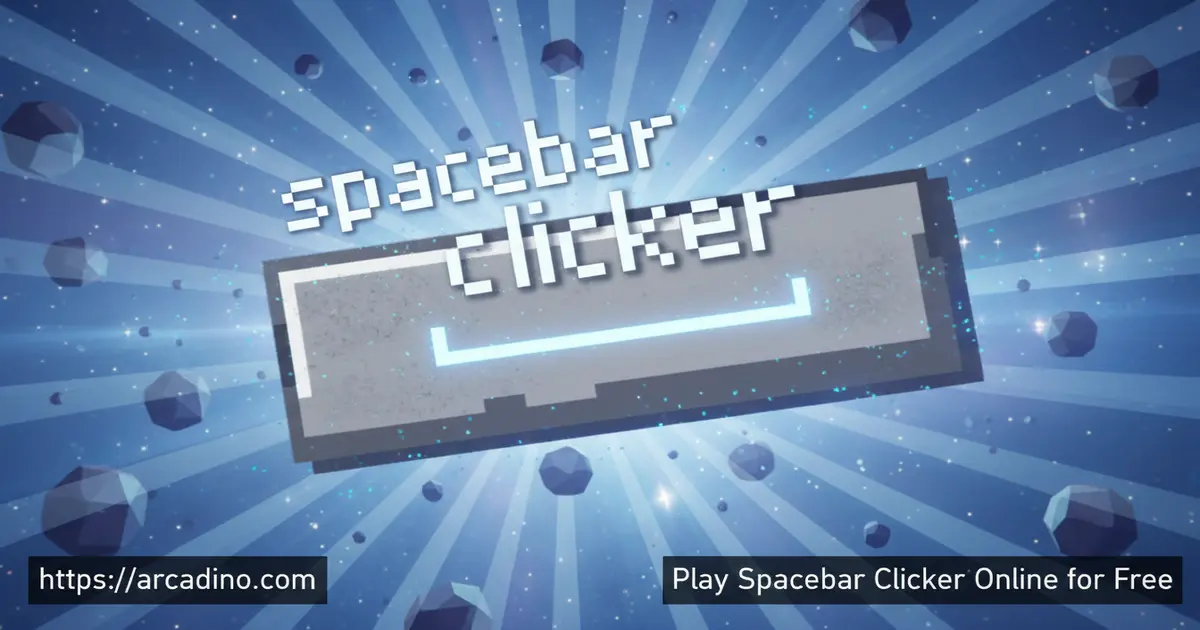
What if every press of your spacebar could build an empire? Spacebar Clicker is a free browser game where that wild idea becomes genuinely addictive. You start alone, hammering your keyboard. Then you hire a monkey, a Gen Z kid, a laser machine, and eventually alien technology — all to press one key faster than ever before. The speedrun goal of 100 million clicks in one hour keeps things intense from the very first tap.
- Idle clicker loop: Press the spacebar to earn points, then spend them on increasingly absurd auto-pressing helpers.
- Wild upgrade roster: Helpers range from a clueless monkey to a robot vacuum cleaner to a machine firing 25,000 laser blasts per second.
- Speedrun challenge: A built-in goal pushes you to hit 100 million clicks within a single hour.
- Mobile-friendly: Play on desktop with your actual spacebar or tap on a phone or tablet.
What Is Spacebar Clicker?
Spacebar Clicker is a free idle clicker game you can play instantly in your browser. The core idea is brilliantly simple: press the spacebar to collect clicks, then use those clicks to buy helpers that press it for you automatically. It belongs firmly in the clicker genre — the same satisfying loop that made games like Cookie Clicker famous — but this one puts a single keyboard key at the center of everything.
What makes it stand out is the upgrade lineup. The helpers are genuinely funny and creative, escalating from a confused monkey to a quantum-powered singularity. The game loads fast in-browser with no installation needed, and the spacebar input feels snappy and responsive even when numbers climb into the millions. It’s the kind of idle game that rewards both frantic clicking and smart upgrade planning. 🎮
Spacebar Clicker Idle Game vs. Spacebar Speed-Test Tools — What’s the Difference?
If you searched “spacebar clicker” and landed here, it’s worth knowing there are actually two very different things sharing that name. One is this idle upgrade game — you buy helpers, stack automation, and build a clicking empire over time. The other is a raw spacebar speed-test tool that simply counts how many times you can press the key in a fixed window, then compares your score to other players on a leaderboard. Both are fun, but they scratch completely different itches. The speed-test version is great for a quick 10-second challenge between homework tasks. The idle game version — the one at Arcadino — rewards longer sessions, strategic planning, and the satisfying snowball of compounding automation. If you came here looking for the idle upgrade experience, you’re in exactly the right place.
Spacebar Clicker Gameplay — The Core Loop
Every session starts the same way: you press the spacebar, and your click counter ticks up by one. Those clicks are your currency. Spend them on your first helper, and suddenly clicks start rolling in even when your fingers rest. Then you buy another helper, and another, and the numbers start compounding in wild ways.
The game’s progression curve is what keeps players hooked. Early helpers are slow and cheap — a monkey pecking at the keyboard every five seconds feels almost useless. But stack enough of them together, buy smarter upgrades, and your clicks-per-second explodes. Reaching that 100-million-click speedrun target feels genuinely satisfying when it finally clicks into place.
Customization and Upgrades in Spacebar Clicker
The upgrade system is where Spacebar Clicker really shines. Each helper has a personality and a clicks-per-second rate, and they scale dramatically as you progress. Depending on which version you’re playing, the earliest helper may appear as a Crazy Bird pecking awkwardly at the keyboard, or a small monkey doing much the same thing — both sit at the very bottom of the CPS ladder. The next tier introduces Millennials (low-key Gen Y vibes, around 3 CPS) alongside the Boomer Mom who can barely open a Word document at a similar pace. A Gen Z kid — unfamiliar with keyboards but great at scrolling short videos — follows close behind, firing off around 20 clicks per second.
As your click bank grows, the helpers get increasingly unhinged. A homemade robot built from a broken vacuum cleaner hits 3,500 clicks per second. A MOBA Gamer hammering hotkeys reaches around 600 clicks per second before the big machines kick in. A laser machine blasts the spacebar 25,000 times every second. A nuclear energy device reaches 100,000 per second. And an alien technology machine pushes well past 1,000,000 times per second — but even that isn’t the end of the road. The cost jumps are steep, which makes each new purchase feel like a real milestone.
The Angry Influencer — A Helper That Gets Stronger the More You Stack
Most helpers in Spacebar Clicker simply add their flat CPS value to your total — buy more, get more, done. The Angry Influencer works a little differently. The more Angry Influencers you own, the faster each one hits the spacebar, because they absolutely can’t stand the competition from each other. This stacking-boost mechanic means the Angry Influencer rewards bulk buying in a way that other mid-tier helpers don’t. At low quantities it may feel underwhelming compared to a MOBA Gamer. But keep stacking and the collective rage multiplies your output well beyond what the flat CPS number suggests. If you’re hunting for a mid-game efficiency spike without saving up for a giant machine, loading up on Angry Influencers is one of the smartest plays available. Try hitting double digits on that helper tier before moving on — you might be surprised at how fast the counter climbs.
The Full Upgrade Roster — Beyond Alien Tech
The alien technology machine is a huge milestone, but it’s not the end of the upgrade path. The progression continues through some seriously mind-bending tiers that push clicks per second into the stratosphere. Here’s what the full roster looks like as you climb beyond the alien tier:
- Super Computer: A machine-learning powerhouse that processes spacebar inputs at extreme speed.
- Quantum Press: Uses quantum computing principles to press faster than classical physics allows.
- AI Assistant: An artificial intelligence dedicated entirely to hitting one key — relentlessly.
- Robot Army: Hundreds of coordinated bots working in perfect mechanical unison.
- Dimensional Rift: Pulls pressing power from parallel dimensions — the spacebar hits itself from multiple realities at once.
- Hyperdrive Press: Accelerates input speed beyond conventional limits using warp-level technology.
- Cosmic Entity: A being of pure energy that barely notices it’s pressing a keyboard key.
- Time Manipulator: Bends time so the same click counts multiple times across different timelines.
- Universal Anomaly: An unexplainable force that breaks the laws of the universe — and your click counter.
- Singularity: The final and most powerful upgrade, collapsing all clicking power into one infinite point. No upgrade tops it.
Each of these late-game tiers costs astronomically more than the last, so reaching the Singularity is a true end-game achievement. Keep reinvesting and don’t let your click balance sit idle — the Singularity is only possible if you push through every tier without stopping.
Upgrade Cost-to-CPS Efficiency — Which Helpers Give You the Most Bang for Your Clicks?
Not all upgrades are created equal. Some helpers give you way more clicks per second for each click you spend, while others are wildly expensive for the CPS they add. Thinking about efficiency — CPS gained divided by cost — helps you make smarter decisions at every stage of the game. The Keyboard Upgrade (see the Tips section) is arguably the most efficient single purchase in the early game since it doubles your own manual hits for just 6,000 clicks. The monkey and early-tier helpers have a low cost per CPS, making them great for building passive income fast. The mid-tier helpers like the MOBA Gamer offer solid CPS-per-click-spent ratios before prices start climbing steeply. The jump from the Laser Machine (25,000 CPS) to the Nuclear Device (100,000 CPS) represents a real efficiency cliff — the Nuclear Device costs dramatically more for a 4× CPS gain, so you need to save aggressively rather than trickling clicks into cheaper options. The late-game tiers beyond Alien Tech offer massive CPS numbers but at equally massive price tags, meaning efficiency drops off and raw reinvestment speed becomes the only strategy. Use the table below as a rough planning guide:
- Crazy Bird / Monkey (earliest tier): Cheapest entry point — low CPS, but cost-per-CPS ratio is excellent for stacking.
- Millennials / Boomer Mom (~3 CPS): Marginally better than the bird/monkey; stack multiples before moving on.
- Gen Z Kid (~20 CPS): A solid efficiency bump — buy several before saving for the next tier.
- MOBA Gamer (~600 CPS): Strong mid-game value; high CPS relative to cost at this stage.
- Keyboard Upgrade (6,000 clicks, doubles your manual hits): Best efficiency purchase in the early game — buy this as soon as possible.
- Laser Machine (25,000 CPS): Great power spike, but save carefully — cost climbs fast here.
- Nuclear Device (100,000 CPS): Efficiency cliff begins — requires disciplined saving; do not buy cheaper helpers while saving for this.
- Alien Tech and beyond (1,000,000+ CPS): Pure reinvestment territory — efficiency matters less than keeping your balance moving.
Multiplayer and Leaderboards
Spacebar Clicker isn’t just a solo number-crunching exercise. The Arcadino version of the game tracks your scores, and competitive leaderboards let you submit your total and see how you stack up against other players. The competitive angle transforms an already engaging idle game into a personal challenge.
The Top-500 challenge found in competitive versions lets players compare clicking speeds across different time windows — from 1 second all the way to 2 minutes. Knowing that real players are gunning for the same leaderboard spot adds genuine pressure to every session. It’s one thing to beat your own record; it’s another to beat everyone else’s.
How to Play Spacebar Clicker
Getting started takes about three seconds. Open the game in your browser, find the spacebar counter on screen, and start pressing. Every press adds to your total. Once you have enough clicks saved up, head to the upgrade shop and buy your first helper to start earning automatically.
From there, the strategy kicks in. Keep clicking manually while your helpers build up your balance. Reinvest quickly into the next tier of helper to accelerate your growth. The speedrun goal of 100 million clicks in one hour is optional, but chasing it gives every session a clear target to aim for.
Spacebar Clicker Controls
On desktop, the main control is your physical spacebar key — press it as fast as you can to rack up clicks. You can also use your mouse to click the on-screen spacebar button if you prefer. On mobile, tap the spacebar image on screen to register each click. Navigating the shop and purchasing upgrades works with standard mouse clicks or screen taps depending on your device.
Tips and Tricks for Spacebar Clicker
- Buy helpers early and often: The monkey and boomer mom feel weak, but stacking multiples builds your passive click rate fast before you can afford bigger upgrades.
- Don’t stop clicking manually: Even with powerful auto-helpers running, your own spacebar presses stack on top — every extra click speeds up your next purchase.
- Grab the Keyboard Upgrade as soon as you can: It costs 6,000 clicks and doubles the value of every spacebar press you make manually. That means your own clicking power is suddenly twice as strong — making it one of the best early investments in the whole game. Don’t sleep on it while saving for bigger helpers.
- Prioritize the biggest jump upgrades: The leap from a laser machine (25,000 CPS) to the nuclear device (100,000 CPS) is massive — save aggressively to unlock it as soon as possible.
- Set a timer for speedrun mode: Targeting 100 million clicks in one hour requires a pace plan — check your count at the 20-minute mark and adjust how fast you’re clicking manually.
- Reinvest constantly: Sitting on a large click balance without spending it slows your growth — the late-game upgrades beyond Alien Tech only arrive if you keep reinvesting without pause.
Key Features of Spacebar Clicker
- Escalating helper roster: From a keyboard-confused Crazy Bird or monkey to a universe-collapsing Singularity, every new unlock feels meaningfully more powerful.
- Speedrun challenge mode: The built-in goal of 100 million clicks in one hour gives each session a concrete, exciting target.
- Leaderboard competition: Submit your score and compete with real players for a spot in the top rankings.
- Idle and active play combined: Auto-helpers keep clicks coming when you rest, but manual pressing always adds value — both styles matter.
- Instant browser access: The game runs directly in your browser with no download, no account needed, and no waiting around.
Where to Play Spacebar Clicker
You can play Spacebar Clicker free in your browser right now at arcadino.com. There’s nothing to install, and the game is accessible without restrictions — making it easy to jump in at any time. The browser version works on desktop and laptop computers, with full spacebar support for the best experience.
If you’d rather play on your phone or tablet, the game is also available as a mobile app. Grab it on Android from the Google Play Store or on iPhone and iPad from the Apple App Store. Stick to official store versions — avoid any third-party APK downloads, as unofficial files can carry security risks.
For Parents
Spacebar Clicker is appropriate for kids aged 8 and up. The content is completely harmless — there’s no violence, no scary imagery, and no chat system connecting your child to strangers online. The humor in the upgrades (a Gen Z kid who’s never seen a keyboard, a mom who struggles with Word documents) is gentle and kid-friendly.
The game has some idle mechanics that reward longer play sessions, so setting a time limit of 20–30 minutes is a reasonable idea. It has no in-app purchases in the free browser version, which means there’s no risk of accidental spending. If anything, the mental math involved in balancing click costs against upgrade prices gives kids light practice with large numbers in a fun context.
Similar Games to Spacebar Clicker
If you love the satisfying grind of an idle clicker, these browser games hit that same rewarding loop.
- Planet Clicker — Click your way across the solar system, earning resources to expand from one planet to the next in this space-themed idle game.
- Spacebar Clicker 2 — The follow-up to the original, featuring updated upgrades and new challenges for players who’ve already conquered the first game.
- Cookie Clicker — The legendary idle clicker that started it all, where you bake cookies and hire grandmas, factories, and portals to automate your cookie empire.
Browse more games like these in the Clicker category.
FAQs About Spacebar Clicker
What is Spacebar Clicker about?
Spacebar Clicker is an idle game where you press the spacebar to earn clicks and buy upgrades. Those upgrades — ranging from a pecking Crazy Bird or monkey all the way to a universe-bending Singularity — automatically press the spacebar for you at increasing speeds. The goal is to rack up as many clicks as possible, with a speedrun challenge of 100 million in one hour.
How do I increase my spacebar clicking speed?
Buy helpers and upgrades as fast as your click balance allows. Manual pressing still adds clicks on top of your auto-helpers, so keep tapping even after you’ve unlocked powerful machines. Also grab the Keyboard Upgrade (6,000 clicks) early — it doubles the value of every press you make yourself. Prioritizing high-CPS upgrades like the MOBA Gamer (600/sec) and the Laser Machine (25,000/sec) gives your count the biggest boosts.
Is there a Spacebar Clicker 2?
Yes, Spacebar Clicker 2 exists as a sequel to the original game. It builds on the same idle clicker formula with new upgrades and challenges. You can find it linked in the Similar Games section above.
Can I play Spacebar Clicker on my phone or tablet?
Yes, Spacebar Clicker is available on both Android and iOS devices. Download it from the Google Play Store or Apple App Store using the links in the “Where to Play” section. The browser version also works on mobile, with tap controls replacing the physical spacebar.
Can I play Spacebar Clicker offline?
The browser version of Spacebar Clicker needs an internet connection to load since it runs directly from a website. However, the mobile app versions on Google Play and the Apple App Store may support offline play once downloaded — making them the better choice for travel, long car rides, or places with spotty Wi-Fi. Check the app store listing for the most current offline support details before your trip.
Do upgrades help me score faster?
Yes, upgrades dramatically increase your automatic clicks per second. Each new helper tier is significantly more powerful than the last — the progression runs from a few clicks per second all the way to a Singularity that generates an almost unimaginable CPS total. Stacking upgrades is the fastest path to high scores.
Can I play Spacebar Clicker unblocked?
Yes, the game is freely accessible at arcadino.com without any network restrictions. It runs entirely in your browser, so no special software or VPN is needed. It’s a clean, safe option for playing at home or on a personal device.
Is Spacebar Clicker free to play?
Yes, Spacebar Clicker is completely free to play in your browser. The mobile app versions on Google Play and the App Store are also available to download without a purchase. There are no paywalls blocking the core upgrade progression.
Ready to Smash the Record?
Spacebar Clicker packs a surprisingly deep idle game into the simplest possible concept. The upgrade roster — from a hapless Crazy Bird or monkey all the way through Alien Tech, Quantum Press, and the universe-shattering Singularity — gives you dozens of satisfying milestones to chase. The leaderboard competition and the 100-million speedrun target make sure you always have something to push toward.
Head to arcadino.com, hit that spacebar, and find out how far your clicking empire can grow. The Singularity won’t unlock itself.
Gameplay Video


