



























Watch one short ad and play ad-free for 30 minutes.
Capybara Clicker
Euclides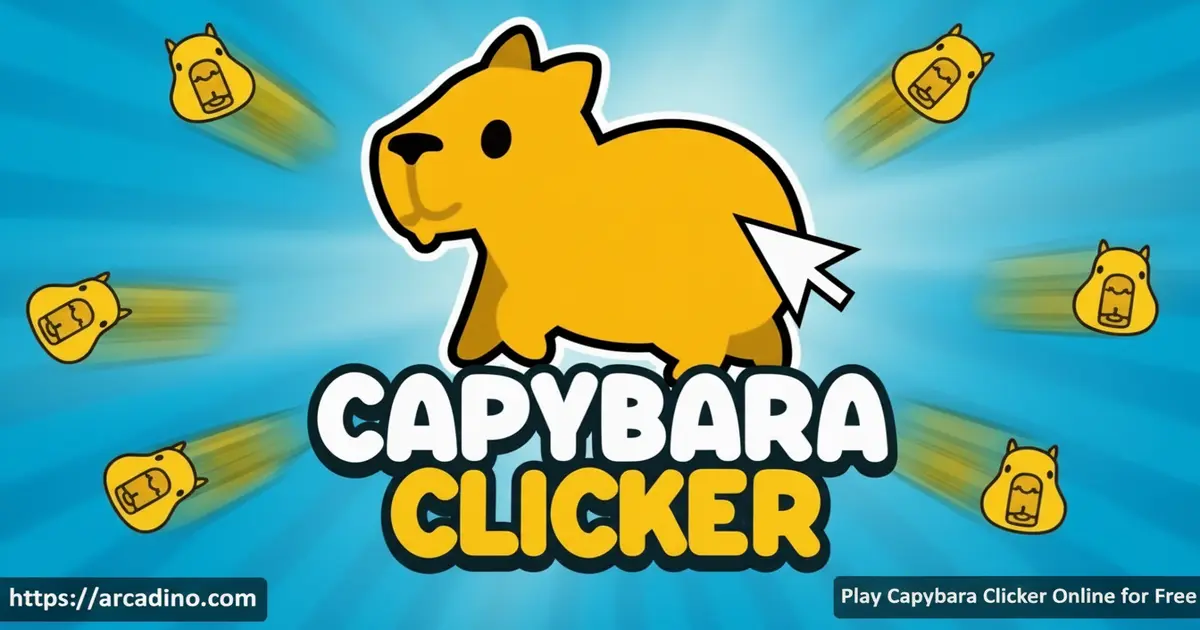
What if clicking a single cartoon rodent could grow into a planet-filling population of capybaras? That’s exactly the wild goal inside Capybara Clicker, a free idle clicker you can play right now in your browser. Developer Euclides built this game around one of the internet’s most beloved animals, and the result is genuinely hard to put down. Every click inches you closer to spawning billions of capybaras — and a full galaxy of them waits at the end. 🐾
- Click a giant capybara to generate a growing population with every tap
- Unlock 16 upgrades across cursor, building, and planet categories
- Change the weather and dress your capybara in unlockable skins
- Use the ascend button to prestige and earn permanent buffs for your next run
What Is Capybara Clicker?
Capybara Clicker is an idle clicker game developed by Euclides where your mission is to grow the world’s capybara population from one to billions. It sits squarely in the clicker genre, meaning your main action is tapping or clicking — but the upgrade system adds real depth beneath that simple surface. The cartoon art style is bright and cheerful, and the soothing audio keeps the whole experience feeling relaxed rather than frantic.
The game runs smoothly in a browser tab without any install step, and the controls respond instantly whether you’re clicking fast or just letting upgrades tick in the background. What sets it apart from similar idle games is the combination of cosmetic unlocks, weather shifts, and a prestige system — all layered on top of that core loop of clicking a very large rodent.
Developer: Euclides | Release Date: 2022 | Last Updated: 2023 | Platforms: Browser, iOS, Android | Age Rating: PEGI 3
Capybara Clicker Gameplay — The Core Loop
At the center of the screen sits one oversized capybara, and clicking it is how everything begins. Each click produces small capybaras, and your running population total climbs with every tap. The pace starts slow, but it accelerates sharply once you start purchasing upgrades that multiply your output automatically.
The game gives you two ways to produce capybaras: manual clicking and automated production from upgrades. If you have a free moment, rapid clicking pushes your count up fast. When you step away, building and planet upgrades keep generating capybaras passively — so you can return to a much bigger population than you left behind.
Upgrades and Progression in Capybara Clicker
There are 16 upgrades to unlock in total, split across three distinct categories. The seven cursor upgrades sharpen your clicking efficiency and eventually automate part of the production process. The six building upgrades focus on passive generation, giving you a steady stream of capybaras even when your finger isn’t moving.
Beyond those, three planet upgrades round out the system and push your production into truly astronomical numbers. All upgrades start locked and unlock as your capybara count grows, giving you clear milestones to chase. The structure means there’s always a next goal sitting just within reach.
Keep an eye out for booster buttons that appear on screen as you play. These special clickable buttons give you a temporary burst of extra capybaras when you tap them. They pop up randomly, so it’s worth staying alert — hitting a booster at the right moment can jump your count forward significantly.
Named Upgrades at a Glance
Here’s a quick reference for all 16 upgrades in the game, organized by category:
- Cursor Upgrades (7): Cursor, Cursor II, Auto Clicker, Auto Clicker II, Mega Clicker, Mega Clicker II, Ultra Clicker
- Building Upgrades (6): Capybara House, Capybara Village, Capybara Town, Capybara City, Capybara Metropolis, Capybara Nation
- Planet Upgrades (3): Capybara Planet, Capybara Solar System, Capybara Galaxy
Each upgrade in a tier builds on the last, so unlocking them in order is the most efficient path to a galaxy-sized capybara population.
Customization — Skins and Weather
Reaching population milestones automatically unlocks new capybara skins, so the game rewards persistence with visible style. You can open the capybara closet from the menu and swap outfits on your main rodent star. It’s a small touch, but seeing your capybara rock a new look after a big milestone feels genuinely satisfying.
The weather system adds another layer of visual variety. Different weather patterns and seasons shift the backdrop of your capybara world, changing the atmosphere without altering the core mechanics. Both skins and weather unlocks are tied to in-game progress on the browser version, so nothing there sits behind a paywall — though the mobile app versions may include optional in-app purchases, which is covered in the For Parents section below.
Achievements and the Ascend System
Capybara Clicker includes an achievements system that tracks your progress as the population climbs. Hitting certain milestones triggers new unlocks and marks your accomplishments along the way. It gives completionists a solid checklist to work through beyond just chasing the highest number. For example, early achievements reward you for reaching 100, 1,000, and 1 million capybaras, while later ones mark hitting 1 billion and beyond. There are also achievements for purchasing your first upgrade in each category and for triggering a prestige run via the ascend button — so the checklist rewards both growth and smart strategy.
When you’re ready for a fresh challenge, the ascend button lets you restart with a permanent buff that carries into your next run. This prestige mechanic is what gives the game genuine replay value — each new run starts stronger than the last. Eventually, you’ll be spawning billions of capybaras per click, which never stops being absurdly fun.
How to Play Capybara Clicker
Getting started takes about five seconds. The giant capybara appears in the center of the screen, and you click it to start building your population. Your first upgrade will become available once you hit an early milestone, and from there the game explains what each purchase does before you commit.
Focus your early clicks on the main capybara to build up enough currency for that first cursor upgrade. Once automation kicks in, you can shift attention to deciding which building or planet upgrade to unlock next. The game tracks everything in a sidebar, so you always know how many capybaras you’re generating per second.
Capybara Clicker Controls
The controls are as simple as they get. Use the left mouse button to click the capybara and interact with all menus and upgrade buttons. On mobile or tablet, tap directly on the screen to do the same thing — the game works across both desktop and touchscreen without any adjustment needed.
Tips and Tricks for Capybara Clicker
- Prioritize cursor upgrades early, but watch your total count first: Build up a solid capybara count before spending everything on cursors — having enough currency cushion means you won’t stall between purchases. Cursor upgrades are great early investments, but don’t buy them so aggressively that you’re left unable to afford the next building upgrade right after.
- Invest in building upgrades as soon as you can: Passive generation from buildings means your count climbs even when you’re not actively clicking.
- Tap booster buttons whenever they appear: These special on-screen buttons give you a free burst of capybaras — don’t miss them!
- Check your population milestones regularly: Skins unlock automatically at specific counts, so knowing the next milestone keeps you motivated to push harder.
- Use the ascend button strategically: Prestige only when your current run is slowing down — the permanent buff you earn makes the next run noticeably faster from the start.
- Don’t ignore planet upgrades: They function like building upgrades but at a larger scale, and unlocking all three is key to reaching truly galaxy-sized capybara counts.
Idle vs. Active Play — Getting the Most Out of Every Session
One of the smartest things you can do in Capybara Clicker is understand when to play actively and when to just let the game run. Once you’ve unlocked a few building upgrades, those buildings generate capybaras every single second — even when you’re not clicking. A mid-game building setup can produce tens of thousands of capybaras per second passively, meaning a 30-minute break can return you with enough currency to buy the next planet upgrade you couldn’t afford before you stepped away. Planet upgrades cost significantly more than building upgrades, so two or three passive accumulation sessions are often exactly what you need to bridge that gap. The practical takeaway is simple: unlock buildings early, let them run while you’re doing other things, and check back in rather than grinding every click manually. Active clicking is best saved for early runs before buildings kick in and for the final sprint before an ascend. Balancing both modes is what separates a casual player from someone who reaches the galaxy tier quickly.
How Capybara Clicker Compares to Cookie Clicker
If you’ve played Cookie Clicker, you already have a head start understanding Capybara Clicker — but the two games have some real differences worth knowing about. Cookie Clicker is famously deep, with hundreds of upgrades, a sprawling tech tree, and dramatic narrative events like the Grandmapocalypse that shake up the game world entirely. Capybara Clicker keeps things much tighter: 16 upgrades, a clear endpoint in the galaxy tier, and a focus on cosmetic rewards like skins rather than branching upgrade paths. That makes Capybara Clicker a better pick if you want a relaxing session that feels completable, while Cookie Clicker suits players who want an almost endless rabbit hole of optimization. Capybara Clicker also leans harder into its visual identity — the cartoon art, unlockable outfits, and weather shifts give it a warmer, more playful feel compared to Cookie Clicker’s increasingly dark humor. Neither game is better overall; they just scratch slightly different itches within the same genre.
Browser Tab Performance — What to Expect
Capybara Clicker is a lightweight browser game, so it runs well even on older computers and mid-range phones. Like most idle clickers, the game continues generating capybaras from your building and planet upgrades while the tab is open in the background, though some browsers throttle JavaScript timers on inactive tabs to save CPU — meaning progress may accumulate slightly slower in a background tab than in an active one. The easiest workaround is to keep the Capybara Clicker tab as your active browser window during big upgrade pushes, and only leave it in the background during long idle sessions when passive generation is already ticking over steadily. If you notice the numbers updating slowly after switching back to the tab, a quick page refresh (which the game handles gracefully without losing progress from its save system) can restore normal speed. Overall, the game has a very small memory footprint compared to most browser experiences, so leaving it open alongside other tabs is unlikely to cause slowdowns on most devices.
Key Features of Capybara Clicker
- 16 unlockable upgrades: Seven cursor, six building, and three planet upgrades each offer distinct advantages that stack as you progress.
- Milestone-based skin unlocks: New capybara outfits are earned through population growth, not purchases — the closet fills up purely by playing.
- Dynamic weather system: Weather patterns shift as you unlock new scenarios, adding fresh visual backdrops to your growing capybara world.
- Prestige/ascend mechanic: Restarting with a permanent buff means every run is more powerful than the last, extending the game’s lifespan.
- Dual production modes: Manual clicking and passive automation work side by side, so the game fits both active play sessions and idle background play.
- Booster buttons: Random on-screen bonuses that reward attentive players with instant population surges during a session.
Where to Play Capybara Clicker
Capybara Clicker is free to play directly in your browser on arcadino.com — no download, account, or waiting required. The browser version works on desktop computers and mobile browsers alike, so you can jump in from almost any device. If you’re at school or somewhere with restricted networks, the game is accessible without restrictions on arcadino.com.
Prefer playing on your phone or tablet with a dedicated app? Euclides has made the game available on both major mobile platforms. Grab it from the Google Play Store for Android or download it from the Apple App Store for iPhone and iPad. Stick to those official stores — APK files from unknown third-party sites can carry security risks, so it’s always safer to download from the source.
For Parents
Capybara Clicker holds an official PEGI 3 rating, meaning it’s been assessed as suitable for all ages. It’s a calm, non-violent idle game built around clicking and watching numbers grow. There’s no chat system, no player-versus-player conflict, and no pressure to spend real money on the browser version. The content is entirely family-friendly, starring one of the most huggable animals on the internet.
The game does encourage extended play sessions because of its open-ended progression, so setting a time limit is a reasonable idea. It’s worth noting that the mobile versions on the App Store and Play Store may include ads or in-app purchases, so parents should check the app’s store listing before handing over a device. The free browser version on arcadino.com offers a clean experience with no paywalls blocking gameplay progress.
You may see Capybara Clicker described on some sites as an educational math tool aligned to school curricula — that framing is misleading. The game has no structured lessons, no curriculum alignment, and no formal educational content. That said, it does expose younger players to the intuitive feeling of exponential growth in a fun, low-pressure way: watching your capybara count jump from thousands to millions to billions is a natural, hands-on introduction to how numbers scale rapidly. It’s a great low-stress game, just not a homework replacement.
Similar Games to Capybara Clicker
If you love the satisfying loop of clicking, upgrading, and watching a number skyrocket, these other idle clicker games are worth exploring.
- Capybara Clicker 2 — The official sequel with improved features, more upgrades, and even more ways to grow your capybara population.
- Cookie Clicker — The legendary idle game where every click bakes cookies; it features a massive upgrade tree, hundreds of unlockables, and dramatic narrative events that make it one of the deepest clickers ever made — perfect if you want something with even more complexity than Capybara Clicker.
- Capybara Clicker Pro — A Pro edition of the original that expands on the core formula with additional content for dedicated fans.
- Adventure Capitalist — A classic idle game where you build a business empire from a single lemon stand, with satisfying passive income mechanics and a huge upgrade tree to work through.
Explore more games in the Clicker category for hours of idle fun.
FAQs About Capybara Clicker
What is Capybara Clicker?
Capybara Clicker is a free idle clicker game where you grow a capybara population by clicking. Developed by Euclides, the game challenges you to unlock 16 upgrades across cursor, building, and planet categories. Your ultimate goal is to spawn enough capybaras to fill an entire galaxy.
Is Capybara Clicker free to play?
Yes, Capybara Clicker is completely free on browser with no paywalls blocking progress. You can play it instantly on arcadino.com without creating an account. The mobile app versions are also free to download on the App Store and Google Play, though they may include optional ads or in-app purchases.
How do I get new skins in Capybara Clicker?
Skins unlock automatically when you reach specific population milestones. You don’t need to purchase them — growing your capybara count is all it takes. Once unlocked, you can equip any outfit from the capybara closet in the game’s menu.
What does the ascend button do in Capybara Clicker?
The ascend button resets your run in exchange for a permanent buff. That buff carries into your next game and makes production faster from the very start. It’s the game’s prestige mechanic and gives experienced players a reason to replay.
Can I play Capybara Clicker on my phone?
Yes, Capybara Clicker is available on both iOS and Android devices. You can download it from the App Store or Google Play, or simply play it in a mobile browser on arcadino.com. The tap controls work the same way as mouse clicks on desktop.
Is there a Capybara Clicker 2?
Yes, Capybara Clicker 2 is an official sequel to the original game. It builds on the same clicking and upgrade formula with improved features and additional content. You can find it at Capybara Clicker 2 on arcadino.com.
How many upgrades are in Capybara Clicker?
There are 16 upgrades in total across three categories. Seven are cursor upgrades, six are building upgrades, and three are planet upgrades. Each one offers a distinct advantage, and unlocking all 16 is key to reaching maximum capybara production.
Conclusion
Capybara Clicker pulls off something genuinely clever: it wraps an addictive upgrade loop around the world’s chillest animal and makes the whole experience feel relaxing rather than stressful. The 16-upgrade progression system, the milestone-based skin rewards, and the prestige mechanic give it far more structure than its simple click-to-start premise suggests. The shifting weather and cartoon visuals keep things visually fresh across long sessions.
If you’ve been hunting for a clicker game that’s easy to start but rewards real strategy, your capybara galaxy is waiting. Head to arcadino.com and start clicking — that first billion is closer than you think.
Gameplay Video


