


























Watch one short ad and play ad-free for 30 minutes.
Sprunki Retake
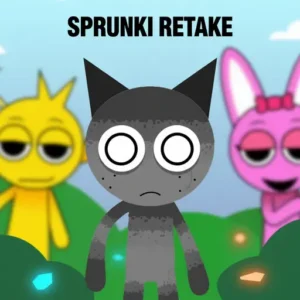
coolskull212If you’ve ever loved the colorful chaos of Sprunki and wondered what it would sound like in a haunted house, Sprunki Retake is your answer. It’s a free, browser-based horror mod that flips the cheerful original into something moody, eerie, and weirdly addictive. You drag spooky characters onto a stage, layer their sounds, and watch a creepy little music video build itself in real time. 🎧
Fans often just call it “sprunki,” but Sprunki Retake is the darker remix – same drag-and-drop core, brand-new vibe. It runs straight in your browser with no downloads, no installs, and no sign-ups. Whether you’re a beat-maker or just curious about horror games, this one pulls you in fast.
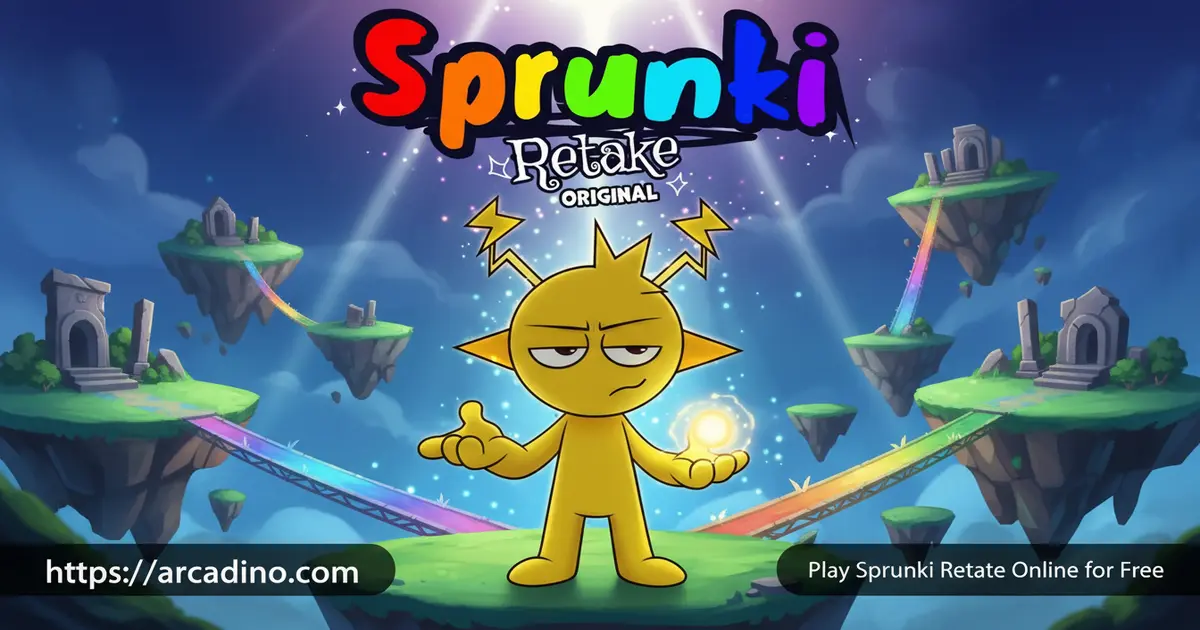
- Free horror mod inspired by Incredibox and the original Sprunki game
- Drag-and-drop music mixing with eerie redesigned characters
- Hidden animations and bonus sounds unlocked through combos
- Plays instantly in any modern browser, desktop or mobile
What Is Sprunki Retake?
Sprunki Retake is a fan-made music creation game that takes the Sprunki formula and dunks it in horror sauce. The vibe is dark, the visuals are unsettling, and the soundscape feels like something is watching you mix. You still build tracks by stacking character loops, but every beat lands with a creepy edge. It’s a music game and a mood piece rolled into one.
The mod grew out of the Sprunki community, with creators on cocrea.world remixing the original into this haunted version. First-load takes around 30-45 seconds while the audio assets warm up, but once it’s running, the drag-and-drop interface feels smooth and snappy in Chrome. That short wait is honestly part of the suspense.
Sprunki Phases and Version Lineage
Sprunki has grown into a whole family of mods, and Retake is just one branch. The “phase” versions – Phase 2, Phase 3, and Phase 5 – each shift the art style, sound palette, and lore a little further. Sprunki Retake sits beside these as the horror-flavored remix, and there’s even a Sprunki Retake 2 that expands the roster with extra creepy characters. If you enjoy Retake, exploring the phases is a fun way to hear how the same drag-and-drop engine can feel totally different.
Sprunki Retake Gameplay
The core loop is simple: pick a character from the sidebar, drop them onto the stage, and they start looping a sound. Add another character and the loops sync up automatically into a layered track. Keep stacking – bass lines, vocal whispers, drum hits, weird ambient noises – until you’ve got a full creepy song. Click a character to pull them off the stage and swap in someone else.
What makes Sprunki Retake stick is the experimentation. Certain character combinations trigger hidden animations, special effects, and lore moments you won’t see otherwise. You’re basically a music producer and a mystery hunter at the same time. Every session feels different because you’re chasing both a good beat and a secret.
Characters and Sound Design in Sprunki Retake
Each character in the roster has their own loop, their own gesture, and their own personality. Fan favorites include The Phantom, who lays down deep echoing bass, The Shadow, with twitchy percussion hits, and The Whisper, whose vocal loop sounds like someone breathing right behind you. Community creator Coolskull212 is often credited with shaping the look and feel of these redesigns. The animations sync with the audio – hands clap, mouths move, shadows shift – so the stage feels alive while your track plays.
The sound library leans into horror without going over the top. You’ll hear bone-rattling rhythms, ghostly harmonies, and ambient textures that sound like a haunted radio. Mixing them together is where Sprunki Retake really shines, because no two combinations sound exactly alike.
Starter Combos to Try in Sprunki Retake
If you want a head start, here are three named combos that sound great right away. Each one stacks just a few characters, so you can build them in under a minute and tweak from there.
- Slow Horror Dirge: The Phantom (bass) + The Whisper (vocal) + one ambient effect character. Creepy, slow, and perfect for a foggy mood.
- Jump-Scare Drop: A drum character + a heavy vocal + a sharp effect. Pull one off mid-loop, then drop it back in to create a sudden hit.
- Haunted Choir: Two vocal characters + The Shadow on percussion. Layered harmonies with a twitchy beat underneath.
Use these as launch pads and swap pieces out until the track feels like yours.
Headphones, Speakers, and Browser Tips
Sprunki Retake’s horror sound design is built for headphones. Low rumbles, stereo whispers, and panned effects all hit harder when the audio is right against your ears. Laptop speakers will work, but you’ll lose the spooky bass and the left-right whisper tricks. For the smoothest playback, Chrome and Edge handle the Web Audio sync best, while Safari sometimes lags by a half-beat on older iPhones. If your loops feel out of time, refresh the page or switch browsers – that usually fixes it.
Graphics and Atmosphere
The art style is moody, dim, and full of unsettling little details. Character designs feel like horror-movie versions of the cheerful Sprunki originals, with shadowy color palettes and twitchy animations. The whole stage has a low-light, fog-machine kind of look that makes even goofy beats feel sinister.
If you like games that commit to a vibe, this one nails it. The visuals don’t just decorate the music – they shape how it feels to play.
How to Play Sprunki Retake
Getting started takes about ten seconds. Open the game in your browser, wait for the loading animation to finish, and you’ll land on the main stage with a row of characters along the side. Drag any character onto an empty slot to start building your first beat. From there, just keep adding, swapping, and listening.
There’s no tutorial blocking you and no sign-up wall. You learn by messing around, which is honestly the best way to vibe with a music game like this.
Saving and Sharing Your Mix
A common question is whether you can save or share your Sprunki Retake tracks. The core mod doesn’t have a built-in save button or cloud account, so your mix lives only as long as the tab is open. The easiest workaround is using a screen recorder – OBS on PC, the built-in recorder on iPhone, or the screen record feature on most Android phones. From there, you can post your creepy beat to TikTok, YouTube Shorts, or share it with friends. Just don’t close the tab before you’ve captured the magic!
Controls for Sprunki Retake
Use your mouse to click and drag characters from the menu onto the stage. Click a character already on the stage to remove them. On phones and tablets, tap and drag works the same way. There are no complicated keybinds – the whole point is that anyone can pick it up and start mixing in seconds.
Tips and Tricks for Sprunki Retake
- Start with a bass or drum character to set your foundation, then layer melody and vocals on top – tracks built without a low end feel hollow.
- Try every character at least once before committing to a mix. Each one has a unique loop length, so some pair better than others.
- Watch for hidden animations when you stack certain combos. If the visuals shift or characters do something new, you’ve unlocked a bonus.
- Don’t overcrowd the stage. Three to five well-chosen characters usually sound better than every slot filled at once.
- Pull characters off mid-song to create breaks and build-ups. Silence is a tool in Sprunki Retake, especially with the horror atmosphere.
Key Features of Sprunki Retake
- Horror reskin of the Sprunki universe, with redesigned characters and a dark, suspenseful atmosphere baked into every loop.
- Drag-and-drop music mixing that’s beginner-friendly but deep enough to keep producers busy for hours.
- Hidden animations and bonus moments triggered by specific character combinations.
- Browser-based play that works on phones, tablets, Chromebooks, and PCs without a download.
- Community-driven mod with ongoing updates adding new sounds and creepy details.
Where to Play Sprunki Retake
Sprunki Retake runs entirely in your browser, so you can jump in from any device with an internet connection. It works on Chrome, Firefox, Safari, and Edge, and the mobile version is touch-optimized for phones and tablets. There’s no installer, no APK, and no app store version – if a site offers a Sprunki Retake APK download, skip it, since unofficial files can carry malware.
The game is free with no paywalls and no account required. That makes it a popular pick during study breaks, and it loads quickly enough for a quick session between classes. Just open the page and start dragging.
Sprunki Retake for Parents
Sprunki Retake is a music creation game, but the horror theme leans dark – think creepy character designs, suspenseful audio, and unsettling visuals. It’s generally fine for ages 10 and up, though sensitive younger kids may find some character art spooky. The core game has no sign-up, no chat, and no in-app purchases, though the host site may run its own analytics like most websites.
Play sessions tend to be short and creative, which makes it a low-pressure way for kids to experiment with rhythm and sound layering. A 20-30 minute session is plenty to build a few tracks and try different combos.
Why Retake Works as a Classroom or Study-Break Pick
For teachers and parents wondering about school use, Sprunki Retake checks a lot of safe-pick boxes. There’s no account creation, no chat with strangers, no friend requests, and no purchases – so kids can’t spend money or share personal info inside the game itself. The horror theme is mood-based rather than gory, which fits the typical 10+ rating most schools allow. A 15-20 minute study break is the sweet spot: long enough to build a track, short enough to reset focus before homework. Pair that with headphones and it becomes a quiet, creative pause that doesn’t disturb a classroom.
Similar Games to Sprunki Retake
If the horror-music mash-up of Sprunki Retake clicks with you, these browser games hit similar notes:
- Incredibox – The original drag-and-drop music maker that started the whole Sprunki scene, with bright visuals and beatbox loops.
- Sprunki – The colorful base game that Sprunki Retake remixes, perfect if you want the cheerful version first.
- Sprunki Phase 3 – Another popular phase mod that pushes the Sprunki sound design in a new direction.
- Sprunki Phase 5 – A later phase entry with new characters and an even moodier sound palette for fans chasing the full lineage.
- Sprunked – A bright, upbeat Sprunki spin-off with fresh characters and remixed loops.
- Colorbox Mustard – A popular Incredibox-style mod with quirky characters and a warm, jazzy sound that pairs nicely with Sprunki fans.
- Friday Night Funkin’ – A rhythm game with quirky characters and catchy beats, great for music-game fans.
Browse more in our Music games collection.
FAQs About Sprunki Retake
What is Sprunki Retake?
Sprunki Retake is a free horror-themed music mod based on Sprunki and Incredibox. You drag eerie characters onto a stage to layer beats, vocals, and effects into your own creepy track. It runs in any browser with no download.
Is Sprunki Retake the same as Sprunki?
No, Sprunki Retake is a darker horror mod of the original Sprunki. The core gameplay is the same drag-and-drop music mixing, but the characters, sounds, and atmosphere have been redesigned with a horror twist.
How do I play Sprunki Retake?
Open the game in your browser and drag characters onto the stage to start mixing. Each character adds a looping sound that syncs with the others. Keep layering, swapping, and experimenting to build full tracks.
Is Sprunki Retake free to play?
Yes, Sprunki Retake is completely free in your web browser. There are no downloads, no sign-ups, and no in-game purchases blocking content.
Can I play Sprunki Retake on mobile?
Yes, Sprunki Retake works on phones and tablets through any modern mobile browser. The drag-and-drop controls translate to tap-and-drag on touchscreens.
Who made Sprunki Retake?
Sprunki Retake was made by fans in the Sprunki community, originally hosted on cocrea.world. It’s a passion project built on top of the Incredibox-inspired Sprunki framework.
Do I need musical experience to play Sprunki Retake?
Not at all – Sprunki Retake is built so anyone can make a track. The loops auto-sync, so any combination you drop together will sound rhythmic. Experimentation is the whole point.
How do I unlock hidden animations in Sprunki Retake?
Hidden animations trigger when you place specific character combinations on the stage. Try unusual pairings and pay attention when visuals or sounds shift unexpectedly. Those shifts often mean you’ve unlocked a bonus.
Final Thoughts on Sprunki Retake
Sprunki Retake takes one of the friendliest music games online and gives it a haunted house makeover, and somehow that combo just works. The drag-and-drop mixing stays beginner-friendly, the horror atmosphere keeps every session interesting, and the hidden animations reward players who like to dig deep. It’s the rare mod that respects the original while still feeling like its own thing.
Grab a pair of headphones, dim the lights, and see what kind of creepy track you can build. Sprunki Retake is waiting in your browser whenever you’re ready to mix.
