



























Watch one short ad and play ad-free for 30 minutes.
Papa’s Pancakeria
Flipline Studios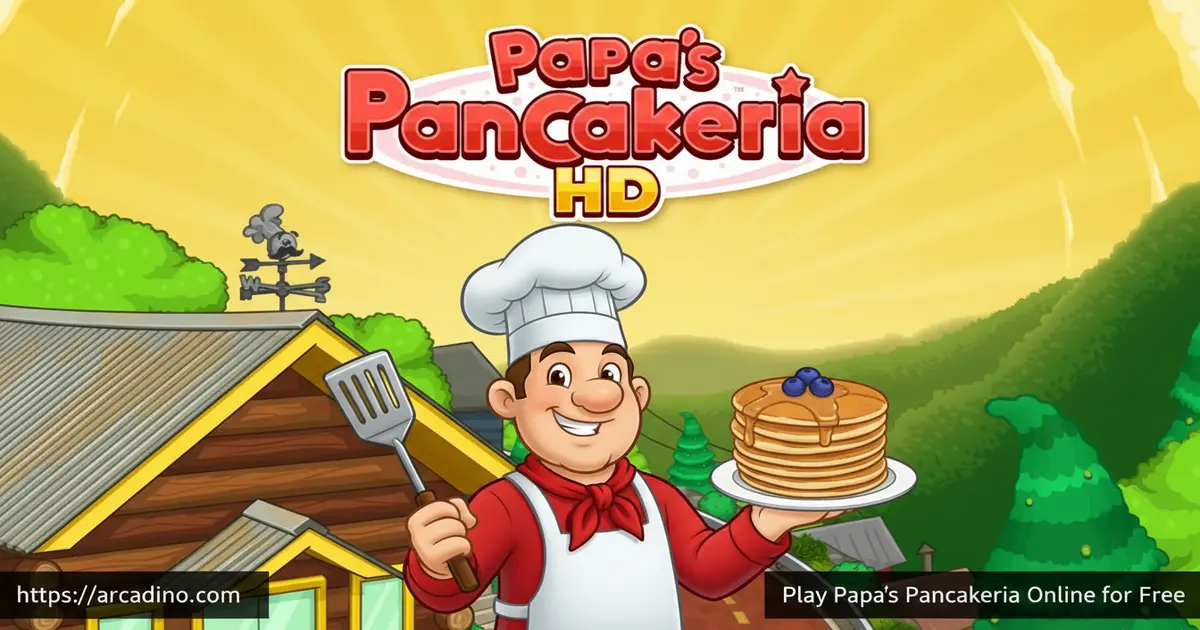
Flipping perfectly golden pancakes while juggling a full breakfast rush is harder than it sounds — and that’s exactly what makes Papa’s Pancakeria so addictive. This free browser cooking game drops you behind the counter of Papa Louie’s mountain breakfast spot, and it’s playable right now on Arcadino without any download. It’s a time-management challenge that keeps growing as new customers, ingredients, and holiday menus keep arriving. If you’ve ever wanted to run a breakfast restaurant, this is your shot.
- Grill pancakes, waffles, and french toast across three hands-on cooking stations
- Serve seasonal holiday menus with new ingredients that unlock throughout the year
- Play as Cooper, Prudence, or a fully custom character with your own pet
- Earn Stickers, win mini-game prizes, and decorate your lobby with holiday furniture
What Is Papa’s Pancakeria?
Papa’s Pancakeria is the fifth web game in Flipline Studios’ Papa Louie restaurant time-management series. It’s set in Maple Mountain, where you go searching for your lost pet and discover that Papa Louie has been looking after it at his breakfast spot — and he puts you straight to work to repay the favour. The game blends cooking sim mechanics with light strategy — you’re always deciding which order to prep first and when to flip.
Flipline Studios built this as a Flash game originally, but it now runs in modern browsers using HTML5 rendering. The controls feel crisp and responsive when clicking between stations. That smoothness matters a lot when you’re racing to flip a pancake and build a stack at the same time.
Papa’s Pancakeria Gameplay — The Breakfast Rush Loop
Every shift in Papa’s Pancakeria follows a satisfying rhythm. You take a customer’s order, head to the griddle to pour batter and watch it cook, then move to the build station to stack layers with toppings. A fourth drink station unlocks as you progress, adding even more to juggle.
The real challenge is multi-tasking. There’s almost always something useful you can do — checking a pancake on the grill, prepping a topping stack, or grabbing a drink order. 🥞 Customers have specific preferences, so a sloppy stack or an over-cooked flapjack will cost you tips. Managing several orders at once without letting anything burn is genuinely satisfying to nail.
Levels and Progression in Papa’s Pancakeria
The game runs on a workday structure. You serve customers through each shift, earn tips, then spend those earnings on shop improvements between days. As your rank climbs, new customers show up with more complex orders and new ingredients get added to the menu.
Progression unlocks the drink station mid-game, which adds a whole new layer to the workflow. New holiday flavors also roll in as the in-game seasons change in Maple Mountain. Each unlock feels earned rather than handed to you, which keeps the motivation strong shift after shift.
Closers — The Late-Shift Challenge
At the end of each shift, a special group of customers called Closers arrive. These are the last customers of the day, and they can make a big difference to your final tip total. Closers tend to have specific orders, and they’re judging you just as closely as the customers who came earlier in the shift. Nail their orders and you’ll finish the day with a strong earning total. Rush them or let a pancake overcook and your tip score for the whole shift can take a hit. Keeping your focus sharp right until the final customer leaves is one of the key habits that separates good players from great ones in Maple Mountain.
Seasonal Events and Holiday Flavors
One of the most distinctive things about this cooking game is its holiday calendar. As the seasons change in Maple Mountain, your customers start ordering pancakes, waffles, and french toast with new seasonal ingredients. You unlock new flavors tied to specific holidays throughout the year.
Customers will also occasionally bring you their own Special Recipes, which you can feature as the Daily Special. Serving a great example of that special earns you a bonus on top of the usual tip. The seasonal system gives the game a genuinely fresh feel each time a new holiday period rolls around.
Customization and Upgrades
Between shifts, you can spend your earnings at the Shop to grab new clothing for your worker, lobby furniture, and equipment upgrades. Decorating the lobby with themed furniture actually improves how long customers are willing to wait, so it’s not just cosmetic. Upgrades to the cooking equipment make the food prep process faster and more forgiving.
The customization goes deep. You can pick Cooper with his cat Cookie, Prudence with her dog Pickle, or build a fully custom character from scratch — complete with your own pet. Holiday-themed outfit sets are also available, so your worker can dress for each season as it arrives.
Smart Spending — Which Shop Upgrades to Buy First
The Shop gives you a lot of options, but not all upgrades pay off at the same speed. The smartest first investment is always lobby decor. When customers run out of patience and walk out before you finish their order, you lose the entire tip — so keeping them happy and seated is the highest priority. Once your lobby has a few furniture pieces, shift your coins toward equipment upgrades, which make the griddle and build station faster and more forgiving to use. Save clothing purchases for last — they look great, but in the browser version they don’t affect gameplay or customer patience at all. Following this order — lobby first, equipment second, clothing third — gives you the best return on every coin you earn from the very first shift.
Achievements and Rewards — Stickers and Mini-Games
After each shift wraps up, you get chances to play Foodini’s Mini-Games. These include Pizza Pachinko, Hallway Hunt, Breakfast Blast, Jojo’s Burger Slots, Spin N’ Sauce, Customer Cravings, and Blender Ball. Win a mini-game and you’ll earn new furniture for your lobby or fresh clothing for your character.
The Sticker system adds another layer of long-term goals. Each customer has three favorite Stickers, and you earn them by completing specific tasks and achievements as you play. Collect all three Stickers for a customer to unlock a special bonus with them. It’s the kind of reward system that keeps you coming back to clear just one more shift.
How to Play Papa’s Pancakeria
Head to Arcadino and open the game in your browser — it loads quickly and runs straight away. On the start screen, pick one of three save slots to begin a new game or continue an old one. Choose your character (Cooper, Prudence, or a custom worker), type in your username, and you’re off to Maple Mountain.
Managing Your Save Files
The game gives you three separate save slots, so different players in the same household can each have their own progress. To start a fresh game, simply select an empty slot from the main screen and follow the character setup steps. If you want to erase an existing save and start over in that slot, look for the delete or reset option on the slot selection screen before you load it — this wipes all progress for that slot permanently, so make sure you’re ready before you confirm. There’s no built-in cloud save in the browser version, so your progress is stored locally in your browser. If you clear your browser’s cache or cookies, your save data can be lost, so avoid doing that while you’re in the middle of a run.
Your first few shifts introduce you to the griddle and build stations at a gentle pace. Once you’re comfortable with pancakes, waffles and french toast get added to the menu. New stations and ingredients unlock gradually, so the game teaches you one layer at a time rather than overwhelming you at the start.
Once the drink station unlocks mid-game, you’ll have a fourth stop to manage each shift. At the drink station, you pour and prepare beverages to match each customer’s ticket — each drink has its own steps, just like the griddle. The key is not to ignore drink orders while you’re busy at the griddle. Glance at open tickets regularly and start a drink order whenever you’re waiting on a pancake to finish cooking, so you’re never standing idle.
Papa’s Pancakeria Controls
All interactions use the mouse — left-click to select, pour batter, add toppings, and navigate menus. On touchscreen devices, tap the screen to do the same actions. The interface is built around single clicks, so there are no complicated key combos to memorize.
Tips and Tricks for Papa’s Pancakeria
- Watch the griddle closely: Pancakes show visual cues as they cook — pull them too early or too late and your tip drops. Flip at exactly the right moment for a perfect cook rating.
- Stack orders smartly: Check all open order tickets before starting a new pancake. If two customers want similar bases, start both on the griddle at the same time to save minutes.
- Invest in lobby decorations early: Furniture and themed decorations increase customer patience. Prioritize lobby upgrades in the Shop so customers don’t leave before you finish their order.
- Use the Daily Special bonus: When a customer brings you a Special Recipe, serve it to the highest standard possible. The bonus tip for a perfect Daily Special is worth the extra care.
- Send coupons with Vincent: If a favourite customer hasn’t been in for a while, use the mailman’s coupon feature to bring them back. More visits mean more sticker progress and more tips.
Mastering the Ticket Queue — The Real Skill Ceiling
When you’ve got three orders open at once, knowing which action to take next is what separates good players from great ones. The golden rule is to always check the griddle first — whichever pancake is closest to the flip window needs your attention before anything else, because a burnt pancake wipes out tip points instantly. While you’re walking between stations, use that brief travel time to mentally plan your next move at the build station: which layer comes next on which stack? Getting into this habit means you’re never standing still wondering what to do. Think of the griddle as your ticking clock and the build station as your planning board. Players who learn to read both simultaneously will clear shifts faster, keep customers happier, and rake in noticeably better tips than those who react one order at a time.
Key Features of Papa’s Pancakeria
- Three distinct cooking stations — griddle, build station, and unlockable drink station — each requiring separate hands-on actions
- Full seasonal holiday system with new ingredients, customer orders, and lobby decoration themes tied to holidays in Maple Mountain
- Seven different mini-games including Pizza Pachinko, Breakfast Blast, and Blender Ball to play after every shift
- Per-customer Sticker collections — each customer has three unique Stickers to earn through specific in-game achievements
- Deep character customization — choose Cooper, Prudence, or a custom worker, each with a unique pet companion
Where to Play Papa’s Pancakeria
You can play Papa’s Pancakeria for free in your browser at Arcadino. The game runs on any modern browser without needing Adobe Flash, thanks to HTML5 rendering. There’s nothing to install — open the page, pick your save slot, and start your shift.
Does It Run on Older Devices?
The HTML5 version of Papa’s Pancakeria runs well on most modern laptops, Chromebooks, and desktop browsers. On older or budget devices — like a low-spec Chromebook or a basic Android browser — you may notice some slowdown during busy multi-order moments, because HTML5 canvas rendering requires more processing power than the original Flash version did. If the game feels sluggish, try closing other browser tabs to free up memory, and make sure you’re using an up-to-date browser like Chrome or Firefox rather than a built-in manufacturer browser. On mid-range Android phones, the browser version works fine in Chrome but may stutter in older WebView-based browsers. For the smoothest mobile experience, the To Go app (see below) is the better choice for lower-end phones and tablets.
A mobile version called Papa’s Pancakeria To Go is available for both iOS and Android. Grab it on the App Store or the Play Store for on-the-go breakfast action. If you ever see an APK version for download on a third-party site, avoid it — only download from the official stores to keep your device safe.
The To Go mobile version and the browser version share the same core gameplay, but they’re not identical. The mobile app includes two exclusive features you won’t find in the browser game: a phone order system, where customers can call in their order before arriving, and a Driver delivery mechanic, where orders are delivered to customers off-site. These mechanics add extra variety to the mobile experience. If you’re deciding between browser and app, the browser version on Arcadino is the easiest way to jump in, while the To Go app offers a slightly expanded feature set for dedicated fans.
For Parents
Papa’s Pancakeria is a great fit for kids aged 8 and up. There’s no violence, no chat, and no random purchases — the in-game Shop uses coins you earn by playing, not real money for the browser version. The gameplay naturally builds time-management thinking and the ability to prioritize tasks under light pressure.
Sessions can run as long as you keep playing shifts, but each individual workday takes only a few minutes to complete. That makes it easy to set a natural stopping point after each shift. The seasonal content and sticker goals give kids something to work toward over multiple sessions, which helps with motivation and follow-through.
Similar Games You’ll Love
If flipping pancakes has you hungry for more restaurant action, these cooking and time-management games are worth a try:
- Papa’s Burgeria — Flipline Studios’ classic burger-flipping game, sharing the same time-management station format as this breakfast hit
- Papa’s Pizzeria — the original Papa Louie restaurant game where it all began, featuring pizza orders and the same beloved customer cast
- Papa’s Freezeria — swap the griddle for an ice cream machine in this fan-favourite entry in the Papa Louie series
- Papa’s Cupcakeria — bake and decorate cupcakes with holiday-themed toppings in another Flipline Studios time-management favourite
- Papa’s Taco Mia — build and serve custom tacos for a hungry crowd in this fan-favourite Flipline Studios time-management game that shares the same satisfying station-based format
Looking for more? Browse the full Cooking category on Arcadino.
FAQs About Papa’s Pancakeria
What is Papa’s Pancakeria?
Papa’s Pancakeria is a free browser cooking and time-management game by Flipline Studios. You run a breakfast restaurant in Maple Mountain, grilling pancakes, waffles, and french toast for a roster of hungry customers. It’s the fifth game in the Papa Louie restaurant series.
Who developed Papa’s Pancakeria?
Flipline Studios developed Papa’s Pancakeria. They’re the same team behind the entire Papa Louie restaurant series, including Papa’s Burgeria, Papa’s Pizzeria, and Papa’s Freezeria. The studio has released over a dozen games in the series across browser and mobile platforms.
Can you still play Papa’s Pancakeria in a browser?
Yes, Papa’s Pancakeria is fully playable in modern browsers today. The game originally ran on Adobe Flash, but it now works through HTML5 rendering instead — and as of April 2023, following the Flash shutdown, the HTML5 version became reliably accessible again for players worldwide. You can play it for free on Arcadino without installing anything.
Is there a mobile version of Papa’s Pancakeria?
Yes, Papa’s Pancakeria To Go is available on both iOS and Android. The mobile version was officially released on October 29, 2018, and includes features redesigned for smaller screens. You can find it on the App Store and Google Play Store.
What mini-games are in Papa’s Pancakeria?
Papa’s Pancakeria has seven mini-games: Pizza Pachinko, Hallway Hunt, Breakfast Blast, Jojo’s Burger Slots, Spin N’ Sauce, Customer Cravings, and Blender Ball. You get to play one after each work shift. Winning earns you lobby furniture or new clothing for your character.
What characters can you play as in Papa’s Pancakeria?
You can play as Cooper, Prudence, or a fully custom character you create yourself. Cooper’s pet is a cat named Cookie, while Prudence has a dog called Pickle. Custom characters let you choose your own pet companion too.
Does Papa’s Pancakeria HD differ from the original?
Papa’s Pancakeria HD is the upgraded mobile version designed for higher-resolution screens. It includes the same core gameplay but is optimised for tablets and phones rather than browser windows. The HD version is available on the App Store for iOS devices.
Final Thoughts on Papa’s Pancakeria
Few browser cooking games pack this much into a single breakfast shift. The combination of three distinct cooking stations, a per-customer Sticker collection, and a full seasonal holiday system gives Papa’s Pancakeria real staying power that goes well beyond flipping flapjacks. Flipline Studios clearly put care into every layer of this game — from the mini-game variety to the depth of lobby customisation.
If you’ve never tried a Papa Louie title before, this is one of the best entry points in the series. Head to Arcadino, pick your worker, and see how long you can keep the Maple Mountain breakfast crowd happy. The griddle is waiting.
Gameplay Video


