



























Watch one short ad and play ad-free for 30 minutes.
Happy Wheels
Fancy Force (Jim Bonacci)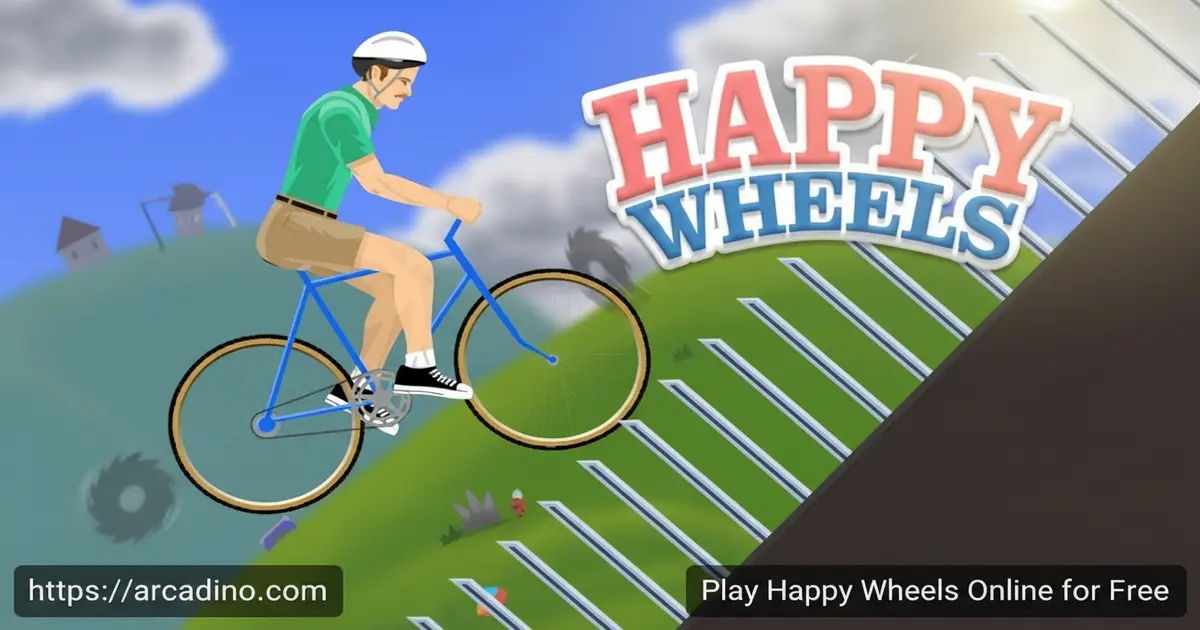
Physics, chaos, and a jet-powered wheelchair — Happy Wheels throws you into obstacle courses that are anything but safe. You can play the full game free online, right now, with no download needed. Jim Bonacci’s legendary side-scroller has racked up over a billion plays, and it’s easy to see why. Picking the wrong path through a level can end your run in spectacular, unpredictable fashion. 🎮
Every character rides a different vehicle, and every level punishes careless players in its own creative way. The JavaScript version runs smoothly in modern browsers, so the action stays crisp from the very first level.
- Physics-based obstacle courses that react differently every single run
- Five unique characters, each with their own vehicle and handling
- 60+ levels packed with traps, ramps, and hazards
- Free to play directly in your browser on arcadino.com
What Is Happy Wheels?
Happy Wheels is a side-scrolling, physics-based obstacle course game created by Jim Bonacci. It first launched in June 2010 and quickly became one of the most-played browser games ever made. The goal sounds simple: guide your character from the start of a level to the finish line in one piece. The obstacles between you and that finish line, though, are relentless.
The original Flash version was eventually ported to JavaScript by Goodboy Digital, a London-based studio Bonacci trusted with the technical work. That port renders at 60 fps using interpolated animation, though the underlying physics calculations still run at 30 fps — a detail worth knowing if you ever notice very subtle differences from the old Flash version. The controls respond immediately on a standard keyboard, and the physics feel consistent enough that when you fail, you know exactly why. It’s the kind of precision that keeps players coming back to replay levels they’ve already beaten.
Happy Wheels Gameplay — Chaos You Control
Each run in Happy Wheels starts with choosing your character and their vehicle. From there, you navigate through a level packed with spinning blades, steep drops, rickety platforms, and all sorts of lethal surprises. The physics engine means your vehicle behaves realistically — lean too far back on a ramp and you’ll flip over completely.
The game loop is built around trial and error in the best possible way. You’ll spot a trap, try to avoid it, fail hilariously, and then know exactly how to handle it on the next attempt. After enough practice on a level, you can eventually tear through it at full speed. That shift from stumbling beginner to confident racer is what makes every level satisfying to finally conquer.
Characters and Vehicles in Happy Wheels
Each playable character brings a completely different feel to the game. Wheelchair Guy rockets around on a jet-powered wheelchair, giving him unusual speed and air control. Irresponsible Dad rides a bicycle with his son on the back, and keeping both of them alive adds an extra layer of pressure.
Effective Shopper navigates levels in an electric shopping cart, which handles very differently from a bicycle. Business Guy rides a personal transporter, and Pogo Stick Guy bounces through obstacles on a pogo stick — arguably the trickiest vehicle in the game. Swapping characters between levels is a great way to experience the same course from a totally fresh angle.
Which Character Should You Pick for Each Level Type?
Not every character works well on every level, and picking the right one can make a huge difference. Wheelchair Guy is your best pick for levels with big gaps and high climbs — his jet boost lets him clear distances that would stop other characters cold. Irresponsible Dad on his bicycle handles flat, fast courses really well, but tight corners and sudden drops become extra stressful when you’re trying to keep his passenger safe too. Effective Shopper in her shopping cart shines on wide, open tracks where her low centre of gravity keeps her stable, but she struggles badly on anything with sharp inclines. Business Guy on his personal transporter is surprisingly good on smooth obstacle courses where steady balance matters more than raw speed — he’s a solid all-rounder for beginners. Pogo Stick Guy is a different story entirely: bouncy platform sections where timing your hops matters are where he feels almost made for the game, but point him at a steep descent and he’ll bounce completely out of control. Trying a level that’s frustrating you with a different character isn’t giving up — it’s playing smart.
Levels and Progression in Happy Wheels
The game packs in a wide variety of courses, and they don’t stay easy for long. Early stages introduce the basic obstacles and give you time to get comfortable with your chosen character’s physics. As you push deeper into the level list, the traps get more elaborate and the courses demand much sharper timing.
No two levels feel the same. Some focus on precise balance over narrow ledges, while others throw fast-moving hazards at you from every direction. The variety keeps the game feeling fresh long after you’ve figured out the basic controls. Replaying harder levels with a different character is a challenge in its own right.
How to Play Happy Wheels
Getting started is quick. Head to arcadino.com, open the game, and choose one of the available characters. Once you’ve picked your racer, select a level and jump straight in. The objective on every stage is the same — reach the finish line without getting taken out by the obstacles in your path.
Take your first run on a new level slowly. The layout of traps isn’t always obvious until you’ve seen them once. After a failed attempt, you’ll have a much clearer picture of what’s coming, and you can plan a smarter route through.
Happy Wheels Controls
- Up Arrow — accelerate / move forward
- Down Arrow — brake / move backward
- Left Arrow — lean or rotate backward
- Right Arrow — lean or rotate forward
- Z — eject from vehicle
- Spacebar — character-specific action (varies by racer)
Tips and Tricks for Happy Wheels
- Start every new level slowly. Rushing into an unfamiliar stage before you know where the traps are almost always ends badly. A slow first run is a scouting mission.
- Use the lean buttons actively. Rolling forward and backward isn’t just for show — leaning your vehicle into ramps and jumps controls your landing angle and can mean the difference between surviving and flipping.
- Try every character on a level you’re stuck on. Some vehicles handle tight corners or steep drops far better than others. Switching from Irresponsible Dad’s bicycle to Business Guy’s transporter can make a frustrating level click immediately.
- Don’t rush after your first clear. Once you know a level’s layout, go back and try to beat it cleanly. Learning to race through it fast after a careful first run is where the real satisfaction comes from.
- Pay attention to Wheelchair Guy’s jet boost. His jet-powered wheelchair has unique momentum that other characters can’t match. On levels with long gaps or steep climbs, timing his boost correctly opens up routes that seem impossible with slower vehicles.
- Use the Z-key eject at the right moment. Ejecting isn’t just something you do by accident. If your vehicle is about to be destroyed, hitting Z at the right time can save your run. Your ragdoll body can still crawl, roll, or tumble across the finish line even without the vehicle — and on some tricky levels, that’s the only way through. Just know that finishing without your vehicle won’t count as a clean run if you’re trying to beat a level perfectly.
The Eject Button Is a Secret Weapon
Most players treat the Z key like an accident waiting to happen, but it’s actually one of the most useful moves in the game. When your vehicle hits something it can’t survive, ejecting at just the right moment launches your character clear of the wreck. From there, your ragdoll body can crawl, roll, and drag itself toward the finish line — and the game counts it as a win even if your vehicle is completely gone. Some late-game levels are designed in a way that makes ejecting and crawling the easiest path to the finish, especially when a trap destroys your vehicle early but leaves a clear floor-level route ahead. Ejecting can also let your body trigger pressure switches or knock objects that your vehicle couldn’t reach. It won’t count as a perfect, clean run, but if your goal is simply to reach the finish line, the eject button is a completely valid strategy that most players overlook entirely.
Key Features of Happy Wheels
- Physics-based destruction: Every crash, flip, and collision plays out through a real physics engine — no two failed attempts look exactly the same.
- Five distinct characters and vehicles: From Pogo Stick Guy to the jet-powered Wheelchair Guy, each racer handles the courses in a genuinely different way.
- Dozens of obstacle-packed levels: The variety in course design ensures you won’t run out of new challenges quickly, from tight balance sections to high-speed gauntlets.
- Smooth JavaScript port: Goodboy Digital’s port renders at 60 fps using interpolated animation, while physics calculations run at 30 fps — the result is fluid, responsive movement in any modern browser without needing Flash or plugins. Note that older Flash-era replays may look slightly different in the new version due to an updated Box2D physics engine.
- Over a billion plays: The sheer number of players who’ve tackled these courses is a testament to how replayable the game really is.
Where to Play Happy Wheels
The easiest way to jump in is straight through your browser at arcadino.com. The JavaScript version loads quickly and plays without any installation — just pick your character and go. The site is accessible without restrictions, so you can play Happy Wheels even in environments where certain gaming sites are blocked.
If you prefer playing on your phone or tablet, the official mobile version is available on both major app stores. You can grab it on Android via the Google Play Store and on iOS through the Apple App Store. If you’re searching for a Happy Wheels APK from a third-party site, be cautious — unofficial APK files can carry security risks, so stick to the official Play Store version on Android.
Join the Happy Wheels Community on Discord
There’s an official Happy Wheels Discord server at discord.gg/happywheels where players share tips, talk about favourite levels, and keep up with any news about the game. It’s a friendly place to ask for help if you’re stuck on a tricky level or just want to see how other players approach the same courses. The community has been around long enough that it’s genuinely shaped feedback on the game’s development over the years. If you’re the kind of player who likes talking strategy or swapping ideas with others, it’s worth checking out.
For Parents
Happy Wheels features cartoon-style physics crashes that can look dramatic, so it’s best suited for players aged 12 and up rather than younger children. The obstacle course format does sharpen problem-solving and spatial reasoning — figuring out how to navigate a tricky level requires real focus and planning. The browser version doesn’t include in-game purchases or live chat features, which makes it a lower-risk environment than many online games.
Suggested play sessions of 20–30 minutes work well, since levels are short enough to keep things from feeling overwhelming. Encouraging kids to try different characters and think through each level before charging in adds an extra layer of thoughtful engagement to what looks like pure chaos on the surface.
Similar Games to Happy Wheels
If the physics-based obstacle course format has you hooked, these browser games scratch a similar itch:
- Moto X3M — A fast-paced motorbike obstacle racer where your timing and balance are constantly tested across increasingly wild tracks.
- Stickman Boost — A side-scrolling platformer that puts a stickman character through brutal spike-filled courses that reward patience and precise jumps.
- Getaway Shootout — A chaotic physics-based race where unpredictable movement mechanics create the same kind of laugh-out-loud moments Happy Wheels is famous for.
Browse more titles in the Action category for similar free browser games.
FAQs About Happy Wheels
Is Happy Wheels free to play?
Yes, Happy Wheels is completely free to play in your browser. Head to arcadino.com and start a level without creating an account or paying anything. The mobile versions are also free to download from the App Store and Play Store.
Who made Happy Wheels?
Jim Bonacci created Happy Wheels and released it in June 2010. He’s still the sole developer on the sequel, which has been in active development for several years. The JavaScript port of the original game was handled by Goodboy Digital, a studio based in London.
How many levels does Happy Wheels have?
Happy Wheels has over 60 levels to play through. They start manageable and grow significantly harder as you progress deeper into the list. The variety in obstacle design means each level feels like a new challenge even after you’ve played dozens of them.
What characters can you play in Happy Wheels?
There are five playable characters: Wheelchair Guy, Irresponsible Dad, Effective Shopper, Business Guy, and Pogo Stick Guy. Each one rides a different vehicle with unique physics and handling. Trying the same level with a different character changes the experience completely.
Can I play Happy Wheels on mobile?
Yes, Happy Wheels has an official mobile version for both Android and iOS. Download it from the Google Play Store or Apple App Store using the links on this page. The browser version also works on mobile through arcadino.com if you prefer not to install anything.
Is there an official Happy Wheels community?
Yes! The official Discord server at discord.gg/happywheels is the main community hub for Happy Wheels players. You can find other players there, get tips on hard levels, and stay updated on any news about the game or its sequel. It’s a great spot to connect if you want to go beyond just playing solo.
Is Happy Wheels on Steam?
Happy Wheels is best known as a browser game rather than a Steam title. The most reliable way to play the full game is through your browser or the official mobile apps. Jim Bonacci has confirmed a sequel — sometimes called Happy Wheels 2 — is in development, but he’s described himself as a slow, solo developer who deliberately avoids sharing progress updates. That means there’s no confirmed release date and no Steam listing announced for either the original or the sequel. The original game has held its audience for over 15 years without a follow-up, which says a lot about how well its core design has aged. If you’re searching for Happy Wheels 2 news, the official Discord is the best place to watch for any announcements when they do come.
Does Happy Wheels run on modern browsers without Flash?
Yes, the JavaScript version works in all modern browsers without Flash. Goodboy Digital ported the game from Flash to JavaScript, and it renders at 60 fps using interpolated animation — though the physics engine itself still calculates at 30 fps, which is the same approach used by many polished browser games. One thing worth knowing: the JS port uses an updated version of the Box2D physics engine, so older Flash-era replays may look slightly different when played back in the new version. You won’t need any plugins or extra software to get it running.
Conclusion
Happy Wheels earned its billion-plus plays the hard way — by being genuinely fun to fail at. The combination of real physics, wildly different characters, and a huge variety of obstacle-packed levels gives the game a replay value that most browser titles never reach. Jim Bonacci’s creation has stood the test of time because every crash teaches you something useful for the next attempt.
The Goodboy Digital JavaScript port means you’re getting a smooth, modern experience without any of the old Flash headaches. Load up arcadino.com, grab Wheelchair Guy or Pogo Stick Guy, and find out how many tries it takes you to finally nail that first tricky level.
Gameplay Video


