
























Watch one short ad and play ad-free for 30 minutes.
Duck Life 5
Wix GamesGrab your shovel and hatch a hero, because Duck Life 5 trades racing tracks for cave exploration. After the Fire Duck got beaten in the last game, a dormant volcano cracked open and revealed an ancient cave stuffed with treasure. Duck Life 5 is free to play right in your browser, no download needed, and it flips the series into an endless runner. You’ll sprint, leap, and fly past lava and spikes while scooping up coins. It’s also known simply as Duck Life: Treasure Hunt, so don’t worry if you’ve seen both names floating around. 🦆
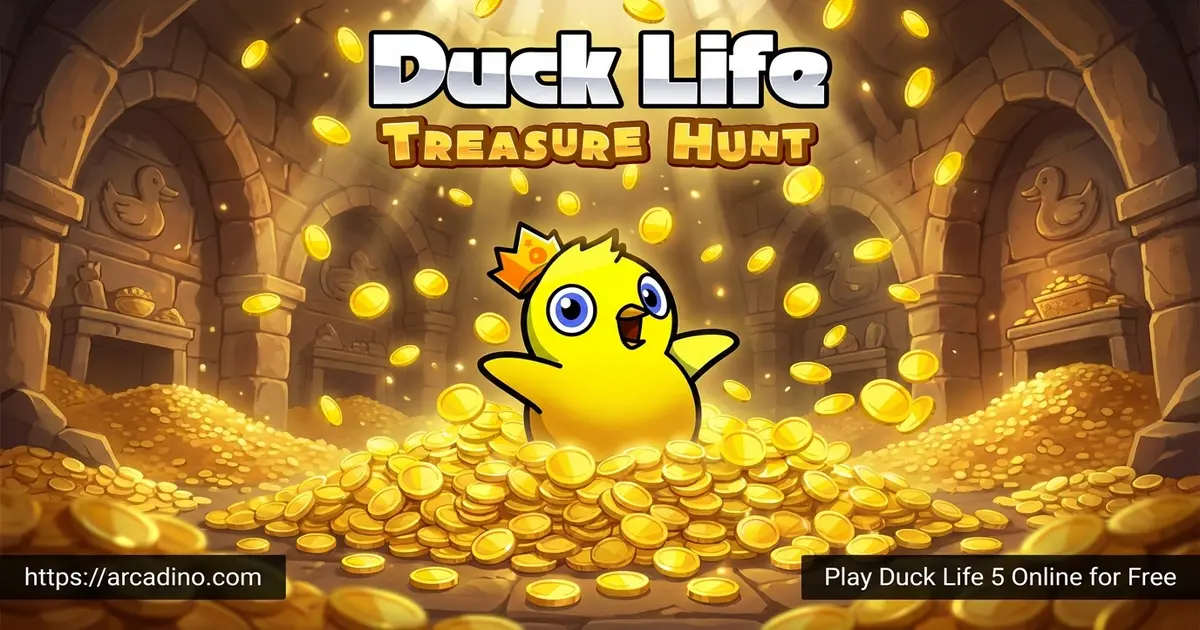
- Endless runner set in a treasure-filled cave
- Over 25 cute pets you can buy and upgrade
- More than 200 costumes to dress your duck
- Gadgets like Tiny Wing, iDowsing, and Smart Shovel
What Is Duck Life 5?
Duck Life 5: Treasure Hunt is the fifth chapter in the Duck Life series, and it plays nothing like the earlier racing entries. Instead of training a sprinter, you guide your duck through a dangerous cave as an endless runner. The story picks up right after Duck Life 4 — the volcano went quiet, and adventurers started pouring in to find what’s buried inside.
From my own runs, the game loads fast in Chrome and the controls feel snappy on a laptop trackpad. The art is bright and cartoony, the music keeps a steady beat, and short runs make it easy to squeeze in between homework. Duck Life 5 mixes platforming, light RPG-style upgrades, and treasure hunting in a way that feels fresh for the series.
Release Date and Platform History
Duck Life 5 first launched on Android on June 11, 2014, and arrived on iOS just a few days later on June 17, 2014. It was also the last entry in the series to ship with a Flash version on the web. After Flash shut down, the browser build was rebuilt in HTML5 so kids could keep playing without any plugin. That history is why you’ll still find it on classroom portals years later.
Duck Life 5 vs Duck Life 4 vs Duck Life 6
Each Duck Life game plays differently, even though they share the same cheerful art style. Here’s a quick side-by-side so you can pick what fits your mood:
- Duck Life 4 — A racing trainer. You level up running, swimming, flying, and climbing to beat the Fire Duck in tournaments.
- Duck Life 5 — An endless runner. You explore a treasure-filled cave, collect pets, and buy gadgets between runs.
- Duck Life 6 — A space-themed trainer. Your duck heads off-world with new mini-games and alien environments to master.
So if you love stat-building, try 4 or 6. If you’d rather dodge traps and grab loot, 5 is your pick.
How to Play Duck Life 5
Gameplay in Duck Life 5
You start by picking a duck and customizing its look before diving into the cave. Once you’re inside, your duck auto-runs while you tap to jump, fly, or duck-and-roll past traps. Lava pools, spikes, and rival hunters are all trying to end your run early.
Between runs, you head back to town to spend coins. You can buy gadgets, recruit pets, change your hairstyle, and stock up on jetpack potions. Each run pushes you a little deeper, and the better your gear, the more treasure chests and reward keys you’ll uncover.
Reward keys are a big deal in Duck Life 5. You earn them as you run, and each key can either unlock a pet egg back in town or be sold for extra coins. That means even a rough run can pay off if you scoop up enough keys along the way.
Pets and Gadgets in Duck Life 5
The Pet Shop is one of the most fun stops in the whole game. There are 25 different pets to collect, from rabbits and turtles to octopi and weird food-shaped critters like strawberries and lettuce. Some pets cost coins, while the rarer ones need gems, and you can train each one up to thirty times for a faster special cooldown.
Only four pets can be bought with coins: the free Egg, the Rabbit, the Turtle, and the Chicken. The rest cost gems, including fan favorites like the Octopus, Strawberry, Hamster, Tomato, Lettuce, and Hedgehog. Start with the coin pets, then save gems for whichever critter has a special you actually want to use.
The Mechanic sells gadgets that change how your runs play out. Tiny Wing (around 3,800 coins) lets you fly more swiftly, iDowsing (about 2,500 coins) boosts your chance of finding chests, and Smart Shovel (also about 2,500 coins) raises your reward-key drop rate. Gold Purifier runs about 2,700 coins and squeezes more value from each chest. Bigger purchases like the Bubble Barrier and Dr. Duckhatton cost around 100,000 coins each but make a huge difference deep in the cave.
Customization in Duck Life 5
The Barbershop is where your duck gets a full makeover. You can switch up eyes, hair, tattoos, and skin color, with options like olive skin, spotted tattoos, and a bunch of haircuts including Sonic Spikes and Curly Whirly. Tattoos override clothing, and new hair will replace the crown you earn for finishing the game.
On top of that, there are over 200 costumes to mix and match. Crazy hats, awesome outfits, and goofy accessories mean no two ducks have to look the same. It’s a small touch, but it keeps the grind feeling personal.
How to Play Duck Life 5
Getting started is simple — open the game in your browser, pick your starter duck, and head straight into the cave. Your first runs will be short, so focus on grabbing coins and learning where common traps appear. After a few attempts, swing by the shops to buy your first gadget and a cheap pet.
The town has several distinct buildings, and the Jetpack Store is its own stop separate from the Mechanic. That’s where you’ll stock up on jetpack potions for long pushes deeper into the cave. The Pet Shop, Barbershop, Mechanic, and Jetpack Store each handle one slice of your upgrades, so swing by them all between runs.
Your First 30 Minutes: A Coin-Spending Roadmap
New to Duck Life 5? Don’t sprinkle coins everywhere — follow this order to grow fast:
- Claim the free Egg pet at the Pet Shop. It costs zero coins and gives you a starter ability right away.
- Buy iDowsing (about 2,500 coins) next. More chests means more coins per run, snowballing every future purchase.
- Add Smart Shovel (about 2,500 coins) to boost reward-key drops, which you can sell or use on pet eggs.
- Pick up the Rabbit pet for a coin-priced friend with a useful run-boosting special.
- Save for Gold Purifier (about 2,700 coins) to squeeze more value from every chest you’ve been finding.
Skip costumes until this build order is done. They look great, but they don’t earn you a single extra coin.
Controls for Duck Life 5
Duck Life 5 is mostly mouse and spacebar driven on desktop. Press space (or click) to jump, and use the mouse for menus, shops, and customization screens. On mobile, just tap the screen to make your duck leap or activate abilities. Tap the shop icons to upgrade between runs.
Accessibility and One-Handed Play
Because the core action is a single jump input, Duck Life 5 is friendly for younger kids and players with limited mobility. You can play full runs using just the spacebar on a laptop or a single tap on a tablet. There’s no need for fast combos, mouse aiming, or complex key combinations during the cave runs. Menus do need the mouse, but a parent or sibling can help with shop screens between runs. That makes it a solid pick for one-handed play or for kids still building hand-eye coordination.
Tips and Tricks for Duck Life 5
- Buy iDowsing early — more treasure chests means faster coin growth for everything else.
- Don’t waste coins on costumes until you own at least one Mechanic gadget.
- Start your pet collection with the free Egg, then save up for a coin-based pet like Rabbit.
- Use jetpack potions on long runs where you’re close to a new section, not on short practice runs.
- Time your jumps over lava carefully — falling in ends your run instantly, no matter how much treasure you have.
Key Features of Duck Life 5
- Endless runner gameplay through an ancient cave packed with traps
- Run, jump, and fly mechanics that change as you upgrade
- 25 collectible pets with their own special cooldowns
- Gadget shop with tools like Gold Purifier and Bubble Barrier
- Deep customization through the Barbershop and 200+ costumes
Where to Play Duck Life 5
The easiest way to play Duck Life 5 is right here in your browser — it’s free, loads instantly, and works on Chromebooks, which makes it popular for classroom downtime. Many players also find it through Math Playground and other school-friendly portals, since the game is often grouped with educational picks.
Why Duck Life 5 Works So Well on School Chromebooks
Duck Life 5 is built on HTML5, so it runs straight in Chrome with no Flash, no Java, and no installs. That’s the main reason it slips past most school filters — there’s no plugin to block and no executable to download. The game is also lightweight, so it loads quickly even on older classroom Chromebooks with slower Wi-Fi. There’s no in-game chat, no ads pointing kids off-site, and no account sign-up, which usually keeps it on the safe list. The whole game can be played with the spacebar alone, so it works fine if the Chromebook trackpad is sticky or the mouse is missing. Teachers often allow it during free time for exactly these reasons.
If you want it on the go, there are official mobile versions too. Grab it from the Google Play Store for Android or the App Store for iPhone and iPad. Stick to those official links — random APK sites can carry unsafe files.
For Parents
Duck Life 5 is a friendly pick for kids around 8 and up. There’s no chat, no violent content beyond cartoon traps, and the upgrade loop touches on math habits lined up with Common Core standards MP2 (reasoning quantitatively) and MP7 (looking for structure). Kids weigh short-term spending (a cute hat) against long-term gains (a gadget that earns more coins per run), which is real budgeting practice in disguise.
Runs are short, which makes it easy to set a 20- or 30-minute limit. The browser version is fully free, while the mobile apps may have in-app purchases, so check settings before handing over a phone.
Similar Games to Duck Life 5
If the cave-running, pet-collecting mix in Duck Life 5 grabs you, these browser games scratch a similar itch.
- Duck Life 4 – The previous chapter, focused on training your duck across racing disciplines to defeat the Fire Duck.
- Duck Life 3 – An earlier entry where you train a duck team across running, swimming, and flying.
- Duck Life 6 – The space-themed sequel that takes the series beyond Earth with new training mini-games.
- Duck Life: Treasure Hunt – The same cave adventure listed under its alternate title.
- Duck Life – The original game that started it all, where you train a racing duck across simple sports events.
- Duck Life 5 Unblocked – The classroom-friendly version that loads on school networks for free-time play.
- Adventure – Browse more browser adventures with collecting, exploring, and upgrading.
FAQs About Duck Life 5
Is there a Duck Life 5?
Yes, Duck Life 5 exists and is also called Duck Life: Treasure Hunt. It’s the fifth game in the Duck Life series and was the last entry to have a Flash version. It plays as an endless runner rather than a racing trainer.
Is Duck Life 5 free to play?
Yes, Duck Life 5 is completely free in your browser. There’s no signup, no subscription, and no paywall. The mobile versions on the App Store and Google Play may include optional in-app purchases.
Can I play Duck Life 5 on a Chromebook at school?
Yes, Duck Life 5 runs in your browser with no downloads needed. It’s compatible with school Chromebooks and usually works through classroom internet filters, which is why teachers often allow it during free time.
How many pets are in Duck Life 5?
Duck Life 5 has 25 different pets to collect. Four can be bought with coins, including the free Egg, while the rest require gems. Each pet can be trained up to thirty times for faster special abilities.
What’s the difference between Duck Life and Duck Life 5?
Duck Life is the original racing trainer, while Duck Life 5 is a cave-based endless runner. The first game focuses on training a duck across sports events. Duck Life 5 drops the racing and adds treasure hunting, gadgets, and a pet collection system.
What gadgets should I buy first in Duck Life 5?
Buy iDowsing and Smart Shovel first to boost your earnings. iDowsing finds more treasure chests, and Smart Shovel raises your reward-key drops. Save Bubble Barrier and Dr. Duckhatton for later, since they cost a much larger pile of coins.
Does Duck Life 5 still need Flash?
No, modern browser versions of Duck Life 5 run on HTML5. The original Flash version is no longer supported, but updated builds work in Chrome, Firefox, Safari, and Edge. Mobile apps work independently of any browser plugin.
Ready to Dig In?
Duck Life 5 takes everything fans loved about the series and points it at a treasure-stuffed cave. Between the 25 pets, the gadget upgrades, and the over-the-top haircuts, every run gives you something new to chase. Pick a duck, head into the volcano, and see how deep you can push before the lava catches up.
Gameplay Video