

























Watch one short ad and play ad-free for 30 minutes.
Dreadhead Parkour
Gametornado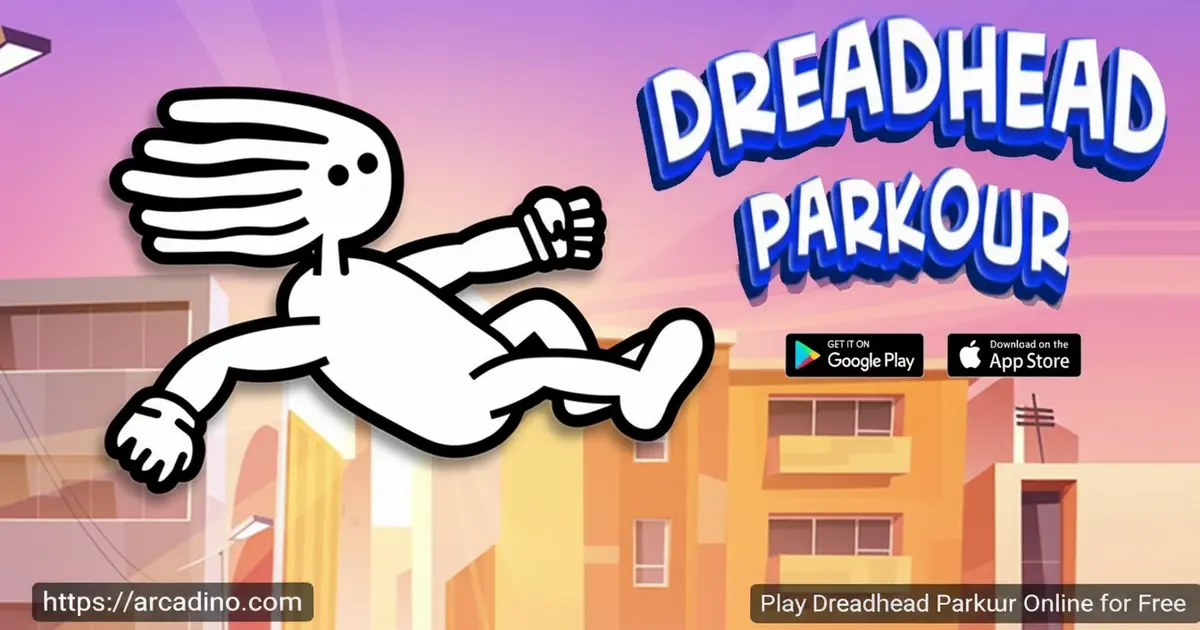
A dreadlocked freerunner. A city full of deadly traps. And one question: can you make it through? Dreadhead Parkour is a free browser game you can play right now — no download, no wait. You’ll flip over circular saws, slide under bombs, and vault across rooftops in some genuinely intense parkour action. It’s fast, it’s stylish, and every level throws something new at you. 😎
- Parkour stunts on demand: Pull off backflips, frontflips, slides, and vaults in real time.
- 20+ hand-crafted levels: Each stage adds new obstacles and tougher traps to beat.
- Coins and stars to collect: Grab them to unlock fresh skins for your freerunner.
- Created by GameTornado: The same team behind the hit game Short Life.
What Is Dreadhead Parkour?
Dreadhead Parkour is a parkour action game made by GameTornado, the studio also known for Short Life and Eugene’s Life. You control a stylish, dreadlocked character sprinting through dangerous urban levels. The goal is simple: reach the finish line. Getting there is anything but simple.
The game blends fast reflexes with fluid movement in a way that feels uniquely satisfying. Every obstacle — from spinning circular saws to ground spikes and bombs — demands quick thinking and good timing. The HTML5 build means it loads cleanly in a modern browser without any lag on the opening screen. Controls respond instantly from the first keypress, which makes learning the movement feel natural right away.
Gameplay — Stunts, Obstacles, and Pure Parkour Flow
The core loop of Dreadhead Parkour is all about movement chaining. You’re constantly running, and the challenge is reading what’s ahead and reacting fast. Slide under a low saw? Jump a spike pit? Time a flip over a wall? Every decision happens in seconds.
What keeps this continuous forward momentum going is how the obstacles scale up. Early levels teach you the basics — a spike here, a gap there. Later stages stack moving traps, bombs, and complex terrain that force you to combine moves creatively. The game rewards players who stay fluid rather than stopping to think. Panic and you’ll hit a saw. Flow and you’ll fly.
Levels and Progression in Dreadhead Parkour
There are over 20 unique levels in this game, and each one genuinely feels different from the last. New trap types get introduced gradually, so you’re never overwhelmed all at once. The difficulty curve is steep but fair — you’ll die a lot, but you’ll always see exactly why.
Progress is automatically saved to your browser, so you can stop mid-run and pick up right where you left off. As you move deeper into the level list, the obstacle combinations get seriously creative. Saws, spikes, bombs, and crazy terrain all start appearing together, pushing your parkour skills to the limit.
Customization and Rewards
Scattered through every level are coins and stars waiting to be grabbed. Coins are everywhere — on rooftops, tucked beside obstacles, hidden in risky spots. Stars are rarer, and finding them gives you a big bonus to your score.
Collect enough and you can unlock new skins for your dreadlocked runner. Each skin gives your character a totally fresh look without changing the way the game plays. It’s a clean reward system that gives collectors a reason to replay levels and hunt for every last coin.
Graphics and Game Feel
The visual style in Dreadhead Parkour is bold and expressive. Your character animates smoothly through every flip and slide, and the movement never looks stiff or robotic. The HD-style graphics keep things crisp even on a smaller screen.
The physics feel deliberate and realistic for a parkour game. Jumps have weight. Slides feel grounded. The animations for stunts like backflips and frontflips are satisfying to watch, especially when you pull them off cleanly in the middle of a dangerous sequence. It looks as good as it plays.
Dreadhead Parkour vs. Short Life — Which GameTornado Game Is Right for You?
Both Dreadhead Parkour and Short Life are made by GameTornado, and both will test your reflexes with deadly traps. But they feel very different to play. Short Life leans into ragdoll physics and dark, slapstick humor — your character flies apart in all sorts of silly ways. Dreadhead Parkour is all about smooth, fluid movement and stylish parkour flow. The controls in Short Life are about survival and luck as much as skill, while Dreadhead Parkour rewards clean timing and chained moves. Short Life suits players who love chaotic laughs and unpredictable physics. Dreadhead Parkour suits players who want to master a movement system and feel like a real freerunner. Try both — they’re free — but if you want to look cool while you fail, Dreadhead Parkour is your pick.
How to Play Dreadhead Parkour
Head to arcadino.com, find Dreadhead Parkour, and hit play. The game loads instantly in your browser. Your first level starts you off with simple obstacles so you can get the feel for movement before things get tough.
Focus on timing above everything else. This game rewards players who stay calm and read the level ahead. Rush blindly and a circular saw will end your run fast. Take the parkour one obstacle at a time and you’ll start stringing moves together naturally.
Controls for Dreadhead Parkour
The keyboard controls are clean and logical. Press D to run right, A to run left, W to jump, and S to slide. Combining these inputs mid-run is how you execute stunts like backflips and frontflips. On mobile and tablet, the game uses touch controls that are fully optimized for the smaller screen.
Fullscreen Mode in Dreadhead Parkour
Want a bigger, more immersive view? You can play Dreadhead Parkour in fullscreen mode really easily. On most browsers, just press F11 on your keyboard to go fullscreen, and press it again to exit. Some browser game players also use the fullscreen icon inside the game window itself — look for a small expand icon in the corner of the game frame. Playing fullscreen helps you spot traps earlier and makes the parkour action feel way more intense.
Tips and Tricks for Dreadhead Parkour
- Learn the slide early: Pressing S at the right moment saves your run from low-hanging saws and bombs constantly.
- Chase every star: Stars are tucked in tricky spots, but they give a major score boost — worth the risk.
- Replay earlier levels for coins: Going back through levels you’ve beaten is the fastest way to stack coins for new skins.
- Watch the traps before jumping: Moving obstacles follow a pattern. Take a half-second to read the rhythm before committing.
- Chain your moves smoothly: Stopping between jumps and slides costs you momentum and makes tight sequences much harder to clear.
Key Features of Dreadhead Parkour
- Parkour stunt system: Execute slides, backflips, frontflips, vaults, and climbs as fluid combat against the course.
- 20+ escalating levels: Each stage introduces new trap types — saws, spikes, bombs, and shifting terrain.
- Coin and star collection: Grabbing collectibles directly unlocks cosmetic skins for your character.
- Auto-save progress: Your level progress saves automatically in the browser — no account needed.
- Cross-device play: Works on desktop with keyboard and on mobile and tablet with responsive touch controls.
Where to Play Dreadhead Parkour
You can play Dreadhead Parkour online for free at arcadino.com. It loads directly in your browser with zero installation required — just open it and go. The game is accessible without restrictions on the site, which means no annoying blocks between you and the parkour action.
If you’d rather play on your phone or tablet, the official app is available on both major stores. Grab it on Android via the Google Play Store or download it on iOS through the Apple App Store. If you ever come across an APK file from an unofficial site, avoid it — only download apps from the official stores to keep your device safe.
If you’re a Windows PC user who prefers a native app experience, you can also play Dreadhead Parkour through Google Play Games for PC. It’s a free desktop app from Google that lets you install Android games directly on your Windows computer. Once set up, your progress syncs seamlessly between your PC and Android devices, so you can pick up right where you left off on any platform.
Play Dreadhead Parkour Offline with the Chrome Extension
Here’s something most browser games can’t offer: Dreadhead Parkour has an official Chrome extension that lets you play offline. To get it, open the Chrome Web Store, search for Dreadhead Parkour, and click Add to Chrome — it takes about a minute to install. Once it’s added, you can launch the game directly from your browser toolbar without needing an internet connection. This is genuinely useful for playing on a commute, on a plane, or anywhere your Wi-Fi is unreliable. Most browser games die the second your connection drops, but the Chrome extension version keeps running no matter what. It’s one of the features that sets Dreadhead Parkour apart from almost every other free online game out there.
Is Dreadhead Parkour Unblocked?
Yes! Dreadhead Parkour is unblocked and fully playable at arcadino.com. Because it runs directly in your browser as an HTML5 game, there’s nothing to download or install, which means it works on most school and work computers without needing special permissions. If your school or workplace network blocks certain gaming sites, the Chrome extension version is a great backup — it runs offline, so network restrictions won’t stop you from playing. Just remember to check your school’s rules before gaming on a school device!
For Parents
Dreadhead Parkour is well-suited for kids aged 8 and up. The content is action-focused but not graphic — obstacles like saws and spikes are stylized and cartoon-like rather than violent or gory. There’s no chat system and no interaction with other players, making it a safe solo experience.
The game builds real skills like spatial awareness, reaction timing, and pattern recognition as levels get harder. There’s no aggressive in-app purchasing system — coins are earned through actual gameplay, not bought. A session of 15 to 20 minutes is a natural stopping point between levels, making it easy to set reasonable playtime limits.
What Skills Does Dreadhead Parkour Build?
The 8+ age recommendation isn’t arbitrary — reading moving obstacle patterns requires a working memory capacity that younger children are still developing. When kids time a jump over a moving saw, they’re practicing predictive reasoning: forming a mental model of where the obstacle will be and acting before it arrives. The coin-hunting mechanic builds spatial memory, since players learn to remember where collectibles are hidden across a level and plan routes accordingly. The game’s progressive difficulty structure closely mirrors deliberate practice principles from skill acquisition research — each new level adds one or two new challenges on top of mastered ones, which is exactly how experts build expertise in any field. For teachers, this makes Dreadhead Parkour a surprisingly strong example of scaffolded learning in a game context. For parents, it means screen time here is genuinely active and cognitively engaging, not passive.
Similar Games You’ll Love
If the fast-paced obstacle running of Dreadhead Parkour has you hooked, these browser games hit that same high-energy platformer nerve:
- Short Life — A brutal obstacle course game from GameTornado with the same chaotic energy and unforgiving traps.
- Short Life 2 — The sequel to Short Life, packed with new levels, more creative hazards, and the same dark humor.
- Eugene’s Life — Another GameTornado title following a quirky character through increasingly wild challenges.
- Mini Train — A creative puzzle game from GameTornado where you build and guide a tiny train through tricky tracks and obstacles.
- Basketball Stars — A totally different sport but the same quick-reflex, competitive feel for players who love skill-based browser games.
Browse more games like this in the Running category.
FAQs About Dreadhead Parkour
Is Dreadhead Parkour free to play?
Yes, Dreadhead Parkour is completely free to play in your browser. Head to arcadino.com and it loads instantly with no account or payment required. The mobile app versions are also free to download from the Play Store and App Store.
Who made Dreadhead Parkour?
GameTornado created Dreadhead Parkour. They’re the same studio behind Short Life, Short Life 2, Eugene’s Life, and Mini Train. GameTornado has built a solid reputation for fast, skill-based browser games with creative obstacle designs.
How many levels does Dreadhead Parkour have?
Dreadhead Parkour features over 20 challenging levels. Each one increases in difficulty, introducing new trap types like moving saws, bombs, and complex terrain combinations.
Can I play Dreadhead Parkour on my phone?
Yes, the game works on phones and tablets through the browser and as a dedicated app. Touch controls are fully optimized for mobile gameplay. Download the app from the Google Play Store or Apple App Store for the best mobile experience.
Does Dreadhead Parkour save my progress?
Yes, your progress saves automatically in your browser. You don’t need to create an account for this to work. When you return to the game, it picks up right where you stopped.
What are the controls for Dreadhead Parkour?
Use W to jump, S to slide, A to run left, and D to run right on keyboard. Combining these keys mid-movement lets you perform stunts like backflips and frontflips. On touch devices, on-screen controls replace the keyboard inputs.
Is there a Dreadhead Parkour download for PC?
The easiest way to play on PC is directly in your browser — no download needed at all. The game is built in HTML5, so any modern browser runs it smoothly. A Chrome extension version also exists for offline play, though the browser version at arcadino.com requires no setup.
The game feels laggy — what should I do?
If Dreadhead Parkour feels slow or choppy, there are a few quick fixes to try. First, use an up-to-date version of Google Chrome or Microsoft Edge — these browsers handle HTML5 games best and give you the smoothest performance. Close any extra browser tabs you don’t need, since other tabs eat up memory and can slow your game down. Make sure your browser’s hardware acceleration is turned on (you can find this in your browser settings under Advanced). If lag persists on a school or work computer, the Chrome extension version can help since it runs locally rather than streaming over the network. On older devices, lowering your screen resolution or playing in a smaller window can also help keep things running smoothly.
Conclusion
Dreadhead Parkour earns its popularity for three clear reasons: the movement feels amazing, the obstacles keep escalating in creative ways, and the skin unlock system gives you a real reason to replay. GameTornado packed a lot of personality into this freerunner, from the character design to the way each flip animation lands.
If you’ve been searching for a parkour game that actually challenges your reflexes — not just your patience — this is the one to try. Load it up on arcadino.com right now and see how far you can make it before the saws catch up with you.
Gameplay Video


