


























Watch one short ad and play ad-free for 30 minutes.
Dinosaur Game
GoogleLost your Wi-Fi and met that lonely pixel T-Rex? Dinosaur Game brings that famous Chrome offline runner straight to your browser, free and instant. You don’t need to disconnect your internet or type any secret URL. Just hit spacebar and the little dino starts sprinting across the black-and-white desert.
This is the same endless runner Google built into Chrome back in 2014. You jump over cacti, duck under pterodactyls, and watch the speed climb until your reflexes give out. It’s pure timing, pure rhythm, and weirdly addictive. 🦖
- Classic Chrome Dino runner playable without going offline
- Simple two-button controls: jump and duck
- Score climbs into the high five and six digits before resetting
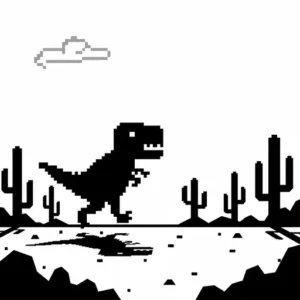
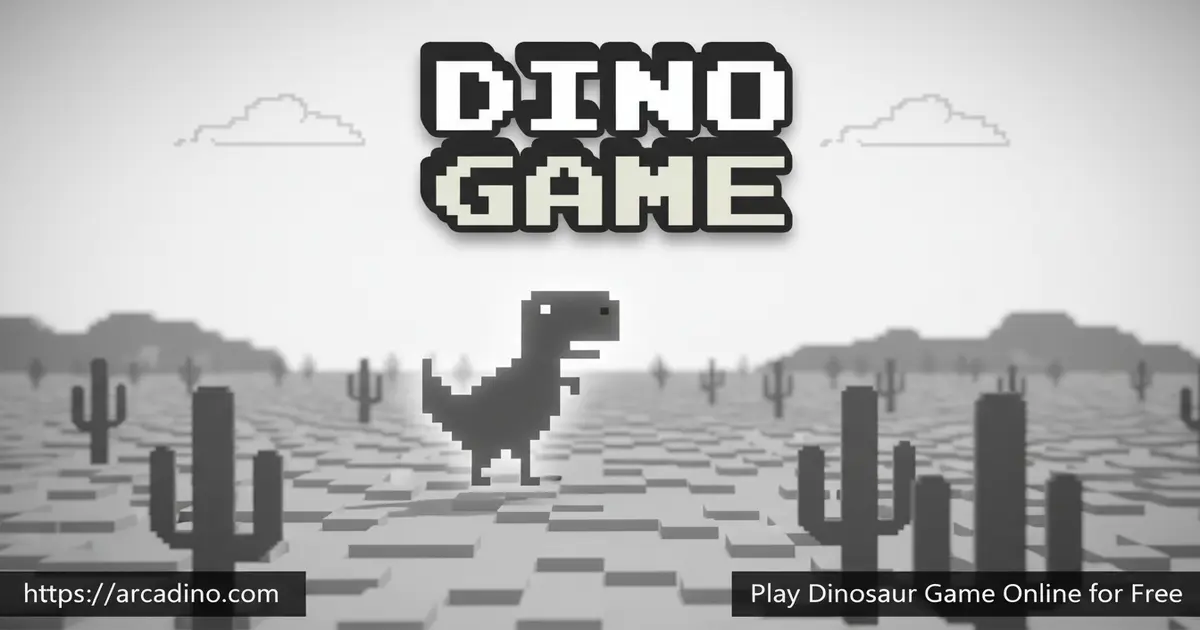
- Minimalist 8-bit black-and-white pixel art
What Is Dinosaur Game?
Dinosaur Game is a 2D endless runner starring a pixel T-Rex sprinting across a desert. It first appeared in 2014 as a hidden Easter egg on Chrome’s “No Internet” page. The Google UX team built it as a friendly joke – if your connection vanished, at least you got a tiny game. Today people call it Chrome Dino, T-Rex Runner, Dino Run, or just the no internet game.
Loading it here is honestly faster than waiting for Chrome to throw an error. The page pops open, the spacebar wakes the dino up, and you’re running. The art style is super clean – just gray pixels on white – so it never lags, even on a school Chromebook or an old phone. That’s part of why it’s been played hundreds of millions of times worldwide.
Why Dinosaur Game Loads So Fast
Ever wondered why this game pops up instantly, even with zero internet? It’s because the whole game is bundled right inside the Chrome browser as a tiny standalone file. The art and code together weigh roughly 50KB – smaller than a single phone photo. It’s built with plain HTML5 canvas, so there’s no Flash, no plugins, and no extra downloads. The low-contrast black-and-white design isn’t just stylish either – it was picked so the game runs smoothly on cheap, low-power devices. That’s why your old laptop and your little brother’s tablet both handle it perfectly.
Gameplay in Dinosaur Game
The T-Rex runs on its own. Your only job is to time jumps over cacti and ducks under flying pterodactyls. Every 100 points, you’ll hear a tiny retro “ping” that tells you you’re still alive. The catch? The longer you survive, the faster everything moves.
What makes Dinosaur Game so sticky is how short each run feels. You crash, you sigh, you immediately tap spacebar again. There’s no menu, no loading screen, no story to skip. Just you versus that next cactus.
Obstacles and Difficulty in Dino Game
Early on, the cacti are spaced wide apart and easy to clear. Then small cactus clusters appear, and you’ll need short, precise hops. After a while, pterodactyls start gliding in at different heights. Some you can jump over, others you have to duck under by holding the down arrow.
The speed keeps creeping up the whole time. By a few hundred points, your reaction window is under a second. This is where most runs end – and where the real challenge of Dino Game starts.
High Score and Scoring in Dinosaur Game
The original Chrome build caps the counter at 99,999, then rolls it back to 0 like an old arcade cabinet. Some browser ports stretch this further, but 99,999 is the widely accepted ceiling for the classic version. Reaching it takes serious patience – we’re talking over an hour of perfect play. Most players are thrilled just to crack four digits.
There’s no save file, no progression, no unlockables. Your high score lives only in the current session, which keeps every run feeling fresh. The pressure is all on you, every single attempt.
Speedrunning the Chrome Dino
Yep – there’s a real speedrun community chasing Dinosaur Game records. On speedrun.com, players race to hit the score cap as fast as possible, with categories for different versions and rule sets. The fastest verified runs to the 99,999 cap take roughly 60 to 90 minutes of flawless play. Top speedrunners memorize obstacle patterns and use precise short-hop strategies to avoid wasting airtime. Some even study glitches and frame timings to squeeze out every second. If you ever crack 10,000, you’re already playing at a level most people never see.
Graphics and Style of the T-Rex Runner
The art is intentionally tiny: 8-bit pixel sprites, no color, no fancy effects. It looks like something off a 1980s handheld. That minimal black-and-white look is a wink at being “offline” – basically a prehistoric web experience.
The sound is just as simple. A blip when you jump, a deeper tone when you crash, and that satisfying milestone ping. It all loads instantly, even on slow connections.
Hidden Easter Eggs in Dinosaur Game
Google sneaked a few surprises into the original Chrome version that most players never spot. On the game’s anniversary each September, the T-Rex puts on a tiny party hat and a pixel birthday cake appears in the desert. During the 2020 Tokyo Olympics, Google added a special Olympic-themed update with torches and medals to celebrate. There’s also an accessibility tweak that lets the game be played with a screen reader and audio cues, so visually impaired players can join in. These hidden touches show how much love Google’s UX team poured into a “joke” game. Keep your eyes peeled – you never know what tiny detail might pop up next.
How to Play Dinosaur Game
Getting started couldn’t be easier. Open the page, press the spacebar, and the T-Rex takes off running. If you hit a cactus or a pterodactyl, the run ends and you tap spacebar again to retry. There’s literally nothing else to set up.
On phones and tablets, the controls switch to touch. A single tap launches the dino and triggers jumps. A downward swipe handles ducking on most mobile setups.
Dinosaur Game Controls
- Spacebar or Up arrow: Start the game and jump
- Down arrow: Duck under pterodactyls
- Hold Up/Spacebar: Slightly higher, longer jump
- Mobile: Tap the screen to jump, swipe down to duck
Need a quick break? You can pause the action by pressing ALT or hitting F11 to toggle fullscreen, which freezes the dino for a second. Tap spacebar again to jump right back into the run. Handy when a parent walks in or your snack arrives.
Tips and Tricks for Dinosaur Game
- Jump early, not late: As speed ramps up, your reflexes lag behind. Trigger jumps a hair before you think you should.
- Find a rhythm: Cacti often appear at steady intervals. Lock into that beat instead of panicking at each one.
- Use short hops for tight cactus clusters: Quick taps clear small cacti without floating too long in the air.
- Duck low pterodactyls, jump high ones: The flying enemies come at three heights. Mid-level birds need a duck, high ones can be slid under without jumping.
- Don’t watch the dino – watch ahead: Keep your eyes on the right side of the screen so you spot obstacles earlier.
Key Features of Dinosaur Game
- Pixel-perfect endless runner with auto-running T-Rex
- Cactus jumps and pterodactyl ducks for two-layer obstacle play
- Speed scaling that ramps up the longer you survive
- Iconic high score cap rooted in the original Chrome design
- Loads instantly in any browser with no installs or sign-ups
Where to Play Dinosaur Game
The easiest way to play Dinosaur Game is right here in your browser – no offline mode, no chrome://dino trick, no waiting for your Wi-Fi to die. It runs on desktops, laptops, Chromebooks, and mobile phones with the same lightweight performance. Because the file size is tiny, it works great on school networks and older devices.
If you want the original experience inside Chrome, you can still type chrome://dino in the address bar to launch Google’s built-in version. There’s no official Play Store or App Store app from Google, so be careful with random APK downloads claiming to be the “real” Dino Game – many are knockoffs with ads. Sticking to a browser version is safer and faster.
Another Way to Launch It in Chrome
Here’s a lesser-known trick: you can also type chrome://network-error/-106 into Chrome’s address bar. This pulls up the same offline error screen that hides the dino, even when your Wi-Fi is working fine. Press spacebar and you’re off and running. It’s a fun backup if chrome://dino ever acts weird on your device.
Playing Dinosaur Game on School Chromebooks
Dinosaur Game is basically a perfect classroom game. It runs in pure HTML5 canvas, so it doesn’t need Flash, plugins, or any blocked downloads. That means it usually slips through locked-down school networks where bigger games get blocked. Teachers can even use a 60-second run as a brain-break between lessons – quick, quiet, and screen-friendly. There’s no chat, no signup, and no scary content to worry about. Plus, since high scores reset every session, nobody gets too competitive about who “won.” It’s a clean, calming way to refresh focus before diving back into math or reading.
For Parents
Dinosaur Game is one of the most kid-friendly browser games out there. There’s no chat, no in-app purchases, no ads inside the game itself, and no violence beyond a cartoon dino bumping into a cactus. The pixel art is so simple it could pass for a math worksheet.
It’s perfect for short play sessions – five to fifteen minutes between homework. Younger players (8+) can build hand-eye coordination and reaction timing. Older kids enjoy chasing higher scores and trying to spot patterns in obstacle spawns.
Similar Games to Dinosaur Game
If the simple jump-and-dodge loop of Dinosaur Game has you hooked, these endless runners are worth a try:
- Dino Run – A faster, more chaotic dinosaur runner with a similar reaction-based challenge.
- Subway Surfers – A colorful 3D endless runner with power-ups, coins, and progression systems.
- Temple Run 2 – A modern take on auto-running with twists, jumps, and slides.
- Smash Karts – A short, snappy multiplayer arcade hit with the same “one more round” energy.
- Happy Wheels – A ragdoll physics side-scroller for kids who want a wackier obstacle course.
- Duck Life – A cute training-and-racing runner where you raise a duck to compete in cross-country, swimming, and flying events.
Browse more pick-up-and-play classics in our Arcade category.
FAQs About Dinosaur Game
How do you play the Dinosaur Game?
Press the spacebar or up arrow to jump and the down arrow to duck. The T-Rex runs automatically across the desert. Your goal is to clear cacti and dodge pterodactyls for as long as possible while the speed keeps climbing.
What is the highest score in Dinosaur Game?
The original Chrome version caps the score at 99,999, then resets the counter to 0. The original developers never expected anyone to reach that limit, so it’s a real badge of honor. Some browser ports may push the cap higher, but 99,999 is the classic number.
How do you turn on the Dinosaur Game?
Just open this page and press spacebar – no setup needed. If you want the Chrome version, type chrome://dino into the address bar or disconnect your internet and load any page. Both routes launch the same T-Rex runner.
How old is the Dinosaur Game?
Dinosaur Game launched in 2014, so it’s over a decade old. It was created by Google UX designers Sebastien Gabriel, Alan Bettes, and Edward Jung. By 2018, Google said it was being played around 270 million times every month.
Can the Dinosaur Game be beaten?
No, the game is endless and the speed keeps increasing forever. You can hit the score cap, but the run technically never ends until you crash. That’s why the dino’s nickname is “the game you can’t win.”
Why is there a dinosaur in Google Chrome?
The dino is a joke about being offline, like living in “prehistoric times” without internet. Google added it as a fun Easter egg so users wouldn’t get bored staring at an error page. The pixel T-Rex has since become an internet legend.
Is Dinosaur Game free to play?
Yes, Dinosaur Game is 100% free with no sign-ups or downloads. It runs straight in your browser on desktop or mobile. There are no ads inside the game and no in-app purchases of any kind.
Can you play Dinosaur Game without going offline?
Yes, you can play it right here while connected to Wi-Fi. You don’t need to unplug anything or trigger Chrome’s error page. Just load the page and tap spacebar to start running.
Final Thoughts on Dinosaur Game
Few browser games nail “easy to start, hard to master” like Dinosaur Game. The two-button controls, the rising speed, and that taunting score ceiling combine into a runner you’ll keep firing up between classes and homework breaks. The pixel T-Rex doesn’t need flashy graphics or unlocks to keep you hooked.
Open the page, queue up your favorite playlist, and see how far the lonely T-Rex can sprint before that next cactus ruins everything. Beat your last score – then beat it again.
